
Brisk Teaching

AI for teachers that works inside the tools they already use.

FreeFree planConversational AI agent for K-12 teachers, delivered as a browser extension

No user reviews yet. Be the first to rate it.

Visit website
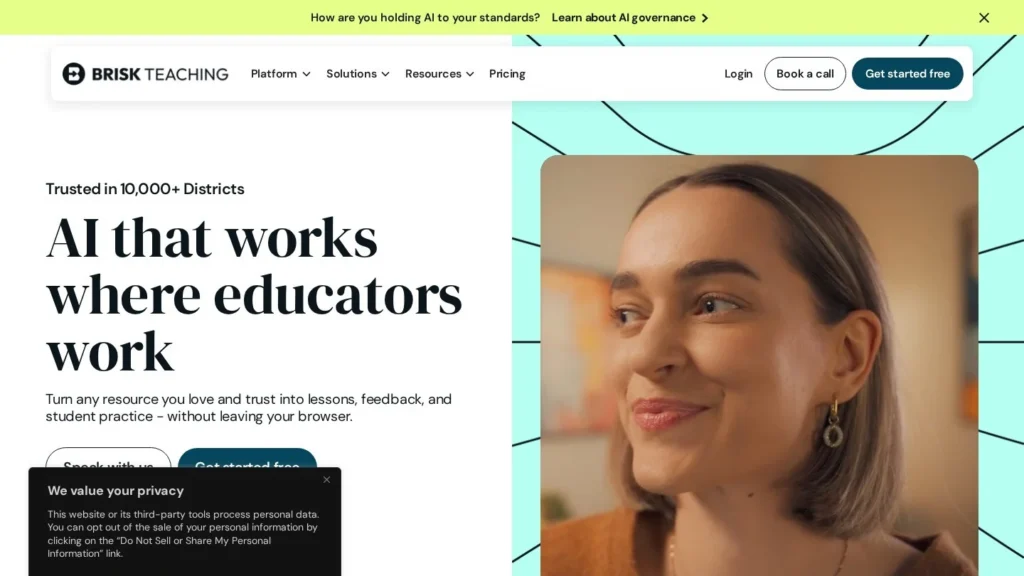
Brisk Teaching website screenshot
Brisk Teaching website

Quick Facts

DeveloperBrisk Teaching
Websitebriskteaching.com
Agent typeConversational AI agent for K-12 teachers, delivered as a browser extension
Best forK-12 teachers who want lesson materials, quizzes and writing feedback produced inside Google and Microsoft tools, and districts that want AI aligned to their curriculum.
Not ideal forTeachers on Safari or Firefox, or anyone who needs a standalone course platform or LMS.
Pricing modelFreemium; school and district plans priced per student
Starting priceFree
Pricing detailsFree for individual teachers with daily usage caps. An Educator Pro upgrade has been reported at $99.99 a year. Premium (schools and districts) and Intelligence (districts) are custom-priced per student, with pilots and consortium pricing available.
Free planYes
Free trialPilots for schools and districts
ChannelsBrowser extension, web
What it does on its ownAsks clarifying questions, then builds resources from a teacher's prompt, grade level and state; teachers review and refine each output in conversation.
IntegrationsGoogle Docs, Google Slides, Google Classroom, Canvas, Schoology, Microsoft tools, YouTube, PDFs
PlatformsChrome, Microsoft Edge
LanguagesGenerates materials in 50+ languages
Compliance and securityFERPA and COPPA compliant and GDPR aligned per vendor; working toward SOC 2 Type II
Details last verified29 October 2026
CategoriesContent Writing, Education, Free AI Agents
User ratingNo reviews yet

More than two million educators use Brisk Teaching, and the plan for individual teachers costs nothing. The company says schools in more than 20,000 districts have adopted it.

Brisk runs as a browser extension that sits on top of Google Docs, Slides, Classroom, Canvas, Schoology, PDFs and YouTube, so teachers create materials and give feedback without leaving the page they are working in.

How It Works

In July 2026 Brisk rebuilt its product on what it calls an agentic engine. A teacher describes what they need, such as a quiz on the open article or a lesson for a given standard. Brisk asks a few clarifying questions, which the teacher can skip, then builds the resource using the prompt, grade level and state. Changes happen in conversation, with edits shown as they are made. Teachers can also search for tools by goal instead of hunting through menus.

The toolkit covers writing feedback (including comments placed directly in Google Docs), reading-level changes, lesson plans, slides, quizzes and a review of a student’s writing process to check for possible AI use. Brisk Boost adds student-facing activities. For districts on the top plan, Curriculum Intelligence grounds every output in the district’s adopted curriculum, scope and sequence. Brisk says it can produce materials in more than 50 languages. A teacher stays in charge of each step, so this is an assistant that acts on request rather than one that runs classroom tasks unprompted.

Pricing

The Free plan gives teachers the core tools with daily usage caps. An Educator Pro upgrade, which removes the caps and adds a faster model and more feedback styles, has been reported at $99.99 a year. Schools and districts buy Premium, which adds admin dashboards, rostering, data privacy agreements and Brisk Boost, or Intelligence, which adds Curriculum Intelligence. Both are priced per student on request, and pilots are available.

What to Watch Out For

Brisk says it is FERPA and COPPA compliant but is still working toward SOC 2 Type II, which some district IT teams require. The extension runs on Chrome and Edge only. Reviews describe generated slides and quizzes as basic next to dedicated design tools. The classic interface remains available only through December 31, 2026.

Recent News

In January 2026 it announced Curriculum Intelligence for back-to-school 2026, and in July it released the rebuilt Brisk with conversational resource creation.

Features

  • Conversational resource creation on an agentic engine
  • Lesson plans, quizzes and slides built from the page that is open
  • Feedback on student writing, including comments inside Google Docs
  • Reading-level adjustment for any text
  • Writing-process review to check for possible AI use
  • Brisk Boost student activities with admin controls on school plans
  • Curriculum Intelligence grounds outputs in a district's adopted curriculum

Pros and Cons

Pros

  • Genuinely free plan for individual teachers
  • Works inside Docs, Slides, Classroom, Canvas and Schoology
  • Used by more than two million educators, the company says
  • District plans align outputs to adopted curriculum and pacing

Cons

  • Free plan has daily usage caps
  • SOC 2 certification still in progress
  • Extension runs only on Chrome and Edge
  • Reviewers describe generated slides and quizzes as basic
  • Teacher-driven: it builds what it is asked for rather than running tasks unprompted

User Reviews

No reviews yet. Be the first to rate Brisk Teaching.

Write a Review