
Tines Gives Security Teams Agents That Run Inside Their Workflows
Tines runs over 1 billion automated actions a week, and its AI Agent action works inside those same workflows. Coinbase, Databricks, GitLab and Mars are named customers. On G2, Tines holds 4.7 out of 5 from 399 reviews. The Community Edition is free, while paid editions are priced by quote.
We researched Tines for security and IT teams that already automate alert handling. In our view, it gives the most value to teams that want agents to make judgment calls inside a controlled workflow. Each agent run is logged, and its output passes to the next step. However, someone still has to design those workflows. We score Tines 8.6 out of 10.
Tines Facts for SOC and IT Leads
- G2 rating: 4.7 out of 5 from 399 reviews, with ease of use and integrations praised most.
- Community Edition is free and includes the AI Agent action plus 50 AI run-time credits a month.
- Agents call templates, other stories, custom tools, remote MCP servers and built-in web search.
- Tines says its platform runs over 1 billion automated actions a week.
- Tines raised a $125 million Series C at a $1.125 billion valuation, bringing total funding to $272 million.
Tines Numbers We Compiled From Its Own Pages
We gathered these figures from Tines pages, its documentation, a customer story and funding coverage. Each row links to the page we read.
| Fact | Detail | Source |
|---|---|---|
| G2 rating | 4.7 out of 5 from 399 reviews | G2 |
| Weekly volume | Over 1 billion automated actions a week | Tines blog |
| AI adoption | Two-thirds of customers use the AI features launched the year before the round | Tines blog |
| Series C | $125 million at a $1.125 billion valuation | Tines blog |
| Lead investor | Growth Equity at Goldman Sachs Alternatives; SoftBank Vision Fund 2 and Activant joined | Pulse 2.0 |
| Total funding | $272 million | Pulse 2.0 |
| Named customers | Coinbase, Databricks, GitLab, Mars | Pulse 2.0 |
| Agent models | Agents and Workbench run on Claude Sonnet; Transform Mode on Claude Haiku | Anthropic customer story |
| Workflow collapse | A 120-step workflow became a single-step agent with comparable results | Anthropic customer story |
| Free edition | 1 team, 3 flows, 25,000 events a month, 50 AI credits a month | Tines pricing guide |
| Business floor | 30 flows, 100 users, 1.5 million events a day | Tines pricing guide |
| Chat attachments | Up to 3 files per message, 4.5MB each | AI Agent docs |
Two rows matter most for a buyer. First, the 120-step workflow that became one agent step shows what changes. Logic that once lived in many branches can now sit in one prompt with tools. Even so, Tines kept the workflow around it, so the agent still runs inside change control.
Second, the free edition is a real test bed. It includes the same AI Agent action as the paid editions. So a team can build one agent on a live alert feed before talking to sales.
What Happens When a Tines Agent Runs
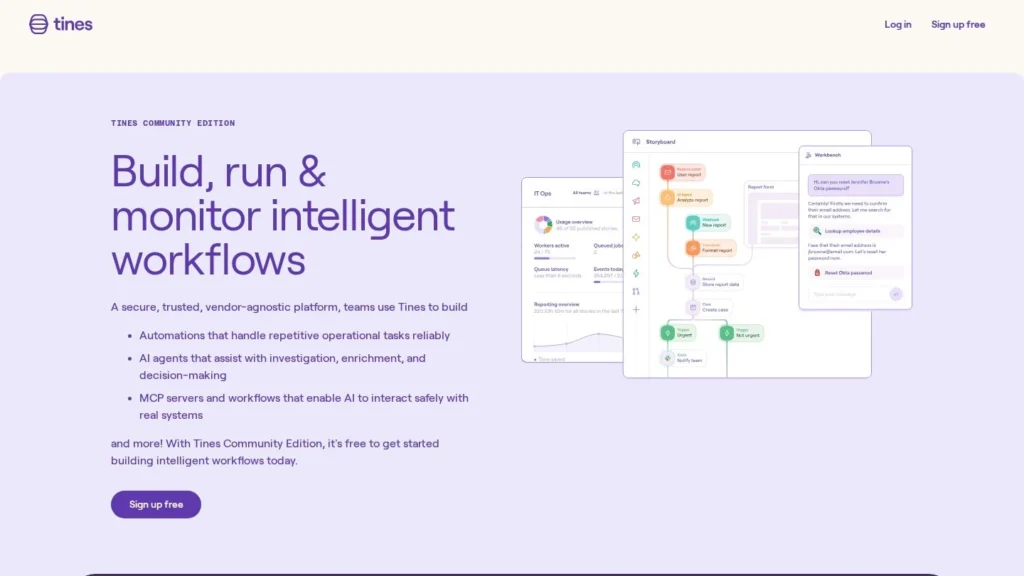
A Tines agent is one action on the storyboard. Something upstream triggers it, such as a webhook, a schedule or another action. Then the agent does its work and emits an event for the next action.
Task Mode for Hands-Off Steps
Task mode takes a prompt and returns a response. With no tools, that is a single model call. With tools attached, the model loops on its own and calls tools until it finds a solution. The default temperature is 0.2, the timeout is 30 seconds and the action retries up to 25 times.
Chat Mode on a Tines Page or in Slack
Chat mode hosts a conversation on a Tines page. You set the goal in the system instructions. When the goal is met, the chat ends and the action emits a final event. Chat agents can also connect to Slack. Users may attach up to 3 files per message, such as PDFs, spreadsheets or images.
Tools the Agent Can Call
Tools come in five kinds. Templates cover public prebuilt actions and your private ones. Send to Story passes data to another story, with a timeout so the agent can finish cleanly. Custom tools live inside the same story.
Built-in tools add a Think scratchpad, a Code Analysis tool for charts and data work, and Web Search. Finally, remote MCP servers connect over Streamable HTTP with bearer headers or OAuth 2.1. Only MCP tools are supported, so resources and prompts are not.
Model Choice and Fallbacks
Each tenant sets a “smart” and a “fast” model in its AI settings. The agent uses the smart model by default. You can also name up to five fallback models, tried in order if one fails. A JSON output schema checks the shape of each answer.
A Phishing Report Traced Through One Story
We mapped a common SOC job onto the documented parts. First, a webhook receives a user-reported email. Next, a task-mode agent with a URL lookup template and web search checks the links and sender. Then it returns a verdict that matches a JSON schema.
After that, normal actions take over. A malicious verdict could call a Send to Story tool that quarantines the message. A clean verdict could close the ticket. Every step, tool call and credit used is written to the event log.
What Builders Still Own
Tines gives you the parts, but you design the flow. Someone writes the instructions, picks the tools and decides which outcomes need a person. Also, the agent docs we read do not list a built-in approval step. So review points are built as normal workflow actions.
Community, Business and Enterprise Editions
Tines publishes its edition limits. However, it shares paid prices only through sales.
| Edition | Price | Flows | Events | AI Run-Time Credits | Other Notes |
|---|---|---|---|---|---|
| Community | Free | 3 | 25,000 a month | 50 a month | 1 team; AI Agent action and Workbench included; SSO |
| Business | Custom quote | From 30 | 1.5 million a day | Add-on, set with sales | Up to 100 users; Security and Team Essentials; self-hosting option |
| Enterprise | Custom quote | Set with sales | Set with sales | Add-on, set with sales | Tenant management; dedicated cloud tenant; self-hosting option |
Add-ons on paid editions include extra AI credits, Cases, Tunnels, Tenants, Flows, Teams and Apps. Each agent run deducts credits from a monthly tenant allowance. Admins can set token alerts by day, week, month or all time.
Event and Credit Budgets for Three Security Teams
Tines does not publish paid prices, so we worked out capacity instead. The inputs come from the edition limits. The events per alert are our own assumption, so adjust them for your stories.
A Two-Person Team Testing on Community
Say a phishing story emits 10 events per reported email. Then 25,000 monthly events cover about 2,500 reports a month, or roughly 83 a day. That is enough for a pilot at a small company. Still, 50 AI credits a month will cap how many agent runs fit, so watch the run metadata.
A Mid-Size SOC Moving to Business
Business allows 1.5 million events a day. Over a 30-day month, that is 45 million events, or 1,800 times the Community allowance. At 10 events per alert, that is about 150,000 alerts a day. In practice, the AI credit add-on is the number to negotiate.
A Large Group With Several Tenants
Enterprise adds tenant management and a dedicated cloud tenant. As a result, a group with regional teams can split work by tenant. Ask sales for credit pools per tenant and for the self-hosted option if data must stay on site.
Tines Beside Torq Socrates, Swimlane AI SOC and n8n AI Agent
We compared Tines with three agents already on our site. Prices come from each vendor’s own pages as covered in those reviews.
| Agent | Starting Price | Free Plan | Main Job | Good Match For |
|---|---|---|---|---|
| Tines | Free Community Edition; paid by quote | Yes | AI agents as steps inside security and IT workflows | Teams that build and own their automations |
| Torq Socrates | Custom quote | No | Orchestrates AI agents that investigate and contain threats | SOCs that want an AI SOC platform |
| Swimlane AI SOC | Custom quote | No | Deep agents that investigate threats and build playbooks | Teams already on Swimlane Turbine |
| n8n AI Agent | €20 a month, billed annually | Yes | General workflow automation with an AI Agent node | Builders who want low cost and self-hosting |
The split comes down to who builds. Torq and Swimlane sell a packaged AI SOC with agents that already know the job. Tines and n8n give you an agent step to place where you want. Of the two builders, Tines is the one made for security teams, with SSO even on the free edition. See more on our cybersecurity agents and workflow automation agents pages.
Security Teams Likely to Gain Most From Tines
- SOC teams that already run alert triage or phishing stories and want an agent for the judgment step.
- IT teams that handle access requests and want a chat agent on a Tines page or in Slack.
- Security engineers who want to test agents on a free tier before a budget request.
- Companies that need the option to self-host workflows on a paid edition.
- Teams that want each agent run logged with steps, tokens, credits and model.
The common thread is ownership. Tines rewards teams that like to see and change every step. For example, an engineer can swap a model, add a tool or route a verdict to a person without waiting on a vendor.
When a Packaged AI SOC May Serve Better Than Tines
Some teams want an AI analyst that works alerts on day one. They may get there faster with an AI SOC product that ships with investigations built in. Tines gives you the blocks, so the first agent takes design time.
Small teams with no automation experience may also feel the learning curve. G2 reviewers mention it more than any other complaint. So plan for training time, or ask Tines about onboarding help.
What 399 G2 Reviewers Report About Tines
Tines holds 4.7 out of 5 from 399 reviews on G2. We read the review themes on that page. Ease of use comes up most, because the visual builder lets people without coding skills build workflows. Reviewers also praise the range of integrations, fast cloud setup and quick support.
The complaints are about depth. Many reviewers say advanced workflows take time to master, especially for people new to APIs. Some find large stories hard to organize and debug. Others want more templates, more native connectors and fuller guides. A few also find the price high for smaller teams.
A First Tines Agent Pilot We Would Run
First, pick one noisy queue, such as user-reported phishing. Build the story on Community Edition with a webhook trigger. Next, add one task-mode agent with two tools and a JSON output schema.
Then run it in shadow mode for two weeks. Let the agent write its verdict, but keep a person on every close. After that, compare the verdicts with the analyst calls. Also, read the run metadata to see how many credits each alert used.
Finally, take those numbers to sales. You will know your events per alert and credits per run. As a result, the Business quote can be sized on real data.
Credit Alerts, Data Regions and Other Controls to Check
First, AI credits come from a tenant-wide monthly allowance. Tines blocks agent actions in personal teams to protect that pool. Token alerts can notify the story owners or switch the action off once a limit is passed.
Second, check data regions. EU stacks run web search in the EU, but web extraction is not supported there. Other stacks process search in the US. Tenants with egress limits cannot use web search at all.
Third, read the output rules. Tool outputs over 50,000 tokens are cut before they reach the model, unless you turn that off.
Tines Funding and Agent Launch Coverage
Tines announced a $125 million Series C at a $1.125 billion valuation. Growth Equity at Goldman Sachs Alternatives led the round, with SoftBank Vision Fund 2 and Activant as new investors. Accel, Felicis, CrowdStrike Falcon Fund and Addition returned. Total funding reached $272 million.
Later, Tines launched Agents as a tier 1 product, and an Anthropic customer story explains the models behind it. Claude Sonnet powers Agents and Workbench, while Claude Haiku powers Automatic Transform Mode.
Our 8.6 Score for Tines
We score Tines 8.6 out of 10. Autonomy rates high because a task-mode agent loops through tools until it reaches a solution. Integrations rate higher still, since agents reach templates, other stories, MCP servers and any HTTP API.
Ease of setup is good thanks to the free edition and Workbench, though advanced stories take practice. Pricing value is lower, because paid editions are quote-only. User sentiment rates high on 4.7 out of 5 from 399 G2 reviews.
For a security team with one noisy alert queue, Tines is a low-risk place to test agents. Build one agent on Community Edition first. Then judge it by how many alerts it closed without a person.
Questions Security Engineers Ask About Tines
Is the Tines AI Agent Free to Use?
Yes, within limits. Community Edition is free and includes the AI Agent action. It comes with 50 AI run-time credits a month, 3 flows and 25,000 monthly events.
How Much Does Tines Business Edition Cost?
Tines does not publish Business or Enterprise prices. Buyers book a demo and get a quote. AI credits on paid editions are an add-on set in the same talk.
Can a Tines Agent Use Our Own Tools?
Yes. An agent can call templates, other stories, custom tools and remote MCP servers. Through templates and stories, it can reach any tool with an HTTP API.
Which AI Models Does Tines Use?
Each tenant picks a smart model and a fast model in its AI settings. Tines says Claude Sonnet powers Agents and Workbench. You can also set up to five fallback models per action.
Can Tines Run on Our Own Servers?
Yes, on paid editions. Business and Enterprise can be self-hosted. Community Edition runs in the Tines cloud.



User Reviews
Nobody has rated it here yet. Be the first AI Agents Choice user to rate Tines.