
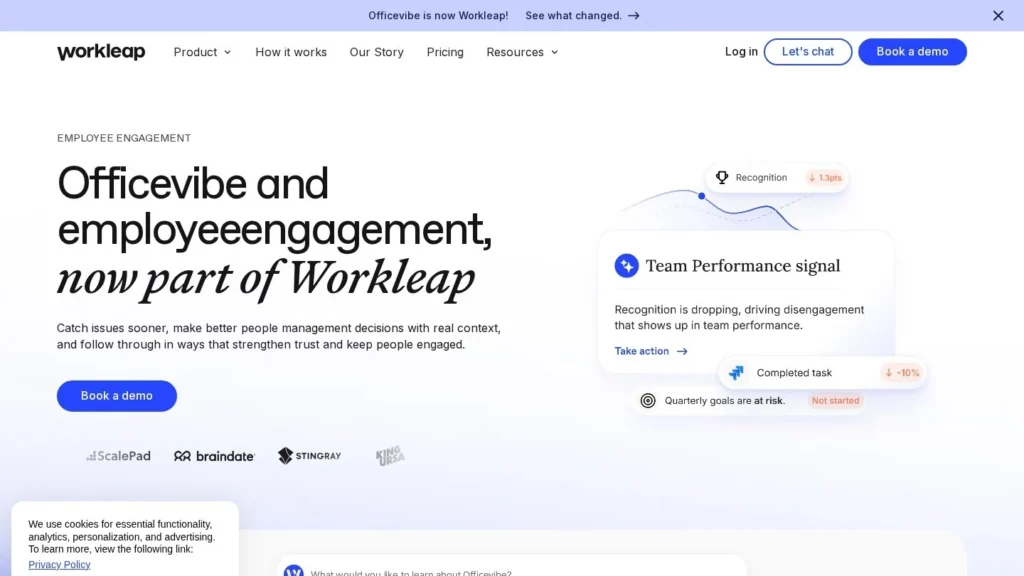
Workleap Officevibe AI

Engagement tool with pulse surveys, anonymous feedback and peer recognition, plus AI that explains results, suggests actions and drafts replies.

Contact salesAI analysis for pulse surveys, eNPS and recognition
6.6/10 our score

Be the first to rate Workleap Officevibe AI

Visit website
Workleap Officevibe AI website: Engagement tool with pulse surveys, anonymous feedback and peer recognition, plus AI that explains results, suggests actions
Workleap Officevibe AI website

Workleap Officevibe AI Review

DeveloperWorkleap
Websiteworkleap.com/officevibe
Agent typeAI analysis for pulse surveys, eNPS and recognition
Best forSmall and mid-size teams that want weekly pulse surveys and peer recognition with AI that tells each manager what changed.
Fit noteLarge enterprises with complex listening programs may find an enterprise survey suite a closer match.
Pricing modelSee Workleap pricing
Starting priceContact sales
Pricing detailsAsk Workleap for current Officevibe plan prices.
Free planNot published
Free trialNot published
ChannelsWorkleap web app, Slack, Microsoft Teams
What it does on its ownAI runs on demand from buttons in each report. It explains engagement trends, reads eNPS promoters and detractors, digs into one metric, sums up custom surveys and recognition activity and drafts replies to employee feedback. Managers choose what to act on and send.
IntegrationsSlack, Microsoft Teams, HRIS tools
PlatformsWeb
Compliance and securitySOC for Service Organizations report; anonymous feedback shown only when privacy rules are met
Details last verified19 November 2026
CategoriesEmployee Engagement, Performance Management, Recruiting & HR, Small Business
6.6/10

Workleap Officevibe AI Score

Our editorial score across six weighted criteria, based on Workleap Officevibe AI’s published documentation, pricing and public user ratings. How we score

  • Autonomy5.5

    AI explains and drafts on request; managers take every action.

  • Ease of Setup8.5

    Buttons sit inside each report, and the tool works in Slack and Teams.

  • Pricing Value6.0

    Plan prices come from Workleap on request.

  • Integrations7.0

    Slack, Teams and HRIS links.

  • Trust and Security7.5

    A SOC report and anonymity rules; AI data handling is not described.

Workleap Officevibe Turns Pulse Data Into Plain Notes

Pulse surveys make a lot of charts. Managers just want to know what changed and what to do. Workleap Officevibe adds AI buttons to each report. Press one, and the AI explains the trend and suggests next steps. Another button drafts a reply to a piece of staff feedback.

We rate Officevibe 6.6 out of 10.

Officevibe Facts for Managers

  • AI buttons: six, across survey, eNPS, recognition and feedback.
  • Surveys: pulse and custom.
  • Recognition: Good Vibes peer cards.
  • Channels: web, Slack and Teams.
  • Privacy: anonymous feedback shown only when rules are met.

The Six AI Buttons

Analyze Engagement

On the pulse survey report, this button comments on recent trends. It blends written feedback with the scores.

Analyze eNPS

For teams that track eNPS, the AI comments on promoters and detractors. It suggests ways to lift the score.

Analyze Metric

This gives a closer look at one sub-metric, such as relationship with the manager.

Analyze Results

For custom surveys, AI pulls out findings and proposes next steps.

Analyze Good Vibes

On the recognition report, AI sums up who is thanking whom. It notes team patterns and offers ideas to improve.

Help Me Reply

When an employee leaves feedback, the manager can ask AI to draft a personal reply.

The Rest of Officevibe

Officevibe also has 1:1s, goals, reviews and action plans for managers. Reports cover surveys, notes from staff, quits and thank-you cards. You can export the results.

Officevibe, Culture Amp and 15Five in One Table

ToolAI helpPrice
Workleap OfficevibeSix AI analysis and reply buttonsAsk Workleap
Culture AmpAI Coach plans and comment summariesQuote; AI free
15FivePredictive Impact Score and feedback summariesFrom $4 per user a month

Who Should Shortlist Officevibe

Small and mid-size teams that run weekly pulses gain the most. Managers who do not have time to read every chart get a short written read.

What Buyers Would Like From Workleap

Workleap could add an agent that acts on results, such as booking a team talk. It could also spell out how AI handles survey data.

Why Officevibe Gets 6.6

Setup ease earns the highest mark, since the AI is one click in each report. Autonomy is the low mark because the AI only runs on request.

Officevibe Questions From Managers

Does Officevibe AI Read Comments?

Yes. Analyze engagement blends written feedback with the scores.

Can AI Write My Reply to Feedback?

Yes. Help me reply drafts a personal response.

Is Feedback Anonymous?

Yes. It shows only when privacy rules are met.

Guides Related to Workleap Officevibe AI

Features

  • Analyze engagement button in pulse reports | Analyze eNPS with promoter and detractor notes | Analyze metric for one sub-metric | Analyze results for custom surveys | Analyze Good Vibes for recognition data | Help me reply for employee feedback | Pulse and custom surveys | Good Vibes peer recognition | 1:1s, goals and review tools for managers

Strengths and Areas to Improve

Strengths

  • Six AI buttons across reports | Covers surveys, recognition and feedback replies | Anonymous feedback with privacy rules | Works in Slack and Teams

Areas to Improve

  • AI runs on request and does not act alone | AI data handling is not detailed | AI features by plan are not spelled out | Pricing comes from Workleap on request
Write a Review