

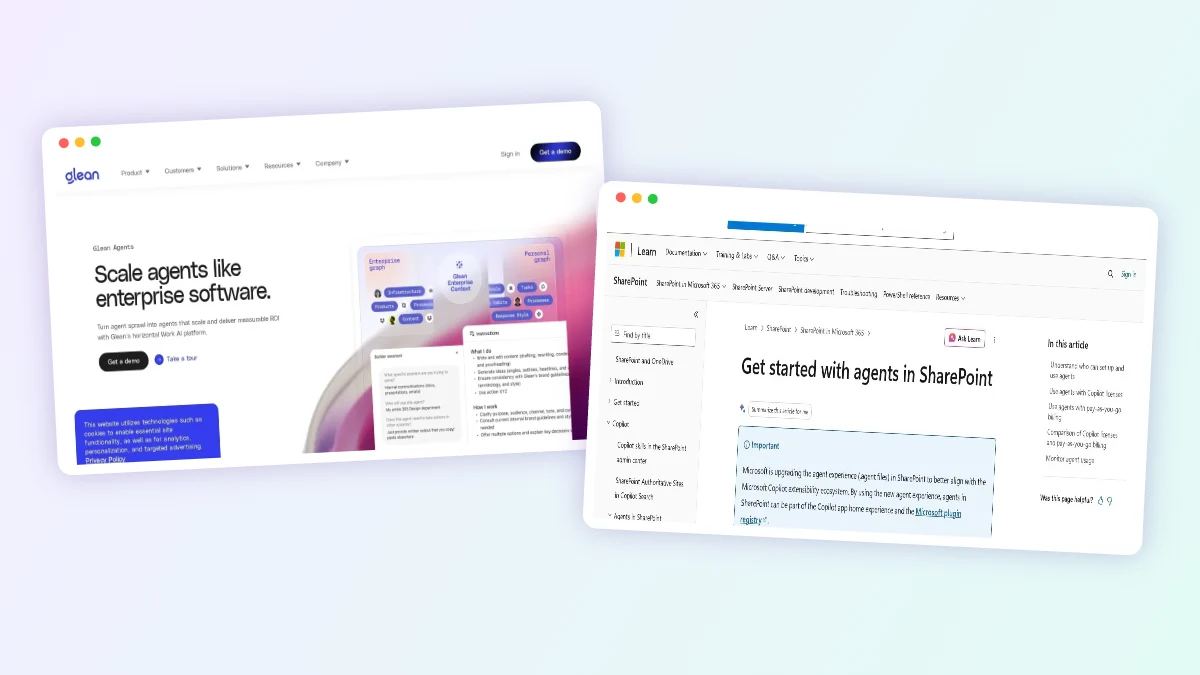
An employee needs the current travel policy. It might sit in SharePoint, a Confluence page, a pinned Slack post or someone’s Google Doc. AI agents for enterprise knowledge management exist to end that hunt. For a company with knowledge spread over many apps, the best one is Glean. It connects to more than 275 apps and respects each app’s permissions. If most of your files live in Microsoft 365, Microsoft 365 Copilot with SharePoint agents is the cheaper path. Atlassian shops should look at Rovo first.
We read the admin guides, permission notes and pricing of eight knowledge products before writing this. One finding surprised us. Every one of them answers with the asking employee’s existing access rights. That sounds safe, and mostly it is. However, it also means a badly shared folder becomes searchable in seconds. So the real rollout work happens in your file permissions before the agent goes live.
Enterprise Knowledge Management Agents Compared
Each row comes from the vendor’s product, help and pricing pages. The “Upkeep” column shows how each tool helps keep answers current, which is where most knowledge bases decay.
| Product | Where it works best | Permission model | Upkeep features | Starting price |
|---|---|---|---|---|
| Glean | Companies with knowledge in many SaaS apps | Connectors enforce source permissions | Agents triggered by events | Custom quote |
| Microsoft 365 Copilot and SharePoint agents | Microsoft 365 tenants | Answers reflect each user’s SharePoint access | Agents per site, library or folder | $30 per user a month, billed yearly |
| Rovo by Atlassian | Jira and Confluence teams | Atlassian app permissions | Agents assigned to Jira work items | Credits included with paid Atlassian cloud plans |
| Gemini Enterprise | Google Workspace and mixed stacks | Permission-aware search in every edition | No-code agents and connectors | Business, Standard and Plus editions; 30-day Plus trial |
| Guru | Support, sales and HR knowledge | Permission-aware Knowledge Agents | Verification workflows and quality checks | Custom pricing |
| Notion Agent | Teams that write docs in Notion | Searches with the user’s permissions | Custom Agents on schedules and triggers | Business plan, $20 per member a month |
| Coveo | Customer-facing and service knowledge | Document-level permissions | Real-time content updates | Custom quote |
| Moveworks | IT and HR help in Slack and Teams | Enterprise system permissions | Actions such as ticket updates | Custom quote |
Microsoft 365 Copilot is an add-on to a qualifying Microsoft 365 plan. Rovo, by contrast, comes with paid Atlassian cloud plans. So check what your base suite already includes before you compare.
What a Knowledge Agent Does All Day
A knowledge agent handles three kinds of work. The first is search across apps. One question goes out to Slack, Drive, Confluence, a ticketing system and the HR portal at once. Then the agent writes one answer with links back to the sources.
The second is permission-aware answering. The agent only reads what the person asking could already open. So a sales rep and a finance manager can ask the same question and get different answers. Both answers are correct for their access.
The third job is upkeep, and it gets skipped most often. Knowledge goes stale when the person who wrote a page leaves. Guru builds verification workflows into the product, so content has owners and review signals. Rovo and Glean can run agents on triggers, which lets a team flag old pages or route questions to an expert. Without upkeep, a knowledge agent just returns outdated answers faster.
This is also where knowledge agents differ from chatbots on a help center. A chatbot answers from one curated source. A knowledge agent reads across systems as a specific employee. The wider split is covered in AI agents vs AI chatbots.
Eight Knowledge Agent Products Worth a Pilot
We grouped these by where your company already keeps its knowledge. A good pilot uses the product closest to that home base.
Glean

Glean is the broadest option. It connects to more than 275 apps, and its connectors enforce each source’s permissions for search. Glean Agents reason through a task, plan the next step and act through connected systems. Agents can start from events, and tasks can pass from one agent to another.
That reach makes Glean sensible for a company with a Slack, Google Drive, Salesforce and Jira mix. Pricing comes through a sales demo, with no public list price.
Microsoft 365 Copilot and SharePoint Agents

Microsoft 365 Copilot reads your work data through Microsoft Graph. It also inherits your existing Microsoft 365 security, privacy and compliance policies. The license adds agents such as Researcher and Analyst, plus custom agents grounded in work data.
SharePoint agents are the knowledge piece. Anyone with a Copilot license who can add files to a site can create an agent from a site, library or folder. Answers reflect each user’s permissions, so people only get content they can already open. Unlicensed staff can also use these agents if an admin sets up pay-as-you-go billing through an Azure resource.
The Microsoft 365 Copilot add-on is $30 per user a month, billed yearly. Monthly billing with a yearly commitment is $31.50. You also need a qualifying Microsoft 365 plan. Copilot Chat itself is free for users with an eligible subscription. If you want to build your own agents on this stack, see Microsoft Copilot Studio.
Rovo by Atlassian
Rovo lives inside Jira, Confluence and Loom. Rovo Search inside Atlassian apps is free. Chat and agents use Rovo credits, which every paid cloud plan includes per user each month. Jira and Confluence include 25 credits on Standard, 70 on Premium and 150 on Enterprise.
Credits are pooled across the organization. A basic agent or quick-answer chat uses 10 credits per billable event. Extra credits list at $0.01 each, or $10 per 1,000, and extra usage billing starts on December 3, 2026. So a 200-person Standard team pools 5,000 credits, which covers about 500 basic agent runs a month.
Gemini Enterprise From Google Cloud
Gemini Enterprise is Google’s agent workspace, and every edition includes permission-aware enterprise search. The Business edition covers 1 to 500 users with a select set of connectors. Standard and Plus add the full connector catalog, full-code agents and the Agent Marketplace. Plus also raises pooled storage to 75 GiB per user. Google offers Plus free for 30 days through the Cloud console.
Guru
Guru treats knowledge quality as the product. Its Knowledge Agents give cited, permission-aware answers. Behind them sit verification workflows, usage signals and automated quality checks that flag content needing review. Guru also connects to more than 100 apps and delivers knowledge through MCP. Pricing is custom, and nonprofits can apply for reduced rates through Guru for Good.
Notion Agent
Notion Agent searches the workspace and connected tools with the user’s permissions. It is included in the Business plan at $20 per member a month and in Enterprise. Business also adds Enterprise Search, still in beta, across connected apps such as Slack and GitHub.
Custom Agents run on schedules or triggers, which makes them handy for weekly page reviews. After a free trial, they run on Notion credits at $10 per 1,000.
Coveo
Coveo powers knowledge for other agents more than it acts as one. Its Passage Retrieval API returns the exact chunks of content an agent needs. It enforces document-level permissions and updates content in real time. Coveo also offers an MCP server and an Answer API. It plugs into Salesforce Agentforce, AWS AgentCore and SAP Joule, so service teams can reuse one knowledge index.
Moveworks
Moveworks, now part of ServiceNow, works inside Slack and Microsoft Teams. It answers IT and HR questions from company knowledge, then takes action across connected systems. For example, it can reset a password or update a ticket. Pricing is by custom quote.
Read also: Vector Memory vs Knowledge Graph Memory for AI Agents
Permissions and Governance Before Launch
Every product above follows the source system’s access rules. That puts the governance burden on those rules. Microsoft points admins to SharePoint Advanced Management to manage access and prevent oversharing. It also logs SharePoint agent use in the Microsoft Purview audit log.
Plan these four controls before the pilot.
- Oversharing review: find sites and folders shared with “everyone” and fix them first, since the agent will surface them.
- Agent access: decide who may build agents. On SharePoint, creation needs a Copilot license plus file rights on the site.
- Spend caps: set admin alerts on credits. Rovo pools credits, so one busy team can drain the month’s allowance.
- Audit trail: keep query and answer logs for compliance teams to review.
Our guide to AI agent guardrails covers blocked topics and approval steps in more depth.
How Knowledge Agents Find the Right Passage
Most knowledge agents find text by meaning, through vector search over chunks of documents. That works well for a question like “what is our parental leave policy?” However, it struggles with questions about relationships, such as “who owns the vendor contract that the Berlin team renewed?”
So some vendors add a graph of people, projects and documents. Atlassian’s Rovo, for example, draws on the Teamwork Graph for cross-product context and unified search. For a plain-English take on the trade-off, read vector memory vs knowledge graph memory.
Roll Out a Knowledge Agent in Six Steps
A careful rollout takes weeks of prep. These steps follow the order we would use in a 500-person company.
Audit Shared Folders First
Search for files shared with the whole company. Then fix them before any connector goes live, because the agent will find them on day one.
Connect Two or Three Sources
Pick the sources behind most repeat questions, often the wiki, the HR portal and one chat tool. Fewer sources make wrong answers easier to trace.
Choose a Pilot Team With Repeat Questions
IT help, HR and sales enablement get the same questions every week. A pilot there gives you a baseline quickly.
Give Every Page an Owner and a Review Date
Use verification in Guru, or a scheduled Notion or Rovo agent, to flag stale pages. Stale pages create wrong answers faster than anything else.
Score Answers Every Week
Collect 50 real questions and their correct answers. Then rerun them weekly and track how many come back right. Use our guide to AI agent evaluation datasets to build that question set.
Add Connectors and Agents in Waves
Expand only after answer quality holds steady. Then add task agents, such as ticket triage, once people trust the answers. For more vendors in this space, see our enterprise AI agents directory.
Questions IT Leaders Ask About Knowledge Agents
Can a knowledge agent show employees files they should not see?
The products we reviewed only return content the user can already open. The risk comes from files that are shared too widely. Fix those before launch.
Do we need a new knowledge base for an AI agent?
Usually not. These agents read the wiki, drives and chat tools you already use. A cleanup of old pages helps more than a migration.
How is a knowledge agent different from enterprise search?
Search returns a list of links. A knowledge agent reads the top results and writes one answer with citations. Many can also act, such as opening a ticket.
Which knowledge agent costs least for a Microsoft 365 company?
SharePoint agents come with Microsoft 365 Copilot at $30 per user a month, billed yearly. Unlicensed staff can use them through pay-as-you-go billing, which works well for occasional staff.
Related AI Agents



Read also: Wonderful AI Alternatives for Enterprise Customer Service Agents
Explore Agent Categories
Related Articles
 GuidesVector Memory vs Knowledge Graph Memory for AI Agents
 Guides10 Best AI Agents for YouTube Channel Management
 GuidesAI Agent Security Risks in Enterprise Applications
 GuidesWonderful AI Alternatives for Enterprise Customer Service Agents
 GuidesHow AI Agents Automate Enterprise Workflows
 GuidesEnterprise AI Agent Adoption Statistics by Size, Stage and Region
