
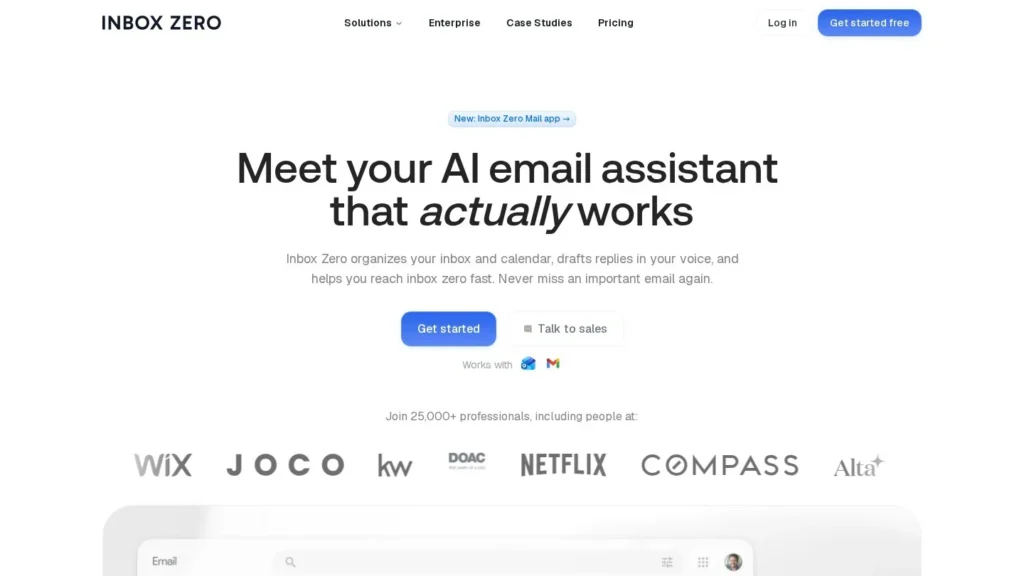
Inbox Zero is the open-source alternative to premium AI email clients. It labels Gmail and Outlook mail as it arrives, pre-drafts replies in your tone, blocks cold email and follows rules you write in plain English, for $18 a user per month or free if you host it yourself. It suits individuals and small teams who want most of what Superhuman or Fyxer offer at a lower price, and technical teams that want the code on their own servers.
Independent feedback is still building: Inbox Zero has a large open-source following, with 12.9k GitHub stars, but few ratings on review sites so far, so buyers have less outside feedback to go on. We rate it 8.6/10 on our scale. We have not used it hands-on; this review is based on Inbox Zero’s site, its GitHub repository and the founder’s launch post.
Open-Source Email Assistant From $18 a User
- Starting price: $18 per user per month on Starter, $28 on Plus, $42 on Professional; the email app is free.
- Open source: the assistant, web app and desktop app are public on GitHub, with 12.9k stars and 1.6k forks.
- What it does alone: sorts mail, drafts replies, blocks cold email, unsubscribes and files attachments under plain-English rules.
- Security: SOC 2 Type 2 for the hosted product, no AI training on your data, SSO and on-premise on Enterprise.
- Our score: 8.6/10, strong on price and transparency; more public reviews would lift it further.
Prices and GitHub Figures Inbox Zero Publishes
Inbox Zero publishes its prices and its code, so most hard figures come from its own site and its GitHub repository.
| Fact | Detail | Source and Date |
|---|---|---|
| Starting price | $18 per user per month on Starter; free email app | Inbox Zero site |
| Higher plans | Plus at $28 and Professional at $42 per user per month; Enterprise by quote | Inbox Zero site |
| Annual discount | 10% on Starter, 20% on Plus, 16% on Professional | Inbox Zero site |
| Stated users | More than 25,000 professionals | Inbox Zero site |
| GitHub stars | 12.9k stars and 1.6k forks on the main repository | GitHub |
| Tech stack | Next.js, Prisma, PostgreSQL, Redis and TypeScript; Electron desktop app and native Swift iOS app | GitHub |
| Security | Hosted product is SOC 2 Type 2; data not used for AI training | Inbox Zero site |
| Open-source scope | AI assistant, web app and desktop email app are open source; iPhone app planned | Inbox Zero site |
| Product Hunt launch | Highest ranked product of the day on December 26, 2023 | Founder newsletter, December 26, 2023 |
The GitHub numbers are the strongest signal here. A repository with 12.9k stars and 1.6k forks has a large technical audience reading and reusing the code, which is unusual for an email assistant and makes it easier to audit what the software does with your mail.
The 25,000-user figure is the company’s own, and there is little third-party review data to set against it. Treat the trial as your main evidence, and if your team can, read the code paths that touch your mailbox before connecting a work account.
A Background Assistant on the Mailbox You Already Use
Inbox Zero runs as a background assistant on your existing mailbox, with an optional email client of its own.
Signing In With Gmail or Outlook and Picking Labels
- Connect an account: sign in with Gmail, Google Workspace or Outlook. Plus and higher plans cover two or more accounts.
- Pick categories: start from the built-in labels (Newsletter, To Reply, Marketing, Calendar, Notification, Cold Email, Team, Urgent) and add your own.
- Write rules: describe in plain English what should happen to certain mail, such as archiving receipts or drafting replies to customers.
- Connect context: add calendars and CRM data so drafts can reflect availability and customer details.
- Optional chat: on Plus, connect Slack or Telegram to talk to the assistant.
Sorting, Drafting and Blocking Cold Email Automatically
- Labels and sorts every new message into categories.
- Pre-drafts replies for mail that needs an answer, in your tone, using email history and calendar.
- Blocks cold email and offers one-click bulk unsubscribe and archive for senders you never read.
- Tracks replies through Reply Zero, listing what you owe and what others owe you.
- Files attachments to Google Drive or OneDrive and sends digests, on Plus.
- Prepares meeting briefs before calls, and on Plus records meetings with an AI notetaker.
Rules in Plain English
Rules are the heart of the product. Instead of building filters from sender and subject conditions, you describe the outcome you want, and the assistant applies it to each new message. A sales lead might ask for every pricing question to be labeled and drafted with a short answer and a calendar link; a founder might ask for investor updates to be kept, newsletters to be archived and recruiters to be labeled for later. Because the instruction is in ordinary language, changing behavior means editing a sentence rather than rebuilding a filter tree.
This flexibility works best with clear rules. Specific rules give the best results, and overlapping rules can conflict. Start with three or four rules for your highest-volume mail, check the results for a few days, then add more. Analytics on who emails you most help decide which rules will save the most time.
Sending Drafts and Writing Rules Remain Your Job
You review and send drafts, write and refine the rules, and decide which categories should skip the inbox. Analytics show who emails you most and what fills the inbox, which helps tune the rules over time.
Self-Hosting
Because the code is public, teams can run Inbox Zero themselves. The repository offers a quick start with Docker and Node.js 24, or a local development setup on macOS or Linux with PostgreSQL and Redis. Connecting real mailboxes requires your own Google or Microsoft OAuth credentials and environment configuration, and you supply the AI model access. The iPhone app is not yet open source.
Getting the Most From a Seven-Day Hosted Trial
The hosted trial lasts seven days, which is short. Connect your busiest account on day one so the assistant sees real volume.
- Draft acceptance: count drafts sent with light edits versus rewritten.
- Label accuracy: check how often To Reply and Urgent match your own judgment.
- Cold email catches: look for false positives among the blocked messages.
- Unsubscribe savings: note how many senders bulk unsubscribe removed and whether volume drops in week two.
Which Plan to Choose
Starter covers the core assistant: labels, drafts, cold email blocking, bulk unsubscribe, analytics and pre-meeting briefs. Move to Plus if you need a second inbox, the meeting notetaker, digests, attachment filing or Slack and Telegram access. Professional is mainly for managers who want team-wide analytics and a dedicated onboarding contact. Enterprise is the only tier with SSO, SCIM and on-premise deployment, so regulated organizations will end up there or on self-hosting.
Per-User Rates From Starter to Professional
Inbox Zero publishes per-user prices. Monthly billing is the default.
| Plan | Price | Billing | What’s Included | Limits |
|---|---|---|---|---|
| Email app | Free | None | Gmail and Outlook email app | AI sorting and drafts need a paid plan |
| Starter | $18 per user per month | Monthly; 10% off annually | Sorting, drafted replies, cold email blocking, bulk unsubscribe, analytics, pre-meeting briefs | Single account |
| Plus | $28 per user per month | Monthly; 20% off annually | Starter plus 2 email accounts, AI meeting notetaker, Slack and app integrations, digests, attachment filing | Two accounts |
| Professional | $42 per user per month | Monthly; 16% off annually | Plus plus team-wide analytics, priority support, dedicated onboarding manager | None listed |
| Enterprise | Contact sales | Contract | SSO, SCIM, on-premise deployment, dedicated account manager | Sales-led |
| Self-hosted | Free software | Your infrastructure | Open-source assistant, web app and desktop app | You run servers, OAuth and AI model access |
Every paid plan has a 7-day free trial with a card on file, and refunds are available within 14 days of upgrading.
Starter at $216 a Year, Then Five Seats for an Agency
A freelancer on Starter. $18 a month comes to $216 a year on monthly billing, less with the 10% annual discount.
A five-person agency. Starter for five users costs $1,080 a year on monthly billing. If the team wants the meeting notetaker and Slack integration, Plus costs $1,680 a year for five users before the 20% annual discount.
A 10-person team on Professional. $42 per user per month comes to $5,040 a year on monthly billing, before the 16% annual discount, and adds team analytics and an onboarding manager.
Self-hosting. The software is free, but you pay for servers, PostgreSQL and Redis, and AI model usage, plus engineering time for setup and updates. It makes sense mainly when data control matters more than convenience.
Inbox Zero Compared With Superhuman Mail, Fyxer and alfred_
All four add AI to an existing Gmail or Outlook mailbox. They differ on price, openness and how much of the workday they try to cover.
| Tool | Starting Price | Free Plan | Main Strength | Main Trade-Off | Best For |
|---|---|---|---|---|---|
| Inbox Zero | $18 per user per month | Free email app; self-host | Open source, plain-English rules, published prices | Few public reviews | Budget buyers and teams that want to self-host |
| Superhuman Mail | $30 per month | No | Polished keyboard client with auto drafts, reminders and archive | Drafts need the $40 Business plan | Heavy email users who want a premium client |
| Fyxer | $22.50 per user per month (annual) | No | Drafts and sorting inside Gmail and Outlook plus meeting notes | Closed source, no self-hosting | Teams that want AI without a new app |
| alfred_ | $29.99 per month | No | Covers up to six inboxes and calendars with briefs and routines | Higher price | Owners and consultants juggling several accounts |
Inbox Zero is the cheapest paid option of the four and the only open-source one. Superhuman is the premium client, Fyxer is the least disruptive, and alfred_ goes furthest into calendar and task work. For Gmail-only teams, Shortwave is another lower-cost choice. See more on our email agents and open-source agents pages.
One more distinction: Superhuman and Inbox Zero both offer their own email client, while Fyxer and alfred_ work around the mail apps you already have. If your team resists new software, that may decide the choice before price does.
Budget-Minded Professionals and Self-Hosting Developers
- Cost-conscious professionals: $18 a month is below most AI email clients with drafting.
- Developers and technical teams: the code is public and can be self-hosted with Docker.
- Privacy-minded organizations: on-premise deployment is offered on Enterprise, and the hosted product is SOC 2 Type 2.
- People drowning in newsletters and outreach: bulk unsubscribe and the cold email blocker cut volume quickly.
Review-Reliant Buyers and Non-Technical Self-Hosters
- Buyers who rely on peer reviews: there is little rating data on major review sites.
- Non-technical users who want self-hosting: it needs OAuth setup, databases and model keys.
- People who want mail answered for them: drafts wait for review.
- Teams that want a premium client experience: Superhuman is more polished, at a higher price.
A Short, Card-Required Trial
The trial is short and needs a card. Seven days is enough to judge labels and cold email blocking, but drafts improve as the assistant learns your writing, so plan your test carefully and cancel before billing if it does not fit.
Self-hosting moves responsibility to you. The hosted product carries SOC 2 Type 2, but a self-hosted instance is only as secure as your servers, OAuth configuration and model provider. Decide in advance which AI provider will see your mail.
Feature placement matters. The meeting notetaker, Slack and app integrations, attachment filing and a second account are on Plus, not Starter. The Android app is listed as due for an update.
Draft quality depends on context. The assistant writes from your email history, calendar and CRM data, so a new mailbox or a role change will produce weaker drafts at first. Give it time before judging, and keep a person on every reply to customers or partners.
Before a team rollout, ask about support commitments, data processing terms and which AI model providers the hosted service uses, since drafts are written from your full email history.
Teams should also plan for change management. Plain-English rules are personal, so decide whether each user writes their own or whether a manager sets shared rules, and agree how drafts to clients are reviewed before anyone turns on broad automation.
Listed Prices and Open Code Make It Easy to Back
For individuals and small teams that want AI sorting and drafted replies without premium-client pricing, yes. Inbox Zero scores 8.6/10 on our scale. Its prices are public, its code is open, its hosted product is SOC 2 Type 2, and it does real work in the background: labels, drafts, cold email blocking and cleanup.
More independent reviews and a longer trial would lift the score. Start on Starter with your busiest account, judge the drafts after a week, and move to Plus only if you need the notetaker or a second inbox. Technical teams that value control should look closely at self-hosting.
Open-Source Status, Self-Hosting and Outlook Support
How Much Does Inbox Zero Cost?
The email app is free. AI plans cost $18, $28 or $42 per user per month, with annual discounts of 10% to 20%. Enterprise is quoted.
Is Inbox Zero Really Open Source?
Yes. The AI assistant, web app and desktop email app are public on GitHub, where the main repository has 12.9k stars. The iPhone app is not open source yet.
Can I Self-Host Inbox Zero?
Yes. The repository supports Docker and Node.js setups. You need your own Google or Microsoft OAuth credentials, a database and Redis, and access to an AI model.
Does Inbox Zero Work With Outlook?
Yes. It supports Gmail, Google Workspace and Microsoft Outlook, inside the existing mailbox or through its own email app.
Is My Email Used to Train AI Models?
Inbox Zero says your data is not used for AI training, and the hosted product is SOC 2 Type 2. If you self-host, the AI model provider you choose sets its own terms, so check them before connecting a work mailbox.
Does Inbox Zero Send Replies Automatically?
It pre-drafts replies for you to review. It acts on its own for labeling, archiving, cold email blocking and filing, under the rules you set.
How Does Inbox Zero Compare With Fyxer?
Both draft and sort mail in Gmail and Outlook. Inbox Zero starts at $18 per user per month and is open source; Fyxer starts at $22.50 per user per month billed annually and is closed source.
User Reviews
Nobody has rated it here yet. Be the first AI Agents Choice user to rate Inbox Zero.