
AI agents that control real web browsers, via an open-source library or a hosted cloud.

Free; pay as you goBrowser automation agent and developer platform

No user reviews yet. Be the first to rate it.

Visit website
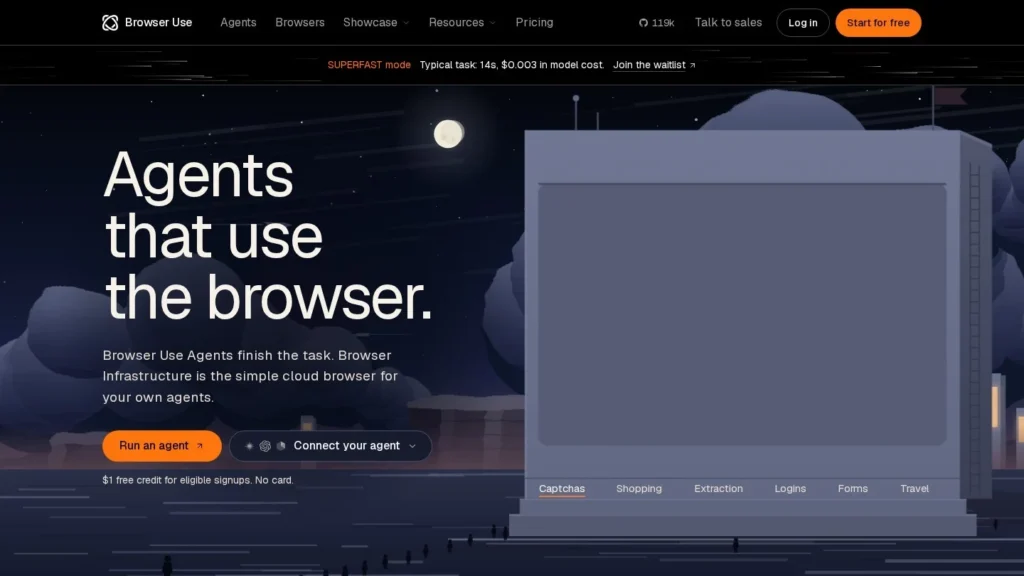
Browser Use website screenshot
Browser Use website

Quick Facts

DeveloperBrowser Use
Websitebrowser-use.com
Agent typeBrowser automation agent and developer platform
Best forDevelopers and technical teams automating web tasks on sites that lack APIs, such as form filling, data extraction and back-office portals.
Not ideal forNon-technical users who want a point-and-click assistant without writing code or calling an API.
Pricing modelUsage-based credits (no subscriptions); free open-source library
Starting priceFree; pay as you go
Pricing detailsOne-time $1 free credit for eligible signups. Cloud browsers $0.02 per browser-hour; managed residential proxy $5/GB; agent usage billed per million tokens by model. Bring-your-own-key adds a 0.2x orchestration fee. Enterprise custom.
Free planLimited
Free trialOne-time $1 credit; no credit card required
ChannelsAPI, SDK, CLI
What it does on its ownGiven a task in plain language, the agent plans and carries out browser steps on its own, including logins, clicks and data extraction.
IntegrationsOpenAI, Anthropic, Google models, webhooks, custom proxies
PlatformsPython library, cloud API
Compliance and securityEnterprise plan offers HIPAA support, zero data retention and EU data residency on request.
Company founded2024
Agent launched2024
Details last verified29 October 2026
CategoriesAgent Frameworks for Developers, Browser & Computer Use, Open-Source AI Agents
User ratingNo reviews yet

A cloud browser on Browser Use costs $0.02 an hour, and there is no subscription. The company sells access to AI agents that open real browsers and work through websites the way a person would: reading the page, clicking buttons, filling in forms and pulling out data.

It began as an open-source Python library from two founders who met through ETH Zurich and went through Y Combinator in early 2025. That library remains free, and the paid cloud handles the infrastructure that is painful to run yourself.

How It Works

Browser Use turns a page’s buttons, links and fields into a text-like description that a language model can reason over. The developer gives the agent a goal, such as downloading invoices from a supplier portal or comparing prices across sites, and the agent decides each step, checks the result and keeps going until the task is done or it gets stuck.

Teams can run the open-source library on their own machines with their own model keys, or call the hosted API. The cloud adds managed browsers, residential proxies in many locations, CAPTCHA solving, webhooks and scheduled tasks. Concurrency rises with spend, from 10 sessions on a free account to 1,000 or more on enterprise deals.

Pricing

New accounts get a one-time $1 credit. After that, credits are bought in advance and never expire. Browser time costs $0.02 per hour, billed by the minute, and managed proxy traffic costs $5 per GB. Agent usage is billed per million tokens at rates that depend on the model chosen. Customers who bring their own model key pay the provider directly plus a 0.2x orchestration fee. Enterprise plans add custom concurrency, SLAs and data policies.

What to Watch Out For

This is a developer product. Business users who want a ready-made assistant will need someone to write and maintain the automation. Token costs vary by model and by how many steps a task takes, so budgets should be set after testing real workloads. Web agents are also fragile by nature: a redesigned page, a new login check or a site that blocks bots can stop a task. Check each target site’s terms of service before automating it.

Recent News

In March 2025 the company raised a $17 million seed round led by Felicis. On April 3, 2026, it made its cloud free to start, cut proxy prices from $10 to $5 per GB and added scheduled tasks to the free tier.

Features

  • Open-source Python library for browser-controlling agents
  • Hosted cloud browsers billed by the minute
  • Managed residential proxies and CAPTCHA solving
  • Scheduled tasks and webhook events
  • Bring-your-own model key option
  • Concurrency that scales from 10 to 1,000+ sessions

Pros and Cons

Pros

  • Open-source core lets teams self-run and inspect the agent
  • No subscription
  • pay only for usage
  • Cheap browser time at $0.02 per hour
  • Works with several model providers

Cons

  • Built for developers
  • no no-code interface for business users
  • Token-based agent costs are hard to predict before testing
  • Free credit is small and does not renew
  • Web agents can break when sites change or block automation

User Reviews

No reviews yet. Be the first to rate Browser Use.

Write a Review