
AdScale Lets AI Set Bids and Budgets Across Google, Facebook and Instagram
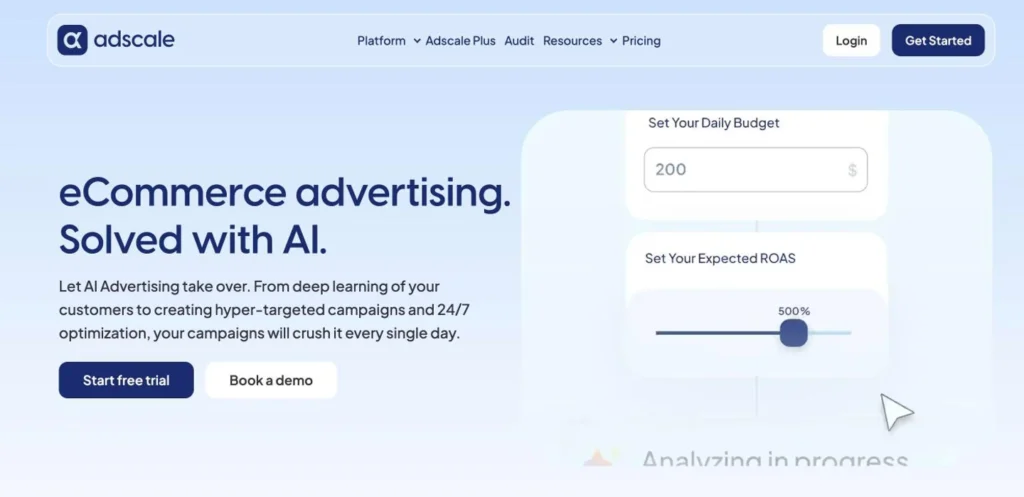
AdScale is a Shopify app with an AI bid and budget engine for Google, Facebook and Instagram ads. It builds campaigns, writes creative and shifts spend toward ROAS around the clock. It holds 4.7 out of 5 on the Shopify App Store from 374 reviews.
We researched AdScale for Shopify stores with ad budgets up to $3,000 a month. In our view, it gives the most value to stores that want search and social ads in one dashboard. However, the flat fee weighs on very small budgets. Plans start at $169 a month, and we score AdScale 8.3 out of 10.
AdScale Points for Store Owners
- Shopify App Store: 4.7 out of 5 from 374 reviews.
- A cross-channel engine moves bids and budgets 24/7.
- Covers Google Search, Performance Max, Facebook and Instagram.
- Plans run from $169 to $329 a month by ad spend tier.
- Each plan has a 7-day free trial and a creatives credit.
AdScale Plans Capped by Monthly Ad Spend
We took every plan from the AdScale listing on the Shopify App Store.
| Plan | Price | Ad Spend Limit | Trial | Creatives Credit |
|---|---|---|---|---|
| Basic | $169 a month | Up to $1,000 a month | 7 days | $20 in trial, $40 after |
| Growth | $249 a month | Up to $2,000 a month | 7 days | $20 in trial, $40 after |
| Elite | $329 a month | Up to $3,000 a month | 7 days | $20 in trial, $40 after |
Billing runs through Shopify every 30 days. AdScale may also bill some external charges apart from the Shopify invoice, so read the first bill closely. There is no free plan.
AdScale Fee as a Share of Ad Spend
A flat fee means the share falls as spend rises. We worked out the share at each plan limit.
- Basic at $1,000 of spend: $169 equals 16.9% of ad spend.
- Growth at $2,000 of spend: $249 equals about 12.5%.
- Elite at $3,000 of spend: $329 equals about 11.0%.
By contrast, a store spending $500 a month on Basic pays $169, or 33.8% of spend. So AdScale makes more sense once a store spends close to its plan limit.
The AdScale Engine at Work
AdScale lists four kinds of AI work. We describe them in the order a new store would see them.
Magic Campaign Builder
First, the Magic campaign builder creates campaigns for Google Search, Performance Max, Facebook and Instagram. Merchants say setup is quicker than in the native ad platforms.
Cross-Channel Bid and Budget Moves
Next, the bid and budget engine runs 24/7. It adjusts bids and shifts budget across channels to raise ROAS. Reviewers often name these AI-managed budgets as the main reason they stay.
Audience Segments and Personas From Store Data
AdScale also builds audience segments and buyer personas with AI. It connects to Klaviyo and Yotpo, too, which links ads to email and review tools.
Agentic Creatives Credit
Finally, AI writes ad copy and makes images and video. Every plan includes free agentic creatives worth $20 during the trial and $40 after it.
AdScale Compared With Optmyzr Sidekick, Adbrew and Quartile
We compared AdScale with three ad agents on our site. Prices come from each vendor plan page.
| Agent | Starting Price | Free Trial | Main Strength | Main Gap | Who It Serves |
|---|---|---|---|---|---|
| AdScale | $169 a month | 7 days | One AI engine for Google and Meta ads | Spend caps at $3,000 a month | Shopify stores |
| Optmyzr Sidekick | $209 a month, billed yearly | Not listed | Google and Microsoft Ads fixes after approval | No Shopify app | PPC agencies |
| Adbrew | $799 a month or a share of spend | Not listed | Amazon and Walmart bids and launches | High monthly floor | Amazon brands |
| Quartile | Quote | Not listed | Hourly AI bidding with a strategist | No public prices | Retail media brands |
Optmyzr Sidekick serves search agencies, while Adbrew and Quartile serve retail media. AdScale serves a Shopify store that wants Google and Meta ads run together. For more options, see our PPC and ad management agents and e-commerce agents.
A First Month on AdScale, Step by Step
We mapped a first month from the features on the listing.
- Week 1: install from Shopify, connect Google Ads and Meta, then start the 7-day trial on the tier that matches your spend.
- Week 1, later: let the Magic campaign builder set up Search, Performance Max, Facebook and Instagram campaigns, and use the $20 creatives credit.
- Week 2: review the audience segments and personas the AI built, and link Klaviyo or Yotpo if you use them.
- Weeks 3 and 4: watch how the engine shifts budget between channels, and check spend against the plan limit.
After a month, compare ROAS with your previous setup. If spend is close to the limit, the next tier costs $80 more a month.
Merchants Likely to Get Value From AdScale
- Stores near a plan limit: the flat fee falls to about 11% of spend at $3,000.
- Owners who use Performance Max and Meta together: one engine moves budget between them.
- Klaviyo and Yotpo users: both connect to AdScale.
- Stores that left an agency: reviewers report better ROAS than with agencies.
Stores That Could Outgrow AdScale Plans
- Stores spending over $3,000 a month: the listing shows no plan above that level.
- Very small budgets: at $500 of spend, Basic takes a third of the budget.
- Amazon sellers: Adbrew covers Amazon and Walmart ads.
- Agencies with many search accounts: Optmyzr Sidekick handles Microsoft Ads as well.
374 Shopify Reviews of AdScale in Brief
Of 374 ratings, 346 are five stars, or 93%. Merchants most often report better ROAS than running ads themselves or through an agency. Many like the AI-managed budgets and bids and the single dashboard. Others say setup is quicker than in the native ad tools. Fast, helpful support comes up often, too.
On the other hand, 19 ratings are one star, about 5%. One reviewer mentions a learning curve with video and image sizes. Another would like faster replies from support.
Trial Credits and Billing Details to Confirm With AdScale
First, pick the plan by your real monthly spend. Each tier caps ad spend, so a growing store may move up within weeks.
Second, use the $20 creatives credit during the trial. It shows how the AI copy and images look for your products.
Third, check for charges outside the Shopify invoice. The listing says some external charges may be billed apart.
Finally, review image and video sizes before launch. One merchant found this the slowest part of setup.
How We Reached 8.3 for AdScale
We score AdScale 8.3 out of 10. Autonomy rates high, because the engine builds campaigns and moves bids and budgets 24/7. Setup through Shopify is quick.
Pricing value is fair. Prices are public, though the flat fee weighs on small budgets. Integrations cover Google Search, Performance Max, Facebook, Instagram, Klaviyo and Yotpo. Trust rests on Shopify billing and spend caps. Sentiment is very high at 4.7 from 374 reviews.
For a Shopify store spending $1,000 to $3,000 a month on Google and Meta, AdScale is a sensible app to trial.
AdScale Questions From Shopify Owners
How Much Does AdScale Cost?
Basic costs $169 a month for up to $1,000 in ad spend. Growth costs $249 for up to $2,000. Elite costs $329 for up to $3,000.
Does AdScale Have a Free Trial?
Yes. Every plan includes a 7-day free trial and a $20 creatives credit during it. There is no free plan.
Which Ad Channels Does AdScale Manage?
AdScale manages Google Search, Performance Max, Facebook and Instagram. Its engine moves budget across them.
Does AdScale Write Ads?
Yes. AI writes ad copy and makes images and video. Each plan includes free agentic creatives worth $40 a month after the trial.
Is AdScale Worth It for a Small Ad Budget?
It depends on spend. At $1,000 a month, Basic costs 16.9% of spend. At $500 a month, the same plan costs 33.8%.



User Reviews
Nobody has rated it here yet. Be the first AI Agents Choice user to rate AdScale.