
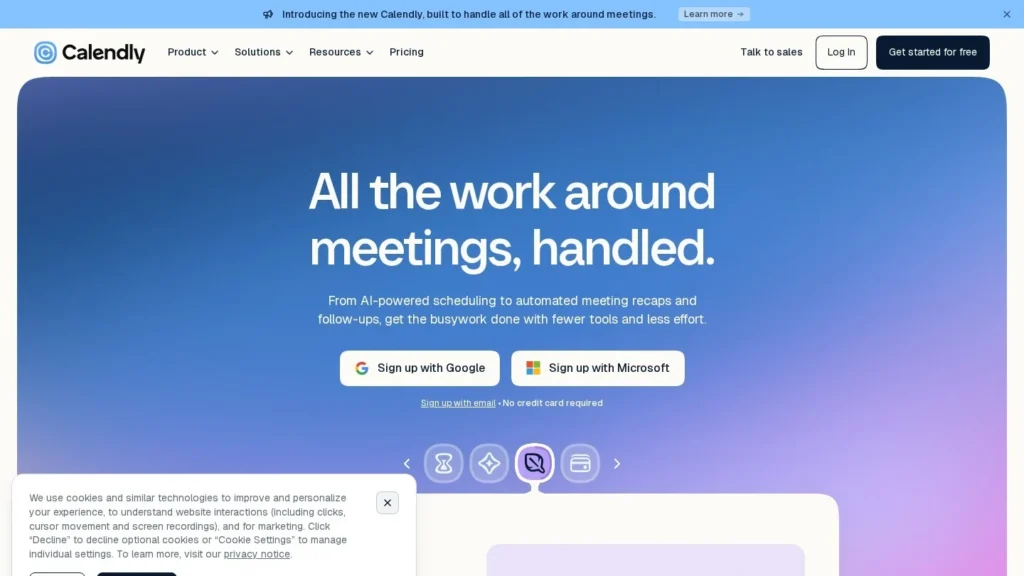
Callie Brings Calendly Into the Email Thread
Callie answers at callie@calendly.com. Copy that address into an email, write “can we find 30 minutes next week,” and within about a minute Callie replies to everyone with up to three days of open times. Calendly released it in August 2026 alongside Notetaker, and both sit inside two new plans, Standard Plus and Teams Plus.
For people who already live in Calendly, this removes the one step a booking link never solved: the polite back-and-forth when someone replies to a thread instead of clicking a link. Callie is limited to one-on-one meetings and English for now, and the upgrade applies to every seat in an organization. It scores 8.8 out of 10 on our scale, carried by Calendly’s strong user ratings and clear guardrails.
Callie Facts for Busy Schedulers
- Copy callie@calendly.com into an email and it replies within a minute with open times.
- It offers up to 3 days of availability and up to 5 slots per day, then sends the invite.
- Callie comes with Standard Plus and Teams Plus, reported at $18 and $24 per seat per month billed yearly.
- It is a Beta for English-language users and handles one-on-one meetings only.
- Calendly holds 4.7 out of 5 from 2,647 G2 reviews.
How Calendly Rolled Out Callie
We compiled the dated steps of the rollout and the limits Calendly documents, with links to each source.
| Date or Item | Detail | Source |
|---|---|---|
| August 19, 2026 | Calendly launched its AI suite and added Standard Plus and Teams Plus plans that bundle Notetaker and Callie | Pricing change log |
| August 20, 2026 | Launch reported, with CEO Tope Awotona quoted | DestinationCRM |
| Reply speed | Callie replies within 1 minute | Calendly help center |
| Times offered | Up to 3 days, up to 5 slots per day | Calendly help center |
| Plans | Standard Plus and Teams Plus, for English-language users | Calendly help center |
| Base seat prices | Standard $10, Teams $16 per seat per month on yearly billing | Calendly pricing |
| Plus seat prices | Standard Plus $18 and Teams Plus $24 yearly; $24 and $32 monthly | Pricing change log |
| Enterprise | From $15,000 a year, minimum 50 seats; Callie on request | Calendly pricing |
| User rating | Calendly 4.7 out of 5 from 2,647 reviews | G2 |
Two facts shape the buying decision. The first is that Callie is not sold alone; it comes with Notetaker in a whole-plan upgrade, so you are paying for a meeting recorder too. The second is the same-plan rule: a 40-person company cannot give Callie to only its five recruiters on the Teams Plus plan.
The reply speed matters more than it looks. A human assistant often answers scheduling emails in batches. A one-minute reply keeps the other person in the thread while they still have their calendar open.
What Calendly Reviewers Report
Calendly holds 4.7 out of 5 from 2,647 G2 reviews. Reviewers praise ease of use most often, followed by scheduling features, quick setup, integrations and automation. Complaints center on missing features, calendar sync problems and integration issues, plus the note that advanced features require higher tiers. Callie itself is new, so these reviews describe the scheduling product it sits on.
For comparison, Cal.com holds 4.6 out of 5 from 154 reviews on the same G2 comparison page. Both scheduling products rate well with users, so the choice between their AI assistants comes down to where your requests arrive: email threads point to Callie, while Slack and Telegram point to Cal.com Agents. Teams that run Calendly and also field requests in Slack can still book from links there.
Inside a Callie Scheduling Thread
Starting the Request
Put callie@calendly.com in the To or CC line of a new or existing email. BCC does not work. Write in plain language. You can add a date range, a time window, a time zone or a meeting type and location; if you leave them out, Callie uses your default event type settings.
Offering Times
Callie reads the thread and replies with up to three days of availability, five slots per day at most. It never offers times outside your Calendly availability. If the invitee also uses Calendly, mutual availability is on by default and shared free times carry a green dot. You can turn that off in Callie settings.
Confirming the Booking
The invitee picks a slot. If your event type has booking questions, they answer those first. Callie then sends the invite to everyone and the meeting lands on both calendars. The thread stays open, so a later reply can reschedule.
Changing or Booking on Command
You can write “make it a 15-minute call” or “switch this one to Google Meet.” Callie asks for your approval before it updates the meeting. For instant booking, a line such as “Callie, book a meeting with Julia at 5 p.m. next Wednesday” sends invites to both people right away.
Asking Callie Inside the App
The Ask Callie chat in Calendly answers short questions about your schedule. Calendly lists finding action items from past meetings, summarizing meetings with a person or team, showing your next meeting, counting how many times you have met a customer, preparing you for the day and drafting scheduling email templates. Recaps from Notetaker feed these answers.
Notetaker, the Other Half of the Calendly Plus Upgrade
Because Callie only comes bundled, it is worth knowing what else the Plus price buys. Notetaker joins Zoom, Google Meet and Microsoft Teams calls and returns a video recording, a full transcript and a shareable recap with summaries and action items. It can draft follow-up emails after the call.
Recaps are private by default. You choose what is recorded and what is shared, and shared recaps go out through passcode-protected links. Each recap is linked to the contact and the event type, so a sales rep can open a prospect and see every call recap in one place.
This is also what makes Ask Callie useful. Questions such as “what did I promise Acme last time” or “prep me for today” draw on those recaps. A team that already pays for a separate meeting recorder could drop it and keep one bill, which changes the cost math in the table below. Like Callie, Notetaker is English-only.
A Recruiter’s Week With Callie, Step by Step
This walk-through follows a recruiter booking first-round calls, using only the features Calendly documents.
- Monday. A candidate replies to an outreach email asking to talk. The recruiter adds Callie in CC and writes “find 30 minutes this week, mornings Pacific time.” Callie replies within a minute with up to three days of morning slots.
- Monday afternoon. The candidate picks Wednesday at 9:30. They answer the booking questions on the event type, such as a LinkedIn profile link, and Callie sends the invite to both.
- Tuesday. The hiring manager asks to join. Callie cannot add a second host, so the recruiter sends a team scheduling link for that one.
- Wednesday. Notetaker records the call. Afterward, the recruiter asks Ask Callie for the action items and gets the list from the recap.
- Thursday. The candidate replies in the same thread to move the follow-up. The thread is still open, so Callie offers new times.
The Tuesday step shows the main gap. For one-on-one screens, Callie handles the whole loop. Panels still go through links.
Callie Compared With Cal.com Agents, Howie, Reclaim.ai and Ada
| Assistant | Starting Price | Where It Works | Main Strength | Main Limit |
|---|---|---|---|---|
| Callie by Calendly | $18 per seat per month yearly (reported) | Email threads, Calendly app | Fast replies inside threads, bundled Notetaker | One-on-one only, English Beta |
| Cal.com Agents | Free with a Cal.com account | Slack, Telegram, CLI, API | Free agents and open-source scheduler | Fewer email-thread features |
| Howie | $25 per month | Dedicated email scheduling assistant | Separate tool from your booking pages | |
| Reclaim.ai | Free; paid from $10 per seat per month | Calendar | Protects focus time and habits | Not an email-thread assistant |
| Ada by Read AI | Free for Read AI users | Uses meeting notes to answer questions | Needs Read AI and its meeting bot |
Callie makes the most sense if Calendly is already your booking system, because it reads your existing event types and availability rules. Cal.com Agents suit teams that schedule from Slack or want a free option. Howie and Ada work for people who do not want to change their booking tool. More choices sit on our scheduling agents page.
Calendly Plans With and Without Callie
| Plan | Price per Seat per Month | Billing | Includes Callie | Other Notes |
|---|---|---|---|---|
| Free | $0 | None | No | 1 event type, 1 calendar connection |
| Standard | $10 | Yearly, 17% saving | No | Unlimited event types, up to 6 calendars, HubSpot and Mailchimp |
| Standard Plus | $18 yearly, $24 monthly (reported) | Yearly or monthly | Yes, with Notetaker | Same as Standard plus AI suite |
| Teams | $16 | Yearly, 20% saving | No | Round robin, routing, Salesforce sync, optional SSO |
| Teams Plus | $24 yearly, $32 monthly (reported) | Yearly or monthly | Yes, with Notetaker | Adds advanced admin controls for the AI suite |
| Enterprise | From $15,000 a year | Yearly, 50 seat minimum | On request | SAML SSO, audit log, data deletion API |
What Callie Adds to Three Real Calendly Bills
Using the base prices from Calendly’s pricing page and the reported Plus prices, we worked out the yearly difference.
| Team | Without Callie | With Callie | Extra per Year |
|---|---|---|---|
| Solo consultant, Standard, yearly | $120 | $216 | $96 |
| 10-person sales team, Standard, yearly | $1,200 | $2,160 | $960 |
| 25-person recruiting team, Teams, yearly | $4,800 | $7,200 | $2,400 |
For the 10-person team, $960 a year buys both Callie and Notetaker for everyone. If each rep saves even two scheduling emails a day, that is roughly 4,800 fewer emails a year across the team at 240 working days. Paying monthly instead raises the Standard Plus bill to $240 a month for ten seats, which is $720 more a year than yearly billing.
People Who Get the Most From Callie
Account executives, recruiters and consultants who receive meeting requests by email every day are the clearest fit. Their meetings are mostly one-on-one, which is exactly the case Callie handles, and their prospects rarely want to click a link.
Founders and managers who forward threads to an assistant today can hand that step to Callie, while Ask Callie gives them a quick prep summary before each call. Teams already paying for a meeting recorder may also come out ahead, because Notetaker is bundled in the same upgrade.
Small businesses that take client bookings by email, such as accountants, coaches and agencies, are another good match. Their clients often write “does Thursday work?” in reply to an invoice or a proposal. Copying Callie into that reply keeps the booking inside the conversation the client started, and the invite follows the event type rules you already set, including buffers, location and booking questions.
When Calendly Users Might Hold Off on Callie
If most of your meetings involve several hosts or a whole panel, Callie will not handle them yet; Calendly points those to scheduling links. Teams that work out of a shared mailbox such as sales@ or support@ cannot use Callie from that address.
Organizations that only want the assistant for a few people should weigh the same-plan rule, since every seat moves to the Plus price. Non-English teams will need to wait, as both Callie and Notetaker are English-only. On Enterprise, access is by request.
Callie Rules Around Email Addresses, Approval and Beta Status
- One sending address. You must email Callie from the address you use to log in to Calendly, and use the same address each time.
- Event type setup. You need a one-on-one event type with default settings, or Callie has nothing to book against.
- Approval on changes. Callie asks before editing a meeting. This is a safeguard, but it means one more reply from you for changes.
- Data scope. Calendly says Callie reads only what it needs, such as your schedule, preferences and availability, and that data is encrypted.
- Beta label. Calendly marks Callie as Beta, and availability during free trials may vary.
Calendly users on G2 most often complain about calendar sync problems. Since Callie relies on your connected calendars, keep those connections healthy, especially if you run more than one calendar.
Where Callie Lands on Our Six Criteria
Callie scores 8.8 out of 10 on our scale. User sentiment and ease of setup lead, since it works inside a tool millions already use and needs only an email address to start. Autonomy is lower because it handles one-on-one meetings and asks approval for changes. Pricing value is solid, with the caveat that the upgrade covers every seat and bundles Notetaker.
For a sales or recruiting team already on Calendly that books mostly one-on-one calls, the Plus upgrade is a straightforward test: switch it on for a month, count the threads Callie closes, and compare that with the extra $8 per seat.
Calendly User Questions About Callie
Can I Add Callie to My Existing Calendly Standard Plan?
Yes, by switching to Standard Plus with the toggle on the pricing page. Callie is not sold as a separate add-on.
Does the Person I Am Emailing Need Calendly?
No. They pick a time from Callie’s reply. If they do use Calendly, shared free times are marked with a green dot.
Can Callie Schedule Group Meetings or Panel Interviews?
Not yet. Calendly says Callie does not handle multiple hosts, group scheduling or team coordination and recommends scheduling links for those.
Will Callie Change a Meeting Without Asking Me?
No. For changes to a single meeting, Callie asks for your approval first, and it never schedules outside your availability.
Does Callie Work in Languages Other Than English?
Not yet. Calendly lists both Callie and Notetaker as English-only, and the help center describes Callie as available for English-language users.
Can Callie Work From a Shared Inbox Like sales@?
No. Callie only responds to the address you use to log in to Calendly, and Calendly says shared mailboxes do not work.
Is Callie Better Than Howie for Email Scheduling?
Callie suits people already on Calendly, because it uses your existing event types and comes with Notetaker. Howie at $25 a month works without Calendly. Test each on a week of real threads.
User Reviews
Nobody has rated it here yet. Be the first AI Agents Choice user to rate Callie by Calendly.