

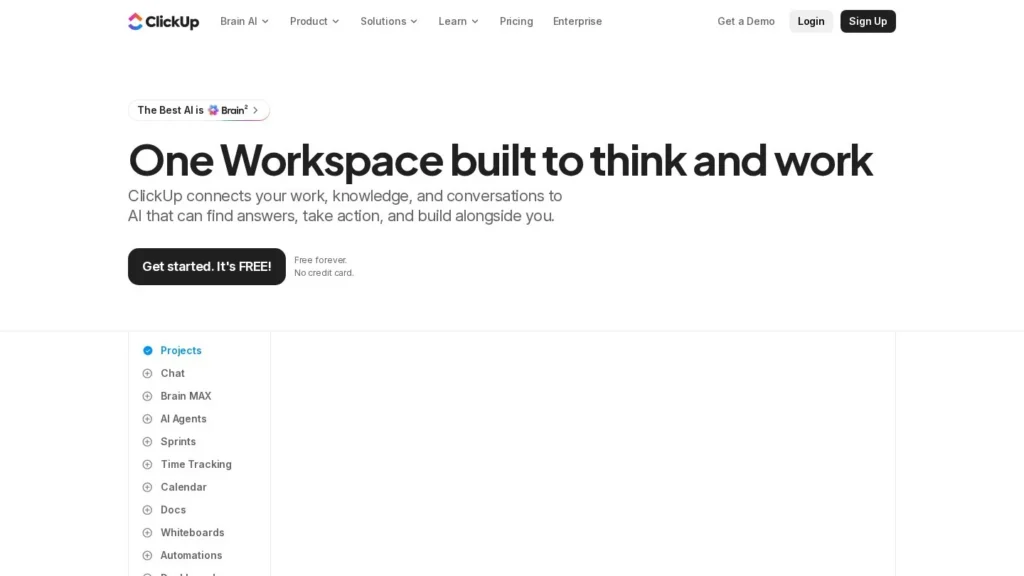
ClickUp Super Agents are AI teammates that live inside ClickUp: you can assign them tasks, @mention them in Docs or comments, message them directly, or let them run on a schedule or trigger. They are best for teams that already run projects in ClickUp and want recurring work such as triage, status reports and follow-ups handled without a separate tool. Cost visibility is the main area to plan for, because every agent action spends AI credits, and ClickUp’s own help center estimates 100 to 300 credits per Super Agent action.
On ClickUp’s long-standing price list, AI comes as a Brain AI add-on at $9 per user a month or Everything AI at $28, on top of plans from $7 per user. In October 2026 ClickUp began testing a new layout that bundles AI credits into every seat, with Business rising to $17 per user on annual billing. The vendor is large and growing: ClickUp passed $300 million in annual recurring revenue with more than 20 million users, and its CFO said AI usage was growing 800% year over year. This review is based on ClickUp’s published pricing, help center, launch posts and press coverage as of October 2026; we have not tested Super Agents hands-on.
$9 or $28 AI Add-Ons and a Bundled Plan in Testing
- Pricing: Legacy add-ons cost $9 (Brain AI, 1,500 credits) or $28 (Everything AI, 5,000 credits) per user a month; a new layout in testing bundles credits into plans from $9 per user. Extra credits cost $10 per 10,000.
- Credit math: ClickUp estimates each Super Agent action at 100 to 300 credits, so 5,000 credits cover roughly 16 to 50 agent actions per user a month.
- Vendor scale: More than $300 million in ARR, more than 20 million users and over $530 million raised; AI sales grew more than 400% in 2025, per ClickUp.
- Built by acquisition: ClickUp bought AI coding startup Codegen in December 2025 to power Super Agents, and its founder Jay Hack became Head of AI.
- Our score: 8.7/10, strong on setup and controls, with room to grow through a settled pricing model that is easier to forecast.
ClickUp’s Scale and Its Company-Wide AI Turn
Super Agents sit on top of one of the largest work-management platforms, and ClickUp has reshaped the company around AI over the past year. These are the facts we confirmed, with sources and dates.
| Fact | Detail | Source and date |
|---|---|---|
| Annual recurring revenue | Surpassed $300 million, with more than 20 million users and about 800,000 new users joining each month | ClickUp via Business Wire, September 9, 2025 |
| AI growth | AI sales up more than 400% so far that year and AI usage up 800% year over year, according to CFO Dan Zhang | ClickUp via Business Wire, September 9, 2025 |
| AI in deals | Sales-led deals that include AI are 7 times larger on average, and more than 40% of new sales-led deals include AI | ClickUp via Business Wire, September 9, 2025 |
| Codegen acquisition | Bought AI coding platform Codegen to power Super Agents; founder Jay Hack became Head of AI; Super Agents described as using 500+ work skills | ClickUp via Business Wire, December 23, 2025 |
| Codegen background | Raised $16.2 million in 2023 from Thrive Capital, Adam D’Angelo and Anthropic CPO Mike Krieger, last valued at $60 million | Reworked, December 24, 2025 |
| Qatalog acquisition | Enterprise search startup that had raised about $26 million, with cross-app search over 100+ connected tools | Reworked, December 24, 2025 |
| Brain2 launch | Rebuilt AI layer routing work across Claude, ChatGPT and Gemini, with persistent memory and MCP access to Gmail, GitHub, Figma and Slack; ClickUp said the platform hosts more than 11 million agents | SiliconANGLE, May 12, 2026 |
| AI cost per user | A proprietary compression system shrinks the context sent to models, cutting cost to about $0.91 per user, per ClickUp | SiliconANGLE, May 12, 2026 |
| Total funding | More than $530 million raised | SiliconANGLE, May 12, 2026 |
| Path to $1 billion | Hired executives from Klaviyo, Smartsheet, Looker and Amplitude to pursue $1 billion-plus ARR | ClickUp via Business Wire, February 4, 2026 |
| Layoffs | Cut 22% of staff in an AI-focused restructuring; CEO Zeb Evans said top engineers will orchestrate and review AI agents, and announced $1 million salary bands for “100x impact” | IANS, May 22, 2026 |
| Pricing test | New layout bundles AI into every seat; Business rises from $12 to $17 per user on annual billing and a $100 Max tier appears | UsagePricing tracker, October 15, 2026 |
Two things matter for a buyer. ClickUp’s size and AI revenue growth mean Super Agents are a core product bet, backed by two acquisitions and a rebuilt AI layer, so they are unlikely to be abandoned. The company is also using its own agents internally to justify a smaller, more AI-heavy workforce, which signals how hard it will keep pushing the feature.
The flip side is change. ClickUp has reworked its AI pricing several times, and the October 2026 test raises the Business seat price by 41.7% on annual billing while folding AI in. Budget for the pricing you will actually be offered at renewal, not the one on today’s page.
Agents That Join the Workspace as Members
Super Agents are modeled as workspace members. They appear in assignee lists, can be @mentioned in tasks, Docs and Chat, and can receive direct messages. Each agent inherits user-level permissions and draws on what has been shared with it.
From Job Description to Working Agent
- Describe the role. In Super Agent Studio, you write a job description in plain language, or start from a template, and the builder configures skills, tools and guardrails. Building an agent uses no credits.
- Give it context. Agents read Lists, Folders, Spaces, Docs and Wikis, plus connected apps such as email, calendars and support tools. They get implicit access to public workspace knowledge and explicit access to anything shared with them.
- Choose how it runs. Agents work on a schedule (a weekday morning report), on a trigger (a new task, a form submission, a question asked) or on demand when @mentioned.
- Set approvals. Agents ask for approval before high-impact actions, such as having a person review an email draft before it is sent.
- Review the trail. Every action is captured in real-time audit logs, so admins can see what an agent did and why.
Drafting Docs and Updating Tasks Unprompted
Within ClickUp, agents can draft Docs, update tasks, send emails, manage tickets and summarize meetings without step-by-step direction. They keep three kinds of memory: recent activity, preferences such as tone and routing rules, and longer-term project history stored in Docs. Brain2, announced in May 2026, routes each request to Claude, ChatGPT or Gemini models and can switch models mid-workflow.
Humans still define the job, grant permissions and approve sensitive actions. Output quality also depends on workspace hygiene: consistent statuses and well-kept task data lead to sharper summaries and accurate follow-ups. The Codegen acquisition adds a coding angle, where an agent tagged on a task can write code, but most teams will use Super Agents for project and operations work.
Two Price Lists Running at Once
ClickUp is running two price lists in October 2026. Most visitors still see the legacy layout with separate AI add-ons; a limited number of workspaces are offered the new plans, which include AI credits in every seat. Super Agents consume credits on either layout.
| Plan | Price | Billing | What’s Included | Limits |
|---|---|---|---|---|
| Unlimited (legacy) | $7/user/month annual or $10 monthly | Annual or monthly | Core ClickUp work management | AI requires an add-on |
| Business (legacy) | $12/user/month annual or $19 monthly | Annual or monthly | ClickUp’s mid-tier work management plan | AI requires an add-on |
| Brain AI add-on (legacy) | $9/user/month | Per user, on top of a plan | 1,500 AI credits per user a month | About 5 to 15 Super Agent actions per user at 100 to 300 credits each |
| Everything AI add-on (legacy) | $28/user/month | Per user, on top of a plan | 5,000 AI credits per user a month; 2 hours of 1:1 onboarding with an AI expert | About 16 to 50 Super Agent actions per user |
| Core (new, in testing) | $9/user/month annual or $12 monthly | Annual or monthly | 1,000 pooled AI credits per user a month | Replaces Unlimited |
| Business (new, in testing) | $17/user/month annual or $25 monthly | Annual or monthly | 1,500 pooled AI credits per user a month; 10,000 automation actions a month | Up from $12 annual on the legacy layout |
| Max (new, in testing) | $100/user/month annual or $120 monthly | Annual or monthly | The largest AI credit allowance and no daily MCP cap | Aimed at heavy AI users |
| Extra credits | $10 per 10,000 | Top-up | AI Super Credits for any plan | Grace period when you exceed credits |
A Five-Person Team’s Bill on the Legacy Layout
Five-person team on the legacy layout. Unlimited at $7 plus Brain AI at $9 is $16 per user, or $80 a month and $960 a year on annual billing. That buys 7,500 credits a month across the team, enough for roughly 25 to 75 Super Agent actions if nothing else uses credits. A single daily status-report agent would use a large share of that.
Ten-person Business team adding Everything AI. Business at $12 plus Everything AI at $28 is $40 per user, or $400 a month and $4,800 a year, up from $120 a month without AI. The 50,000 credits cover roughly 160 to 500 agent actions a month.
The same team on the new Business plan. At $17 per user, ten seats cost $170 a month with 15,000 pooled credits, about 50 to 150 agent actions. Buying 30,000 extra credits for $30 brings the bill to $200 a month with room for roughly 150 to 450 actions, half the legacy price for a similar agent workload.
Hidden and variable costs. Credit use per action is an estimate, and other AI features such as AI Fields, task creation from Chat and image generation draw from the same pool. Because AI is priced per user, adding people to the workspace raises the AI bill even if they never use an agent.
ClickUp Super Agents Compared With Asana AI Teammates, Motion AI Employees and Lindy
Asana and Motion offer agents inside their own work-management tools, while Lindy is a standalone agent platform that teams often consider instead of buying AI from their project tool.
| Tool | Starting Price | Free Plan | Main Strength | Main Trade-Off | Best For |
|---|---|---|---|---|---|
| ClickUp Super Agents | $9/user/month (Brain AI add-on) on a ClickUp plan | ClickUp has a Free Forever plan with a small AI allowance | Agents assigned like teammates, with schedules, triggers, memory and audit logs | Credit cost per action is an estimate; pricing in flux | Teams already running work in ClickUp |
| Asana AI Teammates | Included with paid Asana plans; extra requests reported at $0.50 to $0.60 each | No | Transparent steps and human checkpoints inside Asana projects | Small pooled allowance, capped at 50 requests a month on Starter and Advanced | Asana customers who want light agent use |
| Motion AI Employees | $19/seat/month (Teams Pro AI, annual) | No; 7-day trial with card | Agents tied to Motion’s auto-scheduling and projects | Credit use per task is hard to estimate | Small teams planning work and calendars in Motion |
| Lindy | $49.99/active user/month (Team) | Seven-day trial with $50 in credits | General assistant agents for email, meetings and calendars | Every active user is a paid seat; credits drain quickly per reviews | Teams that want agents outside a project tool |
If your team lives in ClickUp, Super Agents have the advantage of full workspace context and familiar permissions. Asana’s allowance is cheaper but much smaller, Motion is better value for scheduling-heavy small teams, and Lindy suits teams whose work spans inboxes and calendars more than project boards.
Teams Already Standardized on ClickUp
- Teams already standardized on ClickUp. Agents read the same tasks, Docs and Chat your team uses, with no new tool to adopt.
- Operations and project leads drowning in updates. Scheduled status reports, overdue-task chasing and request triage are natural first agents.
- Agencies and professional services teams. Intake forms, client updates and recurring reports map well to triggers and schedules.
- Admins who need control. Inherited permissions, approvals before high-impact actions and real-time audit logs make agent behavior reviewable.
Teams on Other Tools and Many Light Users
- Teams on other work-management tools. Super Agents only work inside ClickUp, so a migration comes first.
- Budget-limited teams with many light users. Per-user AI pricing means everyone adds cost, not only the people who use agents.
- Teams still organizing their workspace. Agents work best with clean statuses and well-organized data, so tidying spaces first gives better output.
- Buyers who need cross-app automation first. A dedicated platform such as Lindy or AI by Zapier reaches more outside systems.
Credit Use at 100 to 300 per Action
- Plan for credit use. At 100 to 300 credits per Super Agent action, a 1,500-credit allowance covers 5 to 15 actions per user. Watch the AI usage dashboard during a pilot.
- Pricing is evolving. ClickUp changed AI packaging in February 2026 and began testing a new layout in October 2026. Confirm which plan and allowance you will get before signing an annual contract.
- Shared credit pool. Other AI features draw from the same credits, so heavy use of AI Fields or image generation reduces what agents can do.
- Permissions need care. Agents get implicit access to public workspace knowledge. Start with narrow sharing and review audit logs before letting agents act on client-facing work.
- Restructuring at the vendor. ClickUp cut 22% of staff in May 2026 as it shifted to an AI-first model. Expect fast product change and check support response times during a trial.
AI Bundled Into Every Seat in an October Test
On October 15, 2026, a pricing tracker recorded ClickUp testing new plans that bundle AI into every seat, including Core at $9, Business at $17 and a $100 Max tier; ClickUp’s help center says the new plans are offered to a limited number of workspaces ahead of a full rollout. On May 22, 2026, ClickUp cut 22% of its workforce in a restructuring that CEO Zeb Evans tied to AI agents.
On May 12, 2026, ClickUp introduced Brain2, which routes work across Claude, ChatGPT and Gemini and adds persistent memory and MCP connections. In February 2026 it announced six senior hires to pursue $1 billion-plus ARR. In December 2025 it acquired Codegen to power Super Agents, and published its Super Agents launch post describing agents that can be assigned, mentioned and messaged like colleagues.
Easy to Set Up for ClickUp Teams, With a Careful Pilot
For teams already committed to ClickUp, yes, with a careful pilot. Super Agents score 8.7/10 on our scale. They are among the easiest agents to set up, because they live where the work already is and are built from a plain job description, and their controls are solid: inherited permissions, approvals and real-time audit logs. ClickUp’s scale, with more than $300 million in ARR and AI usage growing 800% a year, means the product has serious investment behind it.
Pricing is the main area where ClickUp could make buying easier. At 100 to 300 credits per action, small allowances run out quickly, and ClickUp is testing a new plan structure that changes seat prices. Start with one or two agents on narrow jobs, track credits per completed task for a month, then size your plan. Compare more options on our productivity agents and workflow automation agents pages.
Credits, Add-Ons and the Cost of Super Agents
How Much Do ClickUp Super Agents Cost?
Super Agents run on AI credits. On the legacy layout, credits come from the Brain AI add-on at $9 per user a month (1,500 credits) or Everything AI at $28 (5,000 credits), on top of a ClickUp plan. On the new plans being tested, credits are included, starting with Core at $9 per user a month on annual billing. Extra credits cost $10 per 10,000.
Can I Use Super Agents for Free?
Building a Super Agent uses no credits, and ClickUp’s launch post says anyone can create one with the free builder. Running agents spends credits, and the Free Forever plan’s allowance is small, so meaningful use requires a paid plan or add-on.
Are ClickUp Super Agents Safe?
Agents inherit user-level permissions, ask for approval before high-impact actions and log every action in real-time audit logs. They also get implicit access to public workspace knowledge, so review what is shared before switching agents on.
How Do Super Agents Compare With Asana AI Teammates?
Both work inside their own project tools. ClickUp offers larger credit allowances and agents that run on schedules and triggers, while Asana includes a small pooled allowance with paid plans and charges per extra request.
Where Do ClickUp Super Agents Reach Their Limits?
They work best in a well-organized workspace, and they handle fewer actions outside ClickUp than a dedicated cross-app agent platform. They also run on credits, so heavy use needs a larger allowance or top-ups.
User Reviews
Nobody has rated it here yet. Be the first AI Agents Choice user to rate ClickUp Super Agents.