
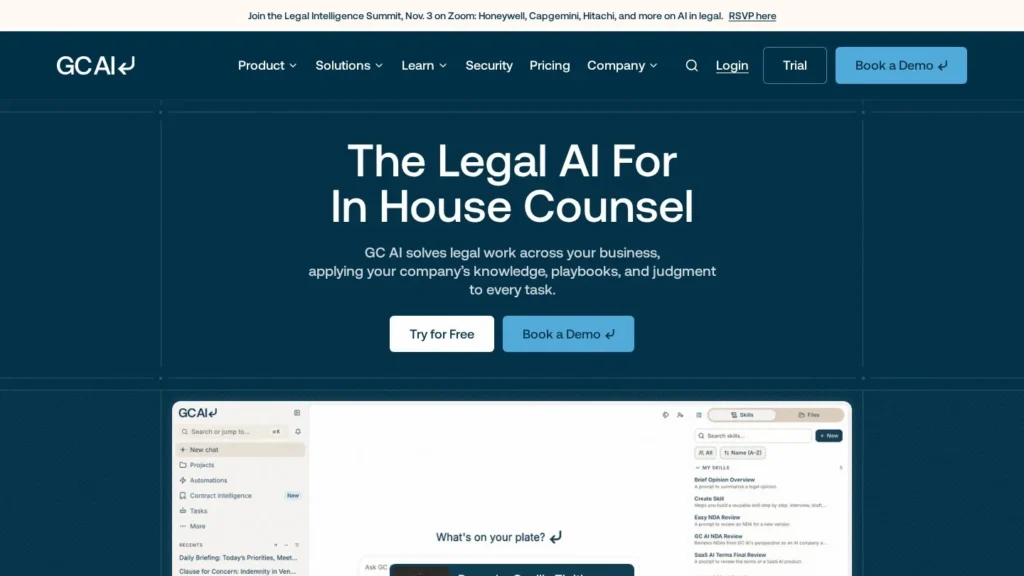
GC AI grew annual recurring revenue from $1 million to more than $10 million in under a year and averaged 23% month-over-month growth in 2025, according to the company. More than 1,000 companies, including Vercel, Zscaler, Skims and News Corp, use it for in-house legal work: contract review and redlining in Word, playbooks, cited legal research and, since July 2026, actions in 21 connected apps such as Gmail, Slack, HubSpot and Ironclad.
It is best for general counsel, fractional GCs and small to mid-size in-house teams who want one legal AI tool for everyday work, with a price they can see before a sales call. Points to weigh are a $500-a-month entry price for one person, Team pricing on request and reviewer requests for more integrations. We rate it 8.7/10 on our scale. We have not used GC AI; this review is based on GC AI’s pricing page, funding announcement and Agent Connectors launch post, plus G2 reviews.
A $500 Individual Plan With 21 Connected Apps
- The Individual plan costs $500 a month with unlimited chats and skills and the Word add-in; Team is on request and billed yearly.
- Agent Connectors link 21 apps and take actions such as drafting replies, scheduling follow-ups and posting Slack updates, with approval required by default.
- GC AI went from $1 million to more than $10 million in ARR in under a year and raised a $60 million Series B at a $555 million valuation.
- Security includes SOC 2 Type II, SOC 3 and GDPR, zero data retention with AI providers and no training on confidential inputs.
- Against LegalOn and Spellbook, GC AI covers more general in-house work beyond contracts; it is also the only one of the three with a published price.
Growth Data GC AI Shares Publicly
GC AI shares more growth data than most legal AI startups. These figures come from its own announcements and G2.
| Fact | Detail | Source and Date |
|---|---|---|
| Series B | $60 million led by Scale Venture Partners and Northzone; $555 million post-money valuation; $73 million raised in total | GC AI announcement, November 7, 2025 |
| Revenue growth | ARR from $1 million to more than $10 million in under a year; 23% average month-over-month growth in 2025 | GC AI announcement, November 7, 2025 |
| Customers | More than 1,000 companies, including News Corp, Nextdoor, Skims, Liquid Death, Vercel, TIME and Zscaler | GC AI announcement, November 7, 2025 |
| Founders | Cecilia Ziniti, a three-time general counsel, and CTO Bardia Pourvakil, from an ex-Replit team | GC AI announcement, November 7, 2025 |
| Strategic investor | Vercel CEO Guillermo Rauch participated, alongside News Corp and Sound Ventures | GC AI announcement, November 7, 2025 |
| Agent Connectors | 21 apps connected, generally available; needs-approval default for sends and record changes | GC AI Launch Week post, July 31, 2026 |
| Data handling | Zero data retention with AI providers; AES-256 at rest; no training on confidential inputs | GC AI Launch Week post, July 31, 2026 |
| Price | Individual plan $500 a month; Team on request, yearly | GC AI pricing page, viewed November 2026 |
| G2 rating | 5.0 out of 5 from 10 reviews | G2, viewed November 2026 |
The growth figures and investor list point to a company with momentum among technology companies, which matches its customer roster. Having a former general counsel as founder shows in the product: the features target what in-house lawyers do all day, from contract triage to email with counterparties, rather than only law firm research.
The connector numbers matter because they move GC AI from assistant to agent. Twenty-one apps with action permissions means GC AI can finish a task, such as replying to a counterparty, rather than handing a draft back. The default approval step keeps that within limits most legal teams will accept.
A Web App and Word Add-In Built Around Skills
GC AI is a web app and Word add-in. Users chat with it, run saved skills and connect their own accounts.
Contracts and Research
In Word, GC AI adds redlines and margin comments to a contract, and playbooks keep reviews consistent across the team. In the web app, lawyers ask legal questions and get answers with verifiable citations, with footnotes that link to and highlight the referenced text, according to G2 reviewers. US Case Law and International Law databases are add-ons on Individual, and Team includes one.
Agent Connectors
Users connect accounts under Settings, Integrations, Agent Connectors, signing in with each provider. GC AI then reads from connected apps on request, without continuously mirroring them, and can act. Examples from GC AI’s launch post:
- Draft a reply to a counterparty’s latest email, then schedule a follow-up meeting, with each send stopping at an approval card.
- Post a status update to a #legal Slack channel when a redline is ready for review.
- Pull HubSpot deal context and calendar items into one brief before a customer call.
- Run the Daily Briefing skill each morning to prioritize the day from connected apps.
Connected apps include Gmail, Outlook, Google Calendar, Slack, Teams, Google Drive, OneDrive, SharePoint, Google Docs and Sheets, Dropbox, HubSpot, Notion, Confluence, Asana, Linear, GitHub, Granola, USPTO, Agiloft and Ironclad. For system-to-system workflows, GC AI offers a separate Legal AI API authenticated with a key.
Approve, Allow or Block Settings for Every Connector
Each connector capability can be set to needs approval, always allow or block. Admins can disable individual connectors for the whole organization and see who connected which apps, but cannot read anyone’s mail or files or connect accounts for someone else. Microsoft connectors may need consent from the company’s Microsoft admin.
Trial Sign-Up and a First Live Contract in Word
An individual GC can sign up for the trial without a sales call, install the Word add-in and start with a live contract. The next step is building skills and playbooks for the work that repeats, such as NDA review or vendor agreement checks, which the Individual plan allows without limits. Connecting email, calendar and Slack comes after, ideally with every action left on needs approval for the first weeks. Teams add SSO, a shared skill library and shared chats on the Team plan, and GC AI’s attorney support staff help with a team walkthrough.
A Day With the Agent
The Daily Briefing skill reads connected apps and lists the day’s priorities. A counterparty’s redline arrives overnight; GC AI reviews it against the playbook in Word, drafts a reply email and proposes a follow-up meeting, and the lawyer approves each send. Before a sales call, it pulls the HubSpot deal and calendar context into a brief. When the redline is ready, it posts a status to the legal Slack channel. Each step is something a GC would otherwise do by hand across four or five tools.
Redlines, Research and Sends Need a Lawyer’s Approval
Lawyers approve sends and record changes, verify research and check redlines, especially where reviewers report the browser Word tool does not always carry redlines over accurately. Complex drafting can take a few attempts to get the tone right, by reviewers’ accounts. GC AI speeds up in-house work but leaves legal judgment with the lawyer.
A Published Entry Price in a Quote-Heavy Field
GC AI publishes its entry price, which is unusual in legal AI.
| Plan | Price | Billing | What’s Included | Limits |
|---|---|---|---|---|
| Individual | $500 a month | Monthly | Unlimited chats, skills and Easy Prompt; Word add-in; analytics; AI Academy and CLE courses; MFA | Case law databases are add-ons; for solo or fractional GCs |
| Team | On request | Yearly | Adds SSO, team skill library, Contract Intelligence, one legal database, shared chats and attorney support | Second database is an add-on |
| Enterprise | Custom | Contract | Custom integrations, managed procurement and onboarding, change management, ROI forecasting | Set by contract |
A 14-day free trial is offered, and the pricing page shows a free trial option on Individual and Team.
A Fractional GC’s $6,000 Year on the Individual Plan
These scenarios use the published Individual price; team prices need a quote. Workloads are illustrative.
- A fractional GC serving several startups: $500 a month is $6,000 a year for unlimited chats and skills. Adding a case law database raises it by the add-on price.
- A solo general counsel at a growing company: the same $6,000 a year covers contract review, research and connector actions across email and Slack. During the trial, compare the $500 with what the hours it saves would cost in outside counsel fees.
- A five-lawyer in-house team: five Individual plans would be $2,500 a month, or $30,000 a year, so ask for a Team quote, which adds SSO, shared skills and a legal database.
Watch for add-on databases, the yearly commitment on Team and any custom integration work on Enterprise.
GC AI Compared With LegalOn, Spellbook, Harvey and CoCounsel Legal
In-house legal AI ranges from contract-specific tools to broad legal platforms. GC AI sits in the middle: broad in-house work with contract strength.
| Agent | Starting Price | Free Plan | Main Strength | Main Trade-Off | Best For |
|---|---|---|---|---|---|
| GC AI | $500 a month (Individual) | No (14-day trial) | Broad in-house work plus actions in 21 connected apps | Team price on request; reviewers want more integrations | GCs and small in-house teams |
| LegalOn | Custom quote per seat | No | Playbook review, triage and intake agents | No published price | In-house teams with high contract volume |
| Spellbook | Custom quote | No | Drafting and redlining in Word | Narrower than full in-house work | Transactional lawyers |
| Harvey | Custom quote | No | Broad drafting, research and diligence for large teams | Enterprise sales only | Large firms and legal departments |
| CoCounsel Legal | About $784 per attorney a month (reported) | No | Westlaw and Practical Law content | High reported cost | Teams relying on Thomson Reuters research |
GC AI is the pick for a general counsel who wants one tool for contracts, research and the email and Slack work around them, at a known price. LegalOn suits teams whose main pain is contract volume, Spellbook lawyers who live in Word, and Harvey or CoCounsel larger teams that need deep research content. Pricing transparency is a real difference in this group: GC AI is the only one with a published self-serve price, which lets a single lawyer start without procurement. The trade-off is depth. Contract-focused tools such as LegalOn ship larger playbook libraries and triage agents for business users, and research platforms such as CoCounsel bring deeper legal content. See more in our legal AI agents guide.
Solo GCs and Small In-House Teams at Tech Companies
- Solo and fractional general counsel: the Individual plan is built for them, with a published price and trial.
- Small in-house teams at tech companies: GC AI’s customer list skews toward companies like Vercel, Zscaler and Nextdoor.
- Lawyers whose day runs through email and Slack: connectors let GC AI draft replies, schedule follow-ups and post updates with approval.
- Teams with Ironclad or Agiloft: legal-specific connectors bring CLM data into the same conversation.
Litigators, Law Firms and Fans of Hands-Off Automation
- Litigation teams and law firms: GC AI is built for in-house legal departments.
- Teams that want hands-off automation: sends and record changes require approval by default, by design.
- Large departments needing deep research libraries: CoCounsel Legal or Lexis-based tools carry more research content.
- Budget-limited teams of several lawyers: $500 per person adds up; get a Team quote first.
Connector Defaults and Word Redline Accuracy
- Connectors on by default: admins should set connector policies before rollout and decide which capabilities may run without approval.
- Word redline accuracy: one G2 reviewer reports redlines not carrying over accurately from chat to the browser Word tool.
- Integration requests: reviewers would like more native integrations; check your must-have apps against the 21 listed.
- Research verification: citations are verifiable, but lawyers should still read the source before relying on it.
- Small review base: G2 shows 10 reviews, one apparently duplicated.
- Always-allow settings: switching a capability to always allow removes the approval card. Keep that for low-risk actions such as reading files, not for sending messages to counterparties.
A $60 Million Series B at a $555 Million Valuation
- November 7, 2025: GC AI announced a $60 million Series B at a $555 million valuation, with plans to invest in integrations and agents.
- July 31, 2026: GC AI launched Agent Connectors to 21 apps as part of a Launch Week that also introduced Easy Edit, a Legal AI API and GC AI Academy.
Easy to Price, Trial and Adopt for In-House Counsel
For a general counsel or small in-house team, GC AI is one of the easiest legal AI tools to evaluate and adopt: the price is published, there is a free trial, security credentials are strong and the product covers the mix of contracts, research and communication that fills an in-house lawyer’s week. Agent Connectors make it a real agent, able to act in email, Slack and CLM tools with approval gates.
It scores 8.7/10 on our scale. Trust and setup lift it, and published Team pricing, a lower entry point for one person and a larger public review base would lift it further. Start with the trial on live contracts and email threads, then compare a Team quote with LegalOn and Spellbook.
Trial Access, Email Sending and Plan Cost Questions
How Much Does GC AI Cost?
The Individual plan costs $500 a month for solo or fractional general counsel. Team pricing is on request and billed yearly, and Enterprise is custom. US Case Law and International Law databases are add-ons on Individual.
Does GC AI Have a Free Trial?
Yes. GC AI offers a 14-day free trial, and its pricing page shows a free trial option on the Individual and Team plans.
Can GC AI Send Emails on My Behalf?
Through Agent Connectors, GC AI can draft and send replies in Gmail or Outlook, schedule meetings and post to Slack. By default each send stops at an approval card, and admins can set capabilities to needs approval, always allow or block.
Is GC AI Secure Enough for Confidential Contracts?
GC AI holds SOC 2 Type II and SOC 3 certifications, is GDPR compliant, encrypts data at rest with AES-256, processes content with AI providers on a zero-data-retention basis and does not use confidential inputs to train commercial models.
How Is GC AI Different From Spellbook?
Spellbook focuses on drafting and redlining contracts in Microsoft Word. GC AI also works in Word but covers broader in-house work, including cited research, skills and actions across 21 connected apps, and it publishes an entry price.
User Reviews
Nobody has rated it here yet. Be the first AI Agents Choice user to rate GC AI.