
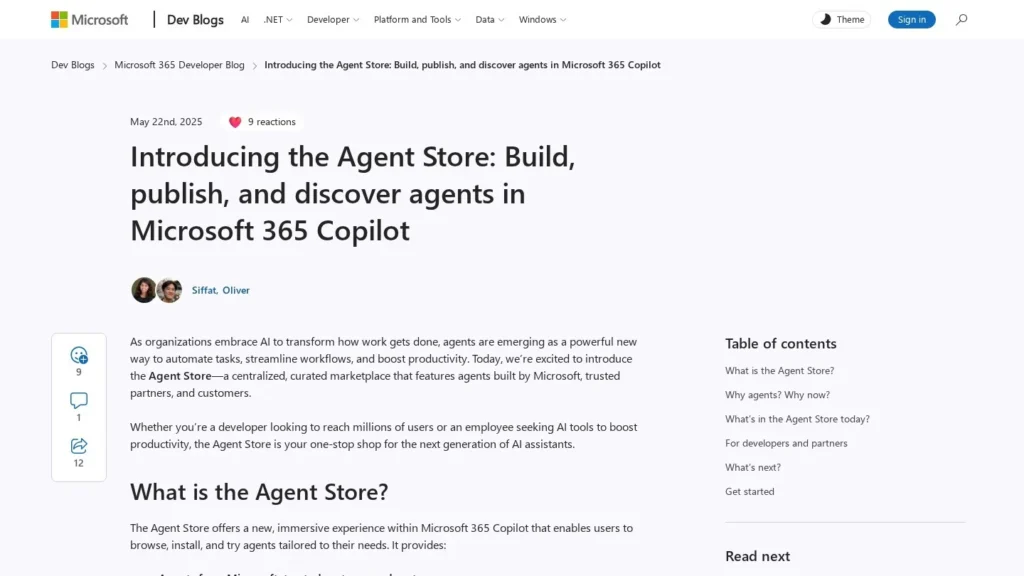
Microsoft’s Agent Store is the agent catalog built into Microsoft 365 Copilot, and it suits organizations that run on Microsoft 365 and want employees to find Microsoft, partner and in-house agents in the same place they chat, email and write. It opened in May 2025 with more than 70 agents and works across the Copilot app, Teams and m365copilot.com.
The store comes with Microsoft 365, licensed Copilot users at $30 per user per month can build and use internal agents at no additional cost, and agents that reach shared company data are metered through Copilot Studio credits. We score it 8.5/10 on our scale.
Microsoft’s Agent Store Inside Microsoft 365 Copilot
- The store launched on May 22, 2025 with more than 70 agents from Microsoft, partners and customers.
- People browse curated collections, open detail pages, install agents and share them by link inside Copilot and Teams.
- Licensed Microsoft 365 Copilot users, at $30 per user per month paid yearly, build and use internal agents at no additional cost.
- Metered agents draw on Copilot Studio credits, sold in packs of 25,000 for $200 a month or pay-as-you-go.
- Admins decide which agents are visible, who can publish and whether metered agents can run.
Microsoft Agent Store by the Numbers
Microsoft’s developer blog and pricing page give the core figures.
| Fact | Detail | Source and Date |
|---|---|---|
| Launch | Agent Store introduced May 22, 2025 | Microsoft 365 Developer Blog, May 2025 |
| Catalog at launch | More than 70 agents | Microsoft 365 Developer Blog, May 2025 |
| Copilot seat | $30 per user per month, paid yearly | Microsoft Copilot Studio pricing page |
| Copilot Studio pack | 25,000 Copilot Credits for $200 per pack per month | Microsoft Copilot Studio pricing page |
| Pre-purchase saving | Up to 20 percent with Copilot Credit Commit Units | Microsoft Copilot Studio pricing page |
| Azure starter credit | $200 credit with a free Azure account | Microsoft Copilot Studio pricing page |
| Market context | Agent Store launched with 70+ agents, two months before AWS’s agent category | Yahoo Finance, July 2025 |
The credit pack sets the price of metered agent use at $200 for 25,000 credits, or 0.8 cents per credit. How far that goes depends on how many credits each agent action uses, which varies by agent, so pilot a metered agent with a small group and read the usage before a company-wide rollout.
The launch catalog of more than 70 agents was small next to some cloud marketplaces, but the store is built differently. Much of its value comes from agents a company builds for itself and shares internally, so the size of the public catalog is only part of what employees will see.
The $30 seat price matters more for most organizations. Once employees hold Copilot licenses, internal agents built for Microsoft 365 add no extra charge, which makes the store a low-cost way to spread agents a team has already built.
How the Agent Store Works for Employees, Builders and Admins
The store serves three groups, and each sees a different side of it.
Finding an Agent
Employees open the store inside Microsoft 365 Copilot. They see curated collections, featured agents and a search box that offers suggestions before they type anything. Each agent has a detail page describing what it does and who published it. Agents can be installed and tried straight away, and a URL lets people share an agent with their team.
Discovery features are deliberately familiar. Microsoft lists curated collections, merchandising and URL-based sharing, which makes the store feel closer to a phone app store than to an IT catalog, and that lowers the effort for staff who have never installed an agent before.
Where Installed Agents Appear
Installed agents work inside the Copilot app and across Microsoft 365. Microsoft describes integration with Teams and m365copilot.com, and agents can reach people in the apps where they already work, such as Outlook, Word, Excel and PowerPoint.
Building and Publishing
Builders have two routes. Microsoft Copilot Studio is the low-code path for business users and makers; the Microsoft 365 Agents Toolkit is the professional developer path. Agents built either way can be published to the store for colleagues, and partners can publish to reach Microsoft 365 Copilot users more widely, with co-marketing support and usage and feedback insights.
Admin Controls
Admins manage agents in the Microsoft 365 admin center. They decide which agents are visible to whom, who in the organization may publish an agent and whether metered consumption is switched on. Each setting has a default, so admins should review them before announcing the store to staff.
What Partners Get From Listing
For software companies, the store is a distribution channel into Microsoft 365 Copilot users. Microsoft lists access to those users, co-marketing and partner support, and usage and feedback insights as the benefits. A partner that already sells a Teams app or a Microsoft 365 add-in can publish an agent built with the Agents Toolkit and reach buyers inside the Copilot app, where discovery happens next to the work the agent is meant to help with.
Preparing the Store Before Launch
Before telling staff about the store, an admin has three decisions to make in the admin center. First, which agents should be visible, and to which groups; a pilot often starts with one department. Second, who may publish, since leaving publishing open lets anyone share an agent company-wide. Third, whether metered consumption should be on, which decides whether agents that touch shared company data can run and draw credits. Writing these choices down, with an owner for each, avoids surprises on the first Copilot Studio bill.
Licensed and Unlicensed Users
Microsoft designed the store to support both Microsoft 365 Copilot licensed and unlicensed customers. Licensed users can build and use internal agents at no additional cost through the Copilot Chat and Standard harness. Agents that need Copilot Credits, or that publish to external channels, follow Copilot Studio licensing.
A Finance Team Rolling Out an Agent, Step by Step
Take a finance operations lead whose analyst built an expense policy agent in Copilot Studio. The analyst publishes it to the store, and the admin makes it visible only to the finance department. Team members find it in the Finance collection, install it and share the link with new hires. Because it answers from written instructions and policy documents, it runs within their Copilot licenses. When the team later wants the agent to read live data from a SharePoint site, the admin switches on metered use and assigns a Copilot Studio capacity pack to cover it.
Microsoft Agent Store Pricing and Copilot Studio Credits
The store has no separate fee. Costs come from Microsoft 365 Copilot licenses and Copilot Studio credits.
| Item | Price | Billing | What’s included | Notes |
|---|---|---|---|---|
| Agent Store access | Included | With Microsoft 365 | Browse, install and share agents | Supports licensed and unlicensed users |
| Microsoft 365 Copilot | $30/user/month | Paid yearly | Copilot plus building and using internal agents at no additional cost | Per user |
| Copilot Studio capacity pack | $200/pack/month | Monthly | 25,000 Copilot Credits | For metered agent use |
| Copilot Studio pay-as-you-go | Billed on usage | End of monthly billing period | Credits consumed | No upfront commitment |
| Pre-purchase plan | Up to 20% saving | Upfront | Copilot Credit Commit Units | Prepaid |
What the Agent Store Costs in Practice
- A 50-person team on Copilot: 50 seats at $30 a month is $1,500 a month, or $18,000 a year, with internal agents included.
- Adding metered agents: one capacity pack adds $200 a month, or $2,400 a year, for 25,000 credits shared across the tenant.
- Heavier metered use: four packs cost $800 a month for 100,000 credits; a pre-purchase plan can cut credit costs by up to 20 percent.
Partner agents may carry their own charges on top, set by each publisher.
Teams starting out can use the Copilot Studio free trial to build and test an agent before buying credits, and a free Azure account includes a $200 credit that can go toward agent experiments. Those two routes let a team prove an agent’s value with a small group before asking finance for a capacity pack.
Microsoft Agent Store Compared With Gemini Enterprise, AgentExchange and AWS Marketplace
Each platform’s store favors its own ecosystem.
| Marketplace | Starting price | Free to browse | Main strength | Main limitation | Best for |
|---|---|---|---|---|---|
| Microsoft Agent Store | Included; Copilot $30/user/month | Yes, in Microsoft 365 | Agents inside Teams and Office apps | Metered agents need Copilot Studio credits | Microsoft 365 organizations |
| Gemini Enterprise | $21/user/month (Business) | Agent Marketplace from Standard | Google, partner and custom agents across Workspace and Microsoft 365 | Marketplace not in the Business edition | Google Workspace organizations |
| Salesforce AgentExchange | Listing prices vary | Yes | Agents, apps and MCP servers for Salesforce and Slack | Public checkout still planned | Salesforce and Slack users |
| AWS Marketplace AI Agents | Listing prices vary | Yes | Agent mode and flexible deployment | Needs AWS setup for some agents | AWS customers |
Microsoft’s store reaches into everyday Office work, since agents can surface in Outlook, Word, Excel, PowerPoint and Teams. Gemini Enterprise is the closest match for Google Workspace companies. AgentExchange and AWS Marketplace sell to platform and procurement teams more than to individual employees. See more on our AI agent marketplaces and productivity agents pages, and read our review of Microsoft Copilot Studio for the builder side.
Microsoft 365 Organizations Spreading Agents to Staff
The store fits companies that have Microsoft 365 Copilot licenses and a few teams already building agents. Publishing to the store turns a one-off agent into something the whole department can find, and the admin controls let IT decide how far it spreads.
Organizations with an active maker community in Power Platform or Copilot Studio get the most from it. Makers publish once, and colleagues find the agent through search and collections instead of a link buried in a chat thread. Teams can pass agents around by URL, which helps when onboarding new staff.
It also suits companies buying partner agents for Microsoft 365, since partners publish into the same catalog employees already browse.
Organizations Outside Microsoft 365
Companies on Google Workspace may prefer Gemini Enterprise‘s marketplace, and those whose main system is a CRM or ERP may get more from AgentExchange or Oracle’s marketplace.
Small businesses without Copilot licenses can still use the store, but most of the cost advantage comes with licensed seats, so a very small team should weigh the $30 per user price against how many agents it will use.
Teams that want agents published to customer-facing websites or other external channels will need a standalone Copilot Studio license.
Metering, Defaults and License Differences
- Metered agents: agents that reach shared company data use Copilot Studio credits; plan capacity before turning metering on.
- Defaults: visibility, publishing rights and metering each have a default; review them before launch.
- License mix: rules differ for licensed Copilot users and Copilot Chat users, so check how each group will use agents.
- Partner terms: partner agents may carry their own prices and data terms.
- External channels: publishing outside Microsoft 365 needs a standalone Copilot Studio license.
- Agent sprawl: open publishing can fill the store with overlapping agents; assign owners and retire unused ones.
Agent Store Launch News
On May 22, 2025, Microsoft introduced the Agent Store for Microsoft 365 Copilot with more than 70 agents. Two months later, coverage of AWS’s own agent category noted the Agent Store’s launch size as one of several platform marketplaces competing for agent buyers.
Microsoft’s Agent Store Suits Copilot Customers
We rate Microsoft’s Agent Store 8.5/10 on our scale. It puts agents where office workers already are, gives admins clear control over visibility, publishing and metering, and comes with published prices for seats and credits. For licensed users, internal agents cost nothing extra.
Its biggest practical strength is distribution. An agent that would otherwise live in one team’s chat becomes something anyone with access can find, install and share, and the admin controls let that happen at the pace IT chooses.
Areas to improve are clarity and reach. A single, simple view of which agents are metered for which users would help admins plan, and more partner pricing on detail pages would help buyers. For Microsoft 365 organizations, it is the obvious place to share and find agents.
IT Admins’ Questions About the Microsoft Agent Store
Is the Agent Store Free?
The store itself has no separate fee and supports licensed and unlicensed users. Licensed Microsoft 365 Copilot users can build and use internal agents at no additional cost; metered agents use Copilot Studio credits.
How Much Do Copilot Studio Credits Cost?
A capacity pack of 25,000 Copilot Credits costs $200 per month. Pay-as-you-go is billed on usage each month, and a pre-purchase plan saves up to 20 percent.
Can People Without a Copilot License Use the Store?
Yes. Microsoft built the store from the start to support both licensed and unlicensed Microsoft 365 customers. What an unlicensed user can run depends on whether an agent is metered, so admins should check each agent’s requirements before making it visible to everyone.
How Does the Agent Store Compare With Gemini Enterprise?
Both put agents inside an office suite. Microsoft’s store lives in Microsoft 365 Copilot, with seats at $30 per user per month; Gemini Enterprise lives in Google’s platform, starts at $21 per user per month for Business and includes its Agent Marketplace from the Standard edition.
Who Can Publish Agents to the Store?
Microsoft, partners and people inside your organization. Admins decide who in the organization may publish and which agents are visible to each group of users.
Which Tools Build Agents for the Store?
Microsoft Copilot Studio for low-code building and the Microsoft 365 Agents Toolkit for professional developers. Both publish into the same store, so makers and developers share one catalog.
Where Do Installed Agents Appear?
Inside the Microsoft 365 Copilot app, Teams and m365copilot.com, and across Microsoft 365 apps where people work, such as Outlook, Word, Excel and PowerPoint, once an admin makes them available.
User Reviews
Nobody has rated it here yet. Be the first AI Agents Choice user to rate Microsoft 365 Agent Store.