
Microsoft Copilot Studio

Microsoft's low-code platform for building and managing custom AI agents.

$200 per month for 25,000 Copilot CreditsAgent builder (low-code and no-code)

No user reviews yet. Be the first to rate it.

Visit website
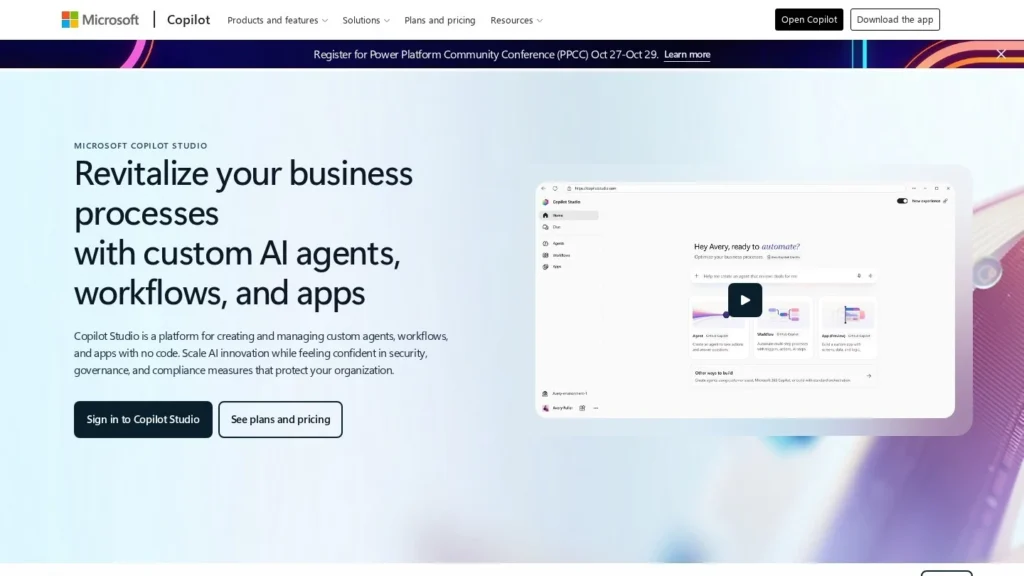
Microsoft Copilot Studio website screenshot
Microsoft Copilot Studio website

Quick Facts

DeveloperMicrosoft
Websitemicrosoft.com/en-us/microsoft-365-copilot/microsoft-copilot-studio
Agent typeAgent builder (low-code and no-code)
Best forOrganizations on Microsoft 365, Teams and Power Platform that want IT and business teams to build governed agents for employees and customers.
Not ideal forTeams outside the Microsoft ecosystem, or developers who want full code-level control.
Pricing modelConsumption-based Copilot Credits: packs, pay-as-you-go or prepaid commit
Starting price$200 per month for 25,000 Copilot Credits
Pricing detailsCredit packs cost $200 a month for 25,000 Copilot Credits. Pay-as-you-go is reported at $0.01 per credit through Azure, and prepaid Copilot Credit Commit Units save up to 20%. Employee-facing use by Microsoft 365 Copilot license holders reportedly does not consume credits within fair-use limits. An Azure subscription is required.
Free planNo
Free trialFree Azure account with $200 credit
ChannelsMicrosoft Teams, SharePoint, Microsoft 365 Copilot Chat, Websites, Social channels, Voice (Dynamics 365 Contact Center)
What it does on its ownAutonomous agents can run tasks and business processes on their own, plan steps and escalate when needed; computer-using agents operate websites and desktop apps.
Integrations1,500+ prebuilt connectors, MCP servers, Microsoft 365, Dynamics 365, Power Platform, Azure AI Foundry, Microsoft Purview, Microsoft Entra ID, Microsoft Defender
PlatformsWeb
Details last verified29 October 2026
CategoriesEnterprise, Multi-Agent Platforms, No-Code Agent Builders, Workflow Automation
User ratingNo reviews yet

A Copilot Studio capacity pack costs $200 a month and buys 25,000 Copilot Credits, the currency Microsoft uses to meter what its agents do. Copilot Studio is Microsoft’s low-code tool for building agents, and it ships with more than 1,500 prebuilt data connectors plus support for Model Context Protocol servers.

Business teams can describe an agent in plain language or build it graphically, then publish it to Teams, SharePoint, Microsoft 365 Copilot Chat, websites or other channels.

How It Works

Agents can answer questions, but the larger push is autonomy. Copilot Studio agents can run tasks or business processes on their own, plan their steps and escalate items to people when needed. Builders can mix fixed workflows for predictable steps with agentic reasoning for the rest, and route work between specialized agents, including agents from Microsoft and partners. Computer-using agents, generally available since May 2026, operate websites and desktop apps through their interfaces, which helps with systems that lack an API.

Builders pick a default model or bring others through Azure AI Foundry. For IT, there are automated evaluations, Dev-Test-Prod promotion with approval gates, real-time analytics, audit logs in Microsoft Purview, credit budgets and environment controls to stop agents multiplying unchecked. Real-time voice agents run through Dynamics 365 Contact Center.

Pricing

Besides the $200 credit packs, Microsoft offers pay-as-you-go billing, reported at $0.01 per credit, and prepaid Copilot Credit Commit Units that save up to 20%. An Azure subscription is required. Employee-facing agents used by people with Microsoft 365 Copilot licenses reportedly do not consume credits within fair-use limits, while customer-facing agents on websites or messaging apps do. New Azure accounts come with $200 of free credit for trying it out.

What to Watch Out For

Credit consumption varies with what an agent does, so model costs before scaling up and set budgets early. Some of the newest features, including the redesigned workflows experience and a new orchestration layer, were in early release or preview when announced. The platform pays off most for organizations already invested in Microsoft 365 and Azure; developers who want code-level control may prefer an SDK.

Recent News

On May 26, 2026, Microsoft made computer-using agents generally available in Copilot Studio, along with agent-to-agent communication and real-time voice agents in North America, and previewed a new orchestration layer that it said cut net token use by 50%.

Features

  • Natural-language and graphical agent design
  • Autonomous agents that run processes and escalate
  • Computer-using agents for websites and desktop apps
  • Multi-agent orchestration and agent-to-agent communication
  • 1,500+ data connectors plus MCP support
  • Model choice, including Azure AI Foundry models
  • Evaluation, testing and Dev-Test-Prod lifecycle management
  • Governance with Purview audit logs, budgets and environment controls

Pros and Cons

Pros

  • Deep integration with Microsoft 365, Teams and Dynamics 365
  • Large connector library and MCP support
  • Enterprise governance and security built in
  • Internal use can be covered by Microsoft 365 Copilot licenses
  • Fast-moving roadmap, including computer use and voice agents

Cons

  • Credit-based billing is hard to forecast
  • Requires an Azure subscription
  • Best value only for organizations committed to Microsoft
  • Several newer features in preview or early release
Write a Review