
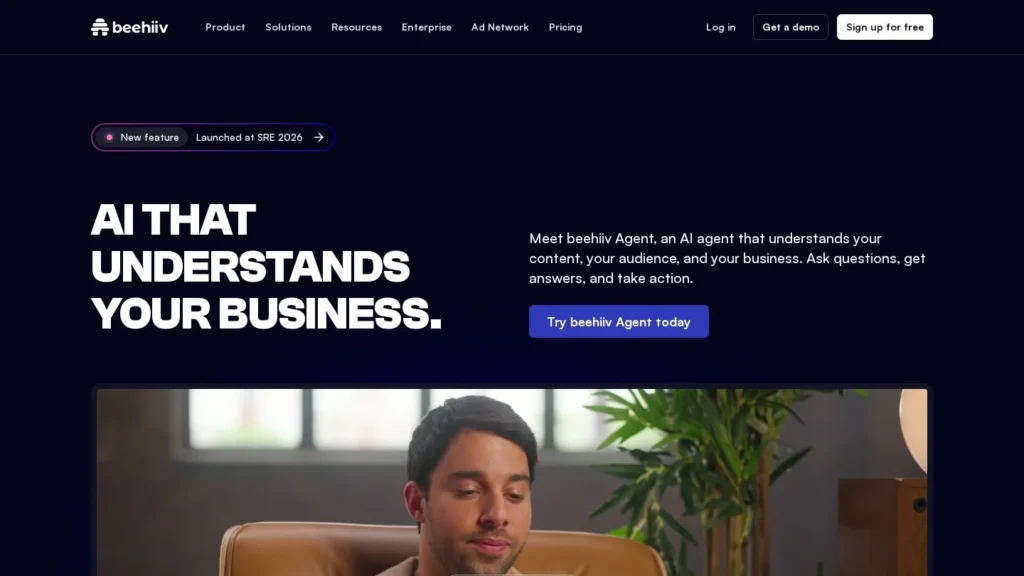
beehiiv Agent Runs Newsletter Tasks From a Chat Box
beehiiv crossed $30 million in annual recurring revenue in 2026, and on July 16 it gave every account an AI agent that works on the publication’s own data. Launched as beehiiv Copilot and now named beehiiv Agent, it answers questions about growth and revenue, builds segments, drafts campaigns, sets up automations after approval and, on Pro and Enterprise plans, schedules and sends posts.
It is a good fit for newsletter operators who already run their publication on beehiiv and spend hours in analytics and automation screens. Free accounts get it in read-only mode, so anyone can try it. The main limit is reach: it only works inside beehiiv. We score it 8.8/10 on our scale.
beehiiv Agent in Five Lines
- Launched at beehiiv’s Summer Release Event on July 16, 2026, as beehiiv Copilot.
- Reads subscribers, posts, segments, automations, analytics and surveys from the account.
- Free is read-only, Lite can edit content, and Pro and Enterprise can schedule and send.
- Multi-step automations and community channels are built only after the user approves them.
- beehiiv is rated 5.00 out of 5 from 24 Product Hunt reviews.
Summer Release Facts and beehiiv Figures
The table gathers the dated facts behind the launch and the company.
| Fact | Detail | Source and Date |
|---|---|---|
| Launch | In-app AI agent introduced as beehiiv Copilot at the Summer Release Event | beehiiv blog, July 16, 2026 |
| Approval rule | Multi-step automations and community channels built after user approval | beehiiv blog, July 16, 2026 |
| Other launches | Native podcast hosting with 0% revenue share, Community, Visual Editor, Metered Paywall, Paid Trials, Group Subscriptions | beehiiv blog, July 16, 2026 |
| Plan powers | Free read-only, Lite edits, Pro and Enterprise schedule and send | beehiiv support article |
| Skill groups | Auto, Analyze, Brainstorm, Grow, Monetize | beehiiv Agent page |
| Revenue | More than $30 million ARR, per CEO Tyler Denk | Create With, June 3, 2026 |
| MCP | Plain-English subscriber queries through Claude and ChatGPT, with v2 adding natural-language segmentation | Create With, June 3, 2026 |
| Product Hunt rating | 5.00 out of 5 from 24 reviews | Product Hunt |
The ARR figure matters for a practical reason. Publishers who move their list to a platform want it to be around in five years, and a business past $30 million in recurring revenue has the means to keep building. The figure comes from the CEO’s own post, so it is a company statement.
The plan table is the fact most buyers miss. The agent exists on every plan, but what it may do changes a lot. Anyone comparing beehiiv with other newsletter tools should compare the plan where the agent can send, which is Pro.
Inside the beehiiv Agent Workflow
The agent sits in the beehiiv dashboard. It draws on the same publication data as the beehiiv MCP, and it reads the screen the user is looking at.
Asking About the Publication
The simplest use is a question. Which posts drove the most new subscribers last month? Which referral source brings readers who stay? How did the last three sponsor placements perform? The agent answers from the account’s analytics, without exports.
beehiiv’s own page draws the line clearly: a general chatbot does not know a publication’s subscribers or history, and this agent does.
Building Segments and Audiences
The agent can create and analyze subscriber segments and tag subscribers. A publisher might ask for readers who opened every issue in the last 60 days but never clicked a sponsor link, then ask what those readers have in common.
Automations, With an Approval Step
beehiiv says the agent can build multi-step automations and community channels, but only after the user approves. The support article gives examples such as planning a multi-step email sequence, helping write its emails and adding a step to a welcome flow.
Scheduling and Sending
On Pro and Enterprise, the agent can schedule and send posts. Lite users can have it create and edit content, then send it themselves. Free users get answers and read-only data review only.
Five Skill Groups
The product page sorts skills into Auto, Analyze, Brainstorm, Grow and Monetize. Sample prompts include setting up an A/B test, auditing a welcome series, planning a reactivation campaign and spotting readers likely to upgrade to a paid tier.
What the Agent Can Do on Each beehiiv Plan
beehiiv ties agent permissions to the plan. We put the support article’s rules in one table.
| Plan | Answers and Data Review | Create and Edit Content | Schedule and Send Posts | Submit Support Tickets |
|---|---|---|---|---|
| Free | Yes, read-only | No | No | No |
| Lite | Yes | Yes | No | Yes |
| Pro | Yes | Yes | Yes | Yes |
| Enterprise | Yes | Yes | Yes | Yes |
Support tickets can also be filed through the agent during free trials, and help is available around the clock on every plan.
Picking a Plan for the Agent
A writer testing the idea can start on Free and use the agent as an analyst. It can explain growth, rank posts and suggest experiments, but it will not touch the account.
A solo publisher who wants help building segments and drafting issues, and is happy to press send, gets that on Lite.
A team that wants the agent to run the weekly cycle, including scheduling, needs Pro. Media companies with several publications and stricter controls will look at Enterprise.
beehiiv publishes plan prices on its own pricing page; the agent adds no separate fee to any of them.
A Publisher’s Week With beehiiv Agent
This example uses only documented actions. The newsletter is illustrative.
On Monday a finance newsletter’s editor asks the agent which of last month’s issues brought in the most paid upgrades. It ranks them and notes that two covered tax deadlines. She asks it to find free readers who opened both and draft a three-email upgrade sequence for them.
The agent builds the segment, drafts the sequence and asks for approval before creating the automation. She edits the second email and approves.
On Wednesday, working in the post editor, she asks the agent to set up an A/B test on the subject line of Thursday’s issue. On her Pro plan, it schedules the issue for 7 a.m.
On Friday she asks for a welcome-series audit. The agent reports where new readers stop opening and suggests a shorter second email.
First-Week Prompts for beehiiv Agent
The agent is most useful when asked specific questions about the publication. These starting prompts follow the examples beehiiv gives:
- Which five posts from the last 90 days brought in the most new subscribers, and what do they share?
- Build a segment of readers who opened every issue this month but never clicked a link.
- Audit my welcome series and tell me where new readers stop opening.
- Set up an A/B test for the subject line of my next issue.
- Which free readers look most likely to upgrade to paid, and what should I send them?
- Plan a reactivation campaign for readers who have not opened in 60 days.
Run the first two on a Free or Lite account to judge answer quality before relying on it for actions. If the answers match what the publisher already knows from the analytics screens, the agent’s later suggestions are easier to trust.
How the Agent Ties Into the Rest of the Summer Release
The same July 16 event added several products the agent can work alongside. Native podcast hosting is on every plan with a 0% revenue share and one-click sync to Apple Podcasts and Spotify. Community adds channels and gated spaces tied to subscriber data, and the agent can build community channels after approval.
The Visual Editor gives a drag-and-drop layout with brand styles and templates. On the revenue side, beehiiv added a Metered Paywall, Paid Trials and Group Subscriptions.
For a paid newsletter, this means the agent’s Monetize and Grow suggestions now have more tools to point at. A publisher can ask which readers to offer a paid trial, build that segment and plan the email sequence in one conversation.
beehiiv Agent Compared With Composer, Breeze and Blaze
We compared beehiiv Agent with other agents that write and send email, using published pricing from our listings.
| Agent | Starting Point | Free Option | Main Strength | Main Gap | Fits |
|---|---|---|---|---|---|
| beehiiv Agent | Included on all beehiiv plans | Yes, read-only on Free | Acts on newsletter data, schedules and sends on Pro | beehiiv-hosted publications only | Newsletter publishers |
| Klaviyo Composer | 10,000 free credits, then $14 a month | Yes, 90-day credits | Full campaigns from store data | Klaviyo accounts only | Online stores |
| HubSpot Breeze Agents | Credits at $10 per 1,000 | No | Agents across marketing, sales and service | Needs HubSpot CRM | B2B teams |
| Blaze AI | $79 a month | No | Plans and publishes posts, blogs and emails | Not a newsletter platform | Small businesses |
For a newsletter business, beehiiv Agent has the advantage of living where the list, the website and the paywall already are. Klaviyo Composer is the equivalent for online shops. HubSpot suits B2B companies whose email sits beside a sales CRM. Blaze serves small firms that want content produced across channels. Our content writing agents page and email agents page list more.
Publishers Who Will Get the Most From It
Solo and small-team newsletters gain the most, because the same person writes, grows and sells sponsorships. Asking the agent for a reactivation plan or an upgrade segment saves time that would otherwise go to clicking through reports.
Paid newsletters benefit from the Monetize and Grow skills, especially finding readers likely to upgrade. The summer release’s paywall options, such as metered paywalls and paid trials, give the agent more levers to suggest.
Media companies already on Pro or Enterprise can use the scheduling and sending powers to keep a steady cadence across several publications.
Sponsorship-funded newsletters are another fit. Asking the agent how recent sponsor placements performed, and which reader segments clicked them, produces the kind of summary an ad sales pitch needs. The publisher still writes the pitch, but the numbers arrive in minutes.
Newsletters launching a podcast or community after the summer release can use the agent to plan the rollout: which readers to invite first, what to send them and how to measure take-up.
Publishers Who May Want to Wait
Writers on Substack, Kit, Mailchimp or another platform cannot use this agent without moving their list. Moving for the agent alone is a big step.
Free and Lite users should know the agent cannot send for them. If hands-off sending is the goal, budget for Pro.
Large publishers with strict editorial review may prefer to keep the agent on analysis and drafting until they have tested its output for a few weeks.
Permissions, Data and Docs to Read First
The agent uses the publication’s own data, the same data understanding as the beehiiv MCP. Read-only mode on Free means no changes to the account, which is a safe way for a team to test it.
beehiiv’s support article notes that it is being updated for recent releases, so some steps may not match the app exactly. Teams should test key flows themselves before relying on the documentation.
Publishers who connect the MCP to Claude or ChatGPT should decide who holds those connections, since they open subscriber data to an outside assistant.
Teams with several editors should agree on who may approve automations the agent proposes. The approval step only protects the list if the right person is the one clicking it.
On Pro and Enterprise, where the agent can send, one starting rule works well for most teams: the agent schedules, and a named editor confirms each issue before its send time. After a few weeks of clean output, the team can relax that rule for routine sends such as digests.
beehiiv’s 2026 Agent Timeline
- Early 2026: beehiiv introduced its MCP integration for querying subscriber data from Claude and ChatGPT, later followed by MCP v2 with natural-language segmentation, as reported by Create With.
- June 3, 2026: CEO Tyler Denk said beehiiv passed $30 million in ARR.
- July 16, 2026: beehiiv launched its in-app AI agent as Copilot at the Summer Release Event, alongside podcasts, Community and the Visual Editor.
Why beehiiv Agent Scores 8.8
beehiiv Agent earns 8.8/10 on our scale. Setup scores high because it is already in every account. Pricing value is good: the Free plan includes it in read-only form, though hands-off sending requires Pro. Autonomy is good, with real actions on segments, automations and sending, held back by the approval step and the plan limits on sending.
User sentiment is strong on a modest Product Hunt sample. Integrations stay inside beehiiv, extended by MCP. Trust and security sit in the middle: read-only mode and approvals help, and beehiiv could publish more on agent data handling.
Newsletter Writers’ Questions on beehiiv Agent
Is beehiiv Agent the Same as beehiiv Copilot?
Yes. beehiiv launched the in-app agent as Copilot at its July 2026 Summer Release Event, and its product page now calls it beehiiv Agent.
Can beehiiv Agent Send My Newsletter?
Only on Pro and Enterprise. Lite can create and edit content, and Free is read-only.
Does beehiiv Agent Cost Extra?
No separate fee is listed. The agent is available on all plans, with permissions set by plan.
Will It Change My Automations Without Asking?
beehiiv says multi-step automations and community channels are built after the user approves them. Free accounts run in read-only mode, so nothing in the account changes there.
Does beehiiv Agent Know Which Page I Am Looking At?
Yes. beehiiv says it understands context from the current screen, such as a post, segment or report, so questions can refer to what is open.
What Kinds of Tasks Does beehiiv Group Its Skills Into?
Five groups: Auto, Analyze, Brainstorm, Grow and Monetize. Examples include A/B test setup, welcome-series audits, reactivation campaigns and finding likely upgraders.
Can I Use My beehiiv Data in Claude or ChatGPT?
Yes, through the beehiiv MCP, which lets those assistants query subscriber data in plain English.
User Reviews
Nobody has rated it here yet. Be the first AI Agents Choice user to rate beehiiv Agent.