
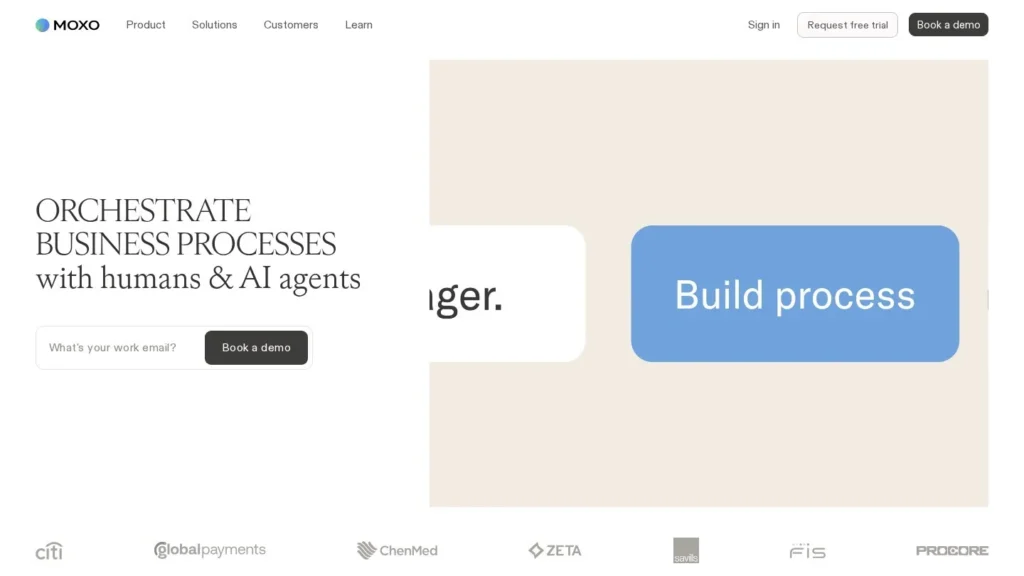
Moxo is a workflow platform for client onboarding and other multi-party processes, where AI agents prepare forms, review what clients submit, extract data and chase late participants inside a branded portal, and people make the decisions. Its free plan runs 2 flows a month, and the Business plan costs $99 a month for 10 flows with no per-user fees.
It fits service firms, banks and operations teams whose onboarding involves documents, signatures, approvals and several parties: the client, the firm and sometimes partners. Procore, Zeta Global and Palmetto run customer onboarding on Moxo. Software companies that only need product tours will want an in-app tool. Moxo scores 8.6/10 on our scale.
Moxo Client Onboarding in Five Points
- Plans are priced by flows and AI credits: Free, Business at $99 a month or $960 a year, and Pro at $4,800 a year.
- Agents prepare, review, extract, chase and route work; teams can require a person to approve before agent output moves on.
- Clients act in a branded portal without creating logins, and every step is recorded in an audit trail.
- Moxo lists SOC 2 Type II, GDPR, SAML SSO and on-premises deployment.
- Capterra reviewers rate it 4.0 out of 5 across 24 reviews and mention a learning curve in workflow building.
Moxo by the Numbers
Moxo publishes its full plan structure and names its customers on its product pages.
| Fact | Detail | Source and Date |
|---|---|---|
| Free plan | 2 flows a month, 250 AI credits, 10 steps per flow | Moxo pricing article |
| Business plan | $99 a month or $960 a year; 10 flows and 1,000 AI credits a month | Moxo pricing article |
| Pro plan | $4,800 a year; 500 flows and 50,000 AI credits a year; agent roles | Moxo pricing article |
| Rollover | Unused flows and credits roll over for one year | Moxo pricing article |
| Security | SOC 2 Type II, GDPR, SAML SSO, audit trail, encryption, role-based access | Moxo product page |
| Onboarding customers | Procore, Zeta Global and Palmetto use Moxo for customer onboarding | Moxo product page |
| Flex Racing | 150% increase in capacity | Moxo product page |
| Peninsula Visa | Processing time cut in half, per its CEO | Moxo homepage |
| Languages | 7, including English, Spanish, German, French, Chinese, Japanese and Dutch | Moxo product page |
| Capterra rating | 4.0 out of 5 from 24 reviews | Capterra |
The pricing model is the number that matters most. Moxo charges for flows and AI credits, so a firm onboarding 10 clients a month on Business pays $99 regardless of how many clients, partners or staff touch each flow. Seat-based tools charge more as headcount grows; Moxo’s cost follows volume instead.
The customer outcomes are single-company claims, but they point the same way: Peninsula Visa cut processing time in half and Flex Racing reports 150% more capacity. Both come from moving back-and-forth work into a tracked flow with automated chasing.
How Moxo Agents Move a Client Through Onboarding
Moxo assigns each step of a process to the right actor: a person, an AI agent or a system. Agents act only within the permissions the firm sets.
Drafting the Flow in Plain Language
Flow Assistant builds a workflow from a request typed in plain language, then edits it on request and explains what each step does. A compliance lead might describe an onboarding with identity documents, a risk questionnaire, a fee agreement and a final sign-off, and get a draft flow to refine. Flow Builder and Agent Builder chat do not use AI credits.
Branded Portals for Each Participant Group
Each client, vendor or partner group gets a branded portal with the firm’s logo, colors and voice. Portals are built from a module library, and each one can carry its own AI agent to answer questions. External participants can complete steps without a login, which removes one of the usual reasons clients stall.
What the Agents Do Inside a Flow
- Prepare: Pre-fill forms and gather information from earlier steps or connected systems.
- Review: Check submissions for completeness and flag problems.
- Extract: Pull data out of uploaded documents and PDF forms.
- Chase: Send reminders to whoever owns an overdue step.
- Route and escalate: Move work to the next owner and escalate to a person when a decision needs judgment.
Agents are grounded in the firm’s own knowledge, given skills and bounded by guardrails. Moxo says they improve from each run using flow context and human review feedback.
People at the Decision Points
Approvals, exceptions and sign-offs stay with people, who receive each decision with the context the agents gathered. A firm can require a reviewer before any agent output moves on. Every action, by person or agent, goes into the audit trail.
Connecting to Existing Systems
Flows can start from a CRM, pull from an ERP and write results back to a document store, so firms keep their systems of record. Business adds webhooks, Pro adds REST API steps and subflows, and Enterprise adds an MCP server. Agent Foundry lets teams build their own agents or bring existing ones into Moxo flows.
Building the First Moxo Flow
A first flow on Moxo usually follows the onboarding the firm already runs by email. The steps below are our suggested order.
- Write down today’s process: List every document, form, signature and approval, and who owns each one.
- Describe it to Flow Assistant: Paste the list as a plain-language request and let it draft the flow.
- Assign each step: Mark which steps a person owns, which an agent handles and which a system triggers.
- Set review points: Require a human reviewer after the agent checks documents, at least for the first month.
- Brand the portal: Add the firm’s logo, colors and a short welcome message for clients.
- Run two real clients: Use the free plan’s two monthly flows to test with real clients before paying.
One bad extraction early on can cost the agents the team’s trust. Keeping a person in the loop early, then relaxing it where the agent proves reliable, is the safer path.
A Wealth Client Onboarding on Moxo
Picture a wealth management firm onboarding a new client. The advisor marks the deal won in the CRM and the flow starts. The client gets a branded link and uploads ID and proof of address without creating an account. An agent extracts the details, checks that the documents are complete and pre-fills the account forms. The risk questionnaire comes back with two blank answers, so the agent asks the client to finish it and sends a reminder two days later. When everything is in, a compliance officer reviews the file the agent assembled and approves it. The client e-signs the agreement, and the documents are written back to the firm’s storage.
Measuring the Process
Moxo times and records each step and tracks cycle time, on-time delivery, work handled by agents and cost per case. Each completed flow shows where processes stall, which gives operations leads a list of steps to fix.
Moxo Plans by Flows, Credits and Features
Moxo prices by flows, AI credits and plan features. It does not charge per user.
| Plan | Price | Flows and Credits | Steps per Flow | Adds |
|---|---|---|---|---|
| Free | $0 | 2 flows and 250 AI credits a month | 10 | Basic portals, core workflow and AI building tools |
| Business | $99 a month or $960 a year | 10 flows and 1,000 AI credits a month | 50 | Audit logs, e-signatures, PDF forms, webhooks, advanced reports |
| Pro | $4,800 a year, annual only | 500 flows and 50,000 AI credits a year | Unlimited | Subflows, REST API steps, agent roles, time booking |
| Enterprise | Custom | Custom | Unlimited | SAML SSO, enterprise compliance controls, MCP server, implementation support |
Billed AI work includes preparing information, reviewing submissions, extracting data, summarizing, advising participants and running agent actions. Building flows and agents with the chat assistants is free. Unused flows and credits roll over for one year, and capacity packs and credit top-ups are available.
Three Onboarding Volumes Priced Out
- A small accounting firm onboarding 8 clients a month: Business covers 10 flows a month. Annual billing is $960 a year, against $1,188 billed monthly.
- A consultancy onboarding 30 clients a month: 30 × 12 = 360 flows a year, within Pro’s 500. Pro costs $4,800 a year, about $13.33 per flow at that volume.
- A firm testing the approach: Free covers 2 flows a month, enough to run a pilot with real clients before paying.
Check credit use during the pilot. If each onboarding uses, say, 100 credits of agent work, Business’s 1,000 monthly credits cover 10 onboardings; heavier extraction or review work would need a top-up. That 100-credit figure is an example for arithmetic, so measure yours.
Before Moving From Business to Pro
The jump from $960 a year to $4,800 is the biggest decision in Moxo’s pricing. Pro makes sense when a firm needs more than 120 flows a year, wants agent roles, or needs REST API steps to connect core systems. Below that volume, Business with credit top-ups may cost less. Ask Moxo to model both against your real flow count and credit use from the pilot.
Moxo Compared With Rocketlane, Userpilot and Sumsub
Onboarding has several parts: the project or process, the product experience and identity checks. These tools cover different parts.
| Agent | Starting Price | Free Plan | Main Strength | Main Weakness | Best For |
|---|---|---|---|---|---|
| Moxo | Free; $99 a month | Yes | Branded portals with agents and people in one audited flow | Learning curve for workflow building | Service firms and banks with multi-party onboarding |
| Rocketlane | Quote-based | Trial | Nitro agents for onboarding projects and services teams | No published pricing | B2B software implementation teams |
| Userpilot | $299 a month | No | In-app onboarding flows built by the Lia agent | Inside the product only | SaaS products onboarding users in-app |
| Sumsub | $1.35 per verification, $149 minimum | Trial | Identity verification and AML screening | Covers verification, leaving the wider process to other tools | Businesses that must verify customers |
Moxo and Rocketlane overlap most: both give clients a portal and track steps. Rocketlane leans toward software implementation projects and services teams; Moxo toward document-heavy, multi-party processes in regulated industries. Sumsub could sit inside a Moxo flow as the identity check. See more in our customer onboarding agents guide and the workflow automation agents category.
Service Firms and Banks With Paper-Heavy Onboarding
- Accounting, legal and consulting firms: Client intake with documents, engagement letters and signatures fits a flow with no-login portals.
- Banks and wealth managers: Moxo lists Citi, FIS, Scotiabank and Emirates Bank among customers, and SOC 2 Type II and on-premises options suit regulated teams.
- Companies onboarding customers with field work: Palmetto runs solar customer onboarding from inquiry to installation on Moxo.
- Firms that want cost to follow volume: Flow-based pricing avoids per-seat fees for clients and partners.
- Operations teams with stalled processes: Moxo times every step and shows where processes stall, so a team can see which document request or approval holds up most onboardings and fix it.
- Multilingual client bases: The platform is offered in seven languages, which helps firms onboarding clients across Europe and Asia.
When an In-App or Project Tool Fits Better
- SaaS products with self-serve sign-up: In-app guidance such as Userpilot reaches users inside the product.
- Software implementation teams: Rocketlane adds resource planning, timesheets and project plans built from SOWs.
- Teams that need identity checks only: Sumsub or Persona verify identities without a full workflow layer.
- Very small teams wanting a ready-made form: Reviewers note setup takes effort, so a team with one basic intake form may not need a workflow platform.
Credits, Setup Effort and Plan Limits at Moxo
- AI credits: Most agent actions use credits. Track usage during the first month and plan top-ups.
- Agent roles on Pro: Agent roles start on the $4,800-a-year Pro plan, so test the Business plan’s agent features first.
- Learning curve: Capterra reviewers describe heavy setup and a learning curve. Start with one flow.
- Client adoption: Some reviewers say less technical clients resist moving from email. No-login steps reduce that friction.
- Billing terms: One low review reports a billing dispute. Read renewal and cancellation terms before signing.
Moxo for Audited, Multi-Party Onboarding
Moxo scores 8.6/10 on our scale. A free plan, published prices with no per-user fees, SOC 2 Type II and agents that prepare and chase work while people approve make it a practical option for firms with document-heavy onboarding.
It could improve by publishing more customer results and by making workflow building quicker to learn, which is the main theme in reviews. The best test is the free plan on two real client onboardings: compare the days from first contact to signed agreement with your current email-based process.
Count the reminder emails staff send today as well. Chasing is the work agents take over first, and it is straightforward to measure: if a typical onboarding needs eight follow-ups by hand and the agent sends them instead, that time goes back to client work.
Firms’ Questions About Moxo’s Agents and Plans
Is Moxo Free to Use?
Yes. The free plan includes 2 flows a month, 250 AI credits and up to 10 steps per flow, with basic portals and AI building tools.
Does Moxo Charge Per User?
No. Moxo prices by flows, AI credits and plan features. Clients and partners can act in portals without logins. That keeps costs flat when a single onboarding involves the client, the firm and outside partners such as auditors or lenders.
What Do Moxo’s AI Agents Do?
They prepare information, review submissions, extract data, summarize content, advise participants, chase overdue steps and route work, escalating to a person when a decision is needed.
Is Moxo Secure Enough for Banks?
Moxo lists SOC 2 Type II, GDPR, SAML SSO, audit trails, encryption and role-based access, and it can run in Moxo’s cloud, the customer’s cloud or on-premises. Citi, FIS and Scotiabank appear among its customers.
How Is Moxo Different From Rocketlane?
Both run client-facing processes with portals. Rocketlane focuses on software implementation projects and professional services, while Moxo is a general workflow platform suited to document-heavy, multi-party processes.
User Reviews
Nobody has rated it here yet. Be the first AI Agents Choice user to rate Moxo.