
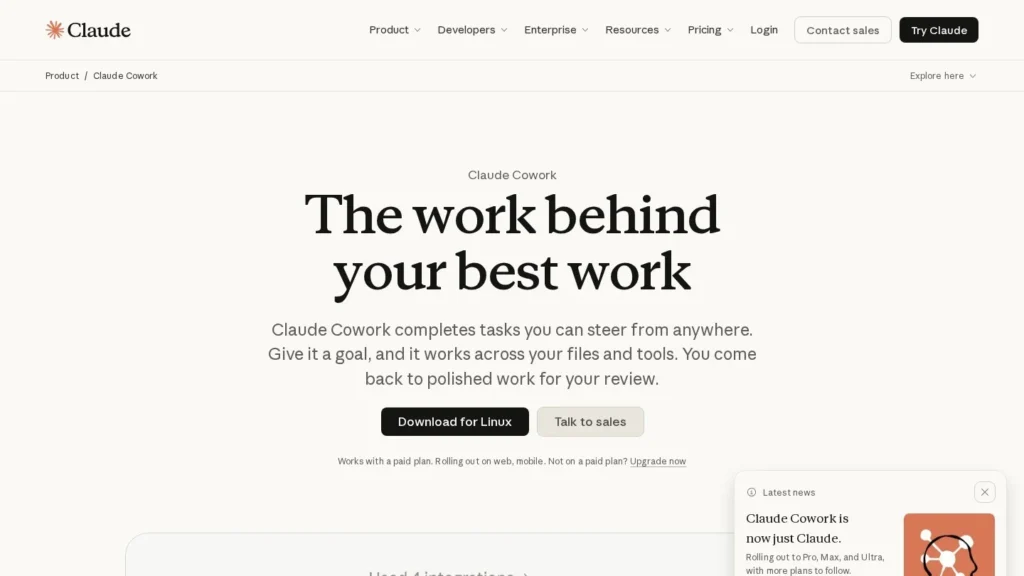
Claude Cowork for Weekly Reports and Month-End Files
Claude Cowork reached general availability on April 10, 2026, after a research preview, and it runs in the Claude desktop app on Mac and Windows. You give it a goal and access to chosen folders and tools, and it works out the steps, shows each file and tool it touches, and returns a finished deck, document or spreadsheet. Tasks can run on a schedule and continue after the laptop is closed.
It fits operations, finance, marketing and sales staff who repeat the same file-heavy work each week or month. Pro starts at $17 a month billed annually, and Team costs $20 per seat. We score it 9.2/10 on our scale, with autonomy and admin controls ahead of usage headroom.
Claude Cowork in Five Points
- Generally available since April 10, 2026, on paid Pro, Team and Enterprise plans.
- Works only in the folders and tools you allow, and asks before deleting files.
- Scheduled tasks run daily, weekly or monthly without you at the desk.
- Enterprise adds role-based access, spend limits, analytics and OpenTelemetry export.
- Agent tasks use plan limits faster than chat because they run several sub-agents.
Claude Cowork Release Facts and Figures
These facts come from Anthropic’s product page, its pricing page, a launch report, a funding report and a review site.
| Fact | Detail | Source and Date |
|---|---|---|
| General availability | Pro, Team and Enterprise on Mac and Windows | TechRadar, April 10, 2026 |
| Late-March previews | Computer use and phone task assignment for Pro and Max | TechRadar, April 2026 |
| Enterprise controls | Role-based access, spend limits, analytics, plugins | TechRadar, April 10, 2026 |
| Zoom connector | MCP connector brings meeting summaries, action items and transcripts into Cowork | TechRadar, April 2026 |
| Scheduling | Daily, weekly or monthly tasks that run unattended | Anthropic Cowork page |
| Audit export | Activity streaming to a SIEM through OpenTelemetry | Anthropic Cowork page |
| Team pricing | $20 per seat a month for teams of 2 to 150 | Anthropic Cowork page |
| Pro pricing | $17 a month billed annually, $20 monthly | Claude pricing page |
| Parent funding | $30 billion Series G at $380 billion, led by GIC and Coatue | Crunchbase News, February 12, 2026 |
| User rating | 4.3 of 5 from 64 reviews (Claude overall) | Capterra UK |
For a buyer, the GA date and the admin controls carry the most weight. Before April, Cowork was a preview that companies could test but rarely approve for wide use. Role-based access, spend limits and SIEM streaming are the controls an IT team usually asks for before a desktop agent gets near shared drives.
The Zoom connector is a good sign of where the product is heading: meeting transcripts and action items flow straight into tasks, so a weekly follow-up memo can draw on what was said in the calls.
What Claude Cowork Does With a Task
Describing the Outcome
You state the result, for example a deck comparing this week’s signups and channel spend with last week’s. Cowork plans the steps itself. Anthropic’s weekly readout example pulls web and signup data from Amplitude and channel metrics from Drive, flags any change over 10% and saves a deck.
Watching and Steering the Work
Each step appears as it happens: the files opened, the tools called and the choices made. You can redirect or stop at any time. Permission settings can make Claude show its plan and wait for approval before significant actions, which suits tasks that touch shared files.
Parallel Parts and Scheduled Runs
Big jobs split into chunks that run at once, such as one part gathering data while another drafts. Tasks can repeat daily, weekly or monthly, and they keep running after the laptop closes. A phone handoff lets you start or follow a task away from the desk on Pro, Max, Ultra and Team plans.
Connectors, Browser and Screen Control
Cowork reaches data through connectors first. Anthropic names Microsoft 365 and Amplitude, Team plans include Slack, and Zoom released an MCP connector at GA. For websites, it opens a built-in browser in the side panel that is separate from your own browser and logins. Screen control of other apps comes last, asks permission for each app and is still a research preview.
Plugins and Team Skills
The Enterprise release added plugins, and connectors can expose more files and data to tasks. In practice, a company can give every analyst the same set of connectors and approved folders, so a weekly task written by one person runs the same way for a colleague. Admins can set permissions by team or department, which keeps finance folders away from sales tasks.
Where Local Files Fit
Local folders and desktop apps are only reachable through the desktop app. Web and mobile sessions can work with connectors but cannot open files on your computer. Deleting anything always needs your approval. On macOS, the built-in browser can import cookies from Chrome, Edge or Firefox; on Windows and Linux it supports Firefox only.
Three Recurring Jobs Written as Claude Cowork Briefs
A good Cowork brief names the inputs, the output and the rule for flagging problems. We wrote three briefs based on the examples Anthropic publishes, with the folder and connector each would need.
| Job | Brief | Access Needed | Schedule |
|---|---|---|---|
| Marketing readout | Compare last week’s signups and channel metrics with the week before, flag any change over 10%, save a deck | Amplitude connector, Drive folder with channel data | Weekly, Monday morning |
| Month-end consolidation | Merge the regional exports into one workbook, match each line to budget, flag variances | Finance folder with exports and budget file | Monthly, first working day |
| Contract memos | For each new agreement, write a memo listing every clause that departs from our playbook | Contracts folder and the playbook document | On request |
Each brief keeps the scope small: one set of inputs and one output. That way the first runs can be compared line by line against the version a person made last time. Once two or three runs match, the task can move from on-request to a schedule.
Approval Settings for Each Job
For the readout, plan approval can stay off after the first few runs, since the task only reads data and writes a new deck. For the month-end workbook, keep approval on, because the task writes into a shared finance folder. Contract memos should always get a lawyer’s review before anyone acts on them, whatever the approval setting.
Claude Cowork Pricing by Plan
| Plan | Price | Cowork Notes |
|---|---|---|
| Pro | $17/month annually or $20 monthly | Built-in browser and phone handoff included |
| Max | $100/month | 5x Pro usage |
| Ultra | $200/month | 10x Pro weekly usage |
| Team | $20 per seat/month annually ($25 monthly) | 2 to 150 seats; Slack connector |
| Team Premium | $100 per seat annually ($125 monthly) | 5x Team Standard usage |
| Enterprise | Contact sales; pricing page lists $20 per seat, 20-seat minimum, plus API-rate usage | Admin permissions, SIEM streaming, opt-in phone handoff |
There is no separate Cowork fee. The real cost driver is usage: Anthropic says Cowork uses limits faster than chat because each task coordinates sub-agents and tool calls, and it suggests a higher plan for heavy use.
Annual Costs for Three Teams
We worked these out from the published prices and set them against two rivals on our site.
| Team | Claude Cowork | Lindy Team | Notion Business |
|---|---|---|---|
| 8-person operations team | $160/month on Team annually | $399.92/month at $49.99 per user | $160/month at $20 per member annually |
| Solo analyst, heavy use | $100/month on Max | $99.99/month on Pro | Not sold as a solo agent plan |
| Solo user, light use | $17/month on Pro annually | $49.99/month on Team | $20/month on Business annually |
The eight-person team pays $1,920 a year on Claude Team, against about $4,799 on Lindy. Notion Business matches Claude on seat price, but its Custom Agents work mainly inside Notion pages. Each product meters agent use differently, so compare a month of real tasks before switching.
Claude Cowork Compared With ChatGPT Work, Lindy and Manus
| Agent | Entry Price | Free Option | Main Strength | Main Limit |
|---|---|---|---|---|
| Claude Cowork | Pro $17/month annually | No | Local folders plus connectors, scheduled desktop tasks | Uses limits faster than chat |
| ChatGPT Work | Free on desktop; Plus $20/month | Yes, desktop | Large user base and free desktop access | Rolling usage caps on Plus |
| Lindy | Team $49.99 per active user/month | 7-day trial with $50 credits | Email, calendar and phone agents with many app actions | Higher per-seat price |
| Manus | $20/month for 4,000 credits | Yes, 300 daily credits | Cloud agent for research, slides and sites | Ownership questions after 2026 separation |
ChatGPT Work is the closest match and is free to start on desktop. Lindy suits inbox and calendar work with deep app actions. Manus runs in the cloud and needs no local install. Cowork’s advantage is local file access with scoped permissions plus enterprise controls. Its OpenTelemetry export to a SIEM gives security teams a record of what the agent did. More options sit on our workflow automation agents page, and Simular covers full computer-use automation in the cloud.
Who Gets Value From Claude Cowork
Finance teams can hand it the monthly close pack: regional exports and budget files in, a consolidated spreadsheet with variances flagged out. Marketing leads can schedule the Monday readout. Legal and procurement staff can use Anthropic’s contract review pattern, where Cowork writes one memo per agreement and cites each departure from the company playbook. Sales managers can turn a quarter of call notes into a memo on open deals and blockers.
Companies already on Claude Team or Enterprise get Cowork with their seats, so the main decision is which tasks to try first and which folders to open.
Small businesses without an IT team can also start on Pro. A bookkeeper or office manager can point Cowork at a folder of exports and ask for a tidy summary each Friday, with no setup beyond the desktop install and folder choice. Our spreadsheet agents and document processing agents pages list tools built for narrower file jobs.
When Claude Cowork Is Not the Right Tool
System-to-system pipelines that run thousands of times a day, such as syncing every new order into a CRM, fit a workflow platform better. Cowork is built for work a person would otherwise do in files and apps. Teams on Windows who need the built-in browser to reuse their own logins should note that cookie import there only supports Firefox. People on Free plans cannot use it, since Cowork sits in paid plans.
Usage Limits and Permissions to Set in Claude Cowork
The main thing to plan for is usage. Agent tasks use limits faster than chat, and limits are shared with Claude Code and chat. A team that schedules several daily tasks may need Max or Team Premium seats for its heaviest users.
Set folder access narrowly at the start, and turn on plan approval for tasks that write to shared drives. Screen control is still a preview, so rely on connectors where one exists. Capterra reviewers of Claude mention one case of lost project data after a desktop update, so keep normal backups of folders Cowork works in.
Mobile and web sessions have a narrower reach. They work through connectors but cannot open files on your computer, so a task that depends on a local spreadsheet has to start from the desktop app. Enterprise admins must also opt in before staff can hand tasks off from a phone.
Claude Cowork Timeline
| Date | Event |
|---|---|
| February 12, 2026 | Anthropic closes a $30 billion Series G |
| Late March 2026 | Computer use and phone task assignment previewed for Pro and Max |
| April 10, 2026 | Cowork generally available on Pro, Team and Enterprise, with enterprise controls |
| April 2026 | Zoom releases an MCP connector for Cowork |
TechRadar covered the April 10, 2026 general availability and the new controls. Anthropic’s Cowork page now lists scheduling, the built-in browser and OpenTelemetry export, and its parent closed a $30 billion round in February.
Our Read on Claude Cowork at 9.2 Out of 10
Claude Cowork scores 9.2 out of 10 on our scale. Autonomy rates highest: it plans, splits and finishes file work, runs on a schedule and works across connectors and a browser. Trust and integrations rate well thanks to scoped access, deletion approval and enterprise controls. The main area to plan around is usage headroom on busy weeks.
For a first trial, pick one recurring task that already has a fixed output, such as the weekly report. Run it with plan approval on for two weeks, then switch to a schedule once the output matches what you send today.
Keep a short log during the trial: how long the task took, how much of the usage window it used and how many edits the output needed. After two weeks, that log shows if Pro covers the work or if a heavier plan is needed, and it gives IT a concrete case when you ask for wider rollout.
Claude Cowork Questions From Operations Leads
Is Claude Cowork Included in Claude Pro?
Yes. Cowork is part of paid plans, including Pro at $17 a month billed annually or $20 monthly. It is not on the Free plan.
Can Claude Cowork Run Tasks While My Laptop Is Closed?
Yes. Anthropic says tasks can run unattended, including after the laptop is closed, and can repeat daily, weekly or monthly.
Will Claude Cowork Delete or Change My Files Without Asking?
It works only in the folders and tools you choose, and deleting anything needs your approval. Permission settings can also make it show a plan and wait before significant actions.
Does Claude Cowork Work With Microsoft 365?
Anthropic lists Microsoft 365 among its connectors, along with Amplitude, Slack on Team plans and a Zoom MCP connector. Connectors are its first choice for reaching data.
How Is Claude Cowork Different From Claude Code?
Claude Code is built for software work in a repository. Cowork applies the same agent approach to everyday files and apps, such as decks, spreadsheets, memos and reports, and it adds scheduling and a built-in browser.
User Reviews
Nobody has rated it here yet. Be the first AI Agents Choice user to rate Claude Cowork.