
LangSmith Fleet Lets Teams Build, Share and Govern Agents in One Workspace
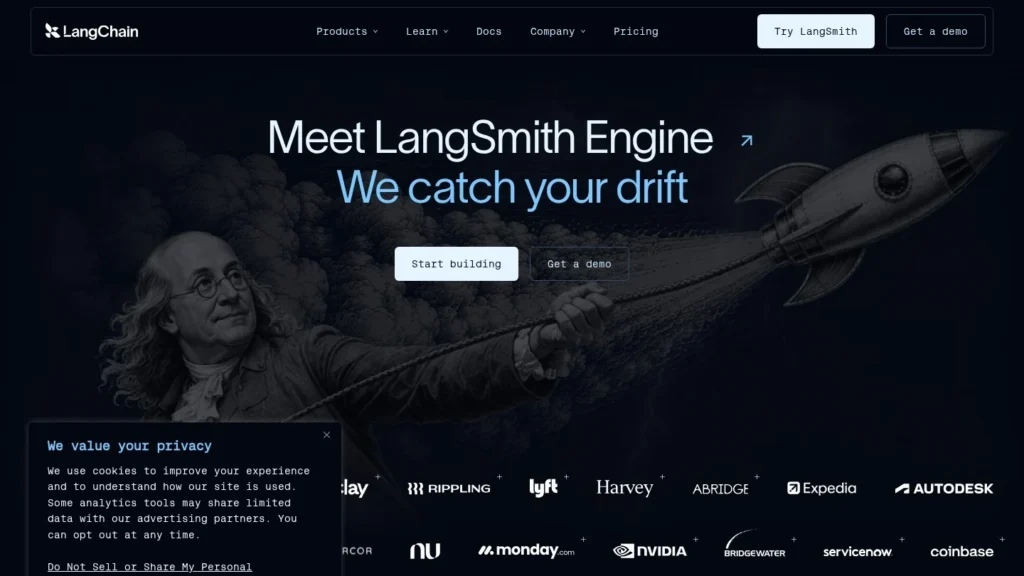
By the time LangSmith Agent Builder became generally available on January 13, 2026, LangChain said teams had shipped thousands of agents to production with it. Two months later, on March 19, LangChain renamed it LangSmith Fleet and added what large companies asked for next: sharing rights, per-user identity, Slack bots for each agent and an Inbox for approving agent actions.
Fleet suits companies that want business teams to build agents in plain language while engineering keeps control of permissions and traces. Developer is free for one seat, and Plus costs $39 per seat a month plus usage. The usage unit is the main thing to watch, since runs consume LangSmith Units at $1.00 each. Fleet scores 9.0/10 on our scale.
LangSmith Fleet for Teams Rolling Out Agents
- Agent Builder reached general availability on January 13, 2026 and was renamed LangSmith Fleet on March 19, 2026.
- Users describe a goal; Fleet writes instructions, picks tools and adds subagents.
- Assistants act with each user’s OAuth permissions; Claws use shared credentials.
- Developer is free with 7 LSUs a month; Plus is $39 per seat with 37 LSUs; extra LSUs cost $1.00.
- LangSmith holds 4.8 stars from 19 Product Hunt reviews.
Agent Builder to Fleet: Dates, Units and Ratings
LangChain’s two launch posts, its pricing page and Product Hunt supply these facts.
| Fact | Detail | Source and Date |
|---|---|---|
| Agent Builder GA | January 13, 2026, on all LangSmith plans | LangChain blog, January 13, 2026 |
| Production use at GA | Teams had shipped “thousands of agents” to production | LangChain blog, January 13, 2026 |
| Fleet launch | March 19, 2026, as the new name for Agent Builder | LangChain blog, March 19, 2026 |
| Original Agent Builder launch | About six months before Fleet | LangChain blog, March 19, 2026 |
| Sharing levels | Can clone, Can run, Can edit | LangChain blog, March 19, 2026 |
| Developer plan | $0, 1 seat, 7 LSUs a month for Fleet | LangChain pricing page, 2026 |
| Plus plan | $39 per seat a month, 37 LSUs a month per organization | LangChain pricing page, 2026 |
| Unit price | $1.00 per LSU | LangChain pricing page, 2026 |
| Startup program | Up to $10,000 in credits for VC-backed startups | LangChain pricing page, 2026 |
| Product Hunt rating | 4.8 out of 5 from 19 reviews (LangSmith overall) | Product Hunt, 2026 |
The rename says where LangChain sees the hard problem. Its Fleet post argues that once agents take minutes to create, the hard part shifts to managing them. Building an agent from a sentence is now common across vendors. Deciding who may run it, whose credentials it uses and who approved its last action is where Fleet adds features.
Startups get a separate path. LangChain offers VC-backed companies discounted rates and up to $10,000 in credits, which at $1.00 per LSU equals 10,000 units, against the 444 units a year included in a Plus plan.
The six months between the first Agent Builder release and Fleet were fast even by AI-tool standards: beta, general availability and an enterprise rename in half a year.
How a Fleet Agent Is Built, Shared and Approved
Fleet sits inside LangSmith, LangChain’s platform for tracing, evaluating and deploying agents. That link matters, because every Fleet agent inherits LangSmith’s tracing.
Describing the Goal
A user writes what the agent should do, such as a weekly account report pulled from the CRM and posted to a Slack channel. Fleet works out the approach, writes detailed instructions, picks tools and adds subagents when the job needs them. The user does not map each step by hand.
Tools Through MCP and Bring-Your-Own Models
Agents get tools from Fleet’s built-in connections and from any remote MCP server, including custom ones a company writes for internal systems. LangChain’s examples include Slack, CRMs, Linear, Notion, Google Docs and calendars. Teams can bring their own model.
Claws and Assistants
Fleet separates two kinds of agent identity. A Claw uses fixed shared credentials, so everyone who runs it gets the same access. An Assistant signs in as each user through OAuth and acts only within that person’s permissions. A sales assistant that reads the CRM would see only the deals the person running it can see.
Sharing Rights
An agent can be shared with one person or the whole workspace at three levels: Can clone, Can run and Can edit. A team lead can let everyone run a reporting agent while keeping editing rights to herself, and others can clone it to make their own version.
Slack, the Inbox and Memory
Each agent can get its own Slack bot and @handle, so colleagues message it like a teammate. LangChain said more channels would arrive in the weeks after launch. Actions that need sign-off land in the Inbox, where a person approves or rejects them. Agents keep memory and learn from feedback over time.
Tracing, Export and Reuse in Code
Native tracing captures every tool call, decision and output, and traces can be searched and exported. Developers can embed Fleet agents in their own products, call them through the API or use them as subagents inside larger LangGraph applications.
A Weekly Account Report, Step by Step
An account manager writes: every Monday at 8 a.m., pull my accounts from the CRM, summarize changes from last week and post the summary to me in Slack. Fleet builds an Assistant that signs in with her CRM permissions. On Monday the agent runs, drafts the summary and asks in the Inbox before posting to a shared channel. LangChain’s own example estimates this kind of agent saves thirty minutes on a Monday morning. Her manager clones the agent for the rest of the team, and each copy uses its owner’s permissions.
LangSmith Plans and Fleet Units
Fleet usage is measured in LangSmith Units (LSUs), priced at $1.00 each. Seat prices and included units come from LangChain’s pricing page.
| Plan | Price | Billing | What’s Included | Limits |
|---|---|---|---|---|
| Developer | $0 | Pay as you go after the allowance | 1 seat, 5,000 base traces, 7 LSUs a month for Fleet | New Fleet runs pause when LSUs run out |
| Plus | $39 per seat a month | Monthly plus usage | Unlimited seats, 10,000 base traces, 37 LSUs a month per organization, one free small deployment | Extra LSUs billed at $1.00 |
| Enterprise | Custom | Contract and committed credits | Hybrid or self-hosted deployment, self-hosted Fleet, custom terms | By contract |
| Startup | Discounted | Program | Up to $10,000 in credits for VC-backed startups | Eligibility required |
Seat and Unit Costs for a 10-Person Team
Ten people on Plus pay $390 a month in seats, or $4,680 a year, with 37 LSUs a month shared across the organization. If the team’s agents use 100 LSUs in a month, the extra 63 cost $63, bringing that month to $453.
At 300 LSUs a month, extra units add $263, and the total reaches $653. Unit spend can overtake seat spend quickly once many agents run on schedules. LangChain could help buyers by publishing typical LSU use per agent run. Until then, teams should run a pilot on Plus and read the usage before rolling out widely.
Trace Retention to Budget For
Base traces are kept for 14 days and extended traces for 180 days, with an upgrade available for an extra fee. Teams that need to keep agent audit records longer should price extended retention or export traces to their own storage.
Fleet Compared With Copilot Studio, Relevance AI and Lindy
All four let non-developers build agents. They differ in how they handle identity, pricing and code.
| Agent | Starting Price | Free Plan | Main Strength | Fit Note |
|---|---|---|---|---|
| LangSmith Fleet | $39 per seat a month (Plus) | Yes (Developer, 1 seat) | Per-user OAuth agents, approval Inbox and LangSmith tracing | Companies that want governed agent building with a code path |
| Microsoft Copilot Studio | $200 a month for 25,000 Copilot Credits | No | Governed agents across Microsoft 365, Teams and Power Platform | Microsoft-centered organizations |
| Relevance AI | $19 a month billed annually (Pro) | No | Multi-agent workflows for sales and operations | Revenue and ops teams |
| Lindy | $49.99 per user a month | Limited | Ready-made assistants for email, meetings and Slack | Small teams wanting assistants quickly |
Fleet’s distinct feature is the bridge to code. An agent built in plain language can become a subagent in a LangGraph application, and its traces sit in the same LangSmith project engineers already use. Copilot Studio fits better for companies standardized on Microsoft. See our no-code agent builders and agent frameworks for more.
Security Review Points for a Fleet Rollout
Fleet gives security teams more to work with than most no-code builders, but a review should still settle four points. First, which agents should be Claws and which Assistants? Claws share one set of credentials, so they suit read-only jobs such as posting a digest. Anything that reads personal or customer data is safer as an Assistant, acting with each user’s own OAuth permissions.
Second, which MCP servers may agents connect to? Remote MCP servers can expose any internal system, so an allow-list matters. Third, which actions must go through the Inbox for human approval? Fourth, where do traces live and for how long? Cloud data sits in LangChain’s US or EU regions, base traces are kept 14 days and Enterprise customers can choose hybrid or self-hosted deployment.
Companies That Gain Most From Fleet
Fleet fits companies where engineering already uses LangSmith or LangGraph and business teams want to build their own agents. One platform holds the builder and the engineering tools, so engineers can inspect and reuse what business users build.
It also fits companies that worry about agents acting with too much access. Assistants run with each user’s own OAuth permissions, the Inbox catches sensitive actions and traces record what happened. Teams that work in Slack get agents with their own @handle, which makes adoption feel like adding a teammate.
When Fleet May Not Be the Right First Tool
Teams that live in Microsoft Teams or another chat tool may want to wait for more channels, since Slack was the live channel at the Fleet launch. Small teams on the Developer plan should know that runs pause once the 7 monthly LSUs are spent.
Companies that need a hard monthly cap on AI spend should check how LSU overages are controlled before committing, since the pricing page says extra usage on Plus is billed, while Developer runs pause.
Developers who want full control over each step may prefer to build directly in LangGraph or another framework and skip the plain-language builder. Companies that need self-hosting must go through LangChain sales for an Enterprise plan.
A Four-Week Fleet Pilot for One Department
Week one: give five people in one department Plus seats and ask each to build one agent for a task they repeat weekly. Keep all agents as Assistants and route any write action through the Inbox.
Week two: review the traces of every run with an engineer. Note which tool calls failed, which approvals were rejected and how many LSUs each run used.
Week three: share the two most useful agents with the whole department on Can run, and let people clone them. Connect one internal system through an approved MCP server.
Week four: add up seat and LSU costs and compare them with hours saved, using each person’s own estimate per run. If the numbers work, expand to a second department and set written rules for Claws, MCP servers and Inbox approvals.
Tracing Praise and Interface Notes on Product Hunt
LangSmith holds 4.8 stars from 19 Product Hunt reviews. Reviewers praise the view of each step in a chain of model calls, ongoing evaluations, CI/CD checks that catch regressions and a practical Python SDK.
The complaints are narrow: the interface slows down with large datasets or long experiment histories, and filters are not saved in the URL, which makes sharing filtered results harder. These reviews cover LangSmith as a whole. Fleet-specific reviews would help buyers, and LangChain could publish named customer results for Fleet agents.
LangSmith Agent Builder and Fleet Milestones
- October 2025: LangChain introduces LangSmith Agent Builder.
- January 13, 2026: Agent Builder becomes generally available on all LangSmith plans.
- March 19, 2026: LangChain launches LangSmith Fleet, adding sharing rights, Claws and Assistants, Slack bots and the Inbox.
How LangSmith Fleet Scores for Governed Agent Building
Fleet scores 9.0/10. Autonomy and integrations score well: it builds agents from a goal, adds subagents and connects any tool through MCP. Trust benefits from per-user OAuth, the approval Inbox and full tracing. Pricing value is lower because LSU use per run is not published.
For a company that wants business teams building agents without losing sight of what those agents do, Fleet is a sound candidate. Start on Plus with a small group, use Assistants for anything touching personal data and track LSUs for a month before wider rollout.
Questions Buyers Ask About LangSmith Fleet
Is LangSmith Fleet the Same as Agent Builder?
Yes. LangChain renamed LangSmith Agent Builder to LangSmith Fleet on March 19, 2026 and added enterprise management features.
Can I Use Fleet for Free?
The Developer plan is free for one seat with 7 LSUs a month for Fleet. New runs pause once the allowance is used until it resets or you upgrade.
What Is a LangSmith Unit?
LSUs are LangSmith’s usage unit, priced at $1.00 each. Plus includes 37 a month per organization, and extra units are billed.
Can Fleet Agents Act With My Own Permissions?
Yes. Assistant agents sign in as each user through OAuth and act within that user’s permissions. Claw agents use fixed shared credentials.
Which Chat Channels Do Fleet Agents Support?
At the Fleet launch, each agent could have its own Slack bot and @handle. LangChain said other channels would follow in the coming weeks.
Can Developers Reuse Fleet Agents in Code?
Yes. Fleet agents can be embedded in products, called through the API or used as subagents in larger LangGraph applications.
User Reviews
Nobody has rated it here yet. Be the first AI Agents Choice user to rate LangSmith Fleet.