
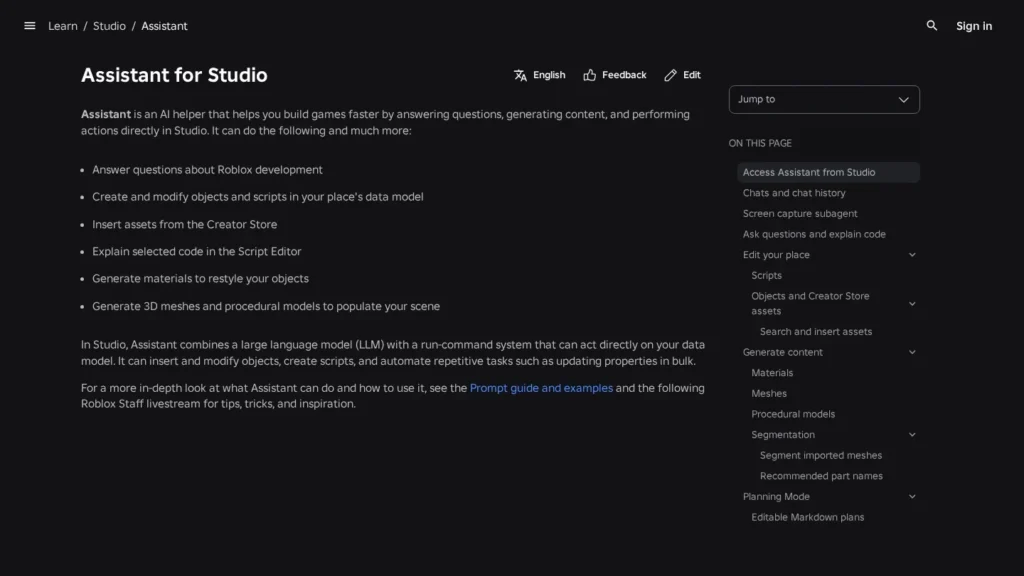
Roblox Assistant

AI helper in Roblox Studio that writes scripts, edits your place and makes 3D models.

Not publishedIn-engine AI assistant for Roblox Studio
7.5/10 our score

Be the first to rate Roblox Assistant

Visit website
Roblox Assistant website screenshot

Roblox Assistant Review

DeveloperRoblox
Websitecreate.roblox.com/docs/assistant/guide
Agent typeIn-engine AI assistant for Roblox Studio
Best forRoblox creators who want help with Luau scripts, building and 3D models inside Studio.
Fit noteTeams that build outside Roblox may find an assistant for their own engine a better match.
Pricing modelBuilt into Roblox Studio
Starting priceNot published
Pricing detailsRoblox Assistant is part of Roblox Studio. No separate price is published. Procedural models are limited to 50 per rolling 24 hours.
Free planNot published
Free trialNot published
ChannelsRoblox Studio; MCP; your own API key
What it does on its ownAssistant creates, changes and deletes instances and scripts in your place. Planning Mode drafts an editable plan first, and nothing runs until you click Build. A screen capture subagent checks the 3D view in Edit and Play modes.
IntegrationsRoblox Studio; Creator Store; MCP for third-party clients; your own API key
PlatformsRoblox Studio on Windows and Mac
Details last verified23 November 2026
CategoriesCoding & Software Development, Game Development
7.5/10

Roblox Assistant Score

Our editorial score across six weighted criteria, based on Roblox Assistant’s published documentation, pricing and public user ratings. How we score

  • Autonomy8.0

    Edits scripts and instances, with plan-then-build.

  • Ease of Setup8.5

    Built into Roblox Studio.

  • Pricing Value7.0

    No separate price is published.

  • Integrations7.0

    Creator Store and MCP; Roblox only.

  • Trust and Security6.5

    Chats saved per place; few security details.

Roblox Assistant Builds Inside Roblox Studio

Roblox Assistant is the AI helper built into Roblox Studio. It answers questions and writes Luau scripts. Also, it acts on your place directly, from new parts to bulk property changes. So a creator can describe a feature and see it built in the same window.

Our score for Roblox Assistant is 7.5 out of 10.

Roblox Assistant Facts

  • Where it runs: inside Roblox Studio.
  • Planning Mode: edit the plan, then click Build.
  • 3D: textured meshes from text or image prompts.
  • Limit: 50 procedural models per rolling 24 hours.
  • Outside tools: MCP or your own API key.

Planning Mode and Direct Edits

Planning Mode shows the plan as an editable Markdown file. Then the work runs only when you click Build. In addition, the assistant creates, changes and deletes instances and scripts. It can also insert Creator Store assets after you pick from options.

3D Models, Materials and Visual Checks

Assistant makes materials to restyle parts. It also makes textured 3D meshes from text or an image. Procedural models come with a default of 10,000 triangles, and each can have up to eight parts. Meanwhile, a screen capture subagent looks at the viewport in Edit and Play modes, so it can answer questions about what is on screen.

Roblox Assistant Limits at a Look

ItemLimit
Procedural models50 per rolling 24 hours
Default mesh triangles10,000
Parts per generated modelUp to 8
Parts per segment runUp to 5
Chats per placeNo hard limit

Who Roblox Assistant Serves

Roblox creators of any size gain the most, because it needs no setup. For example, a new creator can ask for a leaderboard script and a shop GUI. Teams on Unity may prefer Unity AI.

Where Roblox Assistant Could Improve

Roblox could publish usage limits for chats and scripts. Also, sharing plans with collaborators would help teams. Naming the models behind the assistant would help creators judge results.

Why Roblox Assistant Scores 7.5

Autonomy and setup score high, since it edits the place directly inside Studio. Trust scores lower, because few data details are public.

Roblox Assistant Questions From Creators

Where Does Roblox Assistant Save My Chats?

Chats are saved in the cloud and tied to each place, so they follow you across devices.

Can I Use Roblox Assistant Tools From Another AI Client?

Yes. Third-party clients can connect through MCP or your own API key.

Guides Related to Roblox Assistant

Features

  • Answers Roblox questions and explains code | Creates and edits instances and scripts | Bulk property updates | Inserts Creator Store assets | Textured 3D meshes from text or image | Procedural models and mesh segmentation | Planning Mode with editable plans | Screen capture subagent for the viewport

Strengths and Areas to Improve

Strengths

  • Acts directly in your place | Plans wait for your Build click | Makes 3D models and materials in Studio | Works with outside clients through MCP

Areas to Improve

  • Price and limits beyond models are not published | Plans are private and not shared with collaborators | Model names are not disclosed | Roblox only

User Reviews

Nobody has rated it here yet. Be the first AI Agents Choice user to rate Roblox Assistant.

Write a Review