
UpKeep Nova Audits Maintenance Data for 4,000+ Companies
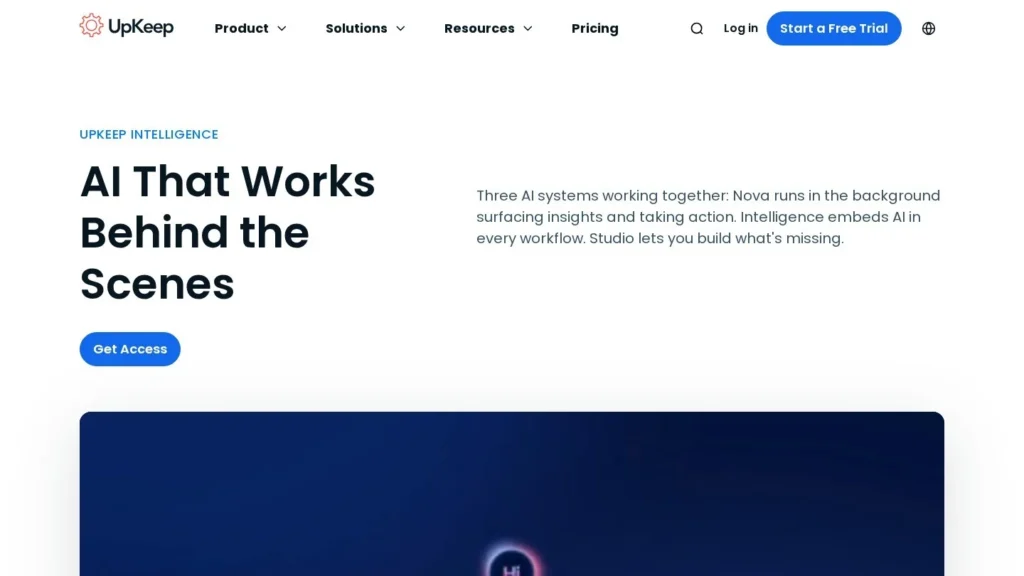
UpKeep Nova is the AI agent built into the UpKeep CMMS, which UpKeep says more than 4,000 companies use. Nova runs on a schedule, checks work orders and parts data, and prepares fixes with one-click actions. Essential costs $24 per user a month and Premium $55, each with monthly Nova credits. On Capterra, UpKeep holds 4.6 out of 5 from 1,331 reviews.
We researched the UpKeep AI page, the pricing page, the launch release and Capterra. In our view, Nova makes the most sense for plant and facility teams already on UpKeep whose records have drifted. The main limit is that autonomous actions start at the quote-based Professional plan. We rate UpKeep Nova 8.5/10 on our scale.
UpKeep Nova in Five Facts
- Runs scheduled audits of CMMS data and posts findings to an inbox.
- Creates, assigns and closes out work orders on approval.
- Essential is $24 and Premium $55 per user a month, with Nova credits.
- A typical Nova interaction uses 2 to 15 credits.
- Capterra rates UpKeep 4.6 of 5 from 1,331 reviews.
UpKeep Nova Figures We Compiled
We compiled these figures from UpKeep pages, the launch release and Capterra. Results figures are UpKeep’s own claims.
| Fact | Detail | Source |
|---|---|---|
| Companies on UpKeep | 4,000+ (company claim) | UpKeep AI page |
| Essential price | $24 per user a month, 250 Nova credits | UpKeep pricing page |
| Premium price | $55 per user a month, 500 Nova credits | UpKeep pricing page |
| Credit use | 2 to 15 credits for a typical interaction | Nova launch release |
| Parts work | 80% faster parts standardization than manual work (company claim) | UpKeep AI page |
| Admin time | 5+ hours a week saved on data cleanup (company claim) | UpKeep AI page |
| Single account finding | $125K of parts value surfaced on open work orders (company claim) | UpKeep AI page |
| Founded | 2014 | Nova launch release |
| User rating | 4.6 of 5 from 1,331 reviews (UpKeep platform) | Capterra |
The credit numbers matter most for budgeting. UpKeep values 250 credits at $25, so one credit is worth about 10 cents. At 2 to 15 credits, one Nova interaction is worth 20 cents to $1.50. So a team that asks Nova for big bulk fixes will burn credits faster than one that asks short questions.
How UpKeep Launched Nova and Its Credit Model
UpKeep launched Nova in September of last year. The release said Nova was available at once to existing UpKeep customers, built into the core platform with no separate setup or training. UpKeep, founded in 2014, serves maintenance teams in manufacturing, healthcare, hospitality and facilities management.
The pricing model was the headline. Instead of a per-user AI license, customers pay in credits when Nova takes action. CEO Ryan Chan said maintenance teams create large amounts of data but lack time to analyze it. He added that teams can start small and scale on results, without per-user fees that limit AI use.
Since then, UpKeep has folded Nova into every plan with a monthly credit allowance. However, the scheduled autonomous work now starts at Professional. So a buyer reading the launch coverage should check the current plan page, since the plan rules have moved on.
Inside a Nova Run, From Audit to Close-Out
We pieced the workflow together from the UpKeep AI page and the launch release. Nova works in two modes: a scheduled background run and a live conversation.
The Scheduled Data Audit
UpKeep describes Nova as an agent that runs on a schedule. On each run, it audits CMMS data, for example duplicate parts or work orders left open. Then it flags issues and lists recommendations in a prioritized inbox.
One-Click Actions From the Inbox
Each insight comes with a one-click action. A planner can approve a bulk fix, close out finished work orders with one command or enforce a naming standard defined once. Because UpKeep says nothing happens without approval, a person still presses the button.
Work Orders, Assignments and Parts
Nova also creates work orders from equipment data and maintenance schedules. It assigns tasks based on technician skills, availability and workload. In addition, it can order parts and update records through conversation. It offers predictive maintenance advice from past performance data too.
Voice on the Shop Floor
Technicians can talk to Nova on mobile. They can create work orders, check inventory, look up asset history, document repairs and close out jobs by voice. As a result, a technician wearing work gloves does not need to type.
Predictive Advice From Past Work
Nova also gives predictive maintenance advice based on historical performance data. For example, an asset that keeps failing between scheduled services can show up as a finding. A planner then decides whether to shorten the interval.
Permissions and Audit Logs
Nova follows the same permissions as the CMMS. So a technician can see and do only what that role allows. UpKeep lists encrypted storage, strict access controls and audit logs on the AI page.
Compliance Tracking
The launch release says Nova tracks compliance for safety inspections and regulatory requirements. For a plant with recurring lockout or fire checks, overdue inspections then show up in the Nova inbox.
UpKeep Plans, Credits and Implementation Fees
UpKeep lists four plans. Prices are per user per month, and each plan includes a monthly Nova credit allowance.
| Plan | Price | Nova Credits a Month | Notable Additions |
|---|---|---|---|
| Essential | $24 per user | 250 ($25 value) | Unlimited work orders and locations, Nova AI |
| Premium | $55 per user | 500 ($50 value) | PM scheduling, custom checklists, parts and inventory costing, labor tracking |
| Professional | Request a quote | 750 ($75 value) | Mobile offline mode, request portal, full analytics history, asset lifecycle tracking |
| Enterprise | Request a quote | 1,000 ($100 value) | Multi-site, workflow automation, PO management, API, SSO and custom roles |
UpKeep’s AI page says Nova’s autonomous actions start at Professional. So Essential and Premium teams get Nova AI with credits, but the scheduled agent work sits on the quoted tiers. Free user types cover View Only, Requester and Third-Party users, who need no paid license.
Implementation is priced apart from the plans. Training Only costs $500, the Quickstart plan $1,500 and expanded training $5,000. Enterprise implementation is quoted.
Credit Math for Three Maintenance Teams
We worked out three cases from the published prices. Team sizes are our assumptions, and interaction counts use UpKeep’s 2 to 15 credit range.
| Team | Plan | Monthly Plan Cost | Credits | Nova Interactions a Month |
|---|---|---|---|---|
| Small plant, 5 technicians | Premium | 5 x $55 = $275 | 500 | 33 to 250 |
| Facility team, 12 users | Essential | 12 x $24 = $288 | 250 | 16 to 125 |
| Mid-size plant needing autonomous actions | Professional | Quote | 750 | 50 to 375 |
The ranges are wide because a short lookup costs far less than a bulk cleanup. For instance, the five-tech Premium team could run 250 quick questions a month, or about 33 heavy jobs. Then compare the plan cost with the admin hours saved. If Nova saves five hours a week, as UpKeep claims, that is about 22 hours a month (5 times 52, divided by 12).
UpKeep Nova Next to Aquant, Tulip AI Agents and Cognite Atlas AI
We built this table from each product’s listing on our site, which draws on official pages.
| Agent | Starting Price | Free Trial | Main Strength | Main Limit |
|---|---|---|---|---|
| UpKeep Nova | $24 per user a month (Essential) | Yes, Essential and Premium | Agent inside a CMMS with published prices | Autonomous actions need Professional |
| Aquant | Custom quote | Offered on its website | Troubleshooting from service history and IoT data | No published prices |
| Tulip AI Agents | $100 per interface a month (reported) | None | Agents on frontline production apps | AI agents in open beta |
| Cognite Atlas AI | Custom quote | None | Agents on industrial plant data | Needs Cognite Data Fusion |
Aquant focuses on fixing equipment faults and guiding technicians. Tulip runs agents on shop-floor apps for production and quality. Cognite works on large industrial data estates. By contrast, Nova targets the maintenance record itself: work orders, parts and schedules. It is also the only one of the four with published entry prices.
Maintenance Teams Likely to Gain From Nova
- Plants with thousands of parts records and duplicates nobody has time to merge.
- Facility teams with many open work orders that were finished but never closed.
- Technicians who log work late because typing on a phone is slow.
- Multi-site teams on Professional or Enterprise that want one standard enforced everywhere.
Each case shares one trait: the team already keeps its maintenance work in UpKeep. Because Nova reads that data, a fuller CMMS gives it more to work with.
When a Plant May Wait on Nova
Some teams may find another path a better match for now. First, a plant on a different CMMS would need to move to UpKeep, which is a bigger project than adding an agent. Second, a small team on Essential gets Nova AI and credits, but the scheduled autonomous work needs Professional. Third, plants that need named security certifications should ask for them, since the AI page lists controls but no certificates.
Also, UpKeep’s AI page lists Studio apps, and part of that section is marked coming soon. So judge Nova on the audit, work order and voice features that UpKeep describes as live now.
Setup Choices That Shape Nova Results
Define Standards Before the First Audit
Nova enforces standards you define once. So decide on part naming, asset naming and work order categories first. Otherwise the first audit will flag issues against rules nobody agreed on.
Review Role Permissions
Nova follows each user’s CMMS permissions. Check those roles before rollout. For instance, a contractor account with wide edit rights could use voice to change records you meant to lock.
Track Credits Weekly in Month One
Credit use per interaction ranges from 2 to 15. So check the balance each week in the first month. Then shift heavy bulk jobs to the start of a cycle, when credits are full.
What 1,331 Capterra Reviewers Say About UpKeep
Capterra shows 4.6 out of 5 from 1,331 reviews for the UpKeep platform. These reviews cover UpKeep overall, not Nova alone. Ease of use scores 4.6 and customer service 4.7. Also, 81% of reviewers rate value for money as good or excellent, and several call it cost-effective against other CMMS tools.
Support also gets credit in the reviews. Capterra lists 24/7 phone, email and chat support on the Essential plan. That matters for a Nova rollout, because the first weeks raise questions about credits, permissions and which actions to approve. Reviewers also mention a non-profit discount.
However, cost is the main complaint. Some say prices grow as users are added, and premium features cost more. One reviewer felt a plan near $100 per user a month was high for the features they used. So count users carefully, and use the free user types for requesters.
A First 30 Days With Nova
Days 1 to 10: Read the Inbox Only
Let Nova run its audits, but approve nothing yet. Read every finding and note which ones are right. After that, fix any naming standard that caused false flags.
Days 11 to 20: Approve Low-Risk Fixes
Next, approve close-outs for work orders that are clearly finished and merges for exact duplicate parts. Keep a list of each bulk action and its credit cost.
Days 21 to 30: Add Voice on the Floor
Finally, give two technicians the voice mode for repair notes and close-outs. Compare their logging time with the rest of the crew before you roll it out wider.
Questions for UpKeep Before You Buy Nova
- Which Nova actions can run without approval on Professional and Enterprise?
- Are Nova credits counted per account or per user, and do unused credits roll over?
- How much do extra credits cost once the monthly allowance runs out?
- Which security certifications does UpKeep hold?
- Which integrations and APIs are open on our plan?
Our 8.5 Score for UpKeep Nova
UpKeep Nova scores 8.5/10 on our scale. User sentiment scores highest, at 4.6 from 1,331 Capterra reviews. Autonomy, setup and pricing value sit together, since published plan prices and built-in setup are balanced by a quote for autonomous actions. Integrations and trust score lowest, because the AI page names controls but no certifications.
For a maintenance team already on UpKeep, Nova is a low-risk addition, because credits come with every plan. For a team on another CMMS, the choice is a platform choice. In that case, compare UpKeep Professional with your current system plus an agent such as Aquant.
Maintenance Managers Ask About UpKeep Nova
How Much Does UpKeep Nova Cost?
Nova comes with UpKeep plans. Essential is $24 and Premium $55 per user a month, with 250 and 500 Nova credits. Professional and Enterprise are quoted, and autonomous actions start at Professional.
What Is a Nova Credit Worth?
UpKeep values 250 credits at $25, so one credit is worth about 10 cents. A typical interaction uses 2 to 15 credits, or about 20 cents to $1.50.
Does UpKeep Nova Change Records Without Approval?
UpKeep says nothing happens automatically without your approval. Nova prepares findings and one-click actions, and a user approves them. It also follows each user’s role permissions.
Can Technicians Use UpKeep Nova by Voice?
Yes. On mobile, technicians can create work orders, check inventory, look up asset history, document repairs and close out jobs by talking.
Is There a Free Trial of UpKeep Nova?
Essential and Premium offer a free trial with no credit card. Professional and Enterprise, where autonomous actions start, go through a demo and a quote.
How Is UpKeep Nova Different From Aquant?
Nova works on the maintenance record inside UpKeep, such as work orders, parts and schedules. Aquant focuses on troubleshooting equipment faults from service history and IoT data, and it is quote-only.
For more options, browse our AI agents for manufacturing and workflow automation agents.



User Reviews
Nobody has rated it here yet. Be the first AI Agents Choice user to rate UpKeep Nova AI Agent.