
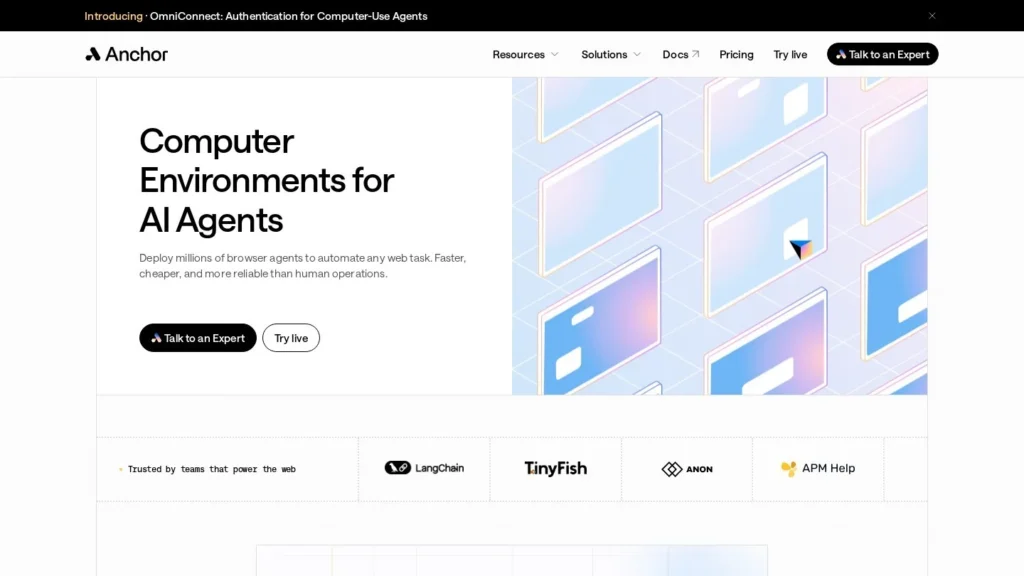
Anchor Browser runs cloud browsers for AI agents. Each agent gets its own isolated Chromium browser that stays logged in, gets past CAPTCHAs and bot checks and can appear from any location, and Anchor’s own agent uses AI to plan a web task once and then executes that plan without calling a model at every step. Groq uses it to run browsers in parallel for its Compound research agent. It is best for developers whose agents need to work on websites that have no API, and for regulated companies that need browsers on their own infrastructure.
A free tier includes $5 in credits a month, and paid plans run $50, $500 and $2,000 a month before custom Enterprise pricing. The steps between those plans are large, and compliance paperwork and on-premise deployment start at $2,000 a month, so a middle tier could help growing teams. This review is based on Anchor’s published pricing, funding coverage and its directory listing; we have not tested it hands-on.
$5 in Free Credits and Plans Up to $2,000
- Price: free tier with $5 in credits a month; Starter $50, Team $500 and Growth $2,000 a month; $1 per extra credit.
- Plan once, run many: AI plans the task, then the agent executes it, which Anchor says is more reliable and uses fewer tokens than reasoning at every click.
- Proven user: Groq runs Anchor browsers in parallel for its Compound research agent and built its first version in under an hour.
- Compliance: SOC 2 Type 2, ISO 27001, HIPAA and GDPR listed on Growth, with on-premise deployment and a BAA.
- Our score: 8.5/10, strong on security and infrastructure, with room to grow on ease of use for non-developers and public ratings.
Seed Funding and Pricing Page Figures for Anchor
Anchor is a young company, so most of the hard facts come from its October 2025 funding round and its pricing page. Each item below was checked on the source page.
| Fact | Detail | Source and date |
|---|---|---|
| Seed funding | $6 million, led by Blumberg Capital with participation from Gradient | SiliconANGLE, October 22, 2025 |
| Investor profile | Gradient is described as Google’s AI venture arm | Blumberg Capital, October 22, 2025 |
| Named user | Groq runs multiple Anchor browsers in parallel for its Compound research agent | SiliconANGLE, October 22, 2025 |
| Developer experience | A Groq builder said the team built its MVP on Anchor in under an hour | SiliconANGLE, October 22, 2025 |
| Partners | Strategic partners include Cloudflare and Coinbase | SiliconANGLE, October 22, 2025 |
| Model support | Models from OpenAI, Google, Anthropic, Groq and Microsoft Azure | SiliconANGLE, October 22, 2025 |
| Free tier | $5 in credits a month, 5 simultaneous browsers, up to 500 sessions | Anchor pricing page, accessed October 2026 |
| Compliance | SOC 2 Type 2, ISO 27001, HIPAA and GDPR listed on the Growth plan | Anchor pricing page, accessed October 2026 |
| Deployment | Cloud, your own cloud or on-premise | Anchor pricing page, accessed October 2026 |
The Groq detail is the most telling for buyers. A well-known AI inference company chose Anchor to run many browsers at once for a research agent, and one of its builders said the first version took under an hour. That is evidence the API is usable, from a customer rather than the vendor.
The investor mix also matters. Blumberg Capital led the round, and Gradient, described as Google’s AI venture arm, joined. A $6 million seed is modest next to larger browser infrastructure rivals, so teams building a core product on it may want to discuss continuity, and the on-premise option helps there.
Hosted Browsers Underneath, an Optional Agent on Top
Anchor has two layers: the browsers themselves, and an agent that decides what to do in them. Many customers use only the first layer and bring their own agent framework.
Browsers for Agents
- Isolated cloud browsers: each AI agent gets its own secure, independent browser environment hosted in the cloud and separate from human users.
- Logged-in sessions: browsers keep authentication, cookies and sessions, so agents can work on sites that require an account.
- Bot protection: CAPTCHA bypass, Cloudflare-verified browser agents and, on Growth, a stealth Chromium build.
- Location and proxies: built-in or custom proxies and the ability to run from any geolocation.
- Identities: Anchor’s directory listing describes accessing sites under different identities, and Enterprise adds unique fingerprints.
The Planning Agent
Anchor’s agent, which it has called b0.dev, takes a request in natural language and breaks it into steps. The AI model runs during this planning stage to build the task sequence, and the agent then carries out that plan, deciding each action based on what it sees in the rendered page. Anchor contrasts this with agents that call a model throughout execution. Blumberg Capital, quoting the Forbes coverage it reposted, described the shift as moving from improvisation to planning, so a workflow can run reliably and repeatedly. Anchor’s listing adds that it uses AI only when needed to keep token use low.
Connecting Your Own Stack
Developers reach Anchor through an API, an SDK or an MCP server, and through automation tools. It supports models from OpenAI, Google, Anthropic, Groq and Microsoft Azure, provided the model works with a compatible agent framework. That lets a team keep its existing agent and swap only the browser layer.
A Typical Workflow
SiliconANGLE’s launch coverage gave a simple example: ask the agent to compare the stock prices of Tesla, Apple and Amazon on Yahoo Finance. The agent plans the steps, such as opening the site, searching each ticker and reading the price, then executes them in a cloud browser and returns the result. The same pattern applies to business tasks like checking order status in a supplier portal, pulling figures from a dashboard that has no export, or submitting the same form for many records. Once the plan exists, rerunning it is mostly browser time rather than model time.
For parallel work, a team starts several browsers at once. The Free tier allows five, Team allows 50, and Enterprise is sized by contract. Groq’s Compound research agent uses this pattern to read many sources simultaneously.
Deployment Options
Most customers use Anchor’s cloud. From the Growth plan, companies can run Anchor in their own cloud or on-premise, which matters for healthcare, finance and other regulated teams that cannot send session data to a third party.
Developers Handle Agents, Credentials and Failures
Developers write or configure the agents, choose which sites to automate, manage the credentials and handle failures. Anchor takes care of the browsers, sessions and bot hurdles, and its agent handles execution once a plan exists.
Five Tiers From Free to Growth
Anchor publishes five tiers.
| Plan | Price | Billing | What’s Included | Limits |
|---|---|---|---|---|
| Free | $0 | Monthly credits | $5 in credits a month, web proxy, CAPTCHA bypass | 5 simultaneous browsers, up to 500 sessions |
| Starter | $50 a month | Monthly; $1 per extra credit | Cloudflare-verified agents, CAPTCHA bypass, any geolocation, logged-in browsers, built-in and custom proxies | Extra credits at $1 each |
| Team | $500 a month | Monthly; $1 per extra credit | Standard proxy, 30 days of data retention | 50 simultaneous browsers |
| Growth | $2,000 a month | Monthly; $1 per extra credit | Stealth Chromium, own cloud or on-premise, BAA, DPA, SLA; SOC 2 Type 2, ISO 27001, HIPAA, GDPR | Extra credits at $1 each |
| Enterprise | Custom | Contract | Unique fingerprints, BAA, SSO, RBAC, retention up to one year, zero-data-retention option, log forwarding | Unlimited identities |
From Prototype on Free to Production Concurrency
Developer prototyping an agent. The Free tier gives $5 in credits a month and five browsers at once, enough to build and test a prototype. Groq’s experience suggests a first version can come together quickly.
Startup running a production agent. Starter at $50 a month is $600 a year. If usage runs past the included credits, each extra credit costs $1, so 100 extra credits in a busy month would add $100.
Scaling team. Team at $500 a month, $6,000 a year, adds 50 simultaneous browsers and 30 days of data retention, which suits a product running many agent sessions at once.
Regulated company. Growth at $2,000 a month is $24,000 a year and is the first tier with SOC 2 Type 2, ISO 27001, HIPAA and GDPR listed, a BAA, and on-premise or own-cloud deployment.
Hidden and variable costs. Your own model provider bills separately for planning, and overage credits can add up. If you deploy on-premise, you also carry the infrastructure costs.
Anchor Browser Compared With Browser Use, Skyvern, Amazon Nova Act and Airtop
All five give agents real browsers. They split on who builds the agent, where the browsers run and how you pay.
| Tool | Starting Price | Free Plan | Main Strength | Main Trade-Off | Best For |
|---|---|---|---|---|---|
| Anchor Browser | Free; from $50 a month | Yes | Hosted browsers with logins, bot handling and on-premise option | Large steps between tiers | Developers running agents on sites without APIs |
| Browser Use | Free open source; cloud pay as you go | Limited | Open-source agent library plus metered cloud browsers | You maintain the agent code | Teams that want open source and per-hour billing |
| Skyvern | $29 a month (Hobby) | No | Ready-made agent for portals with 2FA and CAPTCHAs | Action-based credits can climb | Form-heavy back-office work |
| Amazon Nova Act | $4.75 per agent hour | Pay as you go | AWS-native agent fleets with monitoring | One AWS region; Python needed | AWS-first engineering teams |
| Airtop | Free; from $29 a month | Yes | No-code compiled agents | Credit use per run not published | Business teams without developers |
Choose Anchor when your engineering team already has an agent and needs dependable, logged-in browsers with compliance options and on-premise deployment. Browser Use suits teams that want open-source code and metered cloud browsers. Skyvern is a more complete ready-made agent for portal work. Nova Act fits AWS shops, and Airtop fits business teams that want to build agents without code. A common setup pairs layers: an open-source or in-house agent for reasoning and Anchor for the browsers it drives, which keeps the agent portable if you later change browser providers. Compare the full field on our browser automation agents page.
AI Product Teams Automating Sites Without APIs
- AI product teams: companies whose agents must act on websites without APIs can outsource the browser layer and keep their own agent logic.
- Research and data agents: parallel browsers suit agents that gather information from many sites at once, as Groq’s use shows.
- Regulated industries: healthcare and finance teams can use the Growth plan’s BAA, compliance listings and on-premise deployment; see our enterprise agents page.
- Teams fighting bot blocks: Cloudflare-verified agents, CAPTCHA bypass and proxies address the most common failures in browser automation.
No-Code Users and Personal Agent Seekers Have Simpler Options
- Business users without developers: Anchor is built for API, SDK and MCP use; a no-code builder such as Airtop fits better.
- Individuals wanting a personal agent: a consumer agentic browser such as Opera Neon or Comet by Perplexity is simpler.
- Small teams needing compliance on a budget: compliance features and on-premise start at $2,000 a month.
- Projects that want fully open-source code: Anchor is a commercial service; Browser Use or Skyvern offer open-source cores.
Tenfold Price Steps and Site Terms of Service to Check
- Price jumps: moving from Starter to Team multiplies the bill by ten, and Team to Growth by four, so map your concurrency needs before committing.
- Site terms: CAPTCHA bypass, stealth browsing and multiple identities may conflict with the terms of the sites you automate; get legal sign-off for each target.
- Vendor figures: the reliability benefits of planning first come from Anchor, so test success rates on your own sites.
- Company size: Anchor raised a $6 million seed round in October 2025; consider continuity plans if it becomes a core dependency.
- Credentials: logged-in browsers hold real account access, so limit permissions on the accounts agents use.
Blumberg Capital Leads a $6 Million Seed
On October 22, 2025, Anchor announced a $6 million seed round led by Blumberg Capital, with participation from Gradient, and named Groq as a user and Cloudflare and Coinbase as strategic partners. Blumberg Capital highlighted the company’s plan-first approach in coverage it reposted the same day.
Reliable Agents on Logged-In Sites, Even in Regulated Settings
For engineering teams that need their agents to work reliably on logged-in websites, yes, especially in regulated settings. Anchor Browser scores 8.5/10 on our scale. It handles the parts of browser automation that most often fail, such as logins, bot checks and location, and its plan-first agent reduces model calls on repeat runs. The compliance list on Growth and the on-premise option set it apart from many browser infrastructure startups.
Smaller steps between plans, a path for non-developers and public ratings would lift the score. Start on the free tier, run your hardest site through it, and estimate concurrency and credits before choosing between Starter and Team.
Regulated buyers can talk to Anchor about the Growth plan early, confirm which compliance reports and agreements it will share, and test the on-premise or own-cloud deployment on a staging environment before signing a contract. Teams without developers may find a no-code builder a better fit.
Anchor Browser Tiers in Plain Numbers
How Much Does Anchor Browser Cost?
There is a free tier with $5 in credits a month. Paid plans cost $50 (Starter), $500 (Team) and $2,000 (Growth) a month, with custom Enterprise pricing. Extra credits cost $1 each on paid plans.
Is Anchor Browser HIPAA Compliant?
Anchor lists SOC 2 Type 2, ISO 27001, HIPAA and GDPR on its Growth plan, which also includes a BAA and DPA. Enterprise contracts include a BAA as well.
Can Anchor Browser Run On-Premise?
Yes. From the Growth plan, Anchor can be deployed in your own cloud or on-premise rather than in Anchor’s cloud.
Which AI Models Work With Anchor Browser?
Anchor supports models from OpenAI, Google, Anthropic, Groq and Microsoft Azure, connecting through MCP and APIs when the model works with a compatible agent framework.
How Is Anchor Different From Browser Use?
Browser Use is best known as an open-source agent library with a hosted cloud. Anchor is a commercial browser service with an agent that plans tasks first, and it adds compliance listings and on-premise deployment on its higher plans.
User Reviews
Nobody has rated it here yet. Be the first AI Agents Choice user to rate Anchor Browser.