
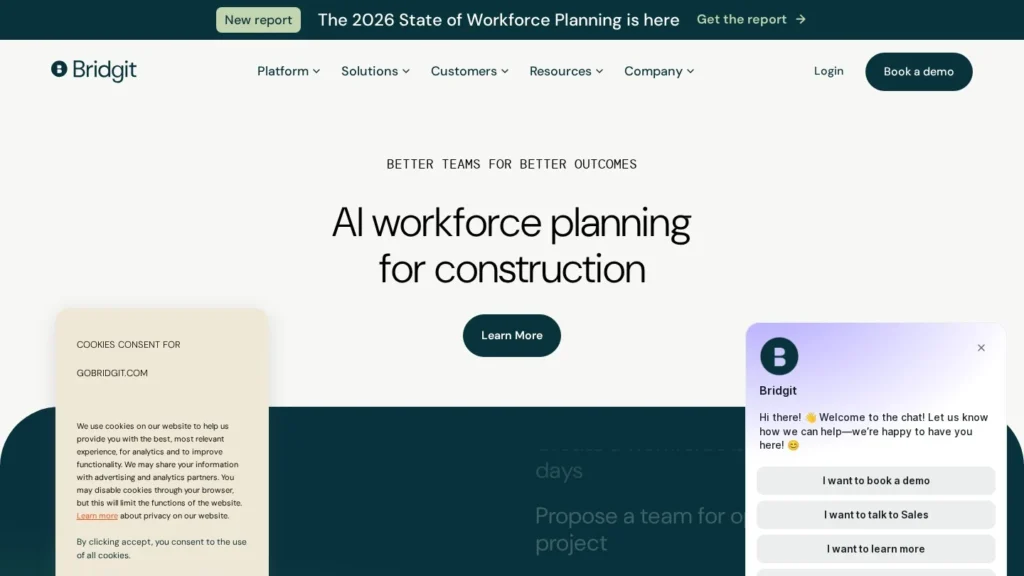
Bridgit AI is the agent layer of Bridgit Bench, a workforce planning app that Bridgit says 40% of top contractors already use. Since July 2026 its agents propose project teams, find roles for people coming off jobs, and write the weekly briefs and org charts that planners usually build by hand. It suits general contractors and self-performing trades that already keep staff profiles and project schedules in Bench.
By design, the agents recommend and planners act: every assignment is made or approved by a person. Pricing is shared by quote, without a free trial yet. We rate it 7.7/10 on our scale: useful drafting and analysis on good data, with published pricing the main area to improve. This review is based on Bridgit’s help center, its launch announcement, press coverage and Capterra reviews; we have not used the product ourselves.
Seven Workforce Agents on Bench Staffing Data
- Bridgit says 40% of top contractors plan their workforce in its software, and the agents work on that same staffing data.
- Seven agents are listed in the help center, from Team Builder and Assignment Finder to Update Assistant and Resume Builder.
- Nothing changes without a person: agents recommend and draft, and planners approve or make every assignment.
- Pricing is shared by quote, without published plans or a free trial yet.
- Capterra rates Bridgit Bench 4.7 from 74 reviews; we rate Bridgit AI 7.7/10, with room to grow through published pricing and more autonomous actions.
Launch Materials and Help Center Facts on Bridgit
Bridgit is a private company and shares few figures, but its launch materials, help center and review profile give a clear picture of reach and design choices.
| Fact | Detail | Source and Date |
|---|---|---|
| Agent launch | Five agents (Team Builder, Assignment Finder, Project Change Digest, Project Org Chart, Workforce Brief) plus Bridgit MCP | Bridgit press release, July 29, 2026 |
| Market reach | Bridgit says it is the planning platform of choice for 40% of top contractors | Bridgit press release, July 29, 2026 |
| Current agent lineup | Seven agents, adding Update Assistant and Resume Builder to the launch set | Bridgit help center, viewed October 2026 |
| Outside AI tools | Bridgit MCP brings live Bridgit data into Claude, ChatGPT, Copilot and Gemini | Bridgit press release, July 29, 2026 |
| Backers | Autodesk, Salesforce Ventures and Sands Capital, among others; the company is privately held | IT Brief, July 30, 2026 |
| Design rule | CTO Vincent Seguin: “If we can’t explain why an agent did something, it doesn’t ship.” | IT Brief, July 30, 2026 |
| Company origins | Founded in 2014 with its Field punch list product; CEO and co-founder Mallorie Brodie; an Autodesk-led US$7 million strategic round | On-Site Magazine profile, undated |
| Capterra rating | 4.7 out of 5 from 74 reviews for Bridgit Bench, with 99% positive sentiment | Capterra, viewed October 2026 |
| Capterra sub-ratings | Ease of use 4.7, value for money 4.6, customer service 4.9 | Capterra, viewed October 2026 |
The 40% figure matters more than any agent feature. Workforce agents need years of assignment history to suggest sensible teams, and a planning tool already embedded at large contractors starts with that history in place. For the same reason, the agents are most useful to firms already running Bench, since that is where their data comes from.
The design rule from Bridgit’s CTO, that an agent which cannot explain itself does not ship, fits the human-approval model in the help center. For buyers worried about an AI quietly moving superintendents between projects, that is reassuring. For buyers hoping to remove planning work entirely, it keeps planners involved in every change.
Requests Typed Into Ask Bridgit, Handled by Agents
The agents sit behind Ask Bridgit, the plain-language question box Bridgit introduced earlier in 2026. A planner types a request and the relevant agent reads availability, project needs, role and title history and any other data the user asks it to weigh, such as commute distance or experience on a project type.
The Seven Agents
- Team Builder: proposes a team for a project based on who is available, what the project needs and the firm’s own approach to building teams, which admins can configure.
- Assignment Finder: matches availability with open needs in both directions, suggesting roles for a person or people for an open role.
- Workforce Brief: summarizes upcoming assignment starts and ends plus planned time off, for example over the next two weeks.
- Project Change Digest: summarizes recent changes to dates, phases and staffing across one or more projects.
- Org Chart Visualizer: builds a shareable org chart for a planned or live project, showing structure, roles and open positions, with options to drop roles or hide photos and dates.
- Update Assistant: turns a plain-language request into proposed workforce edits, even across several projects in one message, and shows them in a side panel for approval.
- Resume Builder: creates a formatted resume from a team member’s profile and assignment history, with choices over which project types to emphasize and how many projects to include.
Turning Agents On in Bridgit’s Settings Menu
According to the help center, an account needs Bridgit AI enabled. Admins then go to Profile Menu, Settings, Bridgit AI, Agents to turn individual agents on or off, define how Team Builder should assemble teams and set default context for org charts and resumes, which applies to every generation. The most important setup step is data: Bridgit notes that Team Builder gets better as staff profiles and project records get more complete.
Using It From Other AI Tools
Bridgit MCP connects live Bridgit data to Claude, ChatGPT, Copilot and Gemini through the Model Context Protocol. A planner can ask a workforce question inside one of those assistants without opening Bench or exporting a report, and combine the answer with other systems such as CRM or timesheet software. Bridgit’s CEO Mallorie Brodie said at launch that without an MCP, those assistants are not drawing on a firm’s Bridgit data.
Agents Recommend, Planners Assign
Almost every decision. The agents recommend, summarize and draft, and each recommendation carries a plain-language explanation. People decide who goes where and make the assignment, and Update Assistant waits for approval before saving anything. Someone also has to keep profiles, certifications and project dates current, since the agents only know what is in Bench.
Pricing Through the Vendor, Without a Free Trial Yet
Bridgit does not publish prices for Bench or for Bridgit AI. Capterra lists the product as contact vendor with no free trial or free version, and Bridgit’s launch release directs contractors to request a demo. The help center makes agents available to every account with Bridgit AI enabled rather than listing them as a separate paid tier.
| Plan | Price | Billing | What’s Included | Limits |
|---|---|---|---|---|
| Bridgit Bench with Bridgit AI | Custom quote | Subscription, set by contract | Workforce planning, Ask Bridgit, seven agents, Bridgit MCP | Agents can be switched off by admins; no published usage caps |
| Demo | Free | One-time | Walkthrough with Bridgit’s team | No self-serve trial |
Planning Hours the Agents Could Replace
Without a price list, the useful question is how much planning time the agents could replace. The scenarios below use our own illustrative assumptions for hours and labor cost, not Bridgit figures.
- A weekly lookahead: a planner who spends 4 hours a week compiling who starts, finishes or is off over the next fortnight spends 208 hours a year on it. At an assumed loaded cost of $60 an hour, that is $12,480 of time that Workforce Brief could largely draft.
- Bid packages: a contractor that submits 20 pursuits a year with 5 staff resumes and an org chart each, at 30 minutes per resume, spends 50 hours on resumes alone. At the same $60 rate, that is $3,000 a year that Resume Builder and Org Chart Visualizer target.
- Benchmark the quote: add those figures for your firm and compare them with Bridgit’s quote for Bridgit AI. If the agents are bundled with Bench at no extra cost, the comparison is simple; if they raise the renewal, the hours saved need to cover the increase.
Other costs are mostly internal: the time to clean up staff profiles and project dates before Team Builder is reliable, and any API work if you need Bench data in outside reports.
Bridgit AI Compared With Procore Agents, Trunk Tools and Handoff
No other construction agent on our site focuses on workforce planning. The closest comparisons are other construction agents a contractor might fund from the same technology budget.
| Agent | Starting Price | Free Plan | Main Strength | Main Trade-Off | Best For |
|---|---|---|---|---|---|
| Bridgit AI | Custom quote | No | Staffing recommendations on years of workforce data | Agents suggest; people still assign | Contractors already planning in Bridgit Bench |
| Procore Agents | Custom quote | No | RFIs, submittals, daily logs and contract reviews drafted inside Procore | Value depends on committing to Procore | General and specialty contractors on Procore |
| Trunk Tools | Custom quote | No | Answers and checks across project documents in Procore, Autodesk Build or shared drives | Flags issues but people make the fixes | Large projects with heavy document loads |
| Handoff | $119 a month, billed annually | No | Same-day estimates and proposals for small builders | US residential work only | Remodelers and small residential builders |
Bridgit AI and Procore Agents can sit side by side: Procore handles project documents and Bridgit handles who staffs the project, which is why reviewers keep asking for a direct link between the two. Trunk Tools is a document agent for large jobs, and Handoff is a published-price estimating tool for small residential firms. Browse more in our AI agents for construction and project management guides.
Contractors Already Planning in Bench
- Contractors already on Bridgit Bench: the agents read data you already maintain, so the added effort is small.
- Firms with a dedicated workforce planner or operations lead: Workforce Brief, Project Change Digest and Team Builder target the weekly work that person does by hand.
- Teams that write many bids: Resume Builder and Org Chart Visualizer produce pursuit documents from assignment history.
- Companies standardizing on AI assistants: Bridgit MCP lets staff ask workforce questions from Claude, ChatGPT, Copilot or Gemini.
- Leaders wary of autonomous AI: every recommendation is explained and nothing changes without approval.
Small Builders With a Few Crews May Need Less Planning Software
- Small builders with a handful of crews: a spreadsheet or the scheduling built into a project tool may be enough, and Bench is sold through demos and quotes.
- Firms with incomplete staff records: recommendations depend on profiles, certifications and history being current.
- Buyers who want hands-off staffing: the agents do not assign people or save changes on their own.
- Teams that need deep Procore or HR system sync today: reviewers have asked for those direct integrations.
- Buyers who must compare prices before talking to sales: pricing is shared through sales.
Clean Profiles Before You Judge Team Builder
- Data quality drives results: Bridgit says Team Builder improves with more complete data, so budget time to clean up profiles before judging the agents.
- Human steps remain: savings come from faster drafting and analysis, not from removing the planner.
- Integration requests: Capterra reviewers ask for direct links to Procore and HR systems and note that external reporting uses the API.
- Platform-wide ratings: the 4.7 Capterra score covers Bridgit Bench as a whole, most of it written before the agents launched.
- Occasional glitches: some reviewers mention issues when adding projects or saving date changes, and some date updates that do not refresh automatically.
- MCP data exposure: connecting Bench to outside assistants sends workforce data to those tools, so check each assistant’s data settings with IT first.
Bridgit Moves From Answers to Planning Actions
- On July 29, 2026, Bridgit launched Bridgit AI agents and Bridgit MCP, describing the move as a shift from answering workforce questions to taking planning actions.
- On July 30, 2026, IT Brief reported that the agents are semi-autonomous, keep a person in the review loop and explain each recommendation in plain language.
Already on Bench? Switch Them On
For contractors already planning in Bridgit Bench, yes, it is worth switching on. The agents read data the firm already keeps, explain their suggestions and leave the decisions with planners, which makes them low risk to try. Workforce Brief and Team Builder target real weekly work, and Bridgit’s reach at 40% of top contractors suggests the underlying data model is mature.
Bridgit AI scores 7.7/10 on our scale. Strong user sentiment for Bench and a careful approval model come with quote-based pricing, no free trial yet and agents that stop at recommendations by design; published pricing and a trial would lift the score. Before signing, ask whether the agents are included in your Bench subscription, test Team Builder on a past project where you know the right answer, and check how far your staff data is from complete.
Bench Quotes and Whether AI Is Included
How Much Does Bridgit AI Cost?
Bridgit does not publish prices. Contractors request a demo and receive a quote for Bridgit Bench, and the help center makes the agents available to any account with Bridgit AI enabled. Ask whether the agents change your renewal price.
Can Bridgit AI Assign Staff to Projects by Itself?
No. The agents recommend teams and roles and draft edits, but people make every assignment. Update Assistant shows proposed changes in a side panel and saves nothing until a user approves them.
Which AI Assistants Work With Bridgit MCP?
Bridgit says its MCP connection brings live Bridgit data into Claude, ChatGPT, Copilot and Gemini. That lets planners ask workforce questions from those tools and combine the answers with other systems such as CRM or timesheet software.
How Is Bridgit AI Different From Procore Agents?
Procore Agents work on project documents such as RFIs, submittals and daily logs inside Procore. Bridgit AI works on people: who is available, who fits a role and who is moving between projects. Many contractors could use both, though reviewers want a tighter link between Bench and Procore.
What Data Does Team Builder Use?
According to the help center, Team Builder draws on availability, project needs, role and title history and anything else the user asks it to consider, such as commute distance or relevant project experience. Admins can also configure how the firm likes teams to be built.
User Reviews
Nobody has rated it here yet. Be the first AI Agents Choice user to rate Bridgit AI.