
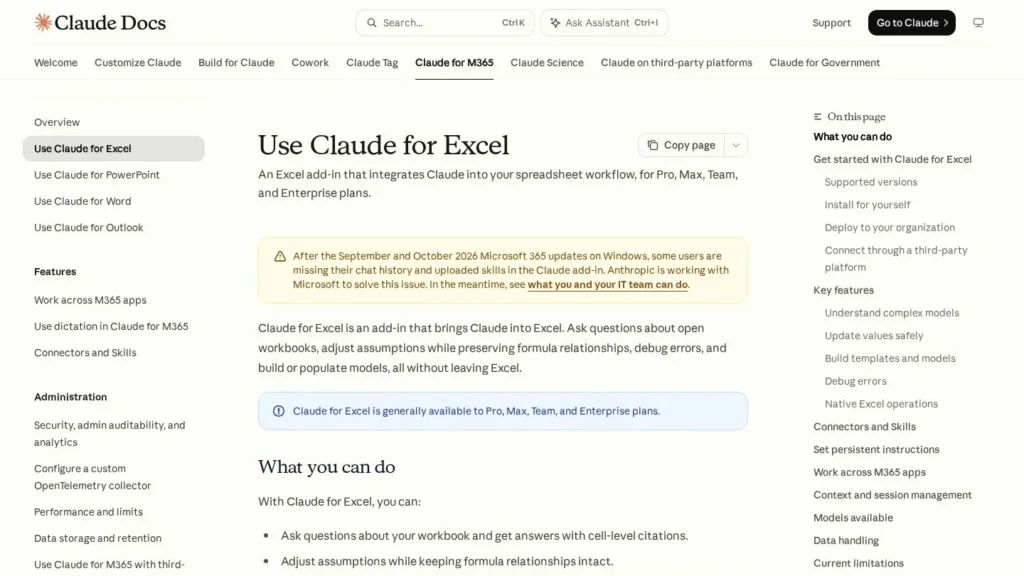
Claude for Excel is Anthropic’s add-in that turns Claude into a spreadsheet agent inside Excel. It ships with every paid Claude plan, so the entry price is Claude Pro at $20 a month or $17 a month on yearly billing. It answers questions with clickable cell citations, flexes assumptions without breaking formulas, finds the root cause of errors and builds models such as LBOs from a description.
It suits finance and FP&A teams that already use Claude and live in Excel all day. The main limits are technical: no macros, VBA or Excel data tables, and no support for perpetual Excel 2016 or 2019 licences. We rate it 8.8/10 on our scale, held back mainly by the neutral user score and audit-log coverage that is still in beta.
Claude for Excel at $17 a Month With Cell Citations
- Included with Claude Pro at $17 a month billed yearly, plus Max, Ultra, Team and Enterprise; not on the Free plan.
- Launched in beta on October 27, 2025 on Claude Sonnet 4.5 and opened to all Pro subscribers in January 2026.
- Answers include cell-level citations, and edits keep formula links intact so dependent cells recompute.
- Connectors such as S&P Global, LSEG, Daloopa, Moody’s and Aiera bring outside data into workbooks.
- Backend inputs and outputs are deleted within 30 days, and chat history is stored only in the local browser.
Claude for Excel by the Numbers
Anthropic documents the add-in in detail, so most figures below come from its own docs and pricing page.
| Fact | Detail | Source and Date |
|---|---|---|
| Beta launch | October 27, 2025, for selected business customers, built on Claude Sonnet 4.5 | The Decoder, January 2026 |
| Pro rollout | Activated for all Pro subscribers on January 24, 2026 | The Decoder, January 2026 |
| Plans with access | Pro, Max, Team and Enterprise; Free excluded | Claude for Excel docs and Claude pricing |
| Pro price | $20 a month, or $17 a month billed yearly ($200 up front) | Claude pricing page |
| Team seats | Standard $25 a month or $20 yearly; Premium $125 or $100; 2 to 150 seats | Claude pricing page |
| Enterprise | $20 per seat per month billed yearly, 20-seat minimum | Claude pricing page |
| Windows build | Microsoft 365 build 16.0.13127.20296 or later; Mac 16.46 or later | Claude for Excel docs |
| Data retention | Inputs and outputs deleted on the backend within 30 days; chat history kept locally in IndexedDB | Claude for Excel docs |
| Marketplace | Claude for Microsoft 365 listing shows 15 ratings and covers Excel, PowerPoint and Word | Microsoft Marketplace |
For a buyer, the pricing rows matter most. Excel access is bundled into a plan many teams already pay for, so the marginal cost can be zero. A team that needs heavier use can move individuals to Max or Premium seats.
The retention rows matter for compliance teams. Conversations stay on the user’s machine and backend data clears within 30 days, which is a short window. The trade-off is that add-in activity does not yet show in Enterprise audit logs.
Inside a Claude for Excel Session
Claude works from a sidebar in the open workbook. It can read every tab, follow formulas and write back to cells. The steps below follow Anthropic’s documentation.
Installing or Deploying the Add-In
An individual opens the Claude for Microsoft 365 listing on Microsoft AppSource, selects Get it now, opens Excel and signs in. An admin can instead turn on Office Store access in the Microsoft 365 Admin Center, find the add-in under Integrated apps and assign it to the organization or to groups. Where the Office Store is blocked, a custom manifest XML file does the same job. Organizations that route AI traffic through Amazon Bedrock, Google Cloud Vertex AI, Azure AI Foundry or an LLM gateway can deploy it without individual Claude accounts.
Asking About a Model
A typical first prompt is “Walk me through how the revenue number in cell C42 is calculated.” Claude traces the chain of formulas and answers with citations that jump to each cell. This is where many analysts start, because inherited models are hard to read.
Changing Assumptions and Debugging
Asked to change the discount rate to 8%, Claude updates the input and lets dependent cells recompute, keeping formula relationships intact. Asked to find the source of a #REF error in a summary tab, it traces the error back and suggests a fix. Native operations such as sorting, filtering, pivot table edits, conditional formatting and dropdowns are also available on request.
Building Models and Using Connectors
Claude can populate an LBO template with a $500 million purchase price and debt at 6x EBITDA, or build a three-statement model from a trial balance, to use the docs’ own examples. Connectors such as S&P Global, LSEG and Daloopa pull outside figures in, and Skills apply saved task recipes automatically. Persistent instructions, set in the add-in settings, handle house style such as thousand separators or bold headers.
Guardrails During Long Sessions
Claude warns before overwriting existing data and asks for confirmation when it proposes a risky operation. Long conversations are compacted automatically. Context carries into Claude for PowerPoint, Word and Outlook, so one conversation can move from a model to a deck.
A Morning With an Inherited Budget Model
Take an FP&A analyst who inherits a 12-tab budget model from a colleague who left. First, they ask Claude which assumptions drive gross margin. Claude lists the input cells and cites each one, so the analyst can click through and see the chain. Next, they ask it to raise the price increase assumption from 3% to 5% and show the effect on full-year EBITDA. Claude changes the input, the dependent cells recompute, and it summarizes the change with citations.
Then a #DIV/0 error appears in the regional tab. The analyst asks Claude to trace it. Claude finds a new region with zero headcount in the denominator and proposes an IFERROR wrapper or a fix to the source row. The analyst picks the source fix. Finally, they ask for a pivot table of spend by department and a dropdown on the scenario cell. Each step is a short prompt, and each change is visible in the sheet before the file goes back to the shared drive.
What Stays With the Analyst
Anthropic recommends against using the add-in for final client deliverables or audit-critical calculations without human review. The analyst still checks each change, works on a trusted copy and owns the numbers that leave the team.
Claude Plan Costs for Excel Users
Claude for Excel has no separate price. The table lists the plans that include it.
| Plan | Price | Billing | What’s Included | Limits |
|---|---|---|---|---|
| Free | $0 | None | Claude chat | No Claude for Microsoft 365 |
| Pro | $20 a month or $17 a month | Monthly or yearly ($200 up front) | Claude for Excel, PowerPoint, Word and Outlook | Standard Pro usage limits |
| Max | $100 a month | Monthly | Higher usage | Individual |
| Ultra | $200 a month | Monthly | Highest individual usage | Individual |
| Team Standard | $25 a seat or $20 a seat | Monthly or yearly | Claude for Microsoft 365, admin features | 2 to 150 seats |
| Team Premium | $125 a seat or $100 a seat | Monthly or yearly | Higher usage per seat | 2 to 150 seats |
| Enterprise | $20 a seat per month | Yearly | Enterprise controls, Compliance API | 20-seat minimum |
Annual Bills for Three Finance Teams
- A freelance modeler on Pro, yearly: $200 up front, about $17 a month.
- A 10-person FP&A team on Team Standard, yearly: 10 seats at $20 is $200 a month, or $2,400 a year. Moving 3 heavy users to Premium at $100 adds $240 a month, for $440 a month or $5,280 a year.
- A 20-seat Enterprise deployment: 20 seats at $20 a month is $400 a month, or $4,800 a year at the listed seat price.
The variable part is usage. Excel sessions count toward the same limits as the rest of Claude, so a heavy modeler who also writes and codes with Claude may need Max or a Premium seat. Check how your team’s usage grows over the first month before committing to a seat mix.
Data connectors are another line to watch. The docs name S&P Global, LSEG and Daloopa connectors, and these are separate data providers. A team that wants live market data in Claude should confirm which licences it already holds before planning model work around them.
Claude for Excel Compared With ChatGPT for Excel, Agent Mode in Excel and Shortcut
Four kinds of Excel agent now compete for the same analysts.
| Agent | Starting Price | Free Plan | Main Strength | Main Weakness | Best For |
|---|---|---|---|---|---|
| Claude for Excel | Claude Pro, $17 a month yearly | No | Cell citations, finance connectors, cross-app context | No macros, VBA or data tables | Claude users in finance |
| ChatGPT for Excel | ChatGPT Plus, $20 a month | Sheets version on all plans | Finance data apps and Google Sheets support | Excel availability varies by plan and region | ChatGPT users |
| Agent Mode in Excel | Microsoft 365 Copilot licence | No | Built into Excel with plan mode and model choice | Needs a Copilot licence | Microsoft 365 shops |
| Shortcut | $39 a month yearly | Yes, 3 tasks a day | Standalone Excel agent with team templates | No listed native data connectors | Analysts wanting a dedicated tool |
Claude’s edge is traceability: every answer cites cells, and edits keep formula links. Microsoft’s Agent Mode is the natural pick where Copilot licences already exist, and it can even run Anthropic models. For audit-heavy work, DataSnipper covers document matching inside Excel. More options sit on our spreadsheet agents page.
Finance Teams Suited to Claude for Excel
- Investment banking and private equity analysts: LBO templates, three-statement builds and market data connectors match their daily work.
- FP&A teams inheriting complex models: citation-backed explanations make old models faster to understand.
- Companies already on Claude Team or Enterprise: the add-in adds no new line item.
- Firms with cloud AI contracts: routing through Bedrock, Vertex AI or Azure AI Foundry fits existing procurement.
- Teams that move from model to memo to deck: shared context with Word, PowerPoint and Outlook keeps one conversation running across the files.
Workbooks and Teams That May Need Another Tool
- Macro-heavy workbooks: VBA and macros are unsupported, so automation built on them stays manual.
- Users on Excel 2016 or 2019, iPad or Android: the add-in will not run there.
- Teams that need every action in a central audit log today: Enterprise audit logs do not yet include add-in activity.
- Google Sheets teams: Gemini in Google Sheets works natively there.
Prompt Injection and Data Handling in Claude for Excel
Anthropic’s own docs carry the clearest warning: workbooks from outside sources, such as vendor files or downloaded templates, can contain hidden instructions that try to make Claude extract data, change records or take destructive actions. Its testing found scenarios where this works if the user approves without checking. The defense is procedural. Use trusted files, start from a copy, read every confirmation and be specific about what should change.
Data handling has two sides. Backend inputs and outputs are deleted within 30 days, with some caching for hours so recently closed workbooks keep context, and chat history lives in the browser’s IndexedDB. The add-in does not inherit custom retention settings an organization may have set, and its activity is not in Enterprise audit logs, though Enterprise sessions do flow into the Compliance API in public beta.
Anthropic also advises against relying on it for final client deliverables, audit-critical calculations or highly regulated data without proper controls. Those are sensible rules for any spreadsheet agent.
Claude for Excel From Beta to General Availability
Anthropic released Claude for Excel as a beta on October 27, 2025, then opened it to all Pro subscribers on January 24, 2026. That update added drag-and-drop for multiple files, protection against overwriting cells, automatic compression for longer sessions, new agent functions for tasks such as due diligence, and live data connections from Moody’s, LSEG and Aiera.
The current documentation now describes it as generally available to Pro, Max, Team and Enterprise plans, with shared context across Excel, PowerPoint, Word and Outlook. The Claude for Microsoft 365 listing covers Excel, PowerPoint and Word in one add-in.
How Claude for Excel Scores for Model Work
Claude for Excel scores 8.8/10 on our scale. It scores well on autonomy, setup and integrations: it runs inside Excel, deploys centrally and reaches finance data. Pricing value is good for existing Claude customers because the add-in costs nothing extra. Trust and security lose a little for audit-log coverage still in beta, and user sentiment stays neutral until allowed review sites rate it.
For a team already paying for Claude, turning on the add-in is low risk. Start with read-only questions on an inherited model, then move to edits on copies. After two or three weeks, compare the time spent on routine updates and error hunts with the month before, and decide whether heavier users need Max or Premium seats.
Modeler Questions About Claude for Excel
Which Claude Plan Do I Need for Excel?
Any paid plan: Pro, Max, Ultra, Team or Enterprise. Pro is the cheapest at $20 a month, or $17 a month billed yearly. The Free plan does not include it.
Can Claude for Excel Run Macros or VBA?
No. Anthropic lists macros, VBA operations and Excel data tables as unsupported. Claude can still sort, filter, edit pivot tables and apply conditional formatting.
Does Anthropic Keep My Workbook Data?
Backend inputs and outputs are deleted within 30 days, and chat history is stored locally in your browser. Activity is not in Enterprise audit logs, though the Compliance API covers it in beta.
Does Claude for Excel Work on a Mac or iPad?
It works on Excel for Mac version 16.46 or later and on Excel on the web. It does not run on iPad or Android.
How Is Claude for Excel Different From Agent Mode in Excel?
Claude for Excel is Anthropic’s add-in tied to a Claude subscription. Agent Mode is Microsoft’s Copilot feature tied to a Microsoft 365 Copilot or Premium licence, and it lets users pick Anthropic or OpenAI models.
User Reviews
Nobody has rated it here yet. Be the first AI Agents Choice user to rate Claude for Excel.