
A Reviewer Agent Built in a Day
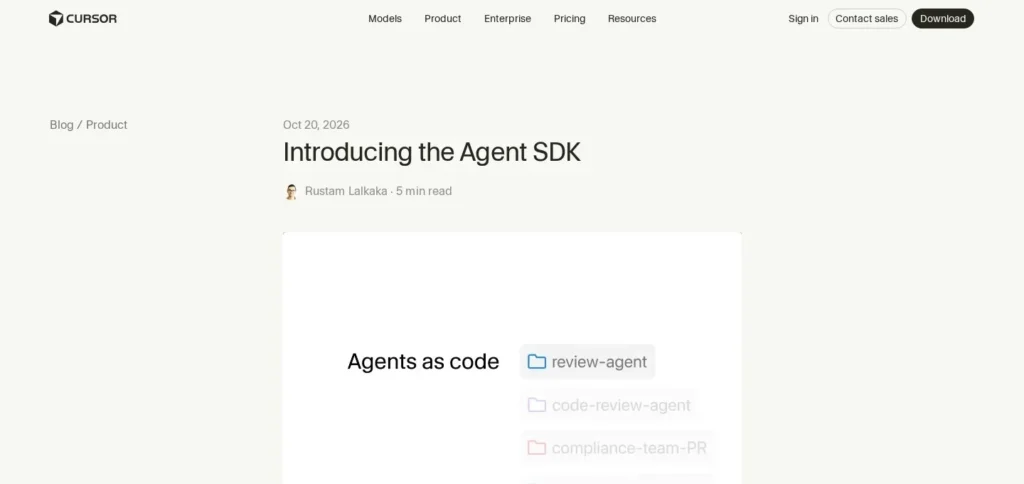
One internal Cursor team wanted every pull request checked against lessons the team had already learned. They built kb-reviewer with the Agent SDK in about a day. It reads each PR, compares it with a knowledge base of past notes, flags anything that contradicts them and cites the note. That is the kind of agent the SDK is for.
Cursor released the Agent SDK as generally available on October 20, 2026. It is the same framework Cursor uses for Bugbot, Security Reviewer and Rollouts. On our scale the SDK lands at 7.4 out of 10, without user ratings for now.
Cursor Agent SDK Facts Engineering Leads Ask For
- Release: generally available October 20, 2026.
- Language: TypeScript, with prompts in Markdown.
- Runs on: Cursor’s cloud, your own servers or a local playground.
- Billing: token usage drawn from your plan.
- Cloud agents start on the $30 Premium plan.
Cursor Pages We Read
| Fact | Detail | Source |
|---|---|---|
| What the SDK does, steps, examples | Evals, deploy, PR triggers, kb-reviewer, PGA | Cursor Agent SDK launch post |
| Projects beta | Coordinator agent, subagents, shared files | Cursor Projects post |
| Earlier SDK beta and API changes | Local or cloud VM, token billing, SSE streams | Cursor SDK changelog |
| Plans with cloud agents | Premium $30 and up, Teams, Enterprise | Cursor pricing |
Building an Agent Step by Step
Cursor’s launch post lays out five steps.
- Create a project folder, from a template or by asking a coding agent to work from the docs.
- Define the agent in code: its name, its model and local settings such as the working folder.
- Start the local playground and try it. Logs show each step.
- Run evals to check it does the job before it ships.
- Run agent-sdk deploy. Cursor builds the agent, gives it a URL and starts it on its own servers.
The launch example uses a model called composer-2.5 with effort set to high. An earlier changelog says the SDK works with any frontier model.
Features Developers Get
Tools as TypeScript Functions
Each tool is a plain TypeScript function. Through tools, agents can reach outside services. Prompts live in Markdown files beside the code.
Pull Request Triggers
Agents can respond to pull request events from GitHub, GitLab and Bitbucket. Review, test and cleanup agents can then run on every PR.
Handoffs and Subagents
An agent can pass a task to a specialist agent with its own tools and session. It can also split work across parallel subagents.
Evals and Event Replay
Evals run against the agent before deploy. Event replay lets you rerun a past event to see what went wrong.
Agents in Version Control
Agent definitions sit in your repo and go through normal code review. Cursor also ships skills that guide coding agents while they build new agents.
Where Agents Run
| Option | How it works |
|---|---|
| Local | Playground on your machine with a set working folder, logs and evals |
| Cursor cloud | agent-sdk deploy builds, hosts and starts the agent; secrets set in the dashboard |
| Self-hosted | Each agent is one Node process you can put in a container on your own servers |
The earlier SDK changelog describes the cloud run as a dedicated VM.
The Earlier SDK and the Cloud Agents API
Before the October launch, Cursor shipped a public beta TypeScript SDK installed with npm install @cursor/sdk. It gives programs the same runtime, harness and models as Cursor’s desktop app, CLI and web app. A script creates an agent, sends a prompt and streams events back. The same release updated the Cloud Agents API.
- Durable agents with runs per prompt, so follow-ups, status and cancel apply to one run.
- Run streaming over SSE, with reconnect through the Last-Event-ID header.
- Archive, unarchive and permanent delete for agents.
- Structured error codes and separate agent and run objects in version 1.
Cursor’s cookbook repository on GitHub holds sample projects.
What It Costs to Run Agents
Cursor bills SDK agents on standard token-based consumption pricing. The changelog lists no separate fee. Cloud agents and automations come with these plans.
| Plan | Monthly price | Cloud agents |
|---|---|---|
| Free | $0 | Not included |
| Plus | $8 | Not included |
| Premium | $30 | Included |
| Super | $100 | Included |
| Ultra | $200 | Included |
| Teams | From $30 per user | Included |
| Enterprise | Custom | Included, with pooled usage |
Cloud agent use draws from the plan’s shared usage pool. Allowances refresh weekly, and you can buy top-offs. Third-party model use is billed apart at API list price. Self-hosted agents run on your compute, though model calls still bill as usage.
Budget Tips
Agents that fire on every PR can add up. Set Enterprise spend controls or group limits if you have them. Pick models with care, since third-party models bill at list price.
Certifications and Self-Hosting
Cursor’s site shows four certifications: ISO 27001, SOC 2, ISO 42001 and AIUC-1. The launch post does not tie those to the SDK alone. Secrets and integrations live in the Cursor dashboard. Teams with strict rules can self-host each agent as a Node process. Enterprise adds audit logs, service accounts and access controls for repositories, models and MCP.
Gaps in the SDK Docs So Far
- Only TypeScript appears in the posts we read.
- MCP is not mentioned in the launch post.
- Neither post lists known limits or quotas.
- Cloud agents are not on the Free or Plus plans.
- Capterra had only four reviews of Cursor when we checked, too few to score.
Projects, Cursor’s Ready-Made Coordinator
Teams that want long agent work without writing code have a second option. On September 10, 2026, Cursor began a beta of Projects. In a Project, a coordinator agent plans a feature, a migration or an app. It does not write code itself. It sends subagents to build and test parts in parallel. Shared files keep what the agents learn, and the Project runs on its own cloud computer. It can watch a Slack channel for bug reports and act on PR activity. Pick the SDK if you want to own the agent’s code. Pick Projects if you want Cursor to run the plan.
Teams Who Gain and Teams Who Can Pass
Teams already on Cursor that want house agents get the most. Code review against team rules, security checks, migrations and test upkeep all match the PR triggers. The PGA Tour uses the SDK to run what it calls its software factory on Cursor’s infrastructure.
Python-first teams, or teams that want to stay off any one editor vendor, may prefer an open framework.
Cursor Agent SDK Next to Other Agent Frameworks
| Framework | Language | Entry price |
|---|---|---|
| Cursor Agent SDK | TypeScript | Token usage on Cursor plans |
| OpenAI Agents SDK | Python | Free open source; pay for tokens |
| Mastra | TypeScript | Free open source; Teams $250 a month |
| Google ADK | Five languages | Free framework; Agent Runtime at $0.085 per vCPU-hour |
| GitHub Copilot Cloud Agent | Ready-made agent, no framework | GitHub Copilot plans |
How the SDK Reached 7.4
Autonomy scores highest, since deployed agents act on PR events on their own. Setup is good with templates, a playground and one deploy command. Trust is solid with four certifications and self-hosting. Pricing sits lower because no per-run figures are published.
Questions Developers Ask About the Cursor Agent SDK
Which Language Does It Use?
TypeScript for agents and tools, with prompts in Markdown.
Can I Run Agents on My Own Servers?
Yes. Each agent is a single Node process you can run in a container.
Does It Work With GitLab?
Yes. Agents can respond to pull request events from GitHub, GitLab and Bitbucket.
How Is It Billed?
By token use under your Cursor plan. Running in Cursor’s cloud requires Premium or above.
What Has Cursor Built With It?
Bugbot, Security Reviewer and Rollouts, plus internal agents such as kb-reviewer.
Is It Still in Beta?
The Agent SDK is generally available. An earlier SDK was released as a public beta.



User Reviews
Nobody has rated it here yet. Be the first AI Agents Choice user to rate Cursor Agent SDK.