
Figma Design Agent

AI agent built into Figma Design that creates, edits and maintains designs from conversation.

$16/month per full seat (Professional, billed annually; reported)Design agent inside a collaborative design tool

No user reviews yet. Be the first to rate it.

Visit website
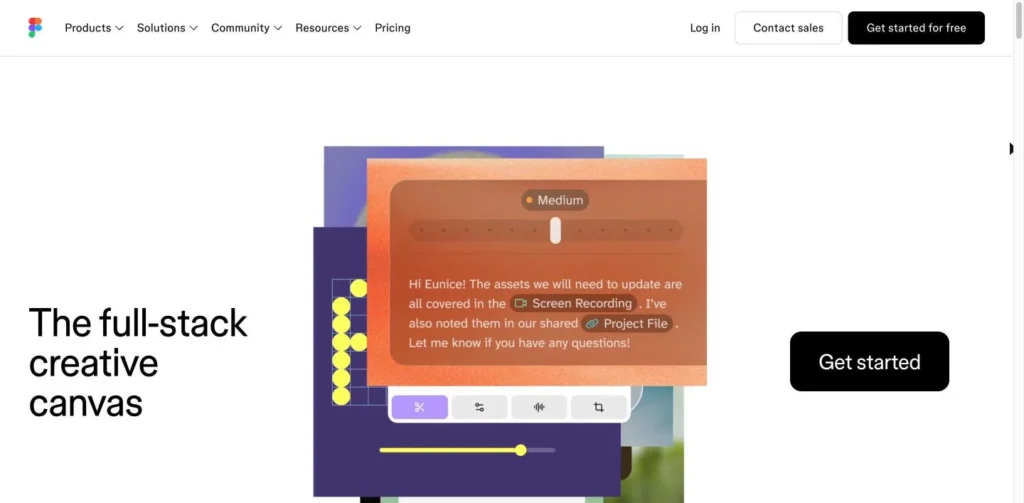
Figma Design Agent website screenshot
Figma Design Agent website

Quick Facts

DeveloperFigma, Inc.
Websitefigma.com
Agent typeDesign agent inside a collaborative design tool
Best forProduct and design teams already on paid Figma plans who want help with first drafts, bulk edits and design-system upkeep.
Not ideal forStarter, Education or Government plan users, and teams wanting production code or finished responsive layouts without review.
Pricing modelIncluded with paid Figma seats; usage draws on AI credits
Starting price$16/month per full seat (Professional, billed annually; reported)
Pricing detailsProfessional full seat $16/month annually or $20 monthly; Organization $55 and Enterprise $90 per full seat, annual only (reported). Agent usage draws from the shared AI credit budget; extra credits can be bought.
Free planNo
ChannelsFigma Design canvas (desktop app and web)
What it does on its ownCarries out multi-step design requests on the canvas, such as building screens or applying bulk changes; designers review and edit the result.
IntegrationsFigma Design, Figma Make, team libraries, components and variables
PlatformsWeb, macOS, Windows
LanguagesWorks best in English
Compliance and securityOrganization and Enterprise plans add SAML SSO, enforced 2FA and audit reports.
Company HQSan Francisco, California, USA
Company founded2012
Agent launched2026
Details last verified29 October 2026
CategoriesDesign & Creative, Personal Assistants & Productivity
User ratingNo reviews yet

Figma’s design agent left beta on October 6, 2026, and every request now draws on the same AI credit budget as Figma Make. The agent works directly on the design canvas, building new screens, adjusting layouts and carrying out bulk changes that would otherwise take a designer an afternoon of clicking.

It is available to full seats on Professional, Organization and Enterprise plans. Dev and Collab seats can try it only in drafts.

How It Works

A designer opens a conversation with the agent and describes what they want: a settings page, three variations of a checkout flow, every screen switched to dark mode, placeholder text replaced with real copy. The agent works with the team’s components, variables and layout rules, and users can @-mention specific components or tokens to steer it. Multiple threads can run at once.

It can also maintain a design system, summarize comment threads and answer how-to questions. Designers move between agent output and manual edits on the same canvas. The agent does not write production code; Figma routes that work through Figma Make, which turns designs into interactive prototypes.

Pricing

There is no separate fee for the agent. It comes with paid Figma seats, which are reported at $16 a month for a Professional full seat on annual billing ($20 monthly), $55 for Organization and $90 for Enterprise. Usage consumes AI credits. Each seat gets a monthly allowance, reported at 3,000 credits on Professional, and admins can buy add-on credits or pay as they go. Since August 25, 2026, add-on packs include twice as many credits on Professional.

What to Watch Out For

Credit use depends on prompt complexity, the actions the agent takes and how much context is attached, so costs are hard to forecast. Because the budget is shared, heavy use of other Figma AI tools can leave nothing for the agent until the monthly reset. Early reviews report layouts that look fine on desktop but break on mobile, and weaker output for teams without a design system. It performs best in English, and admins can only switch AI off for the whole team, not tool by tool.

Recent News

It became generally available on October 6, 2026, when it began using AI credits.

Features

  • Creates new screens and mockups from prompts
  • Bulk edits such as component swaps, typography changes and dark mode
  • Uses a team's components, variables and tokens
  • Generates several style options to compare
  • Summarizes comments and gives design feedback
  • Several agent threads can run in parallel

Pros and Cons

Pros

  • Works inside the tool most product teams already use
  • Draws on the team's real design system rather than generic styles
  • Handles tedious bulk edits quickly
  • Included with paid seats, with no separate subscription

Cons

  • Not available on Starter, Education or Government plans
  • Shares one AI credit budget with Figma Make and other AI tools
  • Early users report weak responsive layouts
  • Results drop without a well-built design system

User Reviews

No reviews yet. Be the first to rate Figma Design Agent.

Write a Review