
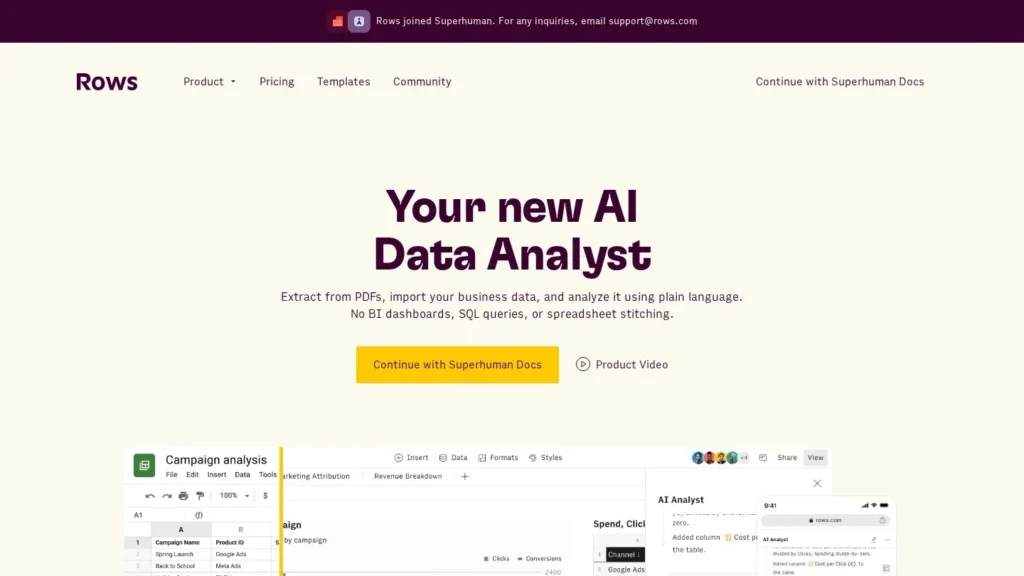
Rows AI Analyst is the AI built into Rows, a web spreadsheet that pulls in data from business tools and refreshes it on a schedule. The AI Analyst writes a short summary of a table, finds trends, suggests the questions worth asking and drops pivots, tables or charts into the sheet. Plus costs $6 per user a month on yearly billing with 200 AI tasks, and a Free plan with 5 AI tasks a month has no time limit.
It suits marketing and growth teams that build recurring reports from tools like Google Analytics and want them to stay current. The trade-off is that Rows is its own spreadsheet, not an add-in for Excel or Google Sheets. We rate it 8.6/10 on our scale, with top marks for pricing and lower marks for autonomy and published security detail.
Rows AI Analyst for Report Builders
- Plus costs $8 per user a month, or $6 billed yearly, with 200 AI tasks a month; Free includes 5 AI tasks.
- Pro costs $59 a month plus $6 per user on yearly billing, with 1,000 AI tasks and data refresh every minute.
- The AI Analyst summarizes a dataset in 3 to 5 sentences, finds patterns and answers questions it suggests itself.
- Rows raised €8 million in May 2024 in a round led by Indico Capital Partners, with Accel and Cherry Ventures among existing investors.
- At the AI Analyst launch, Rows said only metadata leaves Rows when the AI works on a dataset.
Rows AI Analyst by the Numbers
Rows publishes detailed plan limits, and its launch and funding coverage add company context.
| Fact | Detail | Source and Date |
|---|---|---|
| Plus plan | $8 per user a month, or $6 billed yearly; 200 AI tasks a month | Rows pricing page |
| Pro plan | $79 a month plus $8 per user, or $59 plus $6 per user yearly; 1,000 AI tasks | Rows pricing page |
| Free plan | 5 AI tasks, 500 API calls and 3 guests a month; no time limit | Rows pricing page |
| AI task rule | Each message to the AI counts as 1 task; each AI Vision file counts as 1 or more | Rows pricing page |
| AI Analyst launch | June 14, 2023; summarizes datasets in 3 to 5 sentences | BigDATAwire, June 2023 |
| Data import | Over 40 business tools available at AI Analyst launch | BigDATAwire, June 2023 |
| Funding | €8 million led by Indico Capital Partners; Cherry Ventures, Accel, Lakestar and Armilar also invested | Armilar Venture Partners, May 24, 2024 |
| Founders and users | Founded 2017 by Torben Schulz and Humberto Ayres Pereira; used by hundreds of thousands of users | Armilar Venture Partners, May 24, 2024 |
The AI task rule is the number to plan around. Ten messages a working day add up to about 200 tasks a month, the size of the Plus allowance. Heavier use points toward Pro, which lists 1,000 tasks a month.
The investor list matters for buyers worried about longevity. Accel, Cherry Ventures and Lakestar backed earlier rounds and joined again in 2024, which suggests continued support for the product.
Inside the Rows AI Analyst Workflow
Rows combines a spreadsheet grid, connected data tables and the AI Analyst in one web app. Here is how a typical job runs, based on Rows’ pricing page and launch announcement.
Bringing Data Into a Rows Table
Data enters through integrations, file imports or the API. Integrations cover marketing tools, analytics software, AI services, databases and custom APIs; Google Analytics and Instagram are named examples. Free users import manually, Plus refreshes daily and Pro refreshes every minute. AI Vision reads PDFs and images into tables, using one AI task per file.
Setting Up a Workspace
Sign-up needs no card. The first person creates a workspace, invites members, and connects accounts for the tools the team reports on. The Free plan allows 10 integration accounts, the same as Plus; Pro raises it to 100. Members can create spreadsheets, while guests can view or edit up to 3 spreadsheets, which suits sharing a client report without paying for a seat. Version history runs from 7 days on Free to 2 years on Pro, so teams that need an audit trail of report changes should look at Pro.
Asking the AI Analyst
The AI Analyst is where users tell the AI what to do. On a fresh dataset, it can write a 3 to 5 sentence overview and surface the main patterns. It can also suggest questions about the data and answer them on its own, which helps when a manager does not know where to start. Answers can come back as a new table, a pivot or a single cell in the sheet.
Enriching Rows and Building Charts
Cell enrichment runs AI across many rows, for example tagging survey answers by topic. The pricing page lists 500 enrichment tasks a month on Free and 1 million on Plus and Pro. Charts and tables can trigger the AI Analyst directly, and those actions count as AI tasks.
A Weekly Marketing Report Example
A growth marketer connects Google Analytics and an Instagram account to a Rows workspace on Pro. Data tables refresh every minute. Each Monday she asks the AI Analyst to summarize last week’s traffic by channel, compare it with the previous four weeks and flag channels that dropped more than 10%. The AI Analyst writes the summary, adds a pivot by channel and week and builds a chart. She adds a note for her manager and shares the sheet with 3 guests. The whole job uses perhaps 5 AI tasks.
What the Team Still Does
People still choose which data to connect, check the AI’s summaries against the numbers, and decide what goes into the report. The AI Analyst speeds up the first read of the data; the conclusions belong to the analyst.
Rows Plan Prices and AI Task Limits
Rows lists every plan and limit on its pricing page. Prices exclude sales tax or VAT.
| Plan | Price | Billing | What’s Included | Limits |
|---|---|---|---|---|
| Free | $0 | None | Spreadsheet, AI Analyst, 10 integration accounts, 3 guests | 5 AI tasks, 500 API calls a month; manual import; 1 MB files; 7-day history |
| Plus | $8 per user a month or $6 per user a month | Monthly or yearly | 200 AI tasks a month, daily refresh, 10 guests, 50,000 API calls | 5 MB files; 30-day history |
| Pro | $79 a month plus $8 per user, or $59 plus $6 per user | Monthly or yearly | 1,000 AI tasks, refresh every minute, 100 integration accounts, 1 million API calls | 100 MB files; 2-year history |
| Enterprise | Contact sales | Custom | Unlimited AI tasks, custom AI models and functions, SAML SSO, custom integrations | Custom |
Monthly Costs for Three Teams
- A solo marketer on Plus, yearly: $6 a month, or $72 a year, with 200 AI tasks a month.
- A 5-person growth team on Plus, yearly: 5 seats at $6 is $30 a month, or $360 a year. If they need per-minute refresh, Pro yearly costs $59 plus $30, or $89 a month, which is $1,068 a year.
- A 12-person analytics team on Pro, monthly: $79 plus 12 seats at $8, or $175 a month, which is $2,100 a year.
Guests are cheap to add: they can view or edit up to 3 spreadsheets without a seat. Variable costs come from AI tasks. If a team runs out of tasks on Plus, the next step is Pro or Enterprise, so track usage in the first month. API calls are generous on paid plans, which suits teams pushing data in from scripts.
Choosing Between Plus and Pro
On yearly billing, Pro always costs $59 a month more than Plus for the same number of seats, so the choice comes down to features. Pro is worth the base fee when a team needs data refreshed every minute, more than 10 integration accounts, files over 5 MB, more than 50,000 API calls a month, or version history beyond 30 days. A team that refreshes a dashboard once a day and connects a handful of accounts can stay on Plus and spend the difference elsewhere. The jump in AI tasks, from 200 to 1,000 a month, is the other trigger to watch.
Rows AI Analyst Compared With Quadratic, Coefficient and Julius AI
These tools approach AI analysis from different directions: a new spreadsheet, a code-friendly spreadsheet, a connector for existing spreadsheets, and a chat analyst.
| Agent | Starting Price | Free Plan | Main Strength | Main Weakness | Best For |
|---|---|---|---|---|---|
| Rows AI Analyst | $6 per user a month yearly | Yes | Connected data tables with scheduled refresh and an AI Analyst | Separate app from Excel and Sheets | Marketing and growth reporting |
| Quadratic | $18 per user a month yearly | Yes | Python, SQL and JavaScript in cells with an AI agent | Aimed at more technical users | Analysts who code |
| Coefficient | $49 a month | Yes | AI agents and live connectors inside Sheets and Excel | Higher price for teams | Teams staying in Sheets or Excel |
| Julius AI | See Julius AI listing | Yes | Chat-based analysis and charts from uploaded files | Not a spreadsheet you keep working in | Quick one-off analysis |
Rows’ low seat price makes it the cheapest way here to give a whole team a shared, refreshing data sheet with AI. Coefficient keeps users in Google Sheets or Excel, which matters for teams that will not switch apps. More choices sit on our spreadsheet agents and marketing agents pages.
Teams That Fit the Rows AI Analyst
- Marketing and growth teams: connected sources and scheduled refresh keep weekly reports current.
- Startups on tight budgets: Plus at $6 per user on yearly billing is low for a shared AI spreadsheet.
- Managers who are not spreadsheet experts: the AI Analyst suggests questions and answers them in plain language.
- Teams sharing reports with clients or partners: guests can edit up to 3 spreadsheets without a paid seat.
Teams That May Stay With Excel or Google Sheets Add-Ins
- Finance teams with large Excel models: an Excel agent such as Claude for Excel keeps models where they are.
- Companies standardized on Google Workspace: Gemini in Google Sheets or Coefficient avoids a new app.
- Heavy AI users on a small budget: 200 tasks a month on Plus can run out quickly.
- Developers who want Python in the grid: Quadratic runs code in cells, which Rows does not advertise.
Rows Limits and Data Questions to Raise
Moving to Rows means a new home for reports. Existing Excel or Sheets files can be imported, but formulas, macros and add-ins tied to those apps may need rework. Run one recurring report in Rows for a month before moving the rest.
AI task budgets need watching. Each message is one task, AI Vision uses at least one per file, and API-triggered AI uses tasks too. The Free plan’s 5 tasks are enough to test the AI Analyst on one dataset, not to run a team.
On security, Rows said at launch that only metadata leaves Rows when the AI Analyst works, and Enterprise adds SAML SSO and custom AI models. The pricing page does not list certifications such as SOC 2, so buyers with security reviews should request documentation. The pricing FAQ and comparison table also give different guest limits for Pro, 100 and 200, which is worth confirming.
File size can also matter. Imports top out at 1 MB on Free, 5 MB on Plus and 100 MB on Pro. A team that loads large CSV exports each week should test its biggest file on the plan it intends to buy, since a 20 MB export would need Pro.
Rows Funding and AI Analyst Timeline
Rows launched the AI Analyst on June 14, 2023, according to a release carried by BigDATAwire, describing it as a way to get summaries, patterns and answers without advanced spreadsheet skills. On May 24, 2024, Rows announced an €8 million round led by Indico Capital Partners, with existing investors Cherry Ventures, Accel, Lakestar and Armilar, and said the money would go into its AI features.
How Rows AI Analyst Scores for Data Reporting
Rows AI Analyst scores 8.6/10 on our scale. Pricing value is its highest score, with a lasting free plan and low per-user rates. Setup and integrations score well thanks to connected data tables. Autonomy is moderate because users drive each step through messages, and trust scores lower because the pricing page lists few security details. User sentiment is neutral until more reviews appear on allowed sites.
For a marketing team tired of exporting CSVs every Monday, a month on Plus is a cheap trial of whether connected tables and an AI Analyst save time. Keep a count of AI tasks used per person in that month; it tells you quickly whether Plus is enough or the team needs Pro’s 1,000 tasks.
Report Builders’ Questions About Rows
How Much Does Rows Cost With AI?
The Free plan includes 5 AI tasks a month. Plus is $8 per user a month, or $6 billed yearly, with 200 AI tasks. Pro is $79 a month plus $8 per user, or $59 plus $6 per user yearly, with 1,000 AI tasks.
What Counts as an AI Task in Rows?
Each message to the AI counts as one task, including AI Analyst actions started from tables and charts. AI Vision uses at least one task per file, and AI used through the API counts as an API call plus tasks.
Can Rows Replace Google Sheets?
For reports built on connected data, many teams can move to Rows. It is a separate web app, so files that depend on Sheets add-ins or scripts may need rework.
Does Rows Send My Data to an AI Model?
At launch, Rows said only metadata leaves Rows when the AI Analyst works on a dataset. Enterprise customers can also use custom AI models.
Does Rows Have a Free Trial?
Rows has no trial. Its Free plan has no time limit and needs no credit card, so it works as an open-ended test.
User Reviews
Nobody has rated it here yet. Be the first AI Agents Choice user to rate Rows AI Analyst.