
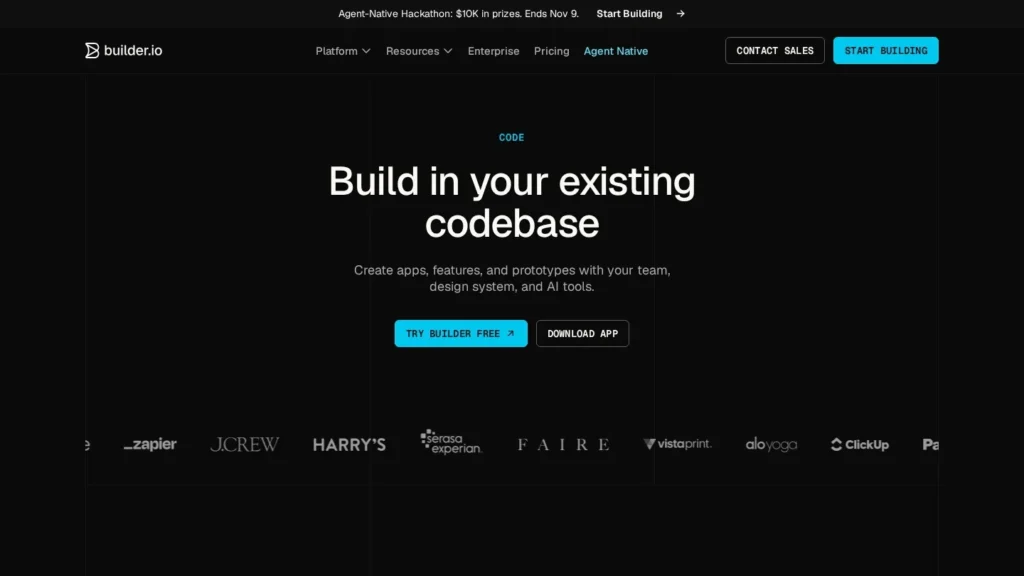
Builder.io says Fusion has turned more than 10 million designs and product requirement documents into production features, and its pitch is simple: a product manager assigns a Jira ticket to a bot, and a branch with working code comes back. Fusion 1.0, announced on November 6, 2025, also takes Figma designs and Slack requests, edits the team’s real repository on a visual canvas and fixes its own pull requests when reviewers comment.
Fusion is best for product teams with an existing React or JavaScript codebase and design system who want designers and PMs to ship interface changes without waiting on engineering for every tweak. The Slack and Jira agent starts on the $40 Team plan, credits can run out on heavy use, and engineers review everything it writes. There is a free plan, Pro starts at $24 per user per month, and we rate it 8.8/10 on our scale. We have not used Fusion ourselves; this review is based on Builder.io’s pricing page, docs, launch post and press coverage.
Ten Million Designs Shipped and Jira Tickets Turned Into Code
- Builder.io says Fusion has turned more than 10 million designs and PRDs into production features for some of the world’s largest companies.
- Assign Fusion a Jira ticket and it reads the acceptance criteria, creates a branch and implements the change; tag it on a pull request and it fixes build failures.
- Figma imports map variants to component props and tokens to CSS variables, reusing the team’s existing components.
- Pricing runs from free (60 credits) to $24 per user on Pro and $40 per user on Team, with extra credits at $25 per 500.
- Unlike v0 or Lovable, Fusion works inside your existing repository and design system rather than starting a new app.
Launch Materials and Pricing Page Figures
Builder.io has published fewer hard figures than some rivals, but its launch materials and pricing page give a clear picture of the product’s scale and costs.
| Fact | Detail | Source and Date |
|---|---|---|
| Launch | Fusion 1.0 announced by Builder.io CEO Steve Sewell | Builder.io blog, November 6, 2025 |
| Scale claimed | More than 10 million designs and PRDs turned into production features | Builder.io blog, November 6, 2025 |
| Press coverage | Launch described as connecting PM, design and code, with OpenAI, Anthropic and Google models | VKTR, November 14, 2025 |
| Git hosts | GitHub, GitLab, Bitbucket and Azure DevOps | Builder.io blog, November 6, 2025 |
| MCP integrations | Supabase, Neon, Netlify, Linear, Zapier, Figma, Builder CMS, Notion, Sentry, Context7, Semgrep and Stripe, plus custom servers | Builder.io blog, November 6, 2025 |
| Free plan | 60 credits a month, no more than 15 a day, 1 design system | Builder.io pricing, viewed November 2026 |
| Paid seats | Pro $24 and Team $40 per user per month, each with 500 credits per user | Builder.io pricing, viewed November 2026 |
| Extra credits | $25 per 500 credits on a pay-as-you-go basis | Builder.io pricing, viewed November 2026 |
| Mobile apps | Native iOS and Android apps in private beta at launch | Builder.io blog, November 6, 2025 |
| Product Hunt | Builder.io rated 4.4 out of 5 from 11 reviews; Fusion 1.0 launched there on November 7, 2025 | Product Hunt, viewed November 2026 |
The 10 million figure is a company figure without named customers, so read it as a sign of reach rather than a measure of quality. The integration list is the more useful number for buyers: four git hosts and a dozen MCP servers mean Fusion can plug into the stack most product teams already use.
The credit pricing is the number to model. At 500 credits per seat and $25 for each extra 500, a team that leans heavily on generation can double its per-seat cost without adding a single person.
Code as the Shared Output for PMs, Designers and Engineers
Fusion sits between the tools that product managers, designers and engineers already use, with code as the shared output. Code can run in the cloud for collaboration, locally for speed or in Docker containers, and enterprises can bring custom images.
Starting From a Design
- Import: bring in Figma files through the plugin; Fusion maps variants to component props and color tokens to CSS variables and reuses components it finds in your code.
- Refine on the canvas: designers adjust layout and styling on a visual canvas that edits the real code, with several people working at once.
- Send back: generated UI can be exported back to Figma so the design file stays in step.
Starting From a Ticket or a Thread
- Jira: assign a ticket to the Builder bot; it reads requirements, acceptance criteria and user stories, creates a branch and implements. Comments on the ticket can trigger further changes.
- Slack: tag the bot in a thread to request, change or review a feature; it reads the thread, links it to a project and posts previews back.
- Pull requests: tag the bot on a PR in GitHub, GitLab, Azure DevOps or Bitbucket and it fixes build failures and addresses review comments.
Context and Memory
Fusion indexes design system components and documentation so its output follows team conventions, and it keeps a memory of patterns, naming preferences and UX rules that grows with corrections. MCP servers bring in context from tools such as Supabase, Sentry or Notion, and Builder’s docs show the agent deploying a project to Netlify from a single prompt once the integration is connected.
Granular Permissions and Protected Files
Admins can set granular permissions, for example letting designers change UI components but not backend logic, protect sensitive files with glob patterns and create per-project roles on Enterprise. Marketing teams using the Builder SDK can be limited to approved page sections.
A Typical Ticket
Based on Builder.io’s description, a small change might run like this. A PM writes a Jira ticket asking for a new banner on the pricing page, with acceptance criteria for copy, color and mobile layout, and assigns it to the Builder bot. Fusion reads the ticket, finds the existing banner component in the design system, creates a branch and implements the change. A designer opens the result on the visual canvas to adjust spacing, and an engineer reviews the pull request. If the build fails or a reviewer asks for a fix, tagging the bot on the PR sends it back to work.
Engineers Still Review and Merge Every Pull Request
Fusion delivers code for review, not straight to production. Engineers still review and merge pull requests, decide architecture and handle backend work outside the agent’s permissions. PMs need to write clear tickets, since the agent works from acceptance criteria and thread context.
Per-User Plans and Credits for AI Work
Builder.io publishes per-user prices with a monthly and annual toggle. Credits are Builder’s usage measure for AI work and cover model costs plus a service margin.
| Plan | Price | Billing | What’s Included | Limits |
|---|---|---|---|---|
| Free | $0 | None | 60 credits a month, 1 design system, git hosts, Figma plugin, VS Code extension, hosting | 15 credits a day; up to 5 users; no rollovers |
| Pro | $24 per user a month | Monthly or annual | 500 credits per user, 3 design systems, rollovers, pay-as-you-go, built-in MCP servers, custom domains | Up to 5 users; standard support |
| Team | $40 per user a month | Monthly or annual | Pro plus Builder Agent in Slack and Jira, roles, comments, peer reviews, custom MCP servers, usage metrics, AI training opt-out | Up to 20 users |
| Enterprise | Custom | Contract | SSO, RBAC, privacy mode, unlimited design systems, SLAs, deployed engineering support, Azure DevOps and enterprise git | Set by contract |
| Extra credits | $25 per 500 | Pay as you go | Additional agent usage on paid plans | Billed on top of seats |
A Designer’s $24 Pro Seat and Larger Teams
These scenarios use Builder.io’s published prices. Team sizes and credit use are our own illustrative assumptions.
- A designer on Pro: one seat costs $24 a month with 500 credits. Buying another 1,000 credits in a busy month adds $50, for $74.
- A four-person product squad on Team: four seats at $40 is $160 a month with 2,000 credits. If the squad uses 3,000 credits, the extra 1,000 cost $50, for $210 a month.
- A 10-person design and front-end team: ten Team seats cost $400 a month with 5,000 credits, and Team caps out at 20 users before Enterprise is needed.
Costs to plan for beyond seats: extra credits in heavy months, Enterprise if you need SSO or privacy mode, and engineering time to review the pull requests the agent opens.
Builder.io Fusion Compared With v0, Lovable, Figma Design Agent and Magic Patterns
Most design-to-code agents start a new project from a prompt. Fusion is built to work in the codebase you already have, which changes who it suits.
| Agent | Starting Price | Free Plan | Main Strength | Main Trade-Off | Best For |
|---|---|---|---|---|---|
| Builder.io Fusion | Free; Pro $24 per user a month | Yes | Edits your real repository using your design system; Jira, Slack and PR workflows | Slack and Jira agent requires Team; credits add up | Product teams with an existing React codebase |
| v0 by Vercel | Free; Plus $30 per user a month | Limited | Fast web interfaces and prototypes deployed to Vercel | Best inside the Vercel ecosystem | Designers and front-end teams prototyping new UI |
| Lovable | Free; Pro from $25 a month | Yes | Full apps from a prompt without developers | Less suited to large existing codebases | Founders building MVPs and internal tools |
| Figma Design Agent | Included with Figma seats; from $16 a month | Limited | Works inside Figma on drafts and design-system upkeep | Stays in design files rather than code | Design teams on paid Figma plans |
| Magic Patterns | Free; Starter $20 per seat a month | Yes | On-brand interactive prototypes from your design system | Prototypes rather than production pull requests | PMs and designers testing feature ideas |
If the goal is a new app or a quick prototype, v0, Lovable or Magic Patterns are faster and cheaper to start. If the goal is shipping changes to a production front end with engineers reviewing, Fusion is the closer fit. More options are in our AI agents for design and AI coding agents guides.
Product Teams With a Mature Design System
- Product teams with a mature design system: Fusion indexes your components and follows your conventions instead of inventing new ones.
- Designers who want to ship, not hand off: Figma import and the visual canvas let designers change real UI and open it for review.
- PMs with a backlog of small UI tickets: assigning Jira tickets to the bot can clear copy, layout and component changes without pulling an engineer off larger work.
- Teams on GitHub, GitLab, Bitbucket or Azure DevOps: pull request support across four hosts fits most engineering setups.
- Marketing and content teams on Builder CMS: the SDK lets them update pages and run tests within approved sections.
Founders Without a Codebase May Start Elsewhere
- Founders without a codebase: a prompt-to-app builder such as Lovable gets to a working product faster.
- Teams outside JavaScript frameworks: Fusion is described as working with React and other JavaScript frameworks.
- Small teams on a tight budget that want the Slack and Jira bot: it starts at $40 per user on Team.
- Organizations requiring SSO from day one: SSO, RBAC and privacy mode are Enterprise features.
Credit Use and Features on Higher Plans
- Credit burn: credits cover model costs plus a margin; track usage in the first month before setting budgets.
- Plan tiers: the Slack and Jira agent and the AI training opt-out start on Team, and the opt-out is on by default for Enterprise.
- Code review load: an agent that opens pull requests shifts work to reviewers. Plan who approves agent PRs and how fast.
- Permissions: set file protections and role limits before giving designers and PMs access to production repositories.
- Early public reviews: Product Hunt shows 11 reviews for Builder.io, so ask for references from teams of your size.
Fusion 1.0 Brings Slack and Jira Handoffs
- On November 14, 2025, VKTR covered the Fusion 1.0 launch, reporting Slack and Jira handoffs, a context engine for APIs and design systems, and support for OpenAI, Anthropic and Google models.
- On November 7, 2025, Fusion 1.0 launched on Product Hunt.
- On November 6, 2025, Builder.io announced Fusion 1.0 as an AI agent for product, design and code, with native mobile apps in private beta.
Teams With an Existing Front End Get the Most
For product teams with an existing front-end codebase and design system, yes. Fusion scores 8.8/10 on our scale: high on autonomy and integrations because it turns tickets and designs into pull requests across four git hosts, lower on trust and security because SSO and privacy mode require Enterprise. The free plan and $24 Pro seat make it cheap to test on a real repository.
The most useful features, the Slack and Jira agent, sit on the $40 Team plan, so budget for that tier and some extra credits. Start with a backlog of small UI tickets, measure how many agent pull requests merge without rework, and expand from there.
Fusion’s Free Plan and Per-Seat Prices
How Much Does Builder.io Fusion Cost?
Fusion has a free plan with 60 credits a month. Pro costs $24 per user per month and Team $40 per user per month, each with 500 credits per user. Extra credits cost $25 per 500, and Enterprise is custom.
Does Fusion Work With My Existing Codebase?
Yes, that is its main design. Fusion connects to GitHub, GitLab, Bitbucket or Azure DevOps, indexes your design system and reuses existing components. Builder.io describes it working with React and other JavaScript frameworks.
Can Fusion Turn Figma Designs Into Code?
Yes. Figma imports map variants to component props and color tokens to CSS variables, and generated UI can be exported back to Figma.
Does Builder.io Train AI on My Code?
Team plans include an AI training opt-out, and Enterprise has training opt-out on by default along with privacy mode, SSO and RBAC. The opt-out starts on the Team plan.
How Is Fusion Different From v0 or Lovable?
v0 and Lovable mostly start new interfaces or apps from a prompt. Fusion works inside an existing repository and design system, takes work from Jira and Slack, and returns pull requests for engineers to review.


User Reviews
Nobody has rated it here yet. Be the first AI Agents Choice user to rate Builder.io Fusion.