
An Ops Bot That Files the Invoices From Gmail
One example xAI gives is an ops Bot. It seats new hires and processes invoices straight from Gmail. A sales Bot updates CRM notes and drafts follow-ups. An engineering Bot reproduces a bug, files the ticket and hands off the fix.
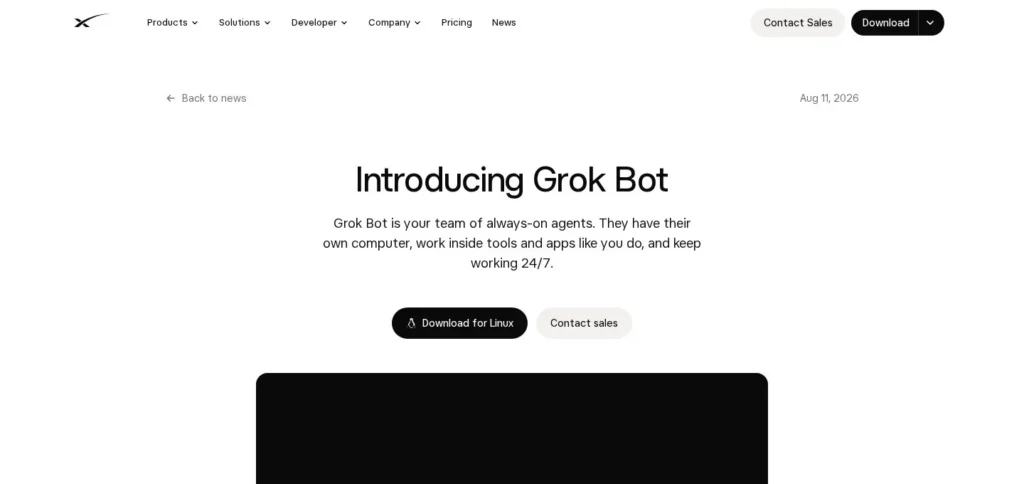
These are Grok Bots. xAI launched them in beta on August 11, 2026 and released Grok Bot 1.0 on November 2, 2026. Each Bot has its own cloud computer, so work goes on after you walk away. We read xAI’s launch post, the 1.0, enterprise and Team Bots posts, and The X Subscription post. We rate Grok Bot 8.2/10 on our scale.
Grok Bot Facts Buyers Check
- First release: August 11, 2026; version 1.0 on November 2, 2026.
- Apps: macOS download and iOS, plus Slack, Teams and video calls.
- Plans: SuperGrok tiers, Cursor Pro, Pro+ and Ultra, Cursor Teams.
- Usage: Bots have their own pool apart from Grok and Cursor.
- Teams: Team Bots on Team and Enterprise plans, in public beta.
- Enterprise: launched September 3, 2026, priced through sales.
Sources Used for Grok Bot
| Fact | Detail | Source |
|---|---|---|
| Core tasks and plans | Own computer, routines, Bot teams | xAI launch post |
| Version 1.0 | Proactive work, meetings, smarter approvals | Grok Bot 1.0 |
| Enterprise | No default access, isolated environments | Grok Bot for Enterprise |
| Team Bots | Context, plugins, credentials, memories | Team Bots |
| Bundle prices | Plus $8 up to Ultra $200 a month | The X Subscription |
What a Grok Bot Is
xAI calls Grok Bot a team of always-on agents. Each Bot works inside the tools you use and keeps going around the clock. It finishes a job end to end. It only comes back when something needs your approval or your judgment. You can message it from your phone or desktop and keep the same thread on both.
How a Bot Learns and Runs a Job
Step 1: Sign It Into Your Tools
A Bot has no access by default. It reaches only the accounts you sign it into. That can include sites with no clean API or MCP.
Step 2: Show It the Workflow Once
You walk a Bot through a task one time. It saves the steps as a routine and takes your corrections.
Step 3: Let It Run
Later it runs the routine on its own computer. Version 1.0 lets Bots spot work that needs doing and follow up on unfinished tasks.
Step 4: Approve What Matters
Bots ask before sensitive actions. In 1.0 they also notice when an action is already approved, so they interrupt you less.
Step 5: It Remembers
A Bot keeps chat context, learns your preferences, picks up dropped threads and resumes past work.
Features in Version 1.0
Proactive Work
Bots find tasks that need doing and bring in people when a decision needs human judgment.
Meetings
Bots join video calls and take part through chat. They pull in details from earlier conversations. Meetings come on Team, Enterprise and Ultra plans. Enterprise admins switch the feature on.
Better Output
xAI lists better browser use, better writing and presentations, and interactive Pages that you can edit. Links to Gmail, Google Calendar and GitHub improved too.
Team Bots for Shared Work
Team Bots are built around a role a team shares. Everyone uses the same Bot, and each person can also work with it one to one.
| Part | What it holds |
|---|---|
| Context | Files, instructions and skills such as brand guides |
| Plugins | Links to Salesforce, Notion, GitHub and more |
| Credentials | Secure access to APIs with no plugin |
| Memories | What the Bot learns in its role over time |
Each Team Bot has its own Slack handle, so you can invite it to a channel. Each person’s chats with it stay private. The Bot keeps separate memories per user while drawing on shared team skills. xAI ships pre-built Team Bots for sales, product management, marketing and data analytics.
Team Bot Examples From xAI
- Sales and success: nightly research and morning briefs in account channels.
- Product and engineering: tracks decisions, triages bugs, files tickets and starts coding agents.
- Marketing: checks drafts against brand rules and makes approved site and SEO updates.
- Data: answers data questions with read-only queries on approved tables.
Setup for Companies
Grok and Cursor Enterprise customers turn Grok Bot on from the admin dashboard at cursor.com/dashboard/bot. They can invite the whole company, including people with no seat. Admins also control what a Team Bot knows and can see usage analytics.
Plans and Prices
Grok Bot comes with SuperGrok, SuperGrok Plus and SuperGrok Heavy. It also comes with Cursor Pro, Pro+ and Ultra, and Cursor Teams Standard and Premium. Bot work has its own usage, so it does not eat into your Grok or Cursor limits.
| X Subscription tier | Monthly price |
|---|---|
| Plus | $8 |
| Premium | $30 |
| Super | $100 |
| Ultra | $200 |
xAI’s X Subscription post says Grok Bot is part of the bundle. It does not say which tier gives Bot access. Team Bots need a Team or Enterprise plan. Enterprise pricing is through sales.
Guardrails Around Each Bot
A Bot begins with no access. Each user’s work runs in its own isolated environment, apart from every other user. Bots respect each user’s permissions. They check whether content is right for a public channel before posting. The enterprise release adds access, network and audit controls. xAI links a BAA, a DPA and a security architecture document from its enterprise post.
Results xAI Reports
xAI wrote about pointing Grok Bot at procurement work and says it saved more than $100,000 in direct costs. Another post covers SpaceXSI rebuilding its support team around Grok Bot. Both are xAI’s own accounts.
Grok Bot Gaps to Check
Team Bots are still a public beta. The apps xAI links are for macOS and iOS. Enterprise prices are not public. The X Subscription post also leaves open which tier includes Bots, so confirm before you buy.
Teams That Gain the Most
Companies already on Cursor or SuperGrok get Bots at no added cost. Sales teams gain from nightly account research. Product teams gain from bug triage and ticket filing. Data teams gain from read-only answers on approved tables.
Teams That May Skip It
Groups that need a firm price list up front may want a quote first. Teams on Android phones should check app support.
Grok Bot Next to Other Agents We Cover
| Agent | Runs on | How you reach it |
|---|---|---|
| Grok Bot | Its own cloud computer | macOS, iOS, Slack, Teams |
| Gemini Spark | Google’s remote browser | Gemini app |
| Manus | Vendor cloud | Web and apps |
| Lindy | Vendor cloud | Slack, email and text |
| Claude Duet | Its own cloud machine | iOS, Android, web |
Scoring Grok Bot at 8.2
Autonomy and integrations score high, since Bots spot work, join calls and act in any app they can sign into. Trust rose with the enterprise controls. Pricing loses a little for quote-only enterprise plans. User sentiment is neutral until review scores exist.
Grok Bot Questions From Ops Leads
Does Grok Bot Use My SuperGrok Limits?
No. Bots have their own usage, separate from Grok and Cursor.
Can a Bot Work in a Site Without an API?
Yes. Bots sign into apps and websites the way you do.
Can My Whole Team Share One Bot?
Yes. Team Bots on Team and Enterprise plans are shared, and each person’s chats stay private.
Can a Bot Join Our Meetings?
Yes. Bots join video calls through chat on Team, Enterprise and Ultra plans.
What Can a Bot Reach by Default?
Nothing. It only reaches the accounts you sign it into.
Where Do Enterprises Turn It On?
In the admin dashboard at cursor.com/dashboard/bot.


User Reviews
Nobody has rated it here yet. Be the first AI Agents Choice user to rate Grok Bot.