
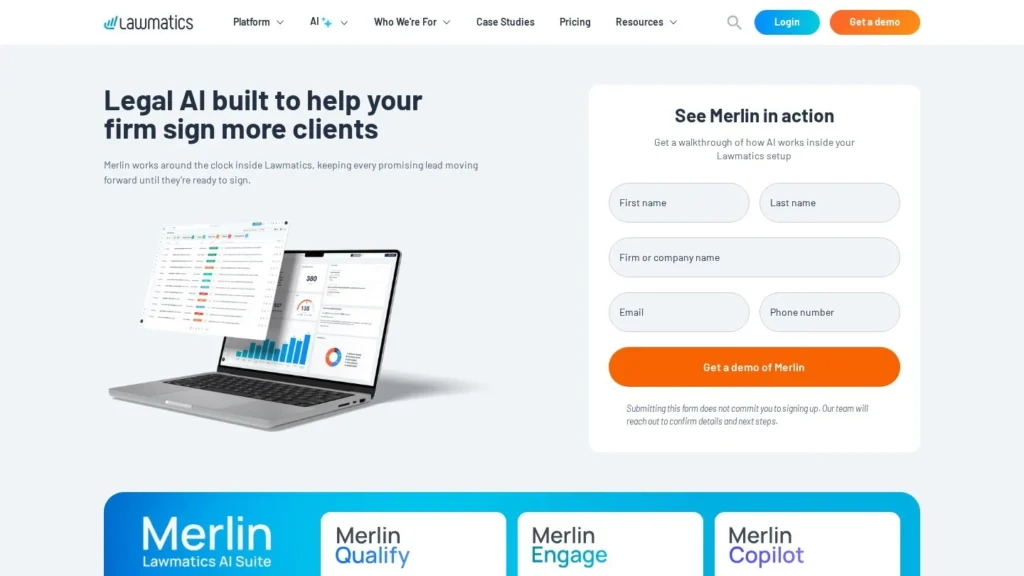
Merlin Qualify Puts a Score on Every Law Firm Lead
One Lawmatics customer described its intake team spending hours reviewing leads one by one before QualifyAI arrived. Lawmatics released the agent on February 3, 2026, and now markets it as Merlin Qualify: it scores each inquiry against criteria the firm writes, attaches its reasoning and moves the best cases to the top of the queue. A score can trigger the firm’s existing Lawmatics automations for routing, follow-ups and next steps.
Pricing is unusually clear for legal software: credits start at $150 a month for 50 qualified leads and fall to $1.50 a lead at the top tier. The limits for new buyers are the base Lawmatics subscription, which is quoted, and the fact that the outreach agent that would write back to leads is still marked coming soon. It scores 8.3 out of 10 on our scale.
Merlin Qualify Points for Intake Managers
- Lawmatics released the agent as QualifyAI on February 3, 2026, to all customers as an add-on.
- It scores each inquiry against criteria the firm sets and explains every score.
- Scores can trigger routing, follow-up and next-step automations in Lawmatics.
- Credits start at $150 a month for 50 leads, on top of a quoted Lawmatics subscription.
- Lawmatics holds 4.6 out of 5 from 50 Capterra reviews.
Lawmatics AI Releases, Dated
We lined up the release dates and published terms for Lawmatics’ Merlin agents. Each row links to the source.
| Date or Item | Detail | Source |
|---|---|---|
| February 3, 2026 | QualifyAI available to all customers as an add-on after a beta | Lawmatics blog |
| March 24, 2026 | AI suite announced: QualifyAI live; EngageAI and MerlinAI expected in coming months | GlobeNewswire release |
| Current naming | Merlin Qualify, with Merlin Engage and Merlin Copilot marked coming soon | Lawmatics Merlin Qualify page |
| Entry credit tier | 50 credits for $150 a month | Lawmatics Merlin Qualify page |
| Top credit tier | 500 credits for $750 a month, $1.50 per lead | Lawmatics Merlin Qualify page |
| Base platform | Quoted; Essential and Premium need 3 users, Enterprise 5 | Lawmatics pricing |
| Customer result | Conversion rose from 23% to 68% at one firm using Lawmatics with Engage and Qualify | Lawmatics Merlin Qualify page |
| User rating | Lawmatics 4.6 out of 5 from 50 reviews | Capterra |
The customer result needs a careful read. Lawmatics attributes the jump from 23 to 68 percent to the whole platform plus both Merlin agents, so it is not a Qualify-only figure. A second testimonial, from Levinson & Stefani, credits Lawmatics with cutting manual intake work by about 75 percent without naming the AI.
In the March release, Glenn Gilmour, director of operations at Johannesmeyer & Sawyer, said his firm saw better-quality leads, higher conversion and close rates, and less time lost on poor-fit inquiries after adopting QualifyAI. CEO Matt Spiegel framed the problem plainly: firms lose clients through slow or uneven intake, not bad lawyering.
How Merlin Qualify Scores an Inquiry
Writing the Criteria
The firm sets the rules: accepted practice areas, case types, client profile, disqualifiers and the intake signals that matter, such as urgency or engagement. A personal injury firm might accept motor vehicle and premises cases in two states and reject anything older than the statute of limitations.
Scoring Every Lead the Same Way
Qualify applies those rules to each inquiry that reaches Lawmatics. Lawmatics stresses consistency: the 9 p.m. web form gets the same review as the 10 a.m. phone lead that was typed in by staff.
Explaining the Score
Each score comes with clear reasoning, so an intake specialist can see why a lead ranked high or low. This matters in legal intake, where a wrongly rejected client is a lost case and a wrongly accepted one wastes attorney time.
Triggering the Next Step
Recommendations can fire Lawmatics automations for routing, follow-ups and next steps. A high score might route the lead to a senior intake specialist and start a consult-booking sequence; a low score might start a polite referral message the firm has already written.
Tuning Over Time
Teams can refine criteria as results come in, for example tightening a geography rule after a month of out-of-state leads.
A Monday Morning Intake Queue With Merlin Qualify
This example shows how the documented features fit together at a personal injury firm. It uses only what Lawmatics describes.
- Over the weekend. Forty-two inquiries arrive through web forms and the firm’s ads. Qualify scores each one against the firm’s criteria as it lands.
- 8:00 a.m. The intake manager opens a ranked queue. The top six are recent motor vehicle cases in the firm’s states, each with a short explanation of why it scored high.
- 8:05 a.m. Routing automations have already assigned those six to senior intake staff and started the consult-booking sequence.
- 8:30 a.m. Fourteen low-scoring inquiries, such as out-of-state or out-of-scope matters, sit in a review list. A staff member checks the reasons and sends the firm’s referral messages.
- Friday. The manager notices several employment questions scored low that the firm now wants, and updates the criteria.
The time saved is the reading. Staff still make the calls and the decisions, but they start with the best leads.
Writing Qualification Criteria Lawmatics Can Apply
Qualify is only as good as the rules it follows. Lawmatics names practice area fit, urgency and engagement signals as typical inputs, alongside case types, client profile and disqualifiers. In practice, criteria work best when each one can be answered from what a lead actually writes or says.
- Practice area and case type. List what you accept, such as “motor vehicle, premises liability, dog bite.”
- Geography. Name the states or counties you serve.
- Timing. Flag incidents near the end of the filing window as urgent, and very old ones as likely disqualified.
- Disqualifiers. Write the common reasons you decline, such as an existing attorney or a matter type you never take.
- Engagement. Treat a detailed description and a working phone number as positive signals.
Start with five to eight rules. Too many early on make the reasoning harder to check.
Measuring Merlin Qualify Over 30 Days
A one-month test on the 50 or 100 credit tier gives enough data to decide. Track three numbers: how often Qualify’s top-ranked leads became signed clients, how often a low score hid a good case, and how much time the intake team spent reviewing leads compared with the month before. If good cases are slipping through with low scores, adjust the rules before letting scores drive routing on their own.
The Merlin Agents Still to Come
Qualify is the first of three Merlin agents. Merlin Engage is an outreach agent that writes and sends personalized follow-ups across email, phone, text and chat and keeps the conversation going within limits the firm sets. It requires Qualify and is marked coming soon. Merlin Copilot is a chat assistant that builds automations and reports and answers questions from live firm data; it is also marked coming soon and will be priced per user.
For buyers, the order matters. Qualify alone tells your team which leads to call first. With Engage, the agent would also make the first contact. Firms with small intake teams may want to plan for both, since Engage needs Qualify.
Merlin Qualify Compared With Superpanel, Clio Work and Filevine LOIS
| Agent | Starting Price | Main Job | Main Strength | Main Limit |
|---|---|---|---|---|
| Lawmatics Merlin Qualify | $150 per month for 50 leads plus Lawmatics | Lead scoring and routing | Published per-lead prices, explained scores | Outreach agent still coming |
| Superpanel | Custom quote | Legal intake | Built for client intake end to end | No published price |
| Clio Work | Custom quote (launched at $199 per user per month) | Legal work inside Clio | Large practice management base | Not focused on lead scoring |
| Filevine LOIS | Free tier; paid by quote | Case work inside Filevine | Free starting point | Centered on case files |
Qualify is the only one here priced per lead in public, which makes budgeting simpler for a marketing-driven firm. Superpanel goes further into intake conversations. Clio Work and Filevine LOIS act on matters once a client is signed. See our law firm agents page for more.
What Merlin Qualify Costs at Different Lead Volumes
| Monthly Credits | Price | Per Lead | Overage per Lead |
|---|---|---|---|
| 50 | $150 | $3.00 | $4.00 |
| 100 | $250 | $2.50 | $3.00 |
| 200 | $400 | $2.00 | $2.66 |
| 350 | $600 | $1.71 | $2.00 |
| 500 | $750 | $1.50 | $1.50 |
Picking a Tier for Five Kinds of Firm
We worked out the cheapest tier for each monthly lead count, allowing for overage.
| Firm | Leads per Month | Cheapest Option | Monthly Cost | Cost per Lead |
|---|---|---|---|---|
| Solo estate planning practice | 40 | 50-credit tier | $150 | $3.75 |
| Small family law firm | 80 | 100-credit tier | $250 | $3.12 |
| Growing employment firm | 120 | 100 tier plus 20 overage | $310 | $2.58 |
| Personal injury firm with ads | 300 | 350-credit tier | $600 | $2.00 |
| Multi-office injury firm | 450 | 500-credit tier | $750 | $1.67 |
Two findings stand out. At 120 leads, paying overage on the 100 tier ($310) beats moving up to the 200 tier ($400). At 300 leads, the 350 tier ($600) beats the 200 tier plus overage ($666). Set against the value of a single signed injury case, a few dollars per lead is small; the bigger cost is the Lawmatics subscription underneath, which needs a quote.
How the Lawmatics Platform Fee Shapes the Real Cost
Qualify’s credit prices are only part of the bill. Lawmatics sells the platform itself on Essential, Premium and Enterprise plans by quote. Essential and Premium need at least three users and Enterprise five. Essential covers client intake, lead management, calendaring, forms, e-signature and tasks with 500 contacts. Premium adds workflow and marketing automation, SMS, round-robin scheduling and custom reporting with 10,000 contacts.
Because Qualify’s value comes from triggering routing and follow-up automations, most firms will want Premium, where workflow automation is included. AI features and SMS are marked as add-ons for an extra fee. A promotion offers one month free through a demo request. Ask for the platform quote and the Qualify tier together so the per-lead figure reflects the full cost.
Firms That Fit Merlin Qualify
Plaintiff firms that buy advertising, such as personal injury, mass tort, workers’ compensation and employment, get the most. Their inquiry volume is high, many leads are poor fits, and the best cases are worth calling within minutes. A score and a routing rule put those cases first.
Multi-practice firms gain too, since one set of criteria can send a family law lead to one team and a criminal defense lead to another. Firms already on Lawmatics can add Qualify without changing systems.
Firms with evening and weekend lead flow benefit as well. Inquiries that arrive when nobody is at the desk are scored on arrival, so the Monday queue starts in order and the first calls go to the cases most likely to sign. For firms paying per click or per lead on advertising, the score also gives a quick read on which campaigns bring in qualified inquiries, since each lead carries a reasoned score that marketing staff can review.
When a Firm May Want to Wait on Merlin Qualify
Firms that receive a few inquiries a week can review them by hand in less time than it takes to tune criteria. Firms on another CRM would need to adopt Lawmatics, which reviewers say takes time to set up. Firms that most need the agent to call or text leads back should watch for Merlin Engage, which is marked coming soon.
Criteria, Review and Setup Points for Lawmatics Buyers
- Write criteria carefully. The agent follows your rules, so vague rules give vague scores.
- Check the reasoning. Read explained scores for the first few weeks and tighten rules where it disagrees with your best intake specialist.
- Keep a person on rejections. Use low scores to route leads, and keep a human check before turning anyone away.
- Budget the platform. Lawmatics requires three users on Essential and Premium, and AI features and SMS are add-ons.
- Plan setup time. Capterra reviewers mention a learning curve and time-consuming automation building.
What Capterra Reviewers Say About Lawmatics
Lawmatics holds 4.6 out of 5 from 50 Capterra reviews, with 80 percent likely to recommend it. Sub-scores are 4.6 for support, 4.5 for value, 4.4 for features and 4.2 for ease of use. Reviewers praise the automation tools, tracking of emails, calls and texts with emails saved to case files, and a pipeline view that keeps cases moving. Complaints include a learning curve, time spent building automations, limited layout options, e-signing and billing gaps, and pricing some see as high.
Merlin Qualify’s Place on Our Scale
Merlin Qualify scores 8.3 out of 10 on our scale. User sentiment for Lawmatics is strong, and pricing value is helped by public per-lead rates. Autonomy is moderate because the agent scores and triggers automations without contacting leads itself yet. Ease of setup is lower because the agent needs the Lawmatics platform first.
For a Lawmatics firm with more than a few dozen inquiries a month, the 50 or 100 credit tier is a low-cost test. Compare its rankings with your intake team’s for a month before letting scores drive routing. If Merlin Engage arrives during your test, judge it separately, since it adds outreach on top of scoring.
Law Firm Questions About Merlin Qualify
Is Merlin Qualify the Same as QualifyAI?
Lawmatics launched QualifyAI in February 2026 and now presents the lead-scoring agent as Merlin Qualify, with the pricing section on the same page still titled QualifyAI.
How Much Does Merlin Qualify Cost?
From $150 a month for 50 qualified leads up to $750 for 500, plus a Lawmatics subscription priced by quote.
Does Merlin Qualify Contact Leads?
It scores leads and can trigger existing Lawmatics automations such as follow-ups. The dedicated outreach agent, Merlin Engage, is marked coming soon.
Can We Set Our Own Qualification Rules?
Yes. Firms define practice areas, case types, client profile, disqualifiers and key signals, and can adjust them over time.
Will Merlin Qualify Reject Clients Automatically?
It scores and ranks leads and can trigger automations the firm sets up. Firms decide what happens with low scores, and a human check before declining anyone is a sensible rule.
Does It Work With Clio or MyCase?
Lawmatics lists integrations with Clio, MyCase and Filevine. Qualify itself runs inside Lawmatics.
User Reviews
Nobody has rated it here yet. Be the first AI Agents Choice user to rate Lawmatics Merlin Qualify.