
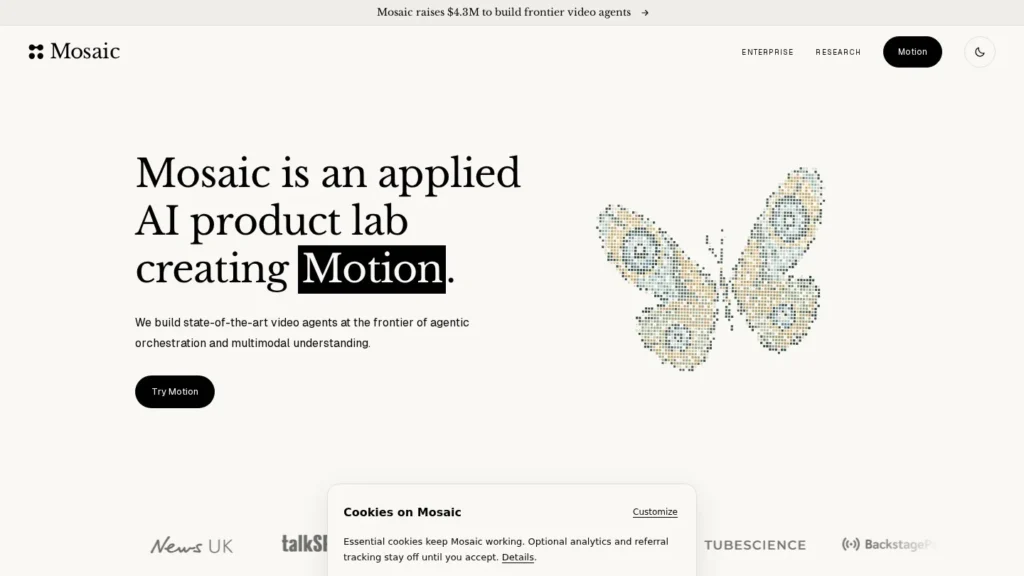
Mosaic suits media teams and creators who edit the same kind of video again and again and want that edit turned into a reusable agent. Its founders say the node-based canvas handles roughly 80 to 90% of an edit automatically, and finished timelines export to DaVinci Resolve, Premiere Pro or Final Cut Pro. Signing up is free, and a paid plan was reported at $25 a month.
Mosaic is a young, five-person Y Combinator startup, outputs vary from run to run, and public ratings on major review sites have not appeared yet. We rate it 8.2/10 on our scale. We have not used Mosaic ourselves; this review is based on Mosaic’s API documentation, its founders’ launch post, its Y Combinator profile and an independent review.
Reusable Editing Agents Built From Canvas Tiles
- Edits are built as reusable agents on a canvas of tiles such as Rough Cut, Clips, Montage and Motion Graphics.
- The founders say agents handle roughly 80 to 90% of an edit, with XML export to Resolve, Premiere Pro and Final Cut Pro.
- An API adds YouTube triggers, webhooks and social publishing, so edits can run without anyone opening the app.
- Free sign-up; a paid plan was reported at $25 a month, with AI runs metered in credits.
- A five-person YC Winter 2025 startup with non-deterministic output and file limits of 20 GB and 90 minutes.
Team Size, Product Limits and Early Recognition
Mosaic is an early-stage company, so its public numbers describe the team, the product limits and early recognition rather than customer counts.
| Fact | Detail | Source and Date |
|---|---|---|
| Founded | 2024, in San Francisco | Y Combinator profile, checked November 2026 |
| Team size | 5 employees listed | Y Combinator profile, checked November 2026 |
| Founders | Adish Jain and Kyle Wade, former Tesla engineers | Y Combinator profile and Launch HN post, checked November 2026 |
| Accelerator | Y Combinator Winter 2025 batch | Launch HN post, checked November 2026 |
| Automation share | The canvas aims to handle roughly 80 to 90% of an edit automatically, according to the founders | Launch HN post, checked November 2026 |
| File limits | 20 GB and 90 minutes per file, per the founders | Launch HN post, checked November 2026 |
| Localization | Linguist agent dubs and localizes into more than 30 languages with voice cloning and lip sync (reported) | MakerStack review, March 2, 2026 |
| Recognition | Best demo in its Y Combinator batch and a $25,000 prize in a Google Gemini Kaggle competition (reported) | MakerStack review, March 2, 2026 |
| Reported price | $25 a month for full AI capabilities; free sign-up with paywalled AI runs | MakerStack review, March 2, 2026 |
| Developer API | Endpoints for agents, agent runs, avatar profiles, triggers, webhooks, credits, plans and social publishing | Mosaic API docs, checked November 2026 |
For a buyer, the 80 to 90% figure is the headline, but it is the founders’ own aim for the canvas, not a measured result. The file limits are more concrete and matter more for media teams: a 90-minute cap fits most podcasts and interviews but not long event recordings or raw multi-camera shoots.
Team size is the main thing to weigh. A five-person company can move fast, and buyers should expect a small support desk and should keep their footage and project files exportable, which Mosaic’s XML export makes easier. The recognition items, best demo in its batch and a Kaggle prize, show technical ability, and a pilot will show how the product holds up under a newsroom’s weekly load.
A Node-Based Canvas Instead of a Prompt Box
Mosaic replaces the single prompt box common in AI video tools with a node-based canvas. Each tile is one configurable editing operation, and tiles connect into a workflow that Mosaic calls an agent.
Rough Cut, Montage, Clips and Motion Graphics Tiles
- Pick tiles: named tiles include Rough Cut, Montage, Clips and Motion Graphics, alongside captioning, dubbing and B-roll steps.
- Start from a template: MakerStack lists pre-built agents for turning long videos into short clips, for localization with voice cloning and lip sync, and for adding B-roll, music and captions.
- Branch and compare: run two prompts, models or workflows on the same footage in parallel and keep the better one.
- Save and reuse: the same agent runs on every new episode, interview or webinar.
How the Agent Decides
Mosaic combines multimodal AI models with traditional computer vision and audio analysis: saliency, motion analysis, object detection and audio analysis. Those signals become context for the agent. The founders’ example is caption placement, where a tool finds low-saliency, low-motion regions of the frame so captions do not cover faces or action. MakerStack reports that Mosaic uses models including Google Veo 3, Kling 1.6 and Gemini 2.5 Pro.
Running Without the App
The API turns agents into automation. A developer can start agent runs, create reusable AI avatar profiles, set triggers that fire when a new YouTube video is published, receive webhook status updates, upload assets and publish posts to connected social accounts with analytics. That is what makes Mosaic an agent rather than an editor with AI buttons: a new upload can become clips and posts without anyone opening the canvas.
Sign Up Free, Open the Canvas, Upload an Episode
- Create an account: sign up free and open the canvas; no credit card is needed to build.
- Upload footage: add a recent episode or interview, or connect cloud storage such as Google Drive or Dropbox.
- Build or pick an agent: start from a pre-built agent or connect tiles for your own format, then save it.
- Pay for runs: choose a paid plan to run AI tiles, then compare the output with your current edit.
- Automate: generate an API key, set a YouTube trigger or webhook, and connect social accounts if you want posts published automatically.
Where It Fits in a Media Workflow
For a publisher or podcast network, Mosaic sits between recording and publishing. Footage comes in from the recording tool, a saved agent produces a rough cut, clips, captions or a dubbed version, and the result either goes to an editor through XML or straight to social channels through the API. It does not record, host or distribute video, so it works alongside a recording platform and a video host rather than replacing them.
Final Polish Happens on the Inline Timeline
Finishing. The founders position the canvas as doing most of the edit and the inline timeline as where people refine it. Early Hacker News commenters found a sample edit basic, without transitions or music, so plan on an editor reviewing pacing, music and brand details before anything goes out.
Price Details From the Launch Post and Docs
Mosaic’s public pages say little about price. These are the terms we could confirm from the founders’ launch post, the API docs and an independent review.
| Plan | Price | Billing | What’s Included | Limits |
|---|---|---|---|---|
| Free sign-up | $0 | None | Canvas and editor access, no credit card | AI tile runs are paywalled |
| Paid plan (reported) | $25 per month | Monthly | All agents and tiles, full AI capabilities, XML export | Usage metered in credits; per-file limits of 20 GB and 90 minutes |
| API access | Uses account credits | Per account | Agent runs, triggers, webhooks, avatar profiles, social publishing | Credit balance and plan reported through the API |
Because runs draw down credits, the real monthly cost depends on how many minutes you process and which tiles you use. Test a typical week of content first and note the credit balance before and after.
Clipping a Weekly Podcast on the Reported $25 Plan
These scenarios use the reported $25 monthly price; the team setups are our assumptions, and credit top-ups are not included.
- A solo podcaster clipping one episode a week: $25 a month, or $300 a year, if the plan’s credits cover four or five episodes.
- A three-person media team with separate accounts: $75 a month, or $900 a year, before any extra credits for dubbing or B-roll.
- Compared with simpler clip tools: OpusClip starts at $15 a month and Underlord by Descript at $16 a month on our listings, so Mosaic costs about $9 to $10 more a month for its workflow canvas and API.
Before paying for a team, ask Mosaic four questions in writing: how many credits each plan includes, what one minute of each tile costs, whether seats are priced separately from credits, and what happens to saved agents and media if you cancel. The API already reports credit balances and plan details, so a developer can also log usage per run during the pilot.
Other costs include credit top-ups, the time to build and tune workflows, and editor time to finish outputs that vary between runs.
Mosaic Compared With OpusClip, Underlord by Descript and Riverside Agents
Mosaic’s closest rivals are AI video tools that media teams already use for clipping and editing. The difference is how much of the workflow you can design and automate yourself.
| Agent | Starting Price | Free Plan | Main Strength | Main Trade-Off | Best For |
|---|---|---|---|---|---|
| Mosaic | Free sign-up; $25/month reported | Limited | Reusable node workflows, API triggers and XML export to pro editors | Young product; outputs vary between runs | Teams automating the same edit on every video |
| OpusClip | Free; paid from $15/month | Yes | Fast long-to-short clipping with free plan and trials | Credits run out quickly on heavy workloads | Publishers and podcasters needing steady social clips |
| Underlord by Descript | $16/month (Hobbyist, billed annually) | Limited | Works inside a text-based editor many creators know | Actions draw down a monthly AI credit allowance | Podcasters and marketers editing talking-head video |
| Riverside Agents | Free; paid from $24/month billed annually | Yes | Agents work where the episode is recorded | Agents launched in late October 2026 | Shows recorded in Riverside |
OpusClip is simpler and cheaper for pure clipping. Underlord suits teams that like editing by transcript. Riverside Agents make sense if you already record there. Mosaic is the strongest fit when you want to design the workflow yourself, branch and test it, and run it automatically through an API. XML export to Resolve, Premiere Pro and Final Cut Pro also matters for teams whose editors finish in those tools. The trade-off is maturity, since Mosaic is a five-person startup and its product was described as a public beta in early 2026. More options are in our AI agents for media and video AI agents guides.
Media Teams With Weekly Repeatable Formats
- Media teams with repeatable formats: a weekly show or interview series can run through the same saved agent every time.
- Teams that finish in pro editors: XML export to Resolve, Premiere Pro and Final Cut Pro lets Mosaic do the rough work and editors do the polish.
- Developers building content pipelines: triggers, webhooks and social publishing make it possible to process new uploads automatically.
- Publishers going multilingual: localization with voice cloning and lip sync is offered as a pre-built agent.
- Teams that like testing: parallel branches make it easy to compare prompts or models on the same footage.
Productions Needing Identical Output and Strict Procurement
- Productions that need identical results every time: outputs are non-deterministic.
- Large media companies with strict procurement: security documentation is still limited, as is common for a five-person startup.
- Raw footage over 90 minutes or 20 GB per file: the founders cited these limits.
- Creators who only want quick clips: OpusClip is simpler and has a free plan.
Variable Edits and Credit Costs to Track
- Variable output: the same workflow can produce different edits, which complicates brand consistency.
- Credit costs: public pages do not yet spell out credits per tile or per minute, so run a pilot and track usage.
- Company size: five people on the Y Combinator profile means a small support team.
- Rights and likeness: avatar profiles and voice cloning need consent from the people featured; set a policy before using them.
- Browser-based workflow: early users asked for a desktop app for large media, and some reported sign-up problems outside Chrome.
- Early feedback: a Hacker News moderator flagged many positive comments on the launch post as likely coordinated, so independent reviews will be a better guide as they arrive.
A Trial Run Makes Sense for Weekly Video Teams
Mosaic is worth a free trial for media teams that produce the same kind of video every week and want that edit automated. It scores 8.2/10 on our scale: good autonomy, a real API and open export, with company maturity, security documentation and public ratings as the areas still to build.
Start by rebuilding one recurring edit, such as clipping a weekly episode, as a Mosaic agent. Run it on three or four past episodes, compare the output with what your editor produced, and track how many credits each run uses before paying for a team.
If the pilot works, the API is where Mosaic earns its place: a trigger on new uploads that produces clips and captions overnight saves more editor time than any single feature in the canvas. If the pilot shows heavy rework on every output, a simpler clip tool will likely serve the team better for now.
Export to Premiere and File Size Limits
Is Mosaic Video Editing Free?
Signing up and using the canvas and editor is free with no credit card, but running AI tiles requires a paid plan. MakerStack reported a $25 monthly plan in March 2026 that includes every agent and XML export.
Can Mosaic Export to Premiere Pro or DaVinci Resolve?
Yes. Mosaic exports timelines as XML to DaVinci Resolve, Adobe Premiere Pro and Final Cut Pro, and uses proxy transcoding so exported projects can relink to full-quality media.
What Are the File Size Limits in Mosaic?
The founders cited limits of 20 GB and 90 minutes per file in their launch discussion. Very large raw footage, such as a terabyte of material, was not supported at the time.
Does Mosaic Have an API for Automated Editing?
Yes. The API covers agents, agent runs, avatar profiles, triggers that fire on new YouTube videos, webhooks, asset uploads, credits, plans and social publishing with analytics. Keys use a bearer token with an mk_ prefix.
How Is Mosaic Different From OpusClip?
OpusClip focuses on turning long videos into short clips with a free plan. Mosaic lets you build multi-step editing workflows on a canvas, including rough cuts, dubbing and motion graphics, run them automatically and export to professional editors.
User Reviews
Nobody has rated it here yet. Be the first AI Agents Choice user to rate Mosaic.