
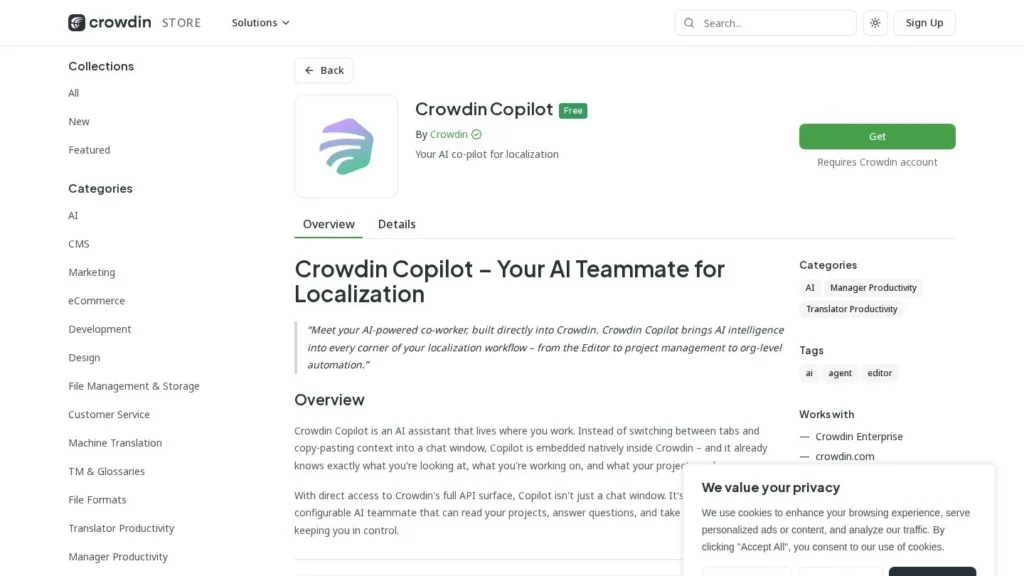
Crowdin Copilot costs nothing to install and runs on Anthropic’s Claude models with up to a 1 million token context window. Released in the Crowdin Store on March 2, 2026, it does more than answer questions: it creates tasks, triggers auto-translation, uploads files, edits source strings, builds AI translation pipelines and writes and runs its own scripts against the Crowdin API, pausing for approval before anything destructive.
It is best for localization managers and software teams already on Crowdin who spend hours on project admin, glossary upkeep and repetitive automation. The main point to plan for is a second bill: Copilot uses your own Anthropic key, Microsoft Foundry or prepaid Crowdin Credits, so AI costs sit on top of the Crowdin plan. Crowdin plans start free and Pro costs $59 a month, and we rate it 9.0/10 on our scale. We have not used Copilot ourselves; this review is based on Crowdin’s store listing, third-party pricing records, press coverage and public reviews.
Free to Install, Even on Crowdin’s Free Plan
- Copilot launched in the Crowdin Store on March 2, 2026 and is free to install on Crowdin.com and Crowdin Enterprise, including the free plan.
- It acts through the full Crowdin API: tasks, auto-translation, file uploads, string edits, AI Pipelines and scripts in Node.js, Python or Bash.
- AI usage is billed through your Anthropic key, Microsoft Foundry or Crowdin Credits, with admin spending caps and a token usage report.
- Crowdin plans run from free (60,000 hosted words) to $179 a month for Team, with Team+ from $450 a month billed annually.
- Against Phrase and Smartling, Copilot is far cheaper to start, but it manages your translation operations rather than selling finished translation.
Store Listing Figures and a Tracked Price History
Crowdin publishes detailed figures for Copilot on its store listing, and an independent pricing tracker has recorded its plan prices through 2026.
| Fact | Detail | Source and Date |
|---|---|---|
| Release | Published in the Crowdin Store on March 2, 2026; last updated October 5, 2026 | Crowdin Store listing, viewed November 2026 |
| Model | Runs on Anthropic’s Claude models with a context window of up to 1 million tokens, depending on the model | Crowdin Store listing, viewed November 2026 |
| Model access | Your own Anthropic API key, Microsoft Foundry or a Crowdin Credits balance | Crowdin Store listing, viewed November 2026 |
| Built-in skills | Seven system skills, including string management, AI Pipeline design, cross-project search, style guides and glossary extraction | Crowdin Store listing, viewed November 2026 |
| Audit trail | 30 days of AI call history in the Logs tab; token usage report exportable as JSON or CSV | Crowdin Store listing, viewed November 2026 |
| Platform reach | Crowdin connects with more than 600 tools | Slator, viewed November 2026 |
| Plan prices | Pro $59 a month ($50 annual), Team $179 ($150 annual), Team+ from $450 a month billed annually | UsagePricing record, October 24, 2026 |
| Hosted words | 60,000 on Free and Pro, 100,000 on Team, 500,000 on Team+; counted as source words times target languages | UsagePricing record, October 24, 2026 |
| Pricing change | Business hosted words changed from unlimited to custom and the price calculator was removed; list prices unchanged | UsagePricing record, October 24, 2026 |
| Capterra rating | Crowdin rated 4.7 out of 5 from 199 reviews | Capterra Belgium listing, viewed November 2026 |
The model choice and the bring-your-own-key setup are the numbers that matter most. Because Copilot runs on Claude through your own account or prepaid credits, you control the AI spend directly, and the 1 million token window lets it read large projects, glossaries and code context in one pass.
The hosted-word limits shape the real cost. Copilot is free, but a project that adds languages multiplies its hosted words, which decides your Crowdin tier long before Copilot’s token bill does.
An App From the Crowdin Store, Installed by Admins
Copilot is an app in the Crowdin Store. On Crowdin.com any user can install it; on Crowdin Enterprise, admins and owners install it and choose who can use it and on which projects.
Asking and Acting
- Read context: Copilot sees the Editor context, including the active string, existing translations, votes, QA flags and workflow step.
- Answer: it reports on project stats, string status, translation memory, glossaries and reports, with inline tables and charts.
- Act: on request it creates tasks, triggers auto-translation, uploads files, edits source strings and manages workflows.
- Automate: it writes and runs Node.js, Python and Bash scripts in a persistent workspace with the Crowdin API preconfigured, and can turn a described routine into a Crowdin app after you confirm.
- Build pipelines: it designs AI Pipelines for pre-translation from a plain-language description and validates them before saving.
Ultracode and Custom Agents
Ultracode mode plans multi-phase work and runs several agents in parallel, which suits jobs such as cleaning up many projects at once. Admins can add custom skills in the Agent Skills format and create custom agents. An effort slider from Low to Max sets how hard Copilot works on a request, and the setting is remembered across chats.
Context From Your Other Tools
Admins can connect GitHub, GitLab, Linear, Notion, Slack, Sentry, PostHog, Context7 and custom integrations. Slator describes how a configured MCP rule lets Crowdin’s AI search connected code repositories for a string’s key and usage, giving translators context that a bare string lacks.
Your Own Permissions and an Allow Prompt Before Deletes
Copilot acts with the user’s own Crowdin permissions. Before destructive operations, such as deleting translations or clearing a glossary or translation memory, it shows an Allow or Deny card and waits. A collapsible log shows each tool call, and the Logs tab keeps 30 days of AI history.
A Release-Week Request From Start to Finish
Based on Crowdin’s description, a release-week request might look like this. A localization manager asks which languages still have untranslated strings in the new release branch. Copilot answers with a table, then, on request, triggers auto-translation through an AI Pipeline for the gaps, creates proofreading tasks for each language team and posts a summary. If the manager asks it to clear an outdated glossary first, Copilot stops and shows an approval card before touching anything.
Usage and Cost Controls
Because AI usage is metered, Crowdin gives admins controls that matter in practice. They can set daily and monthly spending caps for the whole organization and for each user, a usage indicator shows how full the context is and how much of the limit remains, and the AI Token Usage report estimates cost in US dollars and exports as JSON or CSV for finance teams. Users can also switch models in the middle of a conversation.
Language Choices and Translation Review Stay Human
People still decide which languages to ship, approve higher-impact changes, review AI translations and handle anything requiring cultural judgment. Capterra reviewers note that AI output varies in quality and that automated checks can be strict, so translators and proofreaders stay in the workflow.
The Crowdin Plan Plus AI Usage
There are two costs: the Crowdin plan, priced by hosted words and seats, and the AI usage Copilot generates. Plan prices below are from UsagePricing’s October 24, 2026 record of Crowdin’s pricing page.
| Plan | Price | Billing | What’s Included | Limits |
|---|---|---|---|---|
| Free | $0 | None | 60,000 hosted words, 1 private project, unlimited public-project collaborators, Crowdin AI and Copilot | 1 integration |
| Pro | $59 a month; $50 a month annual ($600 a year) | Monthly or annual | 60,000 hosted words, up to 2 private projects, unlimited translators | Up to 2 integrations |
| Team | $179 a month; $150 a month annual ($1,800 a year) | Monthly or annual | 100,000 hosted words, 5 managers, unlimited private projects, task-based access control | 3 integrations; one year of activity history |
| Team+ | From $450 a month ($5,400 a year) | Annual only | 500,000 hosted words, unlimited integrations, custom workflows, termbase and style guides, custom QA checks | 5 managers included |
| Business | Custom quote | Annual | Custom hosted words, 10 managers, SAML SSO, SCIM add-on, SIEM, IP allowlist | Set by contract |
| Copilot AI usage | Metered | Your Anthropic key, Microsoft Foundry or Crowdin Credits | Model calls made by Copilot | Admin daily and monthly caps |
Hosted Words and Seats for a Small Project
These scenarios use the plan prices above. Project sizes are our own illustrative assumptions, and AI token costs depend on your provider and usage.
- A small app into eight languages: 6,000 source words across 8 languages is 48,000 hosted words, which fits the Free or Pro limit. Pro costs $600 a year billed annually, or $708 paid monthly, plus AI usage.
- A growing SaaS product: 12,000 source words in 8 languages is 96,000 hosted words, just inside Team’s 100,000. Team costs $1,800 a year billed annually, or $2,148 paid monthly.
- A multi-product company: 30,000 source words in 12 languages is 360,000 hosted words, which needs Team+ at $5,400 a year or a Business quote.
Variable costs to plan for: Copilot’s token usage, which the AI Token Usage report estimates in US dollars; machine translation and professional translation bought through Crowdin Credits; and extra hosted words or managers added in steps on each plan.
Crowdin Copilot Compared With Phrase AI Agents, Smartling AI Agents and Smartcat AI Agents
Translation agents split into two groups: agents that run your localization operations and agents that produce translations for you. Copilot is mostly the first kind; Phrase, Smartling and Smartcat lean toward the second.
| Agent | Starting Price | Free Plan | Main Strength | Main Trade-Off | Best For |
|---|---|---|---|---|---|
| Crowdin Copilot | Free app; Crowdin from $0, Pro $59 a month | Yes | Acts on any part of a Crowdin project through the API and scripts | AI usage billed separately; Crowdin only | Software and localization teams on Crowdin |
| Phrase AI Agents | $27 a month annual (Freelancer); $525 a month for software teams | No | Agents that handle most translation work at volume | Higher entry price for teams | Localization teams translating software and content at scale |
| Smartling AI Agents | $49,000 for 12 months (AWS Marketplace listing) | No | Enterprise security and large-scale translation | Very high entry cost | Large brands with heavy translation volume |
| Smartcat AI Agents | $100 a month annual (Adapt) | No | Agents for marketing, product and learning content | Entry plan billed annually | Mid-size and large content teams |
If your strings already live in Crowdin, Copilot is the cheapest way to add an agent. If you are choosing a platform from scratch and want AI to produce most translations at enterprise scale, Phrase and Smartling are the closer comparison. Price is the widest gap in this group: Copilot can start on a free Crowdin plan, while Smartling’s marketplace listing runs to $49,000 a year. That gap reflects scope: the enterprise platforms are sold as full translation systems for large brands, while Copilot is an add-on to a Crowdin plan you may already have. More options are in our AI translation agents guide, alongside DeepL Agent and LILT.
Localization Managers and Software Teams on Crowdin
- Localization managers on Crowdin: status questions, task creation and bulk changes become chat requests instead of clicks across projects.
- Software teams: connections to GitHub, GitLab, Linear and Sentry, plus repository search for string context, fit continuous localization.
- Teams with repetitive admin: scripts and custom Crowdin apps built by Copilot can turn recurring chores into one-click routines.
- Open-source projects: Crowdin’s free plan includes Copilot and unlimited collaborators on public projects.
- Teams that want control of AI spend: bring-your-own-key billing and admin caps keep model costs visible.
Teams Off Crowdin and Translation-as-a-Service Buyers
- Teams not on Crowdin: Copilot only works inside Crowdin projects.
- Buyers wanting finished translations as a service: Copilot manages workflows; quality still depends on your translators and machine translation setup.
- Organizations requiring SSO on a mid-tier budget: SAML SSO is a Business feature.
- Teams without anyone to review AI output: reviewers report that AI translations vary and that strict checks call for human judgment.
Two Separate Bills and Hosted-Word Multiplication
- Two bills: the Crowdin subscription and Copilot’s AI usage are separate; set daily and monthly caps before rolling it out.
- Hosted-word math: adding languages multiplies hosted words, which can move you up a plan quickly.
- Script power: Copilot can write and run scripts with API access; limit who can use it on production projects.
- Destructive actions: approval cards help, but users can still approve mistakes. Back up translation memory and glossaries before bulk changes.
- Pricing page changes: Crowdin redesigned its pricing page in October 2026 and removed the calculator, so confirm current hosted-word steps with sales.
A Redesigned Crowdin Pricing Page in October 2026
- On October 24, 2026, UsagePricing recorded a Crowdin pricing page redesign that set Business hosted words to custom, removed the price calculator and capped Team and Team+ activity history at one year, with list prices unchanged.
- On October 5, 2026, Crowdin updated the Copilot app in its store, following its March 2, 2026 release.
Strong Autonomy and Easy Install Earn a 7.9
For teams already on Crowdin, yes. Crowdin Copilot scores 9.0/10 on our scale: strong autonomy, easy installation and good integrations, with the separate AI bill the one factor that keeps pricing value from scoring higher. It takes real actions through the Crowdin API, from tasks to scripts, and its approval cards, permission model and 30-day logs give admins reasonable control.
Install it on a test project, cap spending, and give it the chores that eat a localization manager’s week: status reports, task setup, glossary extraction and bulk string fixes. Keep human review on translations, and check the hosted-word math before adding languages.
Is the Copilot App Free, and Who Pays for the AI
Is Crowdin Copilot Free?
The app is free to install, including on Crowdin’s free plan. You pay for the AI it uses, either through your own Anthropic API key, Microsoft Foundry or prepaid Crowdin Credits, and admins can cap that spending.
Which AI Model Does Crowdin Copilot Use?
Copilot runs on Anthropic’s Claude models, with a context window of up to 1 million tokens depending on the model. Other providers configured in Crowdin power features such as AI Pipeline, not Copilot.
Can Crowdin Copilot Delete or Overwrite Translations?
It can perform destructive actions, but only with the user’s permissions and after showing an Allow or Deny card. Deleting translations or clearing a glossary or translation memory requires that confirmation.
Does Crowdin Use My Content to Train AI?
Crowdin says user content and interaction history are not used to train the underlying models, and zero data retention applies where the AI provider supports it.
How Is Crowdin Copilot Different From Phrase or Smartling Agents?
Copilot is an operations agent inside Crowdin that runs tasks, scripts and pipelines on your projects. Phrase and Smartling sell full platforms whose agents focus on producing translations at scale, at much higher entry prices.



User Reviews
Nobody has rated it here yet. Be the first AI Agents Choice user to rate Crowdin Copilot.