


Lindy and Relevance AI both sell AI agents to people who do not write code, but they ask very different things of the buyer. Lindy is an assistant you talk to in Slack, email and text, and it bills $49.99 per active user a month, while Relevance AI is a builder where you design teams of agents for a business process, with a Team plan at $234 a month on annual billing for five builders and 45 end users. If you want help with your own inbox, calendar and meetings, Lindy is the better pick. If you want agents that run a sales or operations process for a whole company, Relevance AI is the stronger choice.
This comparison covers how each product works, what it costs and where each one goes wrong. It is based on published pricing, docs and customer stories. We did not test either product hands-on.
Lindy or Relevance AI for Your Team
- Different jobs: Lindy is a personal and team assistant that works inside Slack, email, text and phone, while Relevance AI is a platform for building agents and multi-agent workforces that run business processes.
- Different billing: Lindy charges for every active user, including anyone who @mentions it in Slack, while Relevance AI charges per workspace plan with set limits on builders and end users.
- Entry prices: Lindy starts at $49.99 per user a month with 5,000 pooled credits, and Relevance AI Pro costs $19 a month billed annually, or $29 monthly, with 2,500 Actions.
- Free options: Lindy gives new users $50 in credits for seven days with no card, but Relevance AI retired its free plan, so testing starts on Pro.
- Security: both list SOC 2 and GDPR compliance, Lindy adds HIPAA with a BAA on Enterprise, and Relevance AI keeps SSO, RBAC and audit logs for Enterprise.
How Lindy and Relevance AI Compare
The figures below come from each vendor’s published plans. Both companies have changed their pricing more than once in the past year, so confirm the numbers before you sign up.
| Lindy | Relevance AI | |
|---|---|---|
| What it is | AI assistant you message in Slack, email, iMessage, SMS or by phone | No-code platform for building agents and multi-agent workforces |
| Who sets it up | Each user connects their own email and calendar | Builders design agents, tools and triggers for others to use |
| Entry price | $49.99 per active user a month (5,000 credits) | $19 a month billed annually or $29 monthly (Pro) |
| Next tiers | $99.99 and $199.99 per user a month with more credits; Enterprise custom | Team $234 a month billed annually or $349 monthly; Enterprise custom |
| Free start | $50 in credits for seven days, no card | No free plan |
| Usage meter | Credits at about one cent each, pooled across seats | Actions per tool run, plus Vendor Credits for model costs |
| Extra usage | $10 per 1,000 credits | $80 per 1,000 Actions; $20 per 10,000 Vendor Credits |
| Seat rules | Anyone who uses Lindy, including by @mention, takes a paid seat | Pro: 2 builders; Team: 5 builders and 45 end users |
| Integrations | 1,500+ apps plus MCP servers | 2,000+ tool integrations plus MCP |
| Model choice | Per-task model menu on paid plans | Any supported model, or bring your own API keys |
| Security | SOC 2 Type II, GDPR, PIPEDA; HIPAA with BAA on Enterprise | SOC 2 and GDPR on paid plans; SSO, RBAC and audit logs on Enterprise |
| Best fit | People and small teams buried in email, meetings and follow-ups | Sales, revenue and operations teams automating a defined process |
The most important line in that table is the seat rule. With Lindy, the bill grows with every person who uses the assistant, whereas with Relevance AI it grows with how much work the agents actually do. That single difference settles most buying decisions between the two products.
How Lindy Works
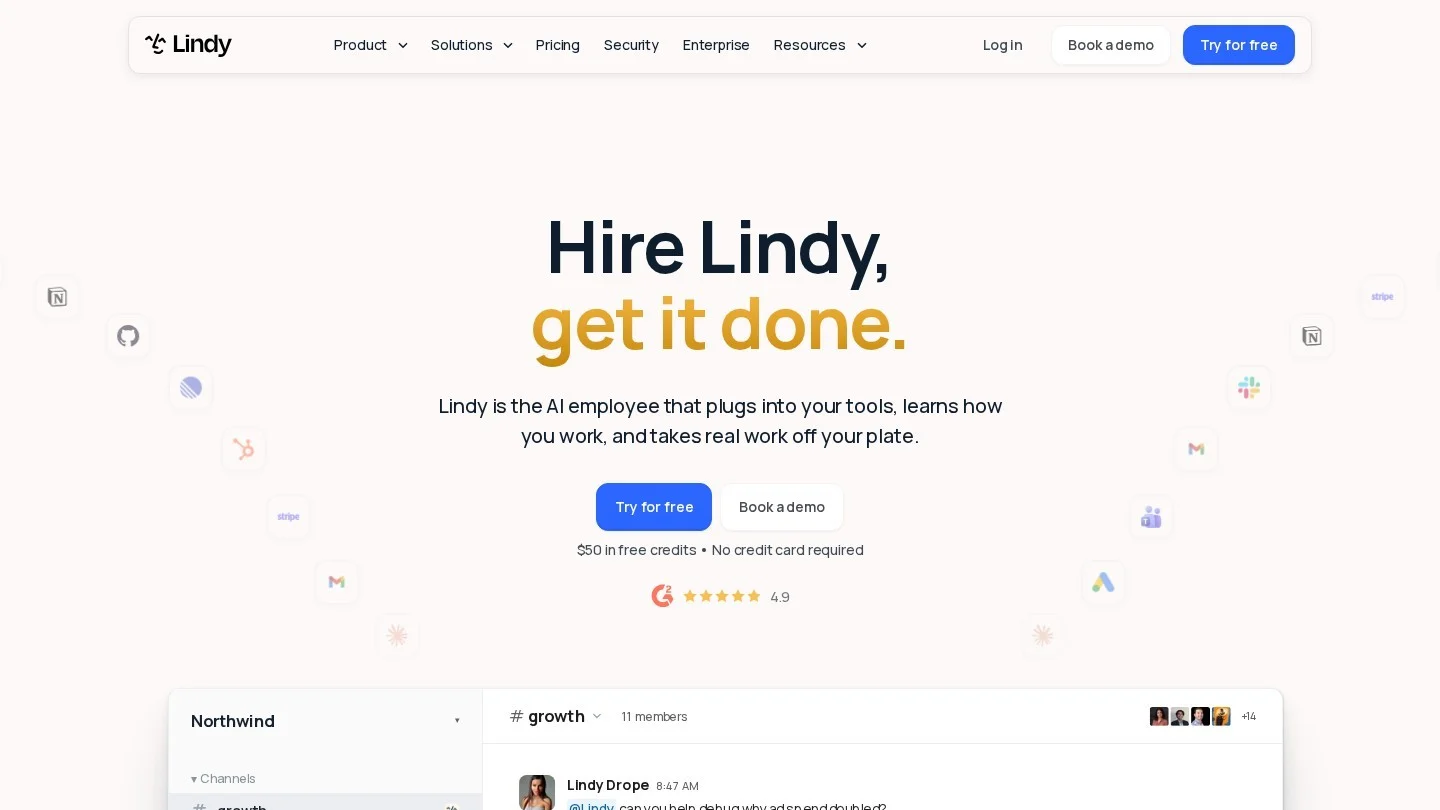
Lindy began as a workflow builder, but it now behaves more like a teammate that lives where you already work. You connect a Google or Microsoft account for email and calendar, install the Slack app, and add your phone number if you want to use iMessage, SMS or voice notes, and then you give it tasks in plain language.
The assistant works in two modes. In a Slack direct message, Lindy acts as your private assistant with its full set of tools, including email, calendar, texts, reminders and meeting notes. When a colleague @mentions it in a shared channel, it switches to a smaller toolset, such as web search and public Slack search, and it replies in the thread with summaries instead of posting private data. That split makes sense. A shared assistant should not read your inbox to the whole company.
What Lindy Handles Without You
Lindy’s core jobs are inbox triage, drafted replies, meeting booking, meeting recording and follow-ups, and it can also place calls from its own US or Canadian phone number and manage booking links. With Skills, you describe a process once and Lindy applies it whenever a request calls for it. Watch and Learn, added in October 2026, lets you record your screen or write out the steps so that Lindy can repeat the task on demand or on a schedule, and Lindy Apps, added later that month, builds simple internal tools from a written request.
Admins decide which actions run automatically and which ones wait for a named approver in a Slack thread, and sending email to a customer is a sensible action to hold for approval. Lindy logs each action with the time and the reason, so a manager can review what happened afterward. Its own setup documentation also warns that the assistant can make mistakes and that users should check important actions before relying on them.
Where Lindy Falls Short
Microsoft Teams support is still listed as coming soon, which makes Lindy a Slack product for now, and new Slack installations require a paid Slack plan. Public reviews are harsh as well: Lindy holds a reported 1.9 rating on Trustpilot, with complaints about credits running out quickly, trouble canceling and duplicate actions. The sample is small, but it points to the same weak spots the pricing creates.
How Relevance AI Works
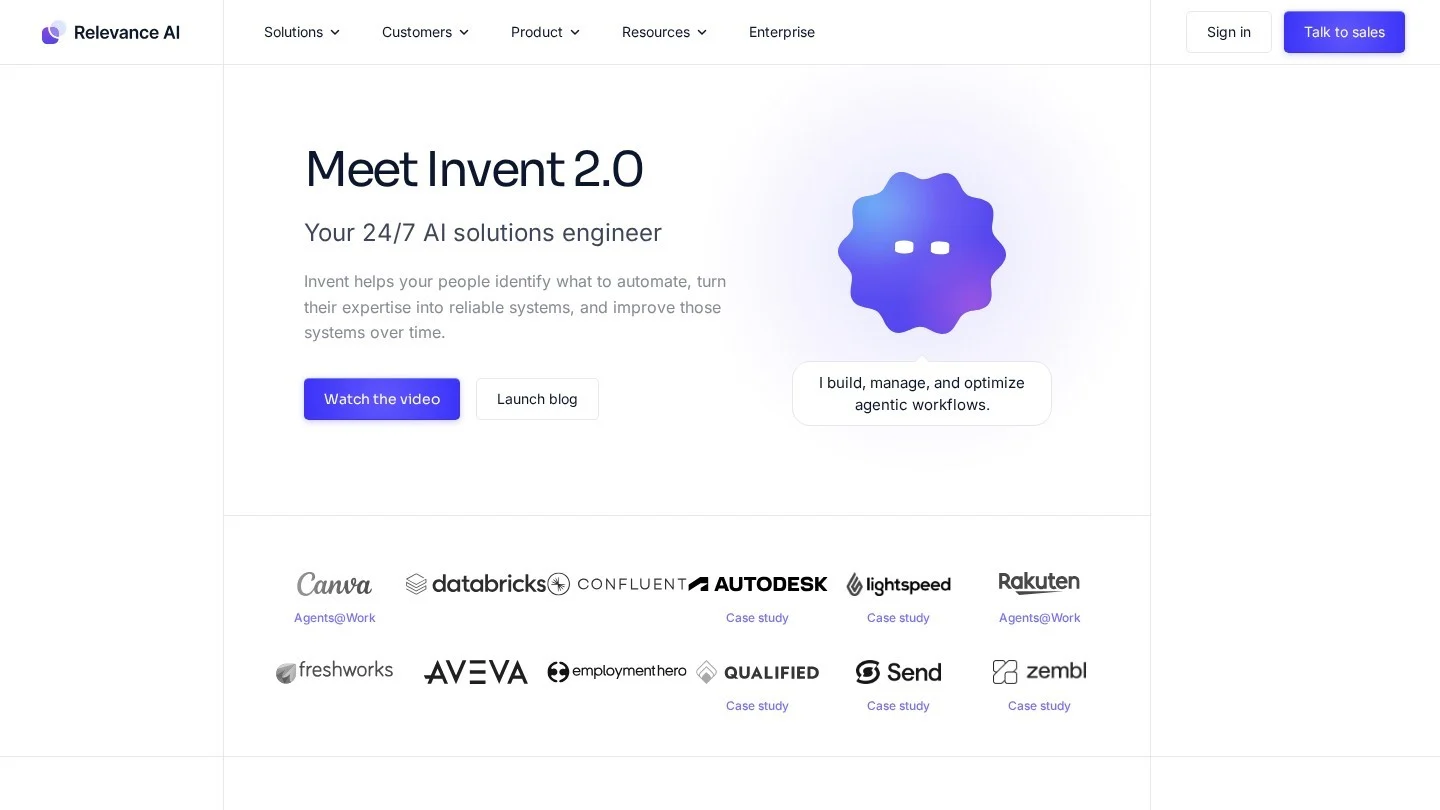
Relevance AI is organized around three building blocks. An agent is an AI model with instructions, knowledge and a set of tools, a tool is a single action such as searching LinkedIn or updating a Salesforce record, and a workforce chains several agents together so that each one hands work to the next. An inbound lead process, for example, might use one agent to research the company, a second to score it, a third to draft outreach and a fourth to update the CRM.
You do not have to design all of that by hand, because Invent, the company’s builder agent, takes a plain description of the job and drafts the agents for you. A new version released in September 2026 can also build and change tools, workforces, knowledge tables, triggers and evaluations, and it can pull analytics on how the agents are performing.
What Relevance AI Handles Without You
Once an agent is configured, it runs without anyone typing a prompt, firing on a schedule, on an event such as a new form submission, or from a chat window. Pro includes premium triggers for WhatsApp, LinkedIn and Telegram, and Enterprise adds triggers from Salesforce, Snowflake and Zendesk. When an agent reaches a decision that needs a human, an escalation sends the task to a person by email or Slack.
Every run is traced in the Activity Center with its cost. Team adds A/B testing, an analytics dashboard and calling and meeting agents, while Enterprise adds agent evaluations and work-hour controls. The best-known published result comes from SafetyCulture, whose AI sales agent tripled meetings booked and cut cost per meeting by 83%, according to Relevance AI’s own customer story.
Where Relevance AI Falls Short
Relevance AI asks much more of the buyer than Lindy does, since someone has to map the process, connect the systems and test the agents before they touch live data. Canva’s published rollout is a useful model: its teams built agents in a sandbox, kept a person in the loop, and only then moved them into Slack and Salesforce. The pricing has also changed twice in a year, first when credits were split into Actions and Vendor Credits in September 2025, and again when the free plan was retired in September 2026.
Read also: Fin vs Gorgias AI Agent: Which Support Agent Fits Your Store
Pricing Compared
Both vendors publish their prices, but they meter usage in such different ways that a direct comparison is tricky. It helps to understand each model first and then apply both to realistic team sizes.
Lindy’s Seat and Credit Model
Lindy bills per seat, and the entry plan costs $49.99 per user a month with 5,000 credits. Higher plans at $99.99 and $199.99 per user carry larger allowances, which an independent pricing tracker lists as 15,000 and 35,000 credits. Each seat adds its credits to one shared pool for the workspace, admins can cap what any one person uses, and plan credits reset each billing cycle without rolling over. Top-ups cost $10 per 1,000 credits, and purchased top-ups do not expire.
Two billing rules matter more than the others. First, anyone who uses Lindy needs a seat, including a colleague who only @mentions it in a channel, although people who join through Slack get a one-time seven-day trial before their seat is billed. Second, when the shared pool runs dry, Lindy pauses credit-using actions until the next cycle instead of charging you more, which protects the budget but can halt work in the middle of a busy week. Lindy’s entry price also rose in October 2026, when a pricing tracker recorded the per-user tier moving from $29.99 to $49.99 and the smaller credit tiers disappearing.
Relevance AI’s Two-Meter Model
Relevance AI bills per workspace rather than per person. Pro costs $19 a month on annual billing or $29 monthly and includes 2,500 Actions, $20 of Vendor Credits, two build users and one shared project. Team costs $234 a month on annual billing or $349 monthly and includes 7,000 Actions, $70 of Vendor Credits, five build users, 45 end users and five shared projects.
An Action is one tool run, and failed runs still count against the allowance. Vendor Credits pay for AI model usage at cost with no markup, and you can avoid them entirely by bringing your own API keys. Extra Actions cost $80 per 1,000 and extra Vendor Credits cost $20 per 10,000. Plan Actions reset at renewal and Action top-ups roll over for one cycle, while Vendor Credits roll over as long as the subscription stays active.
What Each Costs in Practice
The examples below apply each vendor’s list prices to simple, assumed usage, so treat them as a starting point for a budget rather than a quote.
A solo founder: one Lindy seat costs $49.99 a month, and if a busy month uses 8,000 credits, the extra 3,000 credits add $30 for a total of $79.99. Relevance AI Pro costs $228 a year on annual billing, and an agent that takes ten tool steps per lead could process about 250 leads a month within the 2,500 included Actions.
A five-person team: five Lindy seats cost $249.95 a month, or $2,999.40 a year, with 25,000 pooled credits. Relevance AI Team costs $2,808 a year on annual billing or $4,188 on monthly billing, and if the agents use 12,000 Actions in a month instead of the included 7,000, the extra 5,000 Actions add $400, bringing a monthly-billed account to $749 for that month.
A 20-person company: twenty Lindy seats cost $999.80 a month, even if half the staff only ask the assistant a question now and then. Relevance AI Team covers five builders and 45 end users for the same $234 a month on annual billing, so usage rather than headcount drives the bill. A company with many light users will usually pay far less on Relevance AI, while a small group of heavy users may find the gap much narrower.
Integrations, Models and Security
Lindy lists more than 1,500 integrations, such as Gmail, Outlook, Slack, Notion and HubSpot, plus MCP servers. Relevance AI lists more than 2,000, such as Salesforce, HubSpot, Google Sheets, Zoom and LinkedIn, plus MCP. Both cover the common CRM and messaging tools.
Model choice works differently in each product. Lindy offers a model menu per task on paid plans, and sending routine inbox work to a smaller model makes credits last longer. Relevance AI is model-agnostic and passes model costs through at cost or lets you use your own API keys, which gives finance teams more control over the model bill but also means output quality depends heavily on the model you pick.
On security, Lindy lists SOC 2 Type II, GDPR and PIPEDA compliance, says it does not train on customer data, and offers HIPAA coverage with a signed BAA on Enterprise, along with SSO, SCIM and audit logs. Relevance AI lists SOC 2 and GDPR compliance on its paid plans and reserves SSO, RBAC, audit logs and multi-org management for Enterprise. If your company requires single sign-on, plan on a sales-led contract with either vendor.
Which One Should You Pick
The right choice depends on who will use the agent and for what job.
You are a founder or executive buried in email: choose Lindy, because inbox triage, drafted replies, scheduling and meeting notes are exactly what it was built for, and the $50 in free credits makes a trial easy. If email is your only problem, Fyxer AI is also worth a look.
Your sales team wants agents that research and qualify every inbound lead: choose Relevance AI, since lead research and qualification are its best-documented use cases and a workforce can split the process into research, scoring, outreach and CRM updates. Our page on AI agents for sales covers other options for this job.
You run a small team that lives in Slack: Lindy fits the way you already work, with private help in direct messages and a shared assistant in channels, but keep a close eye on seats, because every person who @mentions it adds $49.99 a month.
You want 30 or 40 people to use the same agents: Relevance AI is the better value, since Team includes five builders and 45 end users for $234 a month on annual billing. Forty people on Lindy would cost $1,999.60 a month in seat fees alone, roughly eight times as much.
Your company runs on Microsoft Teams: Lindy’s Teams support is still listed as coming soon, so Relevance AI or a builder such as Microsoft Copilot Studio is the safer choice today.
You have a developer and want full control: neither product may be the right fit, because a code-first framework such as CrewAI or a self-hosted n8n AI Agent gives more control at a lower running cost. Our guide to the best AI agent frameworks compares those options in detail.
You already automate everything in Zapier: adding AI by Zapier may cost less than either product, since your workflows and app connections already live there.
How to Run a Fair Trial
Because the two products bill so differently, a short trial is the best way to decide. Pick one job you can measure, such as weekly hours on email or time from a new lead to the first reply. Record that number for two weeks before you switch anything on.
For Lindy, run the free week with two or three heavy users rather than the whole team, set approval rules for any email that leaves the company, and check the credit view every few days. For Relevance AI, build one agent in a test project, run it on a sample of past leads or tickets, and count how many Actions it uses per item, because that figure tells you what a full month will cost. Then compare the time saved with the full-scale monthly bill. If neither passes, our guide to no-code AI agent builders covers more options.
Which Agent Builder Fits Which Team
Lindy is the easier product to start with, because it works inside the tools people already use, requires no design work, and uses approval rules to keep outbound actions in check. Its weak points are cost and trust: per-seat pricing gets expensive quickly, the entry price rose by about two thirds in October 2026, and public reviews complain about credits and cancellation.
Relevance AI asks for more setup but scales better across a company. Its plans are cheaper at the low end, its seat limits on Team are generous, and its tracing and testing tools suit teams that treat agents as part of a documented process. Its weak points are the two usage meters, the missing free plan and the effort needed to build good agents. For personal productivity we lean toward Lindy, and for company processes we lean toward Relevance AI. You can weigh both against other tools on our agent builders and workflow automation pages, or read our explainer on how AI agents differ from chatbots if you are still deciding what you need.
Questions About Lindy and Relevance AI
Is Lindy Better Than Relevance AI?
Neither product is better overall. Lindy is better for personal help with email, meetings and scheduling inside Slack, while Relevance AI is better for building agents that run a business process for many users, so the right pick depends on the job you need done.
How Much Does Lindy Cost Per Month?
Lindy starts at $49.99 per active user a month with 5,000 credits, and its higher plans cost $99.99 and $199.99 per user. Extra credits cost $10 per 1,000, and new users get $50 in credits for seven days without entering a card.
Does Relevance AI Have a Free Plan?
No, Relevance AI retired its free plan in September 2026. The cheapest option is now Pro, which costs $19 a month on annual billing or $29 on monthly billing and includes 2,500 Actions a month.
What Is an Action in Relevance AI?
An Action is a single tool run, such as a web search, a CRM update or a sent email, and every run counts, including failed ones. Pro includes 2,500 Actions a month, Team includes 7,000, and extra Actions cost $80 per 1,000.
Which Is Easier to Set Up?
Lindy is easier, because you simply connect your email and calendar, add it to Slack and start giving it tasks. Relevance AI takes more work, since someone has to describe the process, connect the systems and test the agents, although its Invent builder drafts the first version for you.
Related AI Agents


Read also: Lovable vs v0: Which AI App Builder Should You Use?
Explore Agent Categories
Related Articles
 ComparisonsManus vs Genspark: Which General AI Agent Fits Your Work?
 ComparisonsFin vs Gorgias AI Agent: Which Support Agent Fits Your Store
 ComparisonsHarvey vs Legora: Which Legal AI Platform Suits Your Firm?
 GuidesLindy AI Alternatives for Business Automation
 GuidesBest Outreach AI Alternatives: Platforms, AI SDRs and Stacks
 GuidesOpen-Source AI Agents vs Commercial Platforms: Licenses, Costs and Security
