


A supervisor architecture puts one agent in charge. It reads each request, picks a specialist, gets the result back and decides what happens next. A swarm architecture has no boss. Each agent can hand control to a peer, and whoever holds control can answer the user directly.
So the real difference is who owns the next move. In a supervisor system, one model makes every routing call and writes the final reply. In a swarm, routing is spread across the team, and the last agent to get the handoff does the talking. That one choice changes your token bill, your latency and the way things break.
Supervisor vs Swarm Architecture in Plain Terms
Think of a supervisor as a team lead with a phone. Every task comes to the lead first. The lead calls the right expert, waits for the answer and then calls the next expert or replies. The experts never talk to the customer. As a result, the lead sees everything and controls everything.
A swarm works more like a relay. The first agent takes the request and works on it. When the job moves outside its skills, it passes the baton to a peer through a handoff. That peer now owns the chat. It can finish the job, answer the user or pass the baton again.
Both designs use the same trick under the hood. A handoff is a tool call. For example, the OpenAI Agents SDK turns an agent named Refund Agent into a tool called transfer_to_refund_agent. The model picks that tool the same way it would pick a search tool. What differs is where control goes after the call.
How Control Flows in a Supervisor and in a Swarm
Control flow is the path a request takes from agent to agent. In a supervisor system, that path is a star. Every arrow goes out from the center and comes back to it. In a swarm, the path is a chain. Control moves forward from peer to peer and never has to return to a center.
The Supervisor Loop
- Route. The supervisor reads the request and calls a handoff or agent tool for one worker.
- Work. The worker runs its own tool loop and finishes its part of the job.
- Return. Control and the worker’s output go back to the supervisor.
- Decide again. The supervisor picks the next worker or writes the final answer.
The Swarm Loop
- Act. The active agent works on the request with its own tools.
- Pass or finish. If the job needs another skill, it calls a handoff tool for a named peer.
- Take over. The peer becomes the active agent and sees the shared history.
- Remember. The system stores which agent was active, so the next user message goes straight to it.
That last step matters more than it looks. In the LangGraph swarm library, the active agent is saved with a checkpointer. Without one, the swarm forgets who was active between turns and falls back to the default agent. A supervisor never has this problem, since every new message goes to the supervisor anyway.
Supervisor and Swarm Agents Compared Side by Side
Most teams pick a pattern on gut feel. However, the two designs differ on concrete points you can check before writing any code. The table lines them up.
| Question | Supervisor | Swarm |
|---|---|---|
| Who talks to the user? | Only the supervisor | Whichever agent is active |
| Who picks the next agent? | One central model | The current agent, through a handoff |
| Model calls per specialist visit | At least one extra call to route, plus one to resume | One handoff call, no return trip |
| Follow-up turns | Every turn routes through the supervisor again | The active agent picks up where it left off |
| Parallel work | Possible: the supervisor can call several workers at once | Hard: one agent holds control at a time |
| Global rules and guardrails | Live in one place | Must be copied into every agent |
| Typical failure | The supervisor rewrites worker output badly | Agents pass the task back and forth |
| Debugging | One trace with a hub you can read | A chain of handoffs you must replay |
| Memory requirement | Conversation history | History plus the active agent name |
The pattern shows up in every row. A supervisor buys control and visibility with extra model calls. A swarm buys speed and lower cost by giving up the single point of control.
Supervisor and Swarm Agents in LangGraph, OpenAI, CrewAI and AutoGen
Each framework names these ideas a little differently. Even so, all four ship both a central pattern and a peer pattern, or a close cousin of one.
LangGraph Supervisor and LangGraph Swarm
LangChain publishes two small libraries on top of LangGraph. The langgraph-supervisor package builds a graph where the supervisor controls all communication and task delegation. Its create_supervisor() function returns a graph you compile before use. Two output modes decide what the supervisor gets back from a worker. With full_history, it sees every message. With last_message, it sees only the final reply.
The langgraph-swarm package builds the peer version. You give each agent handoff tools made with create_handoff_tool, set a default_active_agent and compile with a checkpointer. By default, a handoff passes the full message history to the next agent. Our LangGraph profile covers hosting and pricing.
One update changes the advice for new projects. LangChain now recommends building the supervisor pattern directly with tools for most use cases, in place of the supervisor library. In its current multi-agent guide, that tool-based version is called subagents, and the swarm style is called handoffs.

OpenAI Swarm and the OpenAI Agents SDK
OpenAI Swarm was an experimental, educational library built on two ideas: agents and handoffs. It ran on the Chat Completions API and kept no state between calls. Each run looped through five steps. It got a completion from the current agent, ran tool calls, switched agents if needed, updated context variables and returned once no new function calls came back.
Swarm is now replaced by the OpenAI Agents SDK, which OpenAI calls the production-ready evolution of Swarm. The SDK keeps handoffs and adds a second pattern, agents as tools. With Agent.as_tool(), a manager agent keeps the conversation and calls specialists like functions. That is the supervisor shape. With handoffs, a triage agent routes the chat to a specialist, which then owns the rest of the turn. That is the swarm shape.
The SDK also gives you tools for each shape. An input_filter trims the history passed in a handoff, and the built-in remove_all_tools filter strips tool items. Nested handoff history, which compacts earlier turns into summaries, is an opt-in beta and off by default. Our OpenAI Agents SDK profile covers setup.
CrewAI Hierarchical Process
By default, a crew works through its tasks one after another. To get a supervisor, you set process=Process.hierarchical. A manager agent then gives each task to the crew member whose role matches it, and it checks the results before the crew moves on. You must give it a manager_llm or your own manager_agent.
CrewAI has no swarm mode with peer-to-peer handoffs. However, agents can delegate when you switch on allow_delegation, which is off by default. The CrewAI profile on our site covers its paid plans.
AutoGen Group Chat and Swarm
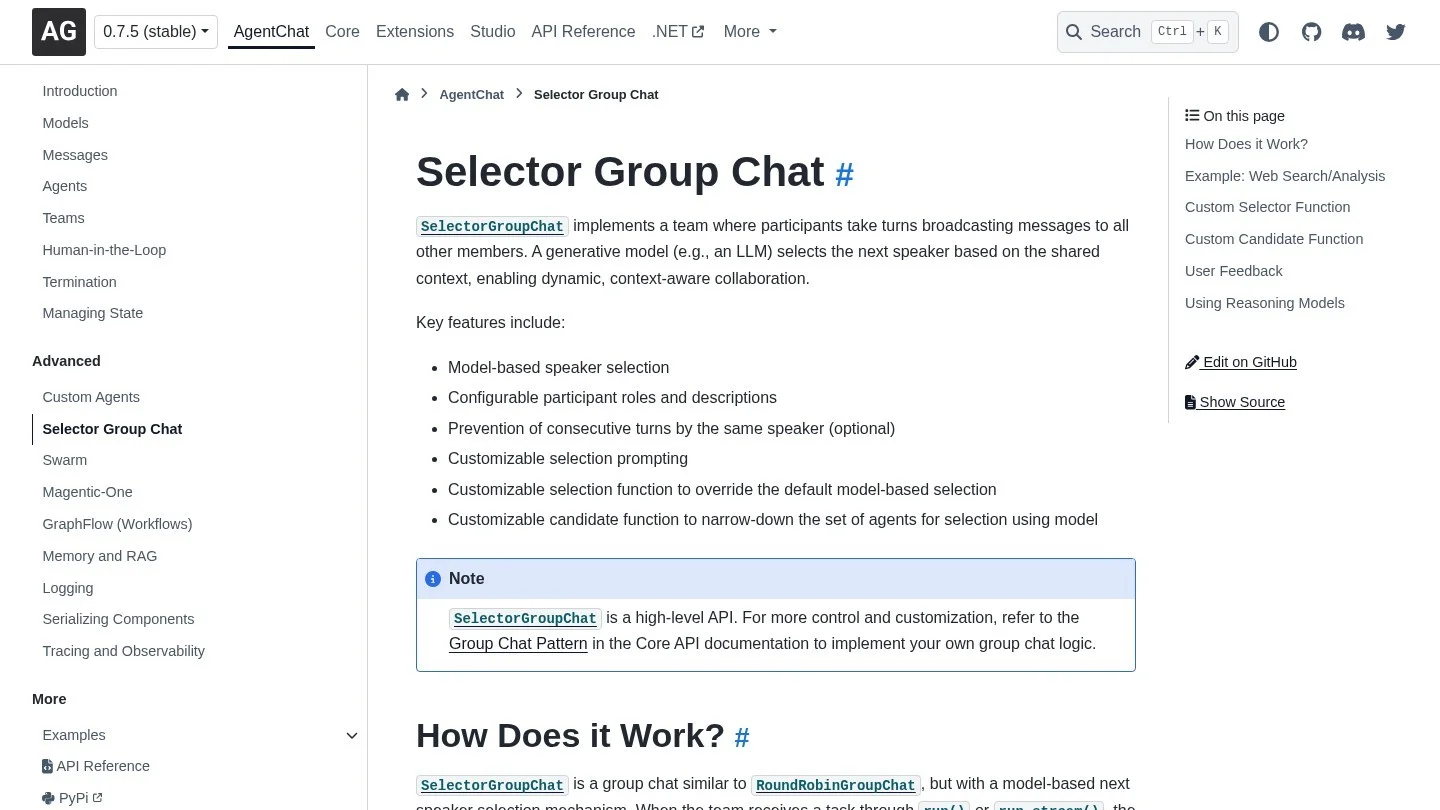
AutoGen AgentChat covers both ends. In a SelectorGroupChat, a model reads the shared history plus each agent’s name and description, then picks the next speaker. Every reply goes to all members. That is a supervisor in all but name, with a selector model in the lead’s chair. By default, the same agent cannot speak twice in a row.
AutoGen’s Swarm team is the peer version. All agents share one message context, and the next speaker is whoever the latest HandoffMessage names. A handoff to user pauses the team until a person replies.
There is one catch for anyone picking AutoGen today. The repository is archived, and Microsoft no longer ships fixes or security patches for it. New projects should use the Microsoft Agent Framework, which offers handoff, group chat and Magentic orchestrations. In Magentic mode, a manager agent coordinates the specialists, so it maps to the supervisor side.
Read also: AI Agent Architecture: The 6 Layers Inside Every Agent
One Support Task Built as a Supervisor and as a Swarm
Take one real request: I was charged twice for October. Refund one charge and move me to the annual plan. Two specialists can handle it. A billing agent has lookup_charges and issue_refund. An account agent has change_plan.
The Supervisor Version Takes Eight Model Calls
- The supervisor reads the message and calls
transfer_to_billing_agent. - The billing agent calls
lookup_chargesand finds both October charges. - It calls
issue_refundon the duplicate. - It writes a short summary, and control returns to the supervisor.
- The supervisor calls
transfer_to_account_agent. - The account agent calls
change_planwith the annual plan. - It writes a summary, and control returns again.
- The supervisor writes the final reply to the customer.
The Swarm Version Takes Five Model Calls
- The billing agent, set as the default, calls
lookup_charges. - It calls
issue_refundon the duplicate. - It calls
transfer_to_account_agent, and the account agent takes over. - The account agent calls
change_plan. - It writes the final reply to the customer.
Now put rough numbers on it. Assume each agent carries a 1,000-token prompt with its tool schemas. Each tool call and its result add about 300 tokens to the history, and each model reply is about 150 tokens. With those inputs, the supervisor run reads about 14,550 input tokens across its eight calls. The swarm run reads about 7,950 across five. That is roughly 45% less input for the swarm on this task.
| Run | Model calls | Input tokens | Output tokens |
|---|---|---|---|
| Supervisor, first message | 8 | ~14,550 | ~1,200 |
| Swarm, first message | 5 | ~7,950 | ~750 |
| Supervisor, follow-up asking for the new invoice | 4 | ~12,500 | ~600 |
| Swarm, follow-up asking for the new invoice | 2 | ~4,300 | ~300 |
The follow-up widens the gap. In the swarm, the account agent is still active, so it answers the invoice question in two calls. The supervisor must route again, wait for the account agent and then rewrite its answer. LangChain’s own pattern comparison points the same way. For a repeated coffee order, its handoff pattern used 5 model calls over two turns, while its subagent pattern used 8.
Even so, the swarm is not always cheaper. On a request that spans three domains at once, the same comparison shows subagents at 5 calls and about 9,000 tokens, while handoffs took 7 or more calls and about 14,000 tokens. Sequential relays lose when the work could have been split up and run in parallel.
Latency and Token Cost of Supervisor and Swarm Agents
Every extra model call adds a round trip, so a supervisor is slower per specialist visit. In the support task, the supervisor waits on three routing and summary calls that the swarm never makes. On a chat channel, those calls can add several seconds before the customer sees a reply.
However, a supervisor can win on wall-clock time when the work splits cleanly. It can send several workers out at once. Anthropic’s research system uses this shape. A lead agent starts 3 to 5 subagents in parallel, which cut research time by up to 90% for complex queries. A swarm cannot do that, because only one agent holds control at a time.
Token cost grows fast in both designs. A single agent burns roughly four times the tokens of a plain chat, and a team of agents burns roughly fifteen times. So pick the pattern that removes calls for your common case. Our guide to AI agent token consumption breaks down where those tokens go.
Failure Modes of Supervisor and Swarm Agents
The two designs fail in different places. Knowing those places tells you which logs to read first.
Supervisor Failures
- The telephone game. The supervisor paraphrases a worker’s answer and drops or bends a detail. In LangChain’s benchmark on a modified tau-bench, this relay caused most supervisor errors.
- Bottleneck. Every message and every result passes through one model. A weak routing prompt hurts the whole system.
- Context bloat. With full history returned, the supervisor’s context grows with every worker visit.
LangChain fixed much of the first problem with two changes. It stripped handoff messages from worker context, and it added a forward_message tool so the supervisor can pass a worker’s reply to the user word for word. Together, those changes gave close to a 50% gain on that benchmark.
Swarm Failures
- Ping-pong. Two agents keep handing the task back to each other. You need a turn cap to stop it.
- Wrong turn with no way back. If the first agent hands off to the wrong peer, no central model notices.
- Double handoffs. A model that makes parallel tool calls can fire two handoffs at once. AutoGen advises setting
parallel_tool_calls=Falsefor this reason. - Lost active agent. Without a checkpointer, the next turn starts with the default agent and loses its place.
Even with these risks, the swarm did slightly better than the supervisor across every test in the same benchmark. Both beat a single agent once two or more unrelated domains were added. Neither result is universal, so test both patterns on your own traffic.
Debugging a Supervisor or Swarm Agent System
A supervisor trace is easier to read. Every decision sits in one model’s history, so you can open one span and see why it picked each worker. Fixes also stay in one place. If routing goes wrong, you edit one prompt or one set of agent descriptions.
A swarm needs better tooling. The routing logic is spread across every agent’s prompt and handoff descriptions. So log each handoff with the source agent, target agent and reason. Then replay the chain in order. Also keep the active agent name in your traces, since a bug often comes from the wrong agent picking up a follow-up turn.
For both designs, add hard limits. Cap total turns, cap handoffs per request and set a timeout per agent. In AutoGen, a MaxMessageTermination condition does this job. LangGraph has a recursion limit, and the OpenAI Agents SDK has max_turns.
When a Supervisor Wins and When a Swarm Wins
Pick a supervisor when one agent should own the final answer. For example, a research report that merges five sources needs one writer. A supervisor also helps when the work splits into parallel parts, when you need one place for guardrails or when an auditor must read every decision in one trace.
Pick a swarm when the user should talk to the specialist directly. Support desks are the classic case. A billing question goes to billing, and billing stays on the line for the follow-ups. Swarms also help when cost and speed matter more than central control, and when your domains rarely overlap within one request.
Mixing the two is common and allowed in every framework covered here. In the OpenAI Agents SDK, a triage agent can hand off to a specialist that still calls other agents as tools. Deep trees of supervisors are a third option, which our post on hierarchical multi-agent systems covers. For tools that support these patterns, browse our multi-agent category.

Supervisor vs Swarm Questions From Developers
Is a Swarm the Same as Agent-to-Agent Messaging?
No. A swarm passes control inside one app and one shared history. Agent-to-agent protocols connect separate agents, often from different vendors, over the network. That second case is the subject of our post on multi-agent communication protocols.
Can a Swarm Agent Hand Off to a Person?
Yes. In AutoGen, a handoff to user pauses the team and waits for input. The reply then goes back to the agent that asked. Other frameworks do the same with an interrupt or a human handoff tool.
Does a Supervisor Need a Bigger Model Than Its Workers?
Often it helps. The supervisor makes the routing and merging calls, so errors there spread. Anthropic’s research system pairs Claude Opus 4 as the lead with Claude Sonnet 4 subagents. Still, a smaller model can route well if each worker has a short, distinct description.
Is OpenAI Swarm Still Worth Using?
Only for learning. It is labeled experimental and educational, and the OpenAI Agents SDK replaces it for production work. The handoff idea carried over, so code you write against the SDK keeps the same mental model.
Related AI Agents




Read also: What Is Agent-to-Agent Communication? How A2A Lets AI Agents Work Together
Explore Agent Categories
Related Articles
 GuidesHow AI Agents Work: Architecture, Components and Execution Flow
 GuidesAI Agent Architecture Patterns for Production Applications
 GuidesAI Agent Middleware: Architecture and Use Cases
 GuidesAI Agent Architecture: The 6 Layers Inside Every Agent
 GuidesSynthesia AI Video Usage Among Corporate Training Teams
 GuidesBest CAMEL AI Alternatives and What They Cost
