

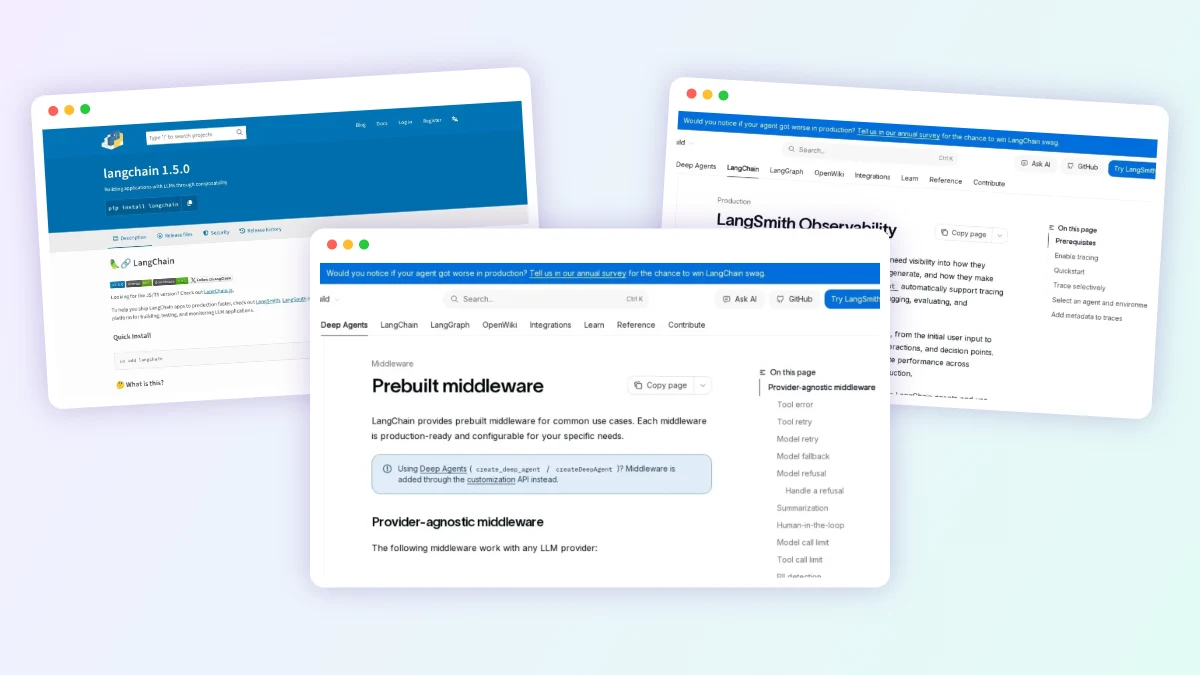
Plenty of LangChain agent tutorials still build on AgentExecutor or create_react_agent. AgentExecutor is gone from the main package, and create_agent has replaced create_react_agent. In LangChain 1.5, you build an agent with one function, create_agent, and add memory, limits and approvals through a checkpointer and middleware.
We wrote a small support agent with two tools and ran it on langchain 1.5.0, langgraph 1.2.22 and langchain-anthropic 1.7.10 under Python 3.13. Every import and parameter in this guide ran without errors on those versions. For the test runs we swapped the live model for a scripted fake model. So the outputs you see come from real library code, while the model replies are ours.
Curious what the loop looks like with no framework? We wrote one by hand in an agent built from scratch. This guide stays with LangChain.
Check Your LangChain Version Before Copying Any Code
LangChain moves fast, and code from older posts breaks in quiet ways. These were the latest releases on PyPI when we wrote this guide.
| Package | Version we ran | Released on PyPI | Python needed |
|---|---|---|---|
| langchain | 1.5.0 | 11 November 2026 | 3.11 or newer |
| langgraph | 1.2.22 | 14 November 2026 | 3.10 or newer |
| langchain-anthropic | 1.7.10 | 4 November 2026 | 3.10 or newer |
| langsmith | 0.15.0 | 17 November 2026 | 3.11 or newer |
Three changes from the v1 migration trip up most people. First, create_agent in langchain.agents replaced create_react_agent from langgraph.prebuilt. Second, the prompt argument became system_prompt. Third, legacy chains, retrievers, the indexing API and the hub moved to a separate langchain-classic package.

Install LangChain and Set Your Model Key
Use Python 3.11 or newer, because langchain 1.5.0 will not install on older versions. Create a virtual environment and install LangChain with the Anthropic extra. The extra pulls in langchain-anthropic, and LangChain itself pulls in LangGraph.
python3 -m venv .venv
source .venv/bin/activate
pip install -U "langchain[anthropic]"
export ANTHROPIC_API_KEY="your-key"
Keep the key in your shell or a .env file. Never hard-code it in the script or commit it to git. If you use OpenAI or Google models instead, install that provider’s package and set its key variable.
Build a Two-Tool Support Agent With create_agent
Our example agent answers two kinds of questions for a small online store. It looks up orders and it answers policy questions from help articles. That is enough to show tool choice, memory and limits without a long listing.
from langchain.agents import create_agent
from langchain.agents.middleware import ModelCallLimitMiddleware, ToolCallLimitMiddleware
from langchain.chat_models import init_chat_model
from langchain.tools import tool
from langgraph.checkpoint.memory import InMemorySaver

ORDERS = {
    "A1001": {"status": "shipped", "carrier": "UPS", "eta": "2026-11-21"},
    "A1002": {"status": "processing", "carrier": None, "eta": None},
}

HELP_ARTICLES = {
    "returns": "Unused items can be returned within 30 days for a full refund.",
    "shipping": "Standard shipping takes 3 to 5 business days.",
}


@tool
def lookup_order(order_id: str) -> str:
    """Look up the status, carrier and delivery date of one order.

    Use this when the customer gives an order number such as A1001.
    """
    order = ORDERS.get(order_id.strip().upper())
    if order is None:
        return f"No order found with ID {order_id}. Ask the customer to check the number."
    return str(order)


@tool
def search_help_center(query: str) -> str:
    """Search the store's help articles about returns, refunds and shipping.

    Use this for policy questions. Pass a short keyword such as 'returns'.
    """
    hits = [text for key, text in HELP_ARTICLES.items() if key in query.lower()]
    return "\n".join(hits) or "No matching help article."


model = init_chat_model("anthropic:claude-sonnet-5-5", max_tokens=1024, timeout=30)

agent = create_agent(
    model=model,
    tools=[lookup_order, search_help_center],
    system_prompt=(
        "You are the support agent for a small online store. "
        "Use the tools to answer. Never guess an order status. "
        "If a tool finds nothing, say so and ask one follow-up question."
    ),
    middleware=[
        ModelCallLimitMiddleware(run_limit=6, exit_behavior="end"),
        ToolCallLimitMiddleware(run_limit=4),
    ],
    checkpointer=InMemorySaver(),
)

if __name__ == "__main__":
    config = {"configurable": {"thread_id": "customer-42"}}
    result = agent.invoke(
        {"messages": [{"role": "user", "content": "Where is order A1001?"}]},
        config,
    )
    print(result["messages"][-1].content)
The script has four blocks, and each one does a single job.
- Tools: The @tool decorator turns each function into a tool. LangChain reads the type hints to build the input schema and uses the docstring as the description the model sees. So write docstrings for the model, with an example input.
- Model: init_chat_model builds the chat model from a provider:model string. Here it is Claude Sonnet 5.5, with a 1,024-token output cap and a 30-second timeout.
- Middleware: Two limits stop runaway loops. The agent may call the model six times and run tools four times per invocation.
- Checkpointer: InMemorySaver keeps the conversation for each thread ID, so a follow-up question can refer to the last answer.
The tools return friendly text when something is missing. That matters more than it looks. A tool that raises an exception stops the run. A tool that returns No order found lets the model ask the customer for the right number.
Choose the Model String and Settings Carefully
On the Claude API, Sonnet 5.5 input runs $2 per million tokens and output $10 per million. The model has a 1 million token context window. Any request that includes tools also carries 286 extra system tokens on Sonnet 5.5, which you pay for on every model call. One setting catches people out. On Sonnet 5.5, passing temperature, top_p or top_k returns a 400 error, so leave them out of init_chat_model.
Swapping providers is a one-line change. Pass a string such as openai:model-name or google_genai:model-name and install that provider’s package. The rest of the agent stays the same, so you can test a cheaper model on the same tools.
Run the Agent and Keep Memory per Conversation
Each conversation needs a thread ID. The checkpointer saves every step under that ID. So when the customer asks a follow-up in the same thread, the agent sees the earlier messages.
We ran the agent with a scripted model for the question Where is order A1001. After the first turn, the saved thread held four messages. They were the user question, a model message with a lookup_order call, the tool result and the final answer. A second question in the same thread brought the count to eight.
Forget the thread ID and the run fails at once. With a checkpointer attached, LangChain raised a ValueError that asked for thread_id, checkpoint_ns or checkpoint_id in the configurable keys.
InMemorySaver loses everything when the process stops. For production, switch to PostgresSaver from the langgraph-checkpoint-postgres package. Install it with psycopg, call its setup method once, then pass it as the checkpointer. Long threads can also get SummarizationMiddleware, which condenses older messages when the history crosses a token limit you set.
Read also: How to Build an AI Agent From Scratch
Cap Model and Tool Calls Before Going Live
An agent that keeps calling tools burns money. To see the limits work, we scripted a model that asked for lookup_order on every turn, forever. Then we streamed the run and watched the middleware react.
| Model call | What happened |
|---|---|
| 1 to 4 | Each call requested lookup_order, and the tool ran |
| 5 | ToolCallLimitMiddleware blocked the call and returned: Tool call limit exceeded. Do not make additional tool calls. |
| 6 | Blocked again with the same message |
| 7th attempt | ModelCallLimitMiddleware ended the run with: Model call limits exceeded: run limit (6/6) |
The tool limit uses the continue behavior by default. It sends the model an error message so it can wrap up politely. The model limit, set to end, stops the run outright. You can also set exit_behavior to error and catch the exception in your own code.
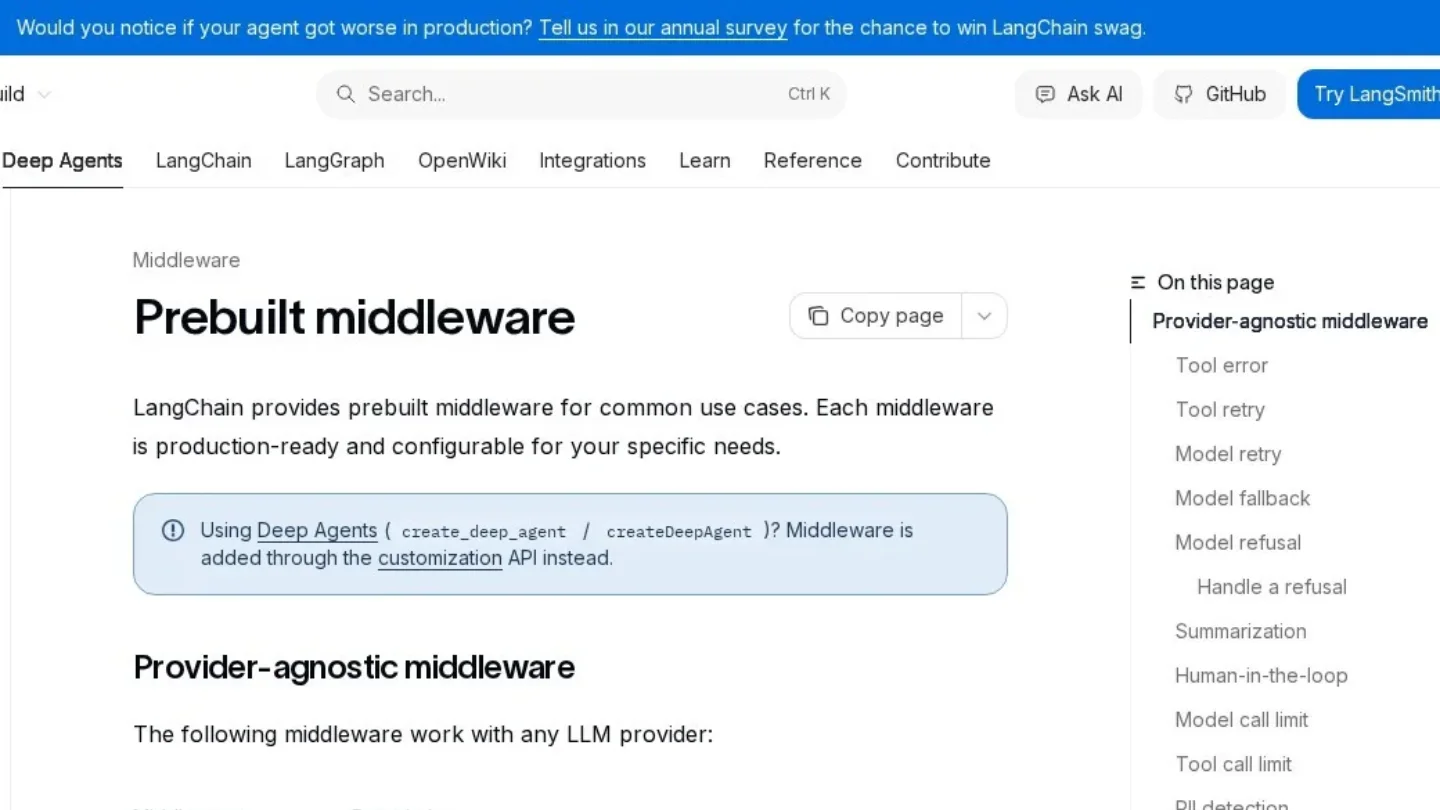
Both classes also take a thread_limit, which counts across every run in a conversation. That one needs a checkpointer, since the count has to persist. LangChain ships more ready middleware in the same module, including retries, model fallback, PII redaction and summarization. Our explainer on AI agent middleware covers the hook order.
Add Human Approval Before Any Risky Tool
Our two tools only read data. Once you add a tool that writes, such as a refund, put a person in front of it. HumanInTheLoopMiddleware pauses the run before the named tool executes. A checkpointer is required here too, since the paused run waits in storage until someone decides.
from langchain.agents.middleware import HumanInTheLoopMiddleware
from langgraph.types import Command

middleware = [
    HumanInTheLoopMiddleware(
        interrupt_on={"issue_refund": {"allowed_decisions": ["approve", "reject"]}}
    )
]

# First call pauses before issue_refund runs
result = agent.invoke({"messages": [{"role": "user", "content": "Refund A1001"}]}, config)
print(result["__interrupt__"])

# A reviewer approves, and the same thread resumes
result = agent.invoke(Command(resume={"decisions": [{"type": "approve"}]}), config)
In our run, the first call returned an __interrupt__ entry with the tool name, its arguments and the allowed decisions. After we resumed with approve, the refund tool ran and the model wrote its final reply. Choose reject and the tool never runs.
Stream Each Step to Your Interface
Users wait less patiently than test scripts. Streaming lets your app show progress while the agent works. Call agent.stream with stream_mode set to updates and you get one chunk per step.
for chunk in agent.stream(
    {"messages": [{"role": "user", "content": "Can I return it?"}]},
    config,
    stream_mode="updates",
):
    for step, update in chunk.items():
        print(step)
In our run, the plain agent produced chunks named model, tools and model again. With middleware attached, extra steps appeared, such as ModelCallLimitMiddleware.before_model. Filter on the step name if your interface should only show model and tool events. For token-by-token text, use the messages stream mode.
Test the Agent Without Paying for Tokens
You do not need a live model to test the wiring. LangChain core ships GenericFakeChatModel, which replays messages you script. It has no bind_tools method, so we added a two-line subclass. Then we passed it to create_agent in place of the real model.
from langchain_core.language_models.fake_chat_models import GenericFakeChatModel
from langchain_core.messages import AIMessage

class FakeModel(GenericFakeChatModel):
    def bind_tools(self, tools, **kwargs):
        return self

replies = iter([
    AIMessage(content="", tool_calls=[
        {"name": "lookup_order", "args": {"order_id": "A1001"}, "id": "call_1"}
    ]),
    AIMessage(content="Order A1001 shipped with UPS."),
])
test_agent = create_agent(model=FakeModel(messages=replies),
                          tools=[lookup_order, search_help_center])
This checks your tools, middleware and memory in milliseconds. It cannot tell you if the real model picks the right tool. For that, keep a small set of real questions and their expected tool calls, then run them against the live model before each release.
Turn On LangSmith Tracing
Tracing shows each model call, tool call and middleware step with its inputs and timing. No code changes are needed. Set LANGSMITH_TRACING to true and add your LANGSMITH_API_KEY. Then add either the LangSmith agent ID variables or LANGSMITH_PROJECT, depending on your workspace type.
export LANGSMITH_TRACING=true
export LANGSMITH_API_KEY="your-langsmith-key"
export LANGSMITH_PROJECT="support-agent"
LangSmith’s free Developer plan covers a single seat and 5,000 base traces each month. On Plus, each seat is $39 a month, 10,000 base traces come included, and extra usage is pay-as-you-go. One agent question equals one trace, so 10,000 questions a month fit inside the Plus allowance. Base traces are kept for 14 days and extended traces for 180 days. If you prefer an open-source tracer, Langfuse also works with LangChain.

Work Out the Cost per Conversation
We priced a typical question with our own example token counts, so treat them as inputs to change. A question takes two model calls. The first sends about 1,500 input tokens and returns a 60-token tool call. The second sends about 1,700 input tokens and returns a 150-token answer.
| Model | Price per million tokens (in / out) | Cost per question | 10,000 questions | Worst case at 6 calls |
|---|---|---|---|---|
| Claude Haiku 5.5 | $0.10 / $0.50 | $0.00043 | $4.25 | $0.0027 |
| Claude Sonnet 5.5 | $2 / $10 | $0.0085 | $85 | $0.054 |
| Claude Opus 5.5 | $4 / $20 | $0.017 | $170 | $0.108 |
The worst case assumes the model call limit fires after six calls of 3,000 input and 300 output tokens each. That cap is why the middleware step comes before launch. Haiku 5.5 prices apply to prompts up to 100,000 tokens. Prompt caching cuts the cost of the repeated system prompt and tool schemas further. Caching and model routing are covered in our piece on cutting AI agent costs.
Fix the Errors New LangChain Agents Hit Most
We triggered four of these on purpose in our test setup. The fifth, the Sonnet 5.5 sampling error, is a documented rule for that model.
| Error you see | Cause | Fix |
|---|---|---|
| AttributeError or ImportError for AgentExecutor | Code from a pre-v1 tutorial | Use create_agent from langchain.agents |
| Function must have a docstring if description not provided | A @tool function with no docstring | Write a docstring that tells the model when to use the tool |
| Checkpointer requires one or more of the following configurable keys | A checkpointer with no thread ID in the config | Pass a config with a thread_id |
| 400 error from Claude Sonnet 5.5 | temperature, top_p or top_k was set | Remove sampling settings |
| pip cannot find langchain 1.5.0 | Python 3.10 or older | Upgrade to Python 3.11 or newer |
Move to LangGraph or Deep Agents When the Loop Is Not Enough
create_agent runs on LangGraph underneath, so you keep persistence, streaming and interrupts. It still follows one shape, a model calling tools in a loop. Drop down to LangGraph when your process needs fixed steps, branches, parallel work or several agents with their own state. A refund flow that must always verify identity before paying out is a good example.
Go the other way, to Deep Agents, when tasks run long. It adds planning, a virtual file system and sub-agents on top of the same base. The LangChain quickstart runs both on the same text-analysis task. The plain agent gave estimates, while the Deep Agent used its planning and file tools to check its counts. So the rule of thumb goes like this. Stay on create_agent for chat-style agents with a few tools, such as support, lookup and triage bots. Pick LangGraph for business processes with fixed steps. Pick Deep Agents for research and coding jobs that run for many minutes. If you are still choosing a framework, our CrewAI vs LangGraph comparison and our list of AI agent frameworks cover the trade-offs. More tools sit in our agent frameworks category.
LangChain Agent Questions From First-Time Builders
Is LangChain Free to Use?
Yes. The langchain and langgraph packages are open source and free to install. You pay for model tokens, and for LangSmith if you go past the free Developer plan.
Do I Need LangGraph to Build a LangChain Agent?
You do not write LangGraph code for a basic agent, but it installs with LangChain and runs underneath create_agent. You only import from it for checkpointers or the Command object used to resume.
Can a LangChain Agent Use Models From Different Providers?
Yes. init_chat_model accepts provider:model strings for many providers. ModelFallbackMiddleware can also switch to a second model when the first one fails.
How Many Tools Should a First Agent Have?
Keep it to a handful with distinct jobs. Overlapping tools confuse tool choice. If you need many tools, LLMToolSelectorMiddleware can pick the relevant ones before each model call.
Read also: 10 Powerful AI Image Generators
Related AI Agents


Explore Agent Categories
Related Articles
 GuidesHow to Build a CI/CD Pipeline for AI Agents
 GuidesAI Agent Evaluation Datasets: How to Build Them
 GuidesHow to Build a One-Person AI Agent Company
 GuidesHow to Build an AI Agent From Scratch
 GuidesSynthesia AI Video Usage Among Corporate Training Teams
 GuidesBest CAMEL AI Alternatives and What They Cost
