


An agent working on task four of a seven-task job has no memory of task one. The model forgets everything once a call ends. So any context that carries across tasks has to be written down somewhere, then read back at the right moment.
AI agents maintain context across multiple tasks with five tools. They keep a written task list, pass a structured state object from step to step and save a checkpoint after each step. When work moves to another agent, they filter what gets handed over. Long side jobs go to sub-agents that return a short report. The model only sees a slice of all this on any one call.
We built a small multi-task job in LangGraph 1.2.22 and ran it to watch the state change at each step. We also went through the context docs for the OpenAI Agents SDK, LangChain Deep Agents and two Anthropic engineering write-ups. This guide stays inside one job. Memory that must survive from one session to the next is a separate problem. We cover it in how agents keep state across sessions.
Five Places an AI Agent Keeps Context Between Tasks
Each layer holds a different kind of context and has a different lifetime. Mixing them up is the root of most multi-task bugs. For example, a budget limit kept only in the chat history can vanish after the history is summarized.
| Layer | What it holds | Where it lives | Real example |
|---|---|---|---|
| Task list | The plan and the status of each task | Agent state or a JSON file | write_todos in LangChain, a feature list file in Anthropic’s coding setup |
| State object | Typed fields the next task needs, such as IDs, limits and findings | Graph state passed between nodes | A LangGraph TypedDict state |
| Checkpoints | A saved copy of the state after every step | SQLite or Postgres | LangGraph checkpointers |
| Handoff payload | The slice of history the next agent receives | Built at handoff time | input_filter in the OpenAI Agents SDK |
| Sub-agent report | A short summary of a long side job | Returned to the parent agent | The task tool in Deep Agents |
Notes files sit across the first two layers. A coding agent may keep a plain-text progress log next to a JSON task list. It reads both whenever a new context window opens.
Write the Plan Down as a Task List the Agent Updates
A written plan is the cheapest way to keep a long job on track. The agent reads it before each task, so it always knows what is done and what comes next. Without it, the model has to rebuild the plan from a long message history on every call.
LangChain ships this as TodoListMiddleware. The agent gets a write_todos tool for its plan. Each todo carries one of three status values: pending, in_progress or completed. The todos live in agent state, so a checkpointer saves them with everything else. Deep Agents made the middleware opt-in from version 0.7.
Anthropic went further in its write-up on long-running coding agents. A first agent, the initializer, wrote a feature list of more than 200 features for a clone of claude.ai. Every feature started with a passes field set to false. Later coding agents could only flip that field. They were told never to remove or edit the tests.
Two details from that project are worth copying. The team picked JSON for the list because models rewrite Markdown by accident more often. Also, writing the full scope up front blocked a common failure, where a fresh session spots partial progress and calls the job finished. Our explainer on what an AI agent harness is covers the rest of that setup.

Pass a Structured State Object From Task to Task
Free text is a poor carrier for facts that must survive. A typed state object is better. Each task reads the fields it needs and writes back only what changed. Constraints sit in their own field, so no summary step can drop them.
In LangGraph, the state is a TypedDict that every node receives. A reducer decides how updates merge. Fields with no reducer get overwritten, while a field marked with operator.add keeps appending. The state we used for our test job had five fields.
class JobState(TypedDict):
    goal: str
    constraints: list[str]                       # pinned, never summarized
    plan: list[dict]                             # task list with status
    notes: Annotated[list[str], operator.add]    # short findings, appended
    artifacts: dict                              # pointers, not full text
The artifacts field holds file paths, not file contents. A task can open the usage report when it needs it. Meanwhile, the next model call does not pay for those tokens.
The OpenAI Agents SDK splits context into two kinds. Local context is a Python object your tools and hooks read through RunContextWrapper, and it is never sent to the model. Model context is only the conversation history. So account IDs, database handles and spending limits can travel through local context. Then a tool reads them when needed and returns only the useful part.
Trace a Three-Task Job Through LangGraph Checkpoints
Our test job renews software contracts under a $30,000 cap. It has three tasks: gather the renewals, compare seat usage and draft the emails. We wired each task as a node, compiled the graph with InMemorySaver and gave the run the thread ID renewals-q4. The tasks are plain Python, so the run shows how state moves without any model in the way.
LangGraph saves a checkpoint at every super-step. Our three-task run produced five checkpoints. Calling get_state_history on the thread returned them newest first, and we lined them up oldest first in the table.
| Checkpoint | Next task | Plan status | Notes | Artifacts |
|---|---|---|---|---|
| 1 | start | empty | 0 | none |
| 2 | gather | pending, pending, pending | 0 | none |
| 3 | compare | done, pending, pending | 1 | renewals |
| 4 | draft | done, done, pending | 2 | renewals, usage |
| 5 | none (finished) | done, done, done | 2 | renewals, usage, emails |
Look at what each task actually needed. The compare task read one note and one file path. The draft task read two notes, the usage file and the pinned constraints. Neither task needed the full output of the one before it.
Checkpoints also make failure cheap. Say the draft task crashes on a mail API timeout. You fetch the snapshot from checkpoint 4 and resume, and gather and compare do not run again. LangGraph also keeps pending writes from nodes that succeeded in a failed super-step, so they are not repeated on resume. For production, swap InMemorySaver for PostgresSaver from the langgraph-checkpoint-postgres package.
A graph like this is also a state machine with fixed moves between tasks. Guards and branches get fuller treatment in our piece on AI agent state machines.
Read also: How AI Agents Maintain State Across Sessions: Checkpoints, Sessions and Memory Stores
Hand Off Only the Context the Next Agent Needs
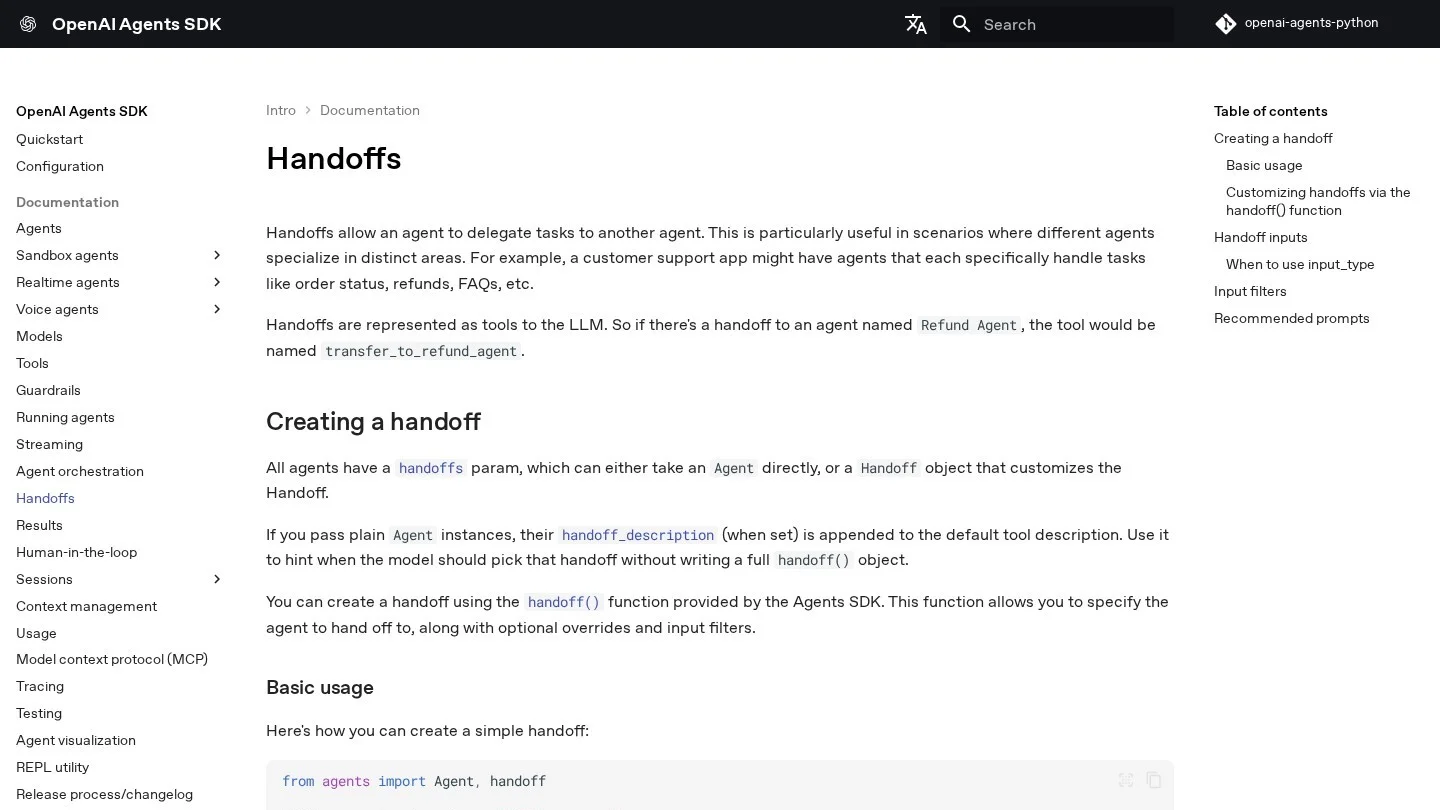
Multi-agent jobs add a new risk. One agent passes the job to another, and the receiver either gets too much or too little. In the OpenAI Agents SDK, the receiving agent sees the full prior conversation by default. That is fine for a two-turn chat. However, it is wasteful after twenty tool calls.
An input_filter changes that. It receives a HandoffInputData object with the run’s original input, the items before the handoff and the new items from the current turn. Your function returns a trimmed copy. The SDK also ships a ready filter, handoff_filters.remove_all_tools, which strips tool call items from the history.
That filter has a limit worth knowing. It does not redact tool arguments or results that already appear inside normal messages. So a card number quoted in an earlier reply still travels. You need a custom filter for that.
There is also a beta option, nest_handoff_history, and it is off by default. When on, the runner folds older history into summary blocks wrapped in a CONVERSATION HISTORY marker. Like remove_all_tools, it changes the format and does not hide sensitive data.
Structured data can ride along too. Set input_type on a handoff, and the model must fill a schema, such as a reason and a priority. That payload goes to your on_handoff callback as metadata. It does not replace the receiving agent’s main input.
Isolate Sub-Agents and Take Back a Short Report
Some tasks need a lot of reading. A search across forty pages can fill a context window on its own. Sending that work to a sub-agent keeps the parent’s window clean.
Anthropic gives a useful number here. A sub-agent may spend tens of thousands of tokens exploring, yet it returns a condensed summary of about 1,000 to 2,000 tokens. Deep Agents builds the same idea into its task tool. By default a sub-agent runs in isolated mode, starting from an empty context. It returns one final report and cannot send follow-up messages. A fork mode exists for cases where the sub-agent needs the parent’s full history.
The handover message matters as much as the report. In Anthropic’s multi-agent research system, early lead agents gave short task notes. As a result, two sub-agents researched the same topic while gaps went unfilled. The fix was a fuller brief for each sub-agent: an objective, an output format, guidance on tools and sources, and task boundaries.
Big outputs should not travel through the parent at all. In that same system, sub-agents stored their work in external systems and passed back lightweight references. Our renewal job did the same with file paths in the artifacts field.
Isolation has a price. Multi-agent systems in that research used about 15 times more tokens than a plain chat, while a single agent used about four times more. So split a job only when the sub-tasks are large or can run in parallel.

Compact Long Runs Without Losing the Constraints
Long jobs eventually fill the window. Compaction summarizes the old history and continues with the summary. Claude Code, for example, keeps architectural decisions, open bugs and implementation details. It drops repeated tool output, then reloads the five most recently opened files.
LangChain offers the same move as SummarizationMiddleware. In the short-term memory docs, the example triggers at 4,000 tokens and keeps the last 20 messages. The default summary prompt asks for four sections: session intent, summary, artifacts and next steps.
The trap sits in that summary. It is lossy, and the model writing it decides what matters. A rule that legal must approve any new terms can look minor in turn 12 and disappear in the summary. Then turn 30 sends contract terms with no legal review.
So keep constraints out of the message history. Put them in the system prompt or a pinned state field that compaction never touches. Our context engineering guide walks through compaction and tool result clearing token by token.
Multi-Task Context Failures and How to Fix Them
Most context bugs in multi-task agents fall into a short list. Each one has a known fix in current frameworks.
- Constraint loss: A limit set early is summarized away later. Pin limits in state or the system prompt and re-read them before any action that spends money or sends a message.
- Context drift: After many tool calls, the agent starts optimizing for a side goal. Re-read the task list before each task so the current goal sits near the end of the prompt.
- Early victory: The agent sees partial progress and declares the job done. A full task list with explicit done flags makes the open items visible.
- Duplicate work: Two sub-agents pick the same topic because their briefs were vague. Give each one a scope and a boundary it must not cross.
- Handoff leaks: A receiving agent sees tool output it should not see. Use an input filter and redact fields in your own code.
- Lost progress: A crash at step nine forces a rerun of steps one to eight. Add a durable checkpointer and resume from the last snapshot.
When a step needs a person, the same checkpoint lets the run pause and wait for human approval before it continues.
Match the Context Method to the Kind of Job
You rarely need every layer. We matched common job types to the smallest setup that keeps context intact.
| Job type | Main context tool | Add when needed |
|---|---|---|
| Fixed pipeline of three to five steps | Typed state object plus a checkpointer | Human approval on the last step |
| Open-ended research | Task list plus isolated sub-agents | Reports saved to files, passed back by path |
| Support desk with specialists | Handoffs with an input filter | input_type payload for reason and priority |
| Multi-hour coding job | JSON feature list plus a progress log and git commits | Compaction with pinned constraints |
| Job that resumes days later | Durable checkpointer keyed by thread ID | A long-term memory store |
Frameworks cover most of this out of the box. LangGraph handles state, reducers and checkpoints. The OpenAI Agents SDK handles handoffs and local context. For facts that should outlive the job, a memory layer such as Mem0 fits next to either one. Our comparison of vector memory and knowledge graph memory is the place to pick a store. You can browse more options in our agent frameworks and multi-agent categories.
Questions About Agent Context Across Multiple Tasks
Does a Bigger Context Window Solve Multi-Task Context?
Only partly. Recall gets worse as the window fills, a problem known as context rot, and it shows up across all models. A larger window delays compaction, but structured state and task lists still beat a long raw history.
What Is the Difference Between a Task List and a Checkpoint?
A task list is context the model reads, so it can plan. A checkpoint is a saved copy of the whole state that your code uses to resume or replay. In LangGraph, the task list is usually one field inside the checkpointed state.
Should Every Agent in a Team See the Full History?
Usually no. Pass the receiving agent the goal, the constraints and the facts it needs, plus references to larger files. Full history costs tokens and can leak tool data the next agent should not see.
How Do I Test That Context Survives Across Tasks?
Seed a constraint in task one, force a compaction or handoff, then check that the final action still obeys it. Also replay a run from a middle checkpoint and compare the outputs with the original run.
Related AI Agents




Read also: LLM or AI Agent? AI Search Engines and What They Actually Are
Explore Agent Categories
Related Articles
 GuidesHow AI Agents Maintain State Across Sessions: Checkpoints, Sessions and Memory Stores
 GuidesHow to Manage Multiple AI Agent Instances
 GuidesAI Model Accuracy by Task Category
 GuidesWhat Is Context Engineering for AI Agents? Techniques, Origins and Token Math
 GuidesSynthesia AI Video Usage Among Corporate Training Teams
 GuidesBest CAMEL AI Alternatives and What They Cost
