

A vector database gives an AI agent a long-term memory it can search by meaning. Each fact the agent learns becomes an embedding, which is a list of numbers. Later, the agent turns a new question into numbers too and pulls back the closest stored facts. Pinecone, Weaviate, Qdrant, Milvus, Chroma, pgvector, Redis, MongoDB Atlas and Elasticsearch all do this job.
But agent memory is a rough workload for a vector store. Every user needs a private slice. Old facts go stale and must expire. And when a user asks the agent to forget something, that row has to go the same day.
So the right pick comes down to four jobs. Each database splits users, filters fields, mixes keyword and vector search, and deletes data in its own way.
How an Agent Writes and Recalls a Memory With Embeddings
Take a support agent. A user mentions she is allergic to peanuts. The agent, or a memory layer such as Mem0, pulls out the fact. Then an embedding model turns the sentence into a vector, often 1,536 or 1,024 numbers long.
Next, the vector goes into the database with some fields attached. The usual set is a user ID, a memory type, a timestamp and the source chat. That is the write path.
A week later, the same user asks for a snack idea. The agent embeds that question and runs a nearest-neighbor search inside her slice of the data. The peanut fact comes back near the top, because snack and allergy sit close in meaning. Finally, the agent pastes the top few memories into the prompt and answers.
The model itself still remembers nothing. The database does the remembering, and the prompt carries it back in on each turn. For the wider picture of what an agent keeps between chats, see how AI agents remember previous conversations.
HNSW and IVF Indexes Inside Agent Memory Stores
A plain scan compares the question with every stored vector. That is exact, but it gets slow past a few hundred thousand rows. So most databases build an index that finds close matches fast, with a small loss in accuracy.
HNSW Builds a Graph
HNSW links each vector to its near neighbors in a layered graph. A search hops from node to node and closes in on the best matches. It gives fast, accurate recall and handles inserts well. That matters for memory, since agents write new facts all day.
The cost is RAM. The graph links sit next to the vectors, and most engines want both in memory for top speed. Qdrant, Weaviate, Milvus, pgvector, Redis, MongoDB Atlas and Elasticsearch all offer HNSW.
IVF Groups Vectors Into Clusters
IVF splits vectors into clusters first. A search then checks only the few clusters closest to the question. It uses less memory than HNSW. However, the clusters come from the data you load, so a fresh index on a tiny table gives poor groups. Milvus offers several IVF types, and pgvector offers IVFFlat.
For agent memory, HNSW is the usual default. Memories arrive one at a time, and HNSW does not need a rebuild as the data grows. Pinecone hides this choice. It manages the index for you, so there are no index settings to tune.
Filters, Hybrid Search and One Slice per User
Three features make memory recall safe and useful. They matter more than benchmark speed.
Metadata Filters Keep Recall in Scope
A memory search should never cross users. So every query carries a filter such as user_id equals 4821. Filters on memory type or date help too. For example, an agent can search only preferences, or only facts from the last 90 days.
Filters also have a cost. In Pinecone, a metadata filter still scans the whole namespace. One search across 100 tenants of 1 GB each costs 100 read units with a filter. The same search inside one tenant namespace costs 1 read unit.
Hybrid Search Catches Names and Numbers
Embeddings match meaning well. But they are weak on exact strings, like an order number, a SKU or a rare surname. Hybrid search runs a keyword search and a vector search together, then merges the two lists. Weaviate, Qdrant, Milvus, Elasticsearch, Redis, MongoDB Atlas and Pinecone all support some form of it. With pgvector, you join it with Postgres full-text search in SQL.
Namespaces and Tenants Split Users Apart
The cleanest setup gives each user, or each customer account, its own partition. Pinecone calls it a namespace. Weaviate calls it a tenant, and Milvus splits rows by a tenant field. Qdrant and pgvector usually rely on a user_id field with an index on it.
A per-user partition makes deletes cheap. In Pinecone, removing a whole tenant means deleting one namespace, and that is near instant. Also, the free Pinecone Starter plan caps an index at 100 namespaces, while Enterprise allows 1,000,000.

Read also: Vector Memory vs Knowledge Graph Memory for AI Agents
Expiry and Deletion Rules for Agent Memories
Memories go stale. A user moves city, changes jobs or switches plans. Some facts should also vanish on a timer, such as a one-time code or a short-lived task note.
Three databases expire data on their own:
- Redis stores each memory as its own entry, and a TTL set with EXPIRE removes it on time.
- MongoDB Atlas uses TTL indexes. A background task deletes documents once a date field is older than the set number of seconds.
- Milvus and Zilliz Cloud support a collection TTL through the collection.ttl.seconds property. Expired rows drop out of search results at once and are removed on the next compaction, typically within 24 hours. An entity-level TTL field is in public preview.

The rest handle expiry with code. You store a created_at or expires_at field, then run a scheduled delete by filter. In pgvector, that is a plain SQL DELETE, often run by pg_cron. Elasticsearch adds index lifecycle rules that drop whole indices by age.
Deletion on request is the harder case. When a user asks the agent to forget an address, every copy has to go. So keep a stable memory ID, and delete by that ID or by user filter. Our guide to update and delete AI agent memories walks through the product side of this.
Nine Vector Databases Compared for Agent Memory
Each database handles the four memory jobs a little differently. The prices are entry points for the managed service.
| Database | Index options | Per-user split | Hybrid search | Built-in expiry | Managed entry price |
|---|---|---|---|---|---|
| Pinecone | Managed for you | Namespaces | Sparse and dense vectors | Delete by ID or filter | Free Starter; Standard $50 a month minimum |
| Weaviate | HNSW, flat, dynamic | Native tenants | BM25 plus vector | Delete by filter | Free tier; Flex from $45 a month |
| Qdrant | HNSW | Payload field with tenant index | Sparse plus dense | Delete by filter | Free 1 GB cluster; usage-based paid |
| Milvus / Zilliz | HNSW, IVF types, DiskANN | Tenant partition field | Sparse BM25 plus dense | Collection TTL | Free 5 GB; Dedicated from $126 a month |
| Chroma | HNSW locally, managed in Cloud | Collections and metadata | Full-text plus vector | Delete by filter | $5 free credit; usage-based |
| pgvector | HNSW, IVFFlat | user_id column, row security | Postgres full-text in SQL | SQL DELETE on a schedule | Free extension |
| Redis | HNSW, FLAT | Name prefix or tag field | Full-text plus vector | Per-entry TTL | Free 30 MB; Essentials from $5 a month |
| MongoDB Atlas | HNSW | Filter field on user ID | Full-text plus vector | TTL index | Free 512 MB; Flex $8 to $30 a month |
| Elasticsearch | HNSW with quantization | Filter or index per tenant | BM25 plus kNN | Lifecycle rules | Serverless search from $0.09 per VCU-hour |
Pinecone Runs Fully Managed
Pinecone is fully managed, so there are no servers or index types to run. The Starter plan is free, with 2 GB of storage, 2 million write units and 1 million read units a month, all on AWS us-east-1. Standard carries a $50 monthly minimum. Then storage costs $0.33 per GB a month, reads cost $16 to $18 per million units, and writes cost $4 to $4.50 per million. Enterprise starts at a $500 monthly minimum.
Weaviate Gives Each User a Tenant
Weaviate has native multi-tenancy, which maps well to one tenant per user or account. Its hybrid search blends BM25 keyword scores with vector scores. The free plan covers 100,000 objects. Flex starts at $45 a month. Beyond that, Flex bills $0.00465 per million vector dimensions stored and $0.12 per GiB of storage.
Qdrant Filters During the Search
Qdrant filters on payload fields during the vector search, so a user filter does not wreck recall. For many users in one collection, you mark the user field as a tenant index. Qdrant Cloud has a free forever cluster with 0.5 vCPU, 1 GB of RAM and 4 GB of disk. Paid clusters bill hourly for vCPU, memory, storage and backups.
Milvus and Zilliz Cloud Scale Past RAM
Milvus is the open-source engine, and Zilliz Cloud is its managed form. It has the widest index menu here, from HNSW to IVF variants and DiskANN for data that does not fit in RAM. A tenant field can split users into partitions inside one collection. Zilliz Cloud is free up to 5 GB of storage, 2.5 million vCUs a month and five collections. Dedicated Standard starts at $126 a month. Capacity-optimized clusters start at $16 per million vectors a month.
Chroma Starts Local and Bills by Use
Chroma is the easy local choice for a prototype, since it runs in a Python process. Chroma Cloud is fully usage-based. New users get $5 in credits. Writes cost $2.50 per GiB, storage costs $0.33 per GiB a month, and queries cost $0.0075 per TiB scanned plus $0.09 per GiB returned.
pgvector Keeps Memory Inside Postgres
pgvector adds a vector column type to Postgres, with HNSW and IVFFlat indexes. Memories then live next to users, orders and tickets in the same database. As a result, one SQL query can join a memory with account data, and one transaction can delete both. The extension is free. You pay for the Postgres host. Our post on connecting AI agents to databases covers safe access patterns.
Redis Expires Short-Term Memory
Redis keeps data in RAM, so reads are fast. Each memory is its own entry, and a TTL on that entry gives free expiry. That makes Redis handy for short-term and session memory, with a slower store behind it for long-term facts. Redis Cloud is free at 30 MB. Essentials starts at $5 a month for 250 MB, and Pro starts at $0.014 an hour with a $200 monthly minimum.
MongoDB Atlas Stores Vectors in Documents
Atlas Vector Search keeps vectors inside normal JSON documents. A memory document can hold the text, the vector, the user ID and an expiry date together. A TTL index then removes old memories on its own. The free M0 cluster has 512 MB. Flex costs $8 to $30 a month, and Dedicated starts at $56.94 a month.
Elasticsearch Blends Keywords and Vectors
Elasticsearch brings years of keyword search to the table. So hybrid search with BM25 and kNN is native, and it ranks the merged list with reciprocal rank fusion. Quantization cuts vector memory. Serverless pricing starts at $0.09 per VCU-hour for search, $0.14 for ingest and $0.047 per GB a month for storage. Elastic also runs its own assistant, covered in our Elastic AI Assistant profile.
Sizing Agent Memory for 50,000 Users
Size drives cost in every one of these databases. So run the numbers before you pick a plan.
Say a support agent serves 50,000 users. Each user builds up 400 memories over a year. That gives 50,000 × 400 = 20,000,000 vectors.
The raw size is vectors × dimensions × bytes per number. With a 1,536-dimension model and 32-bit floats, that is 20,000,000 × 1,536 × 4 = 122.88 GB. Each user takes about 2.46 MB. Add about 500 bytes of text and fields per memory, and metadata adds another 10 GB.
| Embedding size | 32-bit float | 8-bit int | 1-bit binary |
|---|---|---|---|
| 1,536 dimensions | 122.88 GB | 30.72 GB | 3.84 GB |
| 1,024 dimensions | 81.92 GB | 20.48 GB | 2.56 GB |
| 768 dimensions | 61.44 GB | 15.36 GB | 1.92 GB |
The HNSW graph adds more. With 16 links per node, the bottom layer alone needs about 20,000,000 × 32 × 4 bytes, or 2.56 GB.
Now apply list prices to the 132.88 GB total. Pinecone storage at $0.33 per GB comes to about $43.85 a month, which sits under the $50 Standard minimum. Read and write units come on top. Weaviate Flex bills 30,720 million dimensions at $0.00465, or about $142.85 a month, plus about $14.85 of storage. On Zilliz Dedicated, 20 million vectors cost from $100 on tiered storage to $1,260 on performance-optimized clusters.
Two levers cut the bill fast. First, a smaller embedding model shrinks every row. Second, 8-bit quantization cuts vector size by four, with a small loss in recall. Also, pruning stale memories is often the biggest saving of all, since many agents never read half of what they store.
How Mem0, Letta and LangGraph Plug Into a Vector Store
Most teams do not call the vector database directly. Instead, a memory framework sits on top. It decides what to save, writes the vector and runs the search.
Mem0 Works With 22 Vector Stores
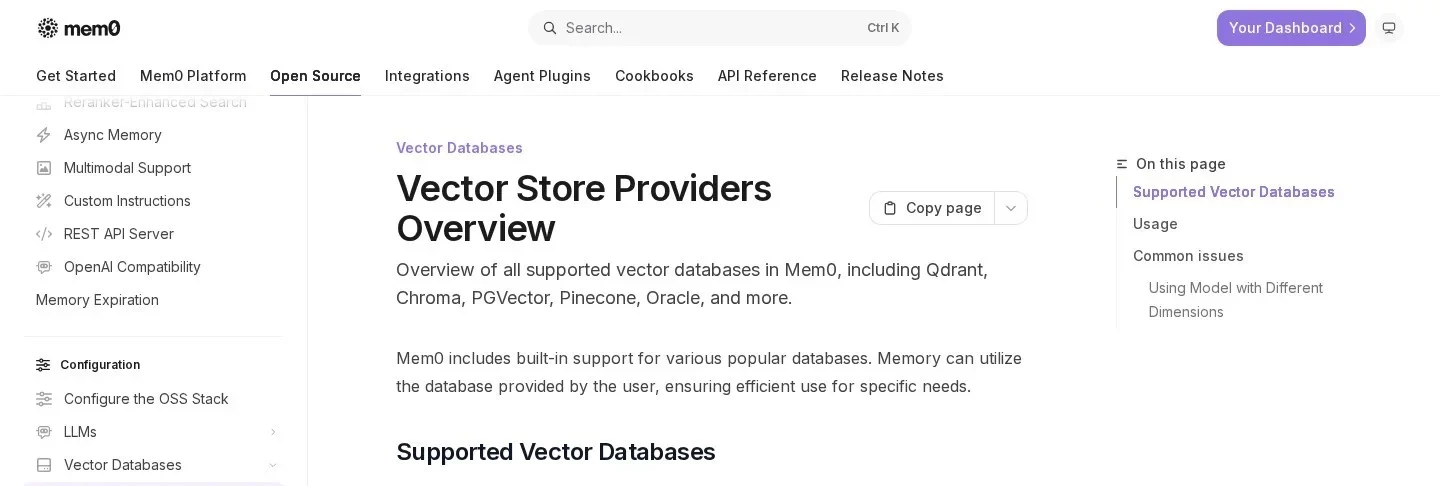
Mem0 extracts short facts from a chat and stores them with a user ID. Its Python library works with 22 vector stores, including Qdrant, Chroma, pgvector, Milvus, Pinecone, MongoDB, Redis, Elasticsearch and Weaviate. With no config, it uses Qdrant. The default embedding size is 1,536, and you change it with embedding_model_dims when your model differs. More detail sits on our Mem0 profile.
LangGraph Store With a Semantic Index
LangGraph keeps long-term memory in a store, grouped by a namespace tuple such as (user_id, “memories”). Semantic search turns on with an index config that names the embedding model, the dimensions and the fields to embed. InMemoryStore is for tests. For production, LangGraph offers PostgresStore, MongoDBStore, RedisStore and UpstashStore. See our LangGraph profile for the rest of the framework.
Letta Archival Memory
Letta splits memory in two. Memory blocks stay pinned inside the prompt. Archival memory is a searchable vector store outside it. The agent saves facts with archival_memory_insert and finds them with archival_memory_search, with optional tags. Developers can also list, update and delete those passages through the SDK.
Matching the Database to the Agent You Are Building
The best vector database for AI agent memory depends on what the agent already runs on.
- A small team on Postgres gets the most from pgvector. Memories sit next to user records, and deletes run in the same transaction.
- A SaaS app with many customer accounts fits Pinecone namespaces or Weaviate tenants. Each account gets a clean partition and a one-call delete.
- Agents with lots of short-lived context pair Redis for TTL-based session memory with a larger store for long-term facts.
- Teams on MongoDB keep memory in the same documents and get TTL expiry for free.
- Search-heavy agents that match product codes and names lean on Elasticsearch or Weaviate for hybrid search.
- Very large memory sets fit Milvus, thanks to DiskANN and tiered storage.
Memory in a vector store finds similar text well. However, it does not track how facts link or change over time. Graph stores handle that job. We weigh the two in vector memory vs knowledge graph memory.
Vector Memory Questions From Agent Builders
Do AI Agents Need a Vector Database for Memory?
Not always. A short list of user facts fits in a JSON profile in any database. A vector store becomes useful once memories grow past what fits in a prompt, and the agent must pick the few that matter.
Is pgvector Fast Enough for Agent Memory?
For most agents, yes. An HNSW index plus an indexed user_id column keeps searches quick at millions of rows. The usual reason to move is size, once the vector index no longer fits in one server’s RAM.
Which Vector Database Deletes User Data Most Easily?
Partition-based stores make it easiest. Deleting a Pinecone namespace or a Weaviate tenant removes one user in one call. With a shared collection, you delete by user filter instead.
How Many Memories Should an Agent Retrieve per Turn?
Most setups pull 3 to 10. LangGraph store search returns 10 by default. More results add tokens and noise, so a tight user filter plus a small limit usually works best.
Related AI Agents




Read also: Parallel AI Alternatives: 8 Web Search APIs Compared
Explore Agent Categories
Related Articles
 GuidesVector Memory vs Knowledge Graph Memory for AI Agents
 GuidesHow to Connect AI Agents to External Databases Safely
 GuidesHow AI Agents Maintain State Across Sessions: Checkpoints, Sessions and Memory Stores
 GuidesSynthesia AI Video Usage Among Corporate Training Teams
 GuidesBest CAMEL AI Alternatives and What They Cost
 Guides100 AI Agent Statistics for Retail Companies
