

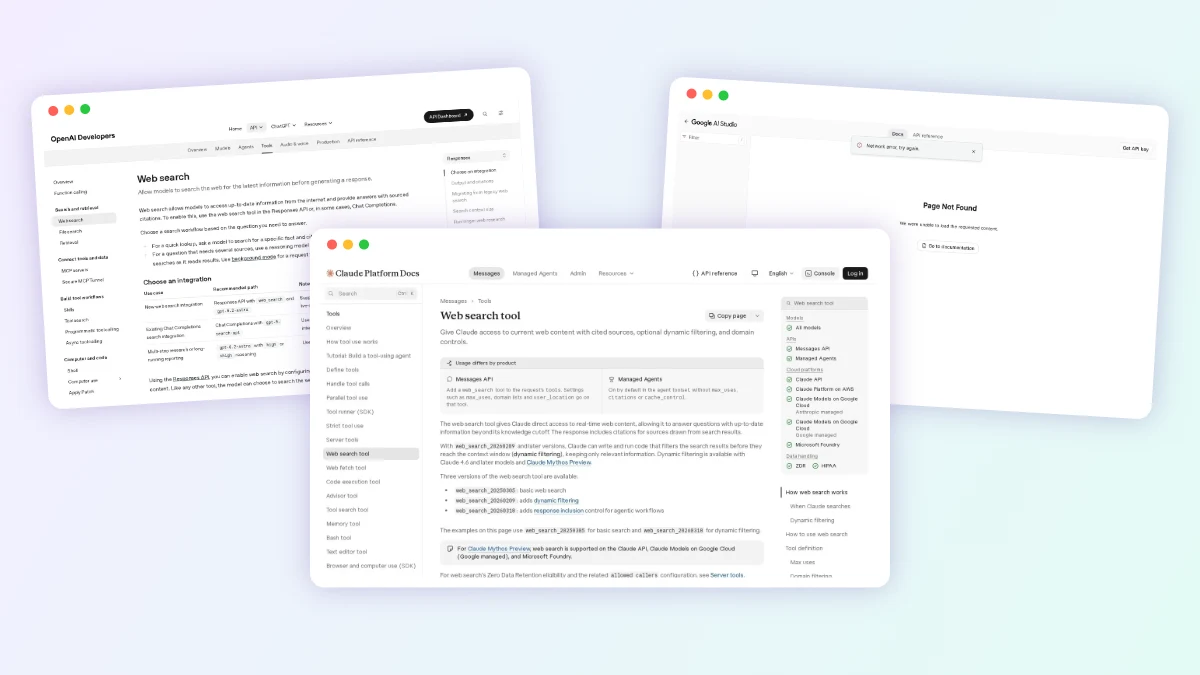
An AI agent with web search capabilities is a model that can run live searches and cite what it finds while it works. The fastest way to build one is to turn on the search tool built into the OpenAI, Claude or Gemini API. Those tools cost $10 to $14 per 1,000 searches, plus model tokens.
The other route is a search API such as Tavily, Brave or Exa, wired in as a normal tool. These cost $4 to $16 per 1,000 searches and work with any model, open-source ones included. Search APIs also hand back raw results, so you choose how much text reaches the model. However, your own code then has to run the search loop.
Both routes are covered here with working Python, from domain filters and search caps to citations. A worked budget then prices 10,000 searches a month across six providers. Last come the guardrails a web-reading agent needs, because any page it opens can try to steer it.
Pick a Built-In Search Tool or a Search API
A built-in search tool is the better pick if you already use one model provider and want the least code. The provider runs the searches, reads the pages and returns an answer with citations. A search API is the better pick if you run an open-source model, switch between providers or want to control every result the model sees.
Price and billing differ more than most builders expect. Every option charges model tokens for the search text the model reads, on top of the search fee.
| Option | Who runs the search | Search price | Free allowance | Also billed |
|---|---|---|---|---|
| OpenAI web search tool | OpenAI, inside the Responses API | $10 per 1,000 calls | n/a | Search content tokens at model rates |
| Claude web search tool | Anthropic, as a server tool | $10 per 1,000 searches | n/a | Results count as input tokens |
| Gemini grounding with Google Search | Google, on Gemini 3 and newer | $14 per 1,000 requests | 5,000 requests a month | Model tokens |
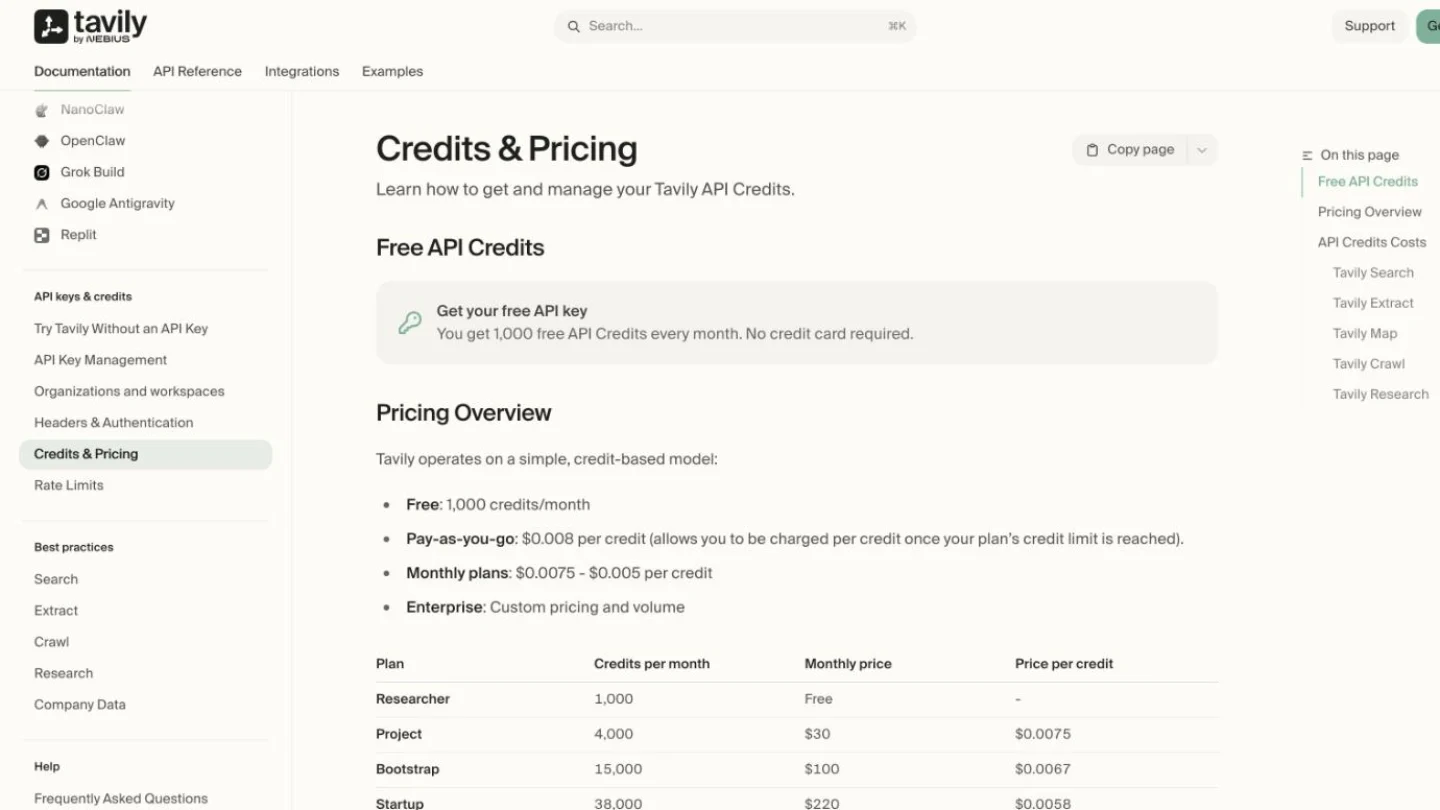
| Tavily Search | Your code calls the API | 1 credit basic, 2 advanced, $0.008 a credit | 1,000 credits a month | Model tokens |
| Brave Search API | Your code calls the API | $5 per 1,000 requests | $5 credit a month | Model tokens |
| Exa Search | Your code calls the API | $7 per 1,000 (auto), $4 (instant) | $10 credit a month | $1 per 1,000 pages of contents |
Brave caps its Search plan at 50 queries per second. Exa’s base price covers up to 10 results per search, and each extra 1,000 results adds $1.

Some teams skip the build altogether. If the goal is a research assistant for staff, a finished product may save weeks. Our list of AI agents for research covers the options. Building pays off when search is one step inside a bigger agent. A sales agent that checks a prospect’s news before it drafts an email is a good example.
Add Web Search to an OpenAI Agent
Adding web search to an OpenAI agent takes one line, a tool of type web_search in a Responses API call. The model decides when to search, and OpenAI runs the query and reads the pages.
from openai import OpenAI

client = OpenAI()

response = client.responses.create(
    model="gpt-6.2-astra",
    tools=[{
        "type": "web_search",
        "filters": {"allowed_domains": ["sec.gov", "reuters.com"]},
    }],
    include=["web_search_call.action.sources"],
    input="What did Nvidia report as revenue for its latest quarter?",
)

print(response.output_text)
The response holds a web_search_call item that records each search, and a message item with the answer. Each cited fact carries a url_citation annotation with the URL and title, so you can show sources next to the text. The include line adds the full list of pages the model read, which is often longer than the cited list.
A few settings matter in production:
- Domain filters: you can allow or block up to 100 domains. An allowlist is the fastest way to keep a finance or health agent on trusted sites.
- User location: an approximate country, city, region and time zone bias results toward local pages, which matters for questions about shops, weather or law.
- Search context size: low, medium or high controls how much search text reaches the model. Medium is the default, and low cuts token cost.
- Cache-only mode: setting external_web_access to false stops live fetches. That gives you repeatable runs when you test the agent.
One limit catches people out. Web search context is capped at 128,000 tokens, even on models with larger windows. Also, the older Chat Completions API supports search only through special search models, without domain filters. So build new search agents on the Responses API, as the OpenAI web search guide does.

Give a Claude Agent the Web Search Server Tool
Adding web search to a Claude agent means listing Anthropic’s web search tool in the tools array of a Messages API call. It runs as a server tool, so Claude searches, reads and cites without any handler code on your side.
import anthropic

client = anthropic.Anthropic()

response = client.messages.create(
    model="claude-opus-5-5",
    max_tokens=4096,
    tools=[{
        "type": "web_search_20260318",
        "name": "web_search",
        "max_uses": 5,
    }],
    messages=[{
        "role": "user",
        "content": "Compare the current prices of AAPL and GOOGL stock.",
    }],
)

for block in response.content:
    if block.type == "text":
        print(block.text)
The answer comes back as text blocks with citations. Each citation holds the URL, the title and up to 150 characters of the cited text. Anthropic requires those citations to stay visible when you show the output to end users. In multi-turn chats, pass the encrypted_content of each result back unchanged, or the next turn loses the sources.
These settings shape cost and safety:
- max_uses: caps searches per turn. A single fact usually takes 1 to 3 searches, while a comparison of several companies can take 10 or more.
- allowed_domains or blocked_domains: pick one, because sending both returns a 400 error.
- Dynamic filtering: the 20260209 and 20260318 tool versions let Claude write code that filters results before they reach its context. It needs Claude 4.6 or later and adds no fee beyond normal tokens.
- Errors: a failed search still returns HTTP 200, with an error code such as max_uses_exceeded or too_many_requests inside the result. Failed searches are not billed.
Also check the Claude Console before you ship. An admin can switch web search off for the whole organization or limit its domains, and then any request with the tool fails. Full details sit in the Claude web search tool docs.

Read also: Parallel AI Alternatives: 8 Web Search APIs Compared
Ground Gemini Answers With Google Search
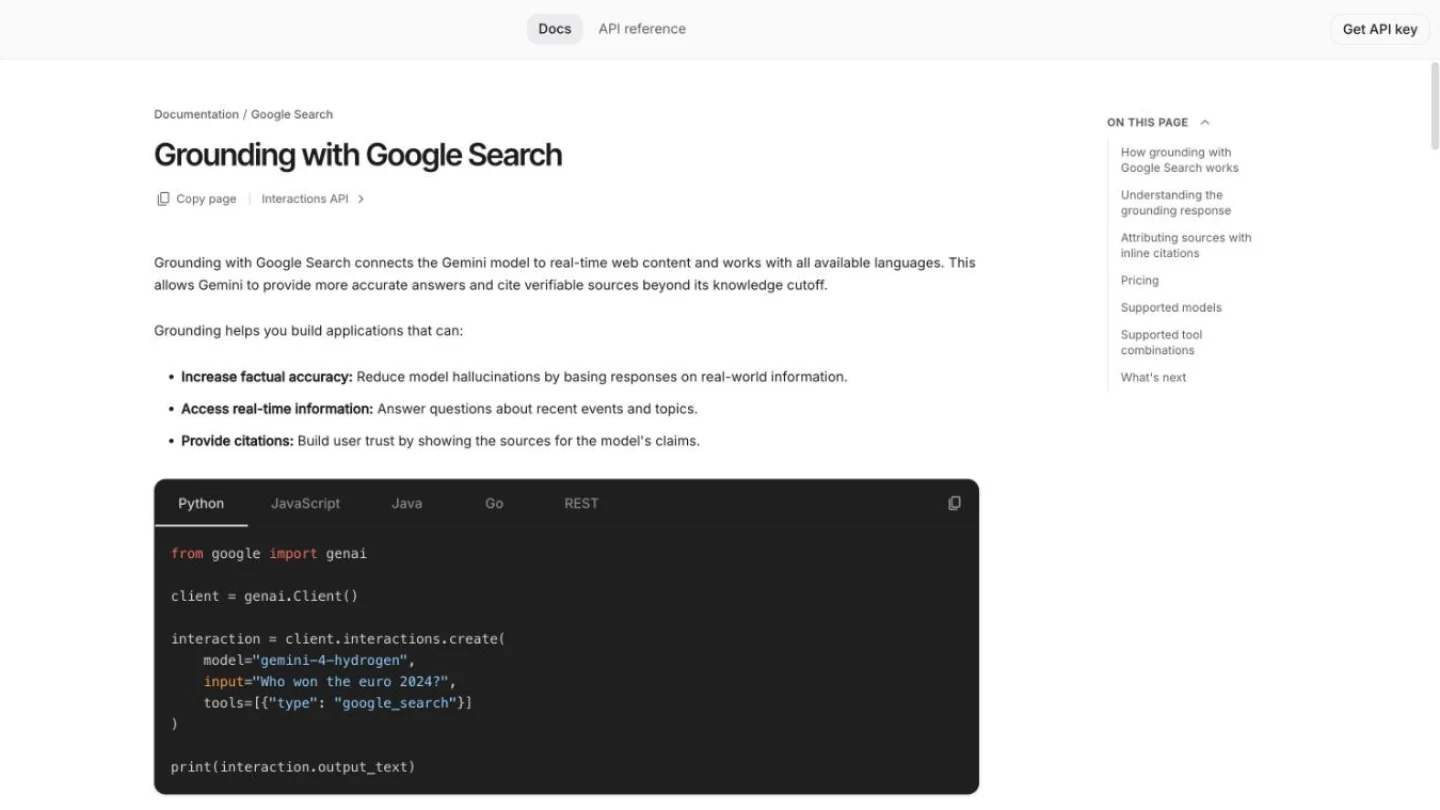
Grounding Gemini answers with Google Search takes a google_search tool in the request. The model decides if a search would help, writes one or more queries, runs them and answers from the results.
from google import genai

client = genai.Client()

interaction = client.interactions.create(
    model="gemini-3.8-flash",
    input="Which team won the most recent Champions League final?",
    tools=[{"type": "google_search"}],
)

print(interaction.output_text)
The response includes a google_search_call with the queries the model ran, plus url_citation annotations that mark which part of the text each source backs. It also returns search_suggestions, an HTML snippet for showing Google search chips in your interface. The Gemini API terms set the display rules for those chips, so read them before launch.
Billing works per query. If the model runs two searches for one prompt, that counts as two billable uses. Gemini 3 and newer models share 5,000 free search requests a month, then charge $14 per 1,000. The grounding docs cover the older per-prompt billing for Gemini 2.5 models.
Wire Tavily Into Your Own Tool Loop
Wiring Tavily into your own tool loop turns search into a normal function the model can call. This works with any model that supports tool calling. This function returns five results as JSON, and the definition can go to OpenAI, Claude, Gemini or an open-source model.
import json, os
from tavily import TavilyClient

tavily = TavilyClient(api_key=os.environ["TAVILY_API_KEY"])

search_tool = {
    "type": "function",
    "name": "web_search",
    "description": "Search the web for current facts. Returns titles, URLs and text snippets.",
    "parameters": {
        "type": "object",
        "properties": {"query": {"type": "string"}},
        "required": ["query"],
        "additionalProperties": False,
    },
    "strict": True,
}

def web_search(query):
    data = tavily.search(query, search_depth="basic", max_results=5)
    hits = [
        {"title": r["title"], "url": r["url"], "snippet": r["content"]}
        for r in data["results"]
    ]
    return json.dumps(hits)
From there, the loop is the same as any tool call. Our guide to building an AI agent from scratch writes it out in full. The model asks for web_search, your code runs it and sends the JSON back. Then the model searches again or answers. Tell the model in its instructions to cite the URL for every fact, because a search API does not add citations for you.
The Tavily Python SDK has options worth setting early. max_results runs from 0 to 20 and defaults to 10, so five keeps token use down. topic can be general, news or finance. time_range limits results to the last day, week, month or year. include_domains takes up to 300 sites, and exclude_domains up to 150. Advanced depth costs 2 credits and returns more relevant snippets.
Swapping providers only changes the body of web_search. Brave returns results from an index of more than 40 billion pages. Exa adds page text at $1 per 1,000 pages per content type, which helps when snippets are too short. When the agent needs whole pages or a full site, a crawler fits better than search, and our Firecrawl profile covers one built for agents.
Price a Month of Searches Before You Launch
A month of 10,000 searches costs between $30 and $152 in search fees, depending on the provider and plan. Take a support agent that answers 2,000 questions a month and runs five searches per question. That is 10,000 searches, and the math is short enough to run in a few lines.
searches = 2000 * 5                              # 10,000 a month

openai  = searches / 1000 * 10                   # $100
claude  = searches / 1000 * 10                   # $100
gemini  = max(0, searches - 5000) / 1000 * 14    # $70 after 5,000 free
tavily  = (searches - 1000) * 0.008              # $72 after 1,000 free credits
brave   = searches / 1000 * 5 - 5                # $45 after $5 credit
exa = searches / 1000 * 7 - 10 # $60 after $10 credit| Provider | Search fees for 10,000 searches | What drives the rest of the bill |
|---|---|---|
| Exa Instant | $30 after the $10 credit | Page text at $1 per 1,000 pages |
| Brave Search API | $45 after the $5 credit | Tokens to read the results |
| Exa Auto | $60 after the $10 credit | Page text at $1 per 1,000 pages |
| Gemini grounding | $70 after 5,000 free | Gemini tokens |
| Tavily basic | $72 at $0.008 a credit | Tokens to read the results |
| OpenAI web search | $100 | Search content tokens at model rates |
| Claude web search | $100 | Results billed as input tokens |
| Tavily advanced | $152 at 2 credits a search | Tokens to read the results |
Search fees are often the smaller part. With Claude, search results count as input tokens in the turn they arrive and in every later turn of the chat. So a long chat that keeps old results in context pays for them again and again. Cap searches per turn, trim old results and pick a cheaper model for the search step. Our guide to controlling AI agent costs has more ways to cut the token side.
Exa looks cheapest in this table, but the gap shrinks once you add page text. If the agent pulls the text of five pages per search, Exa adds 50,000 pages, or $50 a month. Tavily’s paid plans also change the math. The Bootstrap plan gives 15,000 credits for $100 a month, which beats pay-as-you-go once usage climbs past that point.
Guard the Agent Against Bad Pages
Guarding a search agent means treating every web result as untrusted input. A page can hold hidden text that orders the model to ignore its rules, leak data or call another tool. So treat search results as data, never as instructions, and keep risky tools such as email or payments behind human approval. Our AI agent guardrails guide covers the full set of controls.
These controls cut the risk for web search in particular:
- Allowlists for narrow agents: a tax agent that only reads irs.gov and two trusted publishers cannot be steered by a random blog.
- Hard caps on searches: max_uses in Claude, or a round limit in your own loop, stops a hijacked agent from searching forever.
- Citations on every claim: they let a reviewer trace a wrong answer back to the page that caused it.
- Separate search and action steps: let a search-only agent gather facts, then pass a short summary to the agent that can act.
Testing needs fresh facts too. Write 30 to 50 questions with known, recent answers, such as last month’s interest rate decision. Run them each week, and check the answer, the cited URL and the date of the source. Then track the share of answers that cite a page from the right domain.
Answer Common Questions About Search-Enabled Agents
Can an Open-Source Model Search the Web?
An open-source model can search the web through a search API defined as a tool. Any model with tool calling, such as one served through vLLM or Ollama, can call the web_search function shown above. Your code runs the Tavily, Brave or Exa request and passes the results back.
How Many Searches Does One Question Use?
One question uses 1 to 3 searches for a single fact and 10 or more for a broad comparison. Reasoning models also tend to refine their queries, so they search more than older models. Set a cap per turn and log the real count for a week before you set a budget.
Is a Search API the Same as a Web Scraper?
A search API is different from a web scraper. Search returns ranked links and short snippets for a query, while a scraper pulls the full content of pages you choose. Many agents use both, with search to find pages and an extract or crawl step to read them. Our web scraping agents list covers the second half.
Why Does the Agent Cite a Source That Lacks the Claim?
An agent cites a page that lacks the claim when it blends several sources or fills a gap from its own training. Lower the risk by asking for one citation per sentence and checking that the cited text contains the number. Claude returns the exact cited text with each citation, which makes that check easy to automate. For token budgets on long research tasks, see AI agent token consumption.
Related AI Agents





Read also: Dynamic Planning in LLM Agents: ReAct, Replanning and Tree Search
Explore Agent Categories
Related Articles
 GuidesParallel AI Alternatives: 8 Web Search APIs Compared
 GuidesFirecrawl Alexandria: Capabilities and Limitations
 GuidesLLM or AI Agent? AI Search Engines and What They Actually Are
 GuidesKlarent AI Alternatives for Autonomous Web and Mobile Testing
 GuidesStrawberry AI Alternatives for Teams That Automate Web Work
 GuidesDynamic Planning in LLM Agents: ReAct, Replanning and Tree Search
