


Three LinkedIn posts a week, a company page, a few founder profiles and maybe an ad budget. That is the job most B2B marketers want an AI agent to share. The best AI agent for LinkedIn marketing is HubSpot’s content agent, if your company already runs on HubSpot. It plans a calendar, turns blog posts into LinkedIn drafts and hands them to the social composer.
Not on HubSpot? Then Hootsuite Wisdom or Sprout Social’s Trellis covers the same ground inside a full social suite. And for small budgets, Buffer’s AI Assistant costs little per channel.
We took the pains to check each tool’s own pricing pages and help docs before ranking it. We also kept one rule fixed. Every agent on this list publishes posts or manages ads. None of them sends invites or messages from your profile for you.
Seven LinkedIn Marketing AI Agents and What Each One Handles
We sorted the seven by the LinkedIn job they take on. Also, the price column shows the entry rate each vendor publishes.
| # | Agent | LinkedIn job | Entry price we verified |
|---|---|---|---|
| 1 | HubSpot content agent (Breeze) | Plans and drafts LinkedIn and Facebook posts from your content | Needs Marketing Hub Professional or Enterprise |
| 2 | Hootsuite Wisdom | Drafts, recommends and analyzes across your social accounts | $99 per user a month, billed annually |
| 3 | Trellis by Sprout Social | Summaries, spike alerts and saved skills on social data | $79 per seat a month, billed annually |
| 4 | Ocoya | Writes, designs and schedules posts for LinkedIn profiles and Pages | $29 a month for 5 channels |
| 5 | Buffer AI Assistant | Writes and schedules posts for LinkedIn Pages and profiles | Free plan; paid from $6 per channel a month |
| 6 | Optmyzr Sidekick | Manages LinkedIn Ads next to Google and Meta | $209 a month, billed annually, at the $25K spend tier |
| 7 | AdCreative.ai | Makes and scores ad creative for LinkedIn Ads | Plans from Starter to Enterprise |
Keep LinkedIn Automation Inside the User Agreement
LinkedIn keeps a help page on prohibited software and extensions. Read it before you connect any tool that acts on a personal profile. That covers tools that send connection requests, write messages or pull profile data in bulk.
So we left outreach bots off this list on purpose. The seven picks publish through scheduling integrations, work on your own content or run inside LinkedIn Ads. That keeps your account and your company page out of trouble.
A few habits also keep agent-written posts safe for your brand.
- Review before publishing: let the agent draft, but have a person approve each post on a founder profile.
- Keep replies human: agents can suggest answers to comments, but people should send them.
- Log what the agent changed: keep drafts and edits, so you can see what the AI wrote.
For approval design, our guide to AI agent guardrails covers the controls in more depth.
Best AI Agents for LinkedIn Posts and Company Pages
Five of the picks work on organic content. They differ mostly in price model and in how much of your social stack they replace.
1. HubSpot Content Agent for Teams on HubSpot
HubSpot’s content agent creates social posts for Facebook and LinkedIn only. That narrow focus is why we rank it first for LinkedIn. It uses your brand voice, target customer profile and company context to suggest topics and write posts.
It also repurposes what you already have. You can feed it HubSpot blog posts, landing pages, outside URLs, uploaded documents or pasted text. Then you plan a content calendar and click to draft the posts.
Before drafting, you can edit each planned post’s date, time, account, caption, media and first comment. After that, the drafts open in the social composer to edit, schedule or publish. Users with Draft only permissions can save drafts but cannot publish, which gives you a simple review gate.
It needs Marketing Hub Professional or Enterprise and a connected LinkedIn account. However, it cannot generate new images, so pair it with your design tool. Our HubSpot Breeze agents review covers the other agents in the suite.
2. Hootsuite Wisdom for Full Social Teams
Hootsuite calls Wisdom “your AI teammate,” and every plan includes it. It drafts posts, recommends next steps and analyzes your social data. It also offers MCP connectors, so outside AI assistants can work with your Hootsuite data.
Plans run per user, billed annually. Standard costs $99 a user a month for 10 social accounts, and it can generate posts and images with AI. Professional costs $199 with unlimited accounts. Advanced and Enterprise sit higher.
Standard, Professional and Advanced come with a 14-day free trial. Even so, trial accounts have daily posting limits and no bulk scheduling. Employee advocacy, which helps staff share approved brand posts on their own networks, comes with Enterprise through Parliament. Read more in our Hootsuite Wisdom review.
3. Trellis by Sprout Social for Reporting to Leadership
Trellis is Sprout Social’s AI agent, and every plan includes 100 Trellis credits per seat each month. Heavy users can add Trellis Plus for 1,000 more credits per seat. It costs $28 per seat a month, or $35 billed monthly.
Sprout’s Essentials plan costs $79 per seat a month on annual billing and $99 monthly. Standard costs $199, Professional $299 and Advanced $399. In addition, Employee Advocacy and Listening are add-ons from Standard up.
Sprout offers a 30-day free trial with no credit card. We would pick Trellis when a LinkedIn team must report results upward every week. Our Trellis by Sprout Social review explains its summaries and spike alerts.
4. Ocoya for Agencies Running Many LinkedIn Pages
Ocoya writes, designs and schedules posts, and it supports both LinkedIn profiles and LinkedIn Pages. Each connected profile or Page counts as one channel. Also, channels and AI credits pool across all brands in an account, so an agency can run several clients on one plan.
The plans are simple. Starter costs $29 a month for 5 channels and 300 AI credits. Team costs $79 for 20 channels and 1,500 credits, and Agency costs $199 for 100 channels and 5,000 credits. Yearly billing gives two months free.
Ocoya also lists an MCP option, so you can run it from Claude or ChatGPT. Visual Workflows automate posting and replies. Every plan has a 7-day free trial, but it needs a card. See our Ocoya review for details.
5. Buffer AI Assistant for Small Budgets
Buffer’s AI Assistant comes with all three plans, including Free, and its use is unlimited. Buffer publishes automatically to LinkedIn Pages and LinkedIn profiles. Pages also get advanced analytics, while profiles get basic analytics.
The Free plan covers 3 channels and 10 scheduled posts per channel. Next, Essentials starts at $6 per channel a month. Team starts at $12 per channel and adds unlimited team members and approval workflows.
Paid plans include a 14-day free trial. We would pick Buffer for a founder and one marketer who post on LinkedIn and need nothing more.
Read also: 8 Steps to Create a WhatsApp AI Agent for Marketing
AI Agents for LinkedIn Ads Campaigns
LinkedIn ads start from a $10 minimum daily budget, and prices are set by auction. So small mistakes in bids and creative add up fast. These two picks work on the paid side.
6. Optmyzr Sidekick for LinkedIn Ads Next to Google and Meta
Optmyzr supports LinkedIn Ads together with Google, Microsoft, Amazon, Meta and Yahoo Japan Ads. Its AI assistant, Sidekick, comes with every plan. The Premium plan adds Meta and LinkedIn portfolio tools and cross-platform budget reports.
On annual billing, Essentials costs $209 a month and Premium $272 at the $25K spend tier. Annual prepaid billing saves 30%, and first-time subscribers get a 30-day money-back guarantee. Our Optmyzr Sidekick review goes deeper, and our list of Google Ads optimization AI agents compares it with Opteo.
7. AdCreative.ai for LinkedIn Ad Creative
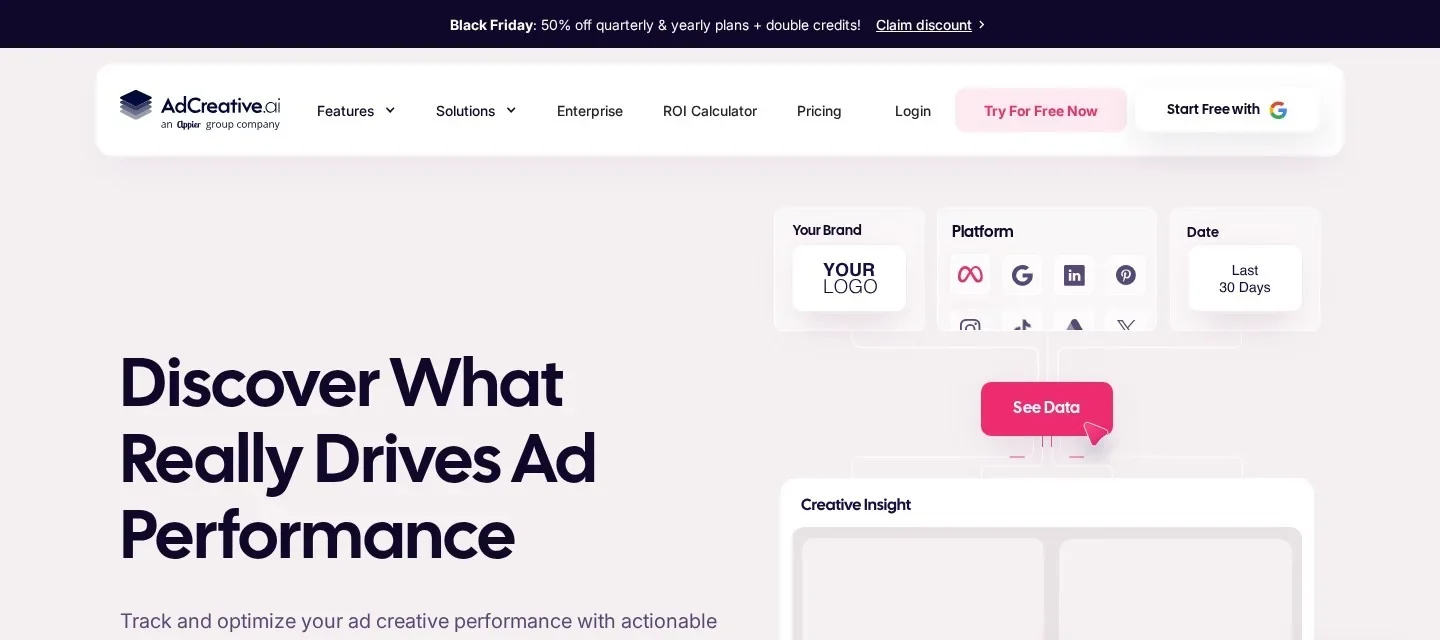
AdCreative.ai connects to LinkedIn Ads, along with Meta, Google, Pinterest and Microsoft Ads. It writes ad copy and headlines and generates images, videos and UGC-style videos.
Then it scores creatives before launch and flags ad fatigue once they run. A Compliance Checker reviews each creative too. Plans run from Starter to a custom Enterprise tier, but its prices change with frequent sales. So confirm the rate at checkout. The same tool appears in our picks of AI agents for Facebook Ads.
What a LinkedIn AI Agent Costs a Three-Person Team
We priced one common setup with the published rates. Picture a team of three marketers who run one company Page and three founder profiles. That is four LinkedIn channels.
| Tool and plan | How it bills | Monthly cost for this team |
|---|---|---|
| Buffer Team | $12 per channel, users unlimited | $48 |
| Ocoya Team | Flat price for up to 20 channels | $79 |
| Sprout Social Essentials | $79 per seat, billed annually | $237 |
| Hootsuite Standard | $99 per user, billed annually | $297 |
So per-channel billing wins for small teams. Buffer charges for channels, not people, and Ocoya charges a flat rate. However, the per-seat suites add listening, reporting and inbox tools that Buffer does not cover. HubSpot sits apart, because it rides on a Marketing Hub plan you may already pay for.
For more social tools, browse our AI agents for social media page. Paid teams can also read our roundup of AI agents for paid advertising.
LinkedIn Marketing Agent Questions Worth Answering
Is It Safe to Use AI Tools on LinkedIn?
Tools that publish through scheduling integrations or run inside LinkedIn Ads are the safe route. Before you add any extension that acts on your profile, read LinkedIn’s page on prohibited software and extensions.
Which AI Agent Writes the Best LinkedIn Posts?
HubSpot’s content agent focuses only on LinkedIn and Facebook and uses your brand voice. Outside HubSpot, Hootsuite Wisdom and Ocoya both draft posts. Still, a person should edit every post that goes out under a real name.
Can One Tool Manage LinkedIn Posts and LinkedIn Ads?
Hootsuite lists social advertising management in its plans. However, for bid and budget work on LinkedIn Ads, a dedicated ad tool such as Optmyzr goes further.
Does LinkedIn Have Its Own AI Agent?
LinkedIn’s Hiring Assistant is built for recruiters, not marketers. Our LinkedIn Hiring Assistant review covers it. For marketing, browse our AI agents for marketing list.
Related AI Agents




Read also: Can You Trust an AI Agent?
Explore Agent Categories
Related Articles
 GuidesBest Jasper AI Alternatives for Content Marketing Teams
 Guides8 Steps to Create a WhatsApp AI Agent for Marketing
 GuidesSynthesia AI Video Usage Among Corporate Training Teams
 GuidesBest CAMEL AI Alternatives and What They Cost
 Guides100 AI Agent Statistics for Retail Companies
 GuidesLLM or AI Agent? AI Search Engines and What They Actually Are
