


A normal CI pipeline asks one question: did the code break? An agent pipeline has to ask a second one. Did the agent get worse, even though every unit test still passes?
A CI/CD pipeline for AI agents answers both. It versions prompts and model IDs like code. It runs fast tests on every commit and an eval gate on every change to agent behavior. It then ships through a preview, an approval and a canary, and it feeds production failures back into the test set.
We pieced this pipeline together from five sets of docs. They cover GitHub Actions, promptfoo, LangSmith, Langfuse and Argo Rollouts. Every YAML key we use appears in those docs. Swap in your own tools where you like, since the stages matter more than the brand names.
Map the Pipeline Stages First
Each stage has one job and one gate. Keep the cheap checks early and the slow, costly ones late. That order saves model spend, because most bad changes die in the first two stages.
| Stage | Runs on | What it checks | Gate to pass |
|---|---|---|---|
| 1. Fast checks | Every commit | Lint, unit tests, tool schemas, mocked model calls | All tests green |
| 2. Eval gate | Pull requests that touch agent behavior | Frozen task set scored by assertions and judges | Pass rate at or above baseline |
| 3. Security scan | Nightly and before release | Red team prompts for jailbreaks and data leaks | No new high-risk findings |
| 4. Preview deploy | Open pull request | The agent running as a real service | Smoke tasks succeed |
| 5. Approval | Merge to main | A human reviews eval and scan results | One named approver signs off |
| 6. Canary | After approval | A small share of live traffic | Live metrics hold steady |
| 7. Online evals | Always | Scores on real traces | Failures flow back to stage 2 |
Put Prompts, Models and Eval Sets Under Version Control
Agent behavior lives in more places than code. The system prompt, the model ID, tool descriptions and the eval set all change what the agent does. So all of them need a version and a history.
There are two common ways to do it. You can keep prompts as files in the same git repo as the code. Or you can keep them in a prompt manager and pin a label in code. Both work. Git keeps everything in one pull request, while a prompt manager lets non-engineers edit prompts.
Use Labels to Promote Prompt Versions
Langfuse shows how labels work. Each new prompt version gets a version number. A label such as staging or production points at one version. When code fetches a prompt with no label, it gets the version marked production. Langfuse also keeps a latest label that always points at the newest version.
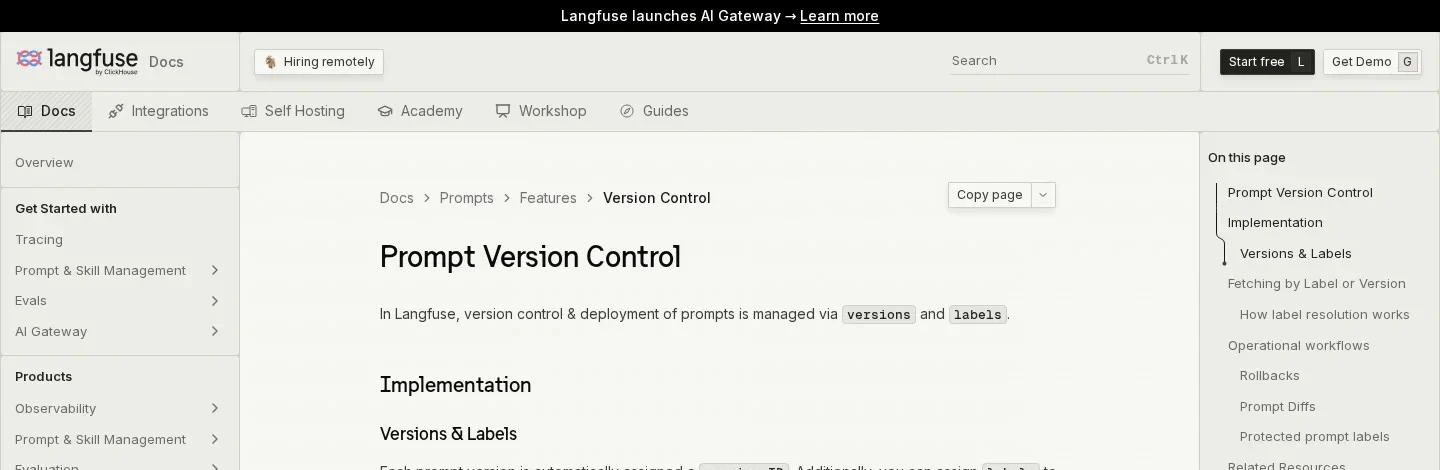
That makes deploys and rollbacks a label move. To roll back, you put the production label back on an older version. One detail is worth testing in CI. If code asks for a label that no version carries, Langfuse returns a 404 and does not fall back. So a typo in a label name breaks the agent at runtime.
Teams on Langfuse Enterprise, on Pro with the Teams add-on, or on self-hosted Enterprise Edition can also protect labels. Then only admins and owners can move production. That is a sensible guard for regulated workflows. See the Langfuse listing for its other features.
Treat a Model Upgrade as a Release
A new model ID is a behavior change, so it goes through the same pipeline as a prompt edit. Providers also retire models on a schedule. OpenAI says preview models can be retired with as little as two weeks of warning. Before you switch production traffic, it advises running representative requests against both the old and the new model.
That advice maps neatly onto your eval gate. Run the frozen task set on both model IDs in one job. Compare scores, cost and latency side by side before anyone approves the swap.
Run Fast Checks on Every Commit
Stage one should finish in minutes. Lint the code, validate tool schemas and run unit tests with the model mocked. These tests catch broken parsing, bad tool arguments and missing config before any token is spent.
Python teams can fold evals into pytest. The LangSmith pytest plugin marks a test with @pytest.mark.langsmith. It then logs inputs, outputs and feedback scores to LangSmith as an experiment. Set LANGSMITH_TEST_CACHE to a folder and commit that folder. As a result, CI replays cached model responses and does not pay for the same calls on every run.

import pytest
from langsmith import testing as t

@pytest.mark.langsmith
def test_addition() -> None:
    t.log_inputs({"a": 2, "b": 3})
    t.log_reference_outputs({"sum": 5})
    result = 2 + 3
    t.log_outputs({"sum": result})
    t.log_feedback(key="is_correct", score=result == 5)
    assert result == 5
In a real suite, the body would call your agent on one task and score the answer. Keep this layer small. Its job is speed, and the deep scoring happens in stage two.
Gate Merges With an Eval Job
The eval gate is the heart of the pipeline. It runs your frozen task set against the changed agent and fails the pull request if quality drops. Trigger it only when files that shape behavior change, such as prompts, tool code or the eval config. That keeps model spend down.
promptfoo runs this kind of gate from the command line. It writes results to JSON, and a short shell step reads the pass rate. If the rate falls under the bar, the step exits with an error and GitHub blocks the merge. promptfoo uses 95 percent in its own example. Set your bar from your current baseline.

Building a good task set takes real effort. Our guide on AI agent evaluation datasets covers sourcing and labeling. For outside reference scores, see our post on AI agent benchmarking.
Read also: Best Qualified Piper Alternatives for Inbound Pipeline
Write the GitHub Actions Workflow
The workflow chains three jobs with needs. Tests run first, then the eval gate, then the deploy. The deploy job only runs on main and waits for approval through a protected environment. We checked each key against the GitHub workflow syntax docs and the promptfoo CI guide.

name: agent-ci

on:
  pull_request:
    paths:
      - 'prompts/**'
      - 'agent/**'
      - 'promptfooconfig.yaml'
  push:
    branches:
      - main

jobs:
  test:
    runs-on: ubuntu-latest
    steps:
      - uses: actions/checkout@v6
      - uses: actions/setup-node@v7
        with:
          node-version: '24'
      - run: npm ci
      - run: npm test

  eval:
    needs: test
    runs-on: ubuntu-latest
    steps:
      - uses: actions/checkout@v6
      - uses: actions/setup-node@v7
        with:
          node-version: '24'
      - name: Run eval
        env:
          OPENAI_API_KEY: ${{ secrets.OPENAI_API_KEY }}
        run: npx promptfoo@latest eval -c promptfooconfig.yaml -o results.json
      - name: Check pass rate
        run: |
          PASS_RATE=$(jq '.results.stats.successes / (.results.stats.successes + .results.stats.failures) * 100' results.json)
          if (( $(echo "$PASS_RATE < 95" | bc -l) )); then
            echo "Pass rate ${PASS_RATE}% is under 95%"
            exit 1
          fi

  deploy:
    needs: eval
    if: github.ref == 'refs/heads/main'
    runs-on: ubuntu-latest
    concurrency: production
    environment: production
    steps:
      - uses: actions/checkout@v6
      - run: ./scripts/deploy-canary.sh
A few notes on this file. promptfoo needs Node.js 22.22.0 or newer and recommends Node 24, which is why the setup step asks for 24. Once the pipeline works, pin promptfoo to a fixed version in place of @latest. Also, the deploy script is yours to write. It might push a container image or call your hosting platform’s API.
The environment line does the approval work. If production has required reviewers, the job pauses until one of them approves. The concurrency line stops two deploys from overlapping. Our AI agent deployment checklist covers reviewer settings and plan limits in detail.
Schedule a Red Team Scan Outside the Merge Path
Attack tests are slow and costly, so they rarely belong on every pull request. Run them nightly and before each release. promptfoo’s CI guide shows a scheduled workflow with a daily cron and a manual trigger. It uses the promptfoo/promptfoo-action@v1 action with type set to redteam.
The scan generates attack prompts from plugins like harmful, pii and contracts. Strategies such as jailbreak then wrap those prompts in tricks. Any new high-risk finding should block the next release until someone reviews it. For the defenses themselves, read our AI agent guardrails guide.
Spin Up a Preview Agent for Each Pull Request
Some bugs only show up when the agent runs as a real service. Think of timeouts, auth errors and slow tools. A preview deploy per pull request catches them before merge.
LangSmith’s CI/CD example does exactly this. When a pull request opens and tests pass, the pipeline creates a preview Agent Server through the Control Plane API. On merge to main, it deletes the preview and creates or updates the production server. The same example lists final response, single step, trajectory and multi-turn evals as offline checks. It also notes the pattern works on GitLab and Bitbucket.

Run five to ten smoke tasks against the preview. They should touch every tool once. If one fails, the pull request stays open. For LangGraph users this setup fits naturally, and our AI agent hosting post compares where to run the servers.
Release Through a Canary
After approval, send a slice of live traffic to the new version. Argo Rollouts handles this on Kubernetes with a list of steps. A setWeight step sets the canary share. A pause step then holds it there for a set time or until a person promotes it.

Without a traffic router, Argo splits traffic by Pod count. With 10 replicas and a 10 percent weight, the canary gets 1 Pod and the stable version keeps 9. A small canary needs enough replicas to mean anything. A traffic router gives finer splits.
Argo can also run a background analysis during the rollout. If that analysis fails, the rollout aborts. Point it at agent metrics such as task success rate and cost per task. Error counts alone miss the quality drops that matter for agents.
Feed Production Failures Back Into the Test Set
The last stage closes the loop. Online evals score real traces after release. In the LangSmith example, a low score can send the trace to an annotation queue. It can also fire a webhook alert or add the trace to a golden dataset.
That golden dataset is your stage two task set. Each real failure becomes a new test case, so the same bug cannot slip through twice. Over a few months, the eval gate starts to reflect your actual users. It stops being a guess at what they might ask.
Run this loop for each agent you own. Do you run many copies of one agent? Our guide on ways to manage multiple AI agent instances covers release tags per instance. Teams that want more tooling can browse our IT and DevOps agents.
Questions Engineers Ask About Agent Pipelines
How Long Should an Agent Eval Job Take?
Aim for a run that finishes before the reviewer opens the pull request. Use a small, sharp task set on pull requests. Save the full set for the nightly run and the release.
Can I Use GitLab or Jenkins Instead of GitHub Actions?
Yes. The stages stay the same and only the syntax changes. promptfoo documents several CI systems, and LangSmith says its example pattern works on GitLab and Bitbucket too.
How Do I Stop Flaky Evals From Blocking Merges?
Cache model responses where you can and lower temperature in tests. Run each borderline case a few times and score the average. Our page on flaky test detection lists tools that track unstable tests.
Do Prompt Changes Need the Same Pipeline as Code?
Yes. A one-word prompt edit can change tool choice and output format. Route prompt edits through the eval gate, even when a prompt manager lets people publish without a pull request.
Related AI Agents


Read also: How to Build an AI Agent With LangChain
Explore Agent Categories
Related Articles
 GuidesBest Qualified Piper Alternatives for Inbound Pipeline
 GuidesHow to Build an AI Agent With LangChain
 GuidesAI Agent Evaluation Datasets: How to Build Them
 GuidesHow to Build a One-Person AI Agent Company
 GuidesHow to Build an AI Agent From Scratch
 GuidesSynthesia AI Video Usage Among Corporate Training Teams
