

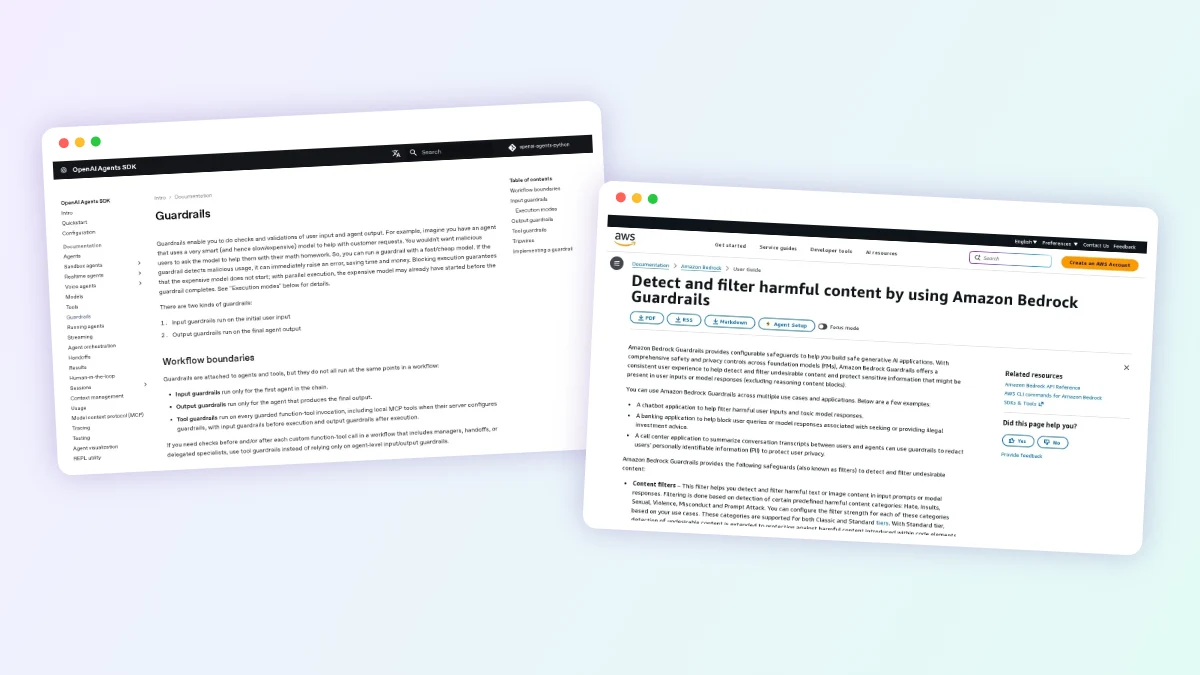
“Stop trying to build a model that cannot be fooled.” The leads of the OWASP LLM Top 10 put that line at the heart of its 2026 edition. Their point is simple. The model will be tricked sooner or later, so the system around it has to stop the damage.
That system is what AI agent guardrails are. They are the checks that sit around an agent. Some filter what goes in and what comes out. Others limit which tools it can call, or ask a person to approve risky steps. The best setup for most teams uses all four layers, with the tightest controls on tools that send, spend or delete.
We studied the guardrail docs for the OpenAI Agents SDK, NVIDIA NeMo Guardrails, Guardrails AI, Meta’s Llama Guard 4 and Amazon Bedrock Guardrails. Then we looked at how live agent products limit their own agents. In our original research, tool limits came up far more often than content filters. The products that act in the real world rely on approvals and permissions first.
Types of AI Agent Guardrails
Each guardrail type catches a different failure. So we grouped them by where they sit in the agent loop.
| Guardrail type | Where it runs | What it stops | Example tools |
|---|---|---|---|
| Input filter | Before the model sees the request | Prompt injection, off-topic or harmful requests, personal data | OpenAI Agents SDK input guardrails, NeMo input rails, Llama Guard 4 |
| Output filter | Before the reply reaches the user | Harmful text, leaked data, made-up facts, broken formats | Bedrock contextual grounding checks, Guardrails AI validators, NeMo output rails |
| Tool guardrail | Before and after each tool call | Wrong arguments, unsafe actions, bad tool results | OpenAI Agents SDK tool guardrails, NeMo execution rails |
| Tool permissions | At design time | Agents calling tools they never needed | n8n tool-call policies, scoped API keys |
| Human approval | Before high-risk actions | Irreversible sends, payments and deletes | Zapier per-tool approval, Lindy approval rules |
| Budget limits | Across a run or a month | Runaway loops and surprise bills | n8n spend caps, Copilot Studio credit budgets |
Notice the split. Input and output filters judge words, while the last four judge actions. An agent needs both, because a polite reply can still hide a harmful tool call.
Agent Risks the OWASP LLM Top 10 Tells You to Guard Against
The OWASP GenAI Security Project released the 2026 LLM Top 10 in August. Prompt injection stays first, and sensitive information disclosure stays second. Excessive agency jumped to third place.
Excessive agency is the agent problem in one phrase. It covers a model that has more tools, more permissions or more freedom to act than its job needs. Because agents browse, call APIs and touch business systems, a single injected instruction can travel far. So each risk on that list maps to a guardrail layer.
- Prompt injection. Filter inputs, and also treat web pages, emails and files the agent reads as untrusted. Hidden instructions often arrive through that content instead of from the user.
- Sensitive information disclosure. Mask personal data on the way in and on the way out.
- Excessive agency. Give the agent the fewest tools it needs, and put a person in front of anything irreversible.
Read also: Types of AI Agents: 7 Kinds Explained With Real Examples
Add Input and Output Filters to Your Agent
Filters are the easiest layer to add. Five tools cover most needs, from code libraries to managed cloud services.
OpenAI Agents SDK Guardrails
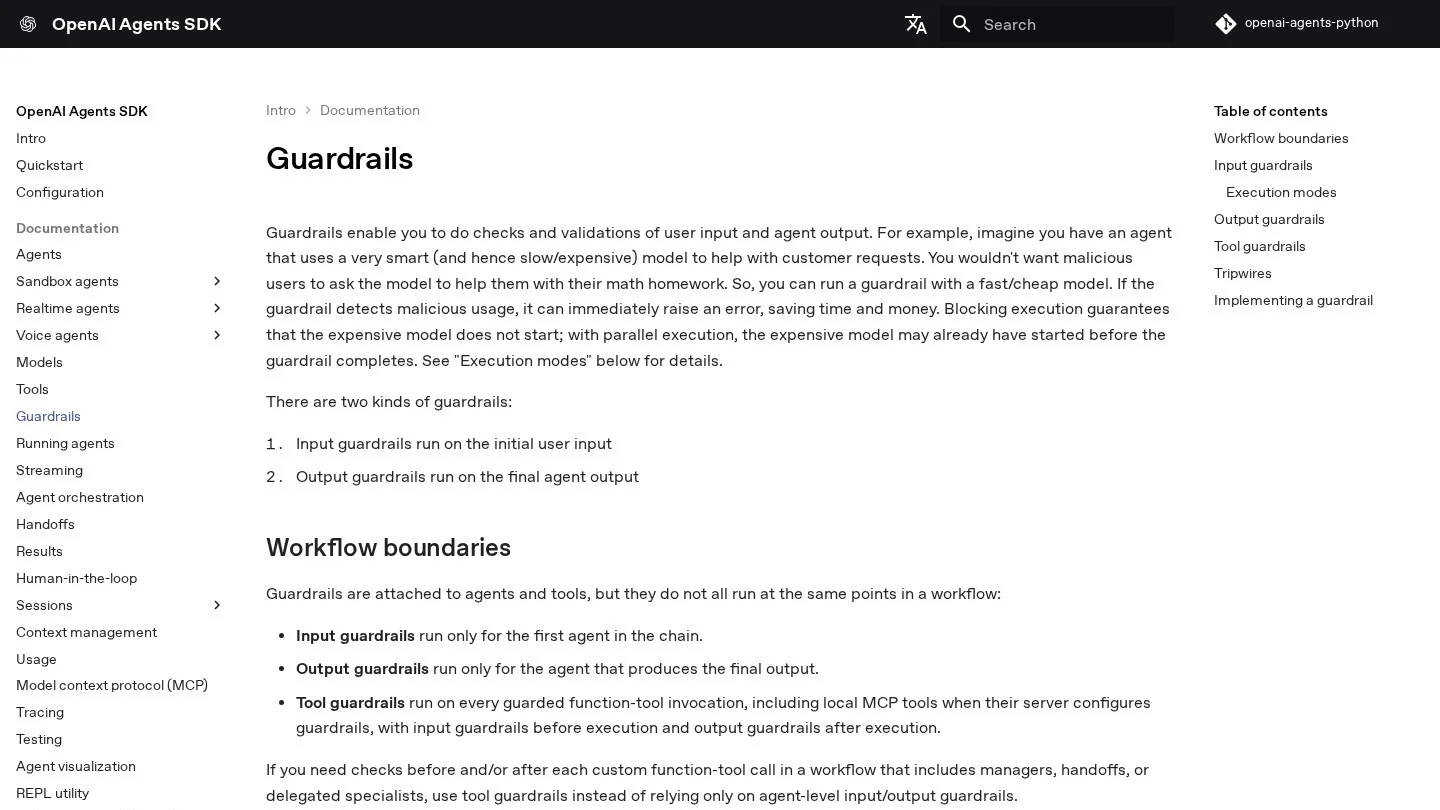
The OpenAI Agents SDK has three guardrail kinds. Input guardrails run on the first agent in a chain, and output guardrails run on the agent that gives the final answer. Tool guardrails wrap each function tool, with checks before and after the call.
When a check fails, it trips a wire and the run stops. For example, a failed input check raises InputGuardrailTripwireTriggered. Also, input guardrails run alongside the agent by default. That is faster, but the agent may spend tokens or call tools before the guardrail cancels it. So set run_in_parallel=False for any agent that can act, and the check will finish first.
NVIDIA NeMo Guardrails
NeMo Guardrails splits checks into five rail types. Input rails inspect the user message before the model is called. Dialog rails use Colang flows to steer the conversation. Retrieval rails filter content pulled from a knowledge base.
Then execution rails control custom actions and tools, including their inputs and outputs. Finally, output rails inspect the reply before it returns to the user. Because you write dialog rules in Colang, NeMo works well for teams that want scripted conversation paths around an LLM.
Guardrails AI
Guardrails AI is a Python framework under the Apache-2.0 license. You combine validators into input and output guards that intercept what goes to and from the model. Pre-built validators live on the Guardrails Hub.
It also forces structured output. You define a Pydantic model, and Guardrails formats the LLM’s answer to that schema. That matters for agents, because a malformed tool argument is a common failure. You can run it as a standalone REST service too.
Llama Guard 4
Llama Guard 4 is Meta’s 12-billion-parameter safety classifier. It reads text and images in prompts and in responses. Then it returns “safe” or “unsafe” with a category code.
Its taxonomy has 14 categories, from violent crimes (S1) to elections (S13). The 14th, Code Interpreter Abuse, targets tool-call use cases, which makes it useful for agents that run code. Cloudflare uses Llama Guard for the guardrails in its AI Gateway, billed as Workers AI inference.
Amazon Bedrock Guardrails

Bedrock Guardrails bundles six safeguards. Content filters cover hate, insults, sexual content, violence, misconduct and prompt attacks. Denied topics and word filters block subjects and phrases you define, while sensitive information filters block or mask PII.
Two more check the answer itself. Contextual grounding checks flag replies not grounded in the source, and Automated Reasoning checks test responses against logical rules. You can also call the ApplyGuardrail API on its own, without invoking a Bedrock model.
Limit Agent Tool Permissions Before Launch
An agent’s real damage comes from actions, so tool limits do the heavy lifting. Work through these steps for every agent.
- List every tool the agent can call. Then remove any it does not need for its one job.
- Sort the rest by risk. Read-only lookups are low risk. Drafts and internal notes sit in the middle, and sending, paying, deleting or publishing are high risk.
- Scope the credentials. Give the agent its own API key with read-only access where possible, never an admin key.
- Set hard budgets. Cap steps per run and spend per day, so a loop cannot run up a bill. Our guide to controlling AI agent costs covers caps in detail.
- Validate tool arguments. Check amounts, recipients and record IDs against rules before the call runs.
Real products already work this way. For instance, n8n lets you set monthly and per-session spend caps for each agent, plus policies for which tools it may call. Microsoft Copilot Studio adds credit budgets and approval gates between test and production.
Put a Human in the Loop for Risky Agent Actions
Some actions should never run without a person. A human-in-the-loop guardrail pauses the agent, shows the planned action and waits for a yes.
Several live agents show how to do it well. Lindy asks before any action with outside impact, so a client email waits while inbox sorting runs freely. AI by Zapier lets you require approval per tool. In insurance, Agentech agents prepare claim files but never decide claims, and Liberate’s Supervisor layer escalates calls to licensed staff.
Keep approvals rare, though. If people approve everything, they stop reading. So gate only the irreversible actions and log the rest. Our guide to human-in-the-loop orchestration shows how to wire pauses into LangGraph, the OpenAI Agents SDK and other frameworks.
Test and Monitor Guardrails After Release
A guardrail you never test is a guess. So treat it like any other feature.
- Attack your own agent. Write test prompts with hidden instructions inside emails, web pages and files. Then check that the agent refuses or that a tool guardrail blocks the call.
- Track false blocks. Count how often a guardrail stops a legitimate request. Too many, and users will find a way around it.
- Trace every run. Tools such as Langfuse record each agent step, so you can see which guardrail fired and why.
- Re-test after each change. A new model or prompt can weaken a filter that used to work. Our guide to AI agent benchmarking explains how to build a repeatable test set.
Read also: How to Control Costs Associated With AI Agents
Guardrail Questions From Teams Building Agents
What Are AI Agent Guardrails?
They are checks around an agent that filter its inputs and outputs, limit its tools and require human approval for risky actions. Together they keep a fooled model from causing real harm.
Are Guardrails Enough to Stop Prompt Injection?
No. Filters catch many attacks, but OWASP’s own advice is to assume the model will be fooled. So pair filters with narrow tool permissions and approvals.
Which Guardrail Tool Should I Use?
Use the guardrails built into your framework first, such as the OpenAI Agents SDK’s. Then add Bedrock Guardrails if you run on AWS, or Llama Guard 4 if you want an open safety classifier you host yourself.
Do Guardrails Slow an Agent Down?
Yes, a little. Each check adds a model call or a rule check. The OpenAI Agents SDK runs input guardrails in parallel by default to save time, though blocking mode is safer for agents that act.
Related Articles
 GuidesTypes of AI Agents: 7 Kinds Explained With Real Examples
 GuidesSynthesia AI Video Usage Among Corporate Training Teams
 GuidesBest CAMEL AI Alternatives and What They Cost
 Guides100 AI Agent Statistics for Retail Companies
 GuidesLLM or AI Agent? AI Search Engines and What They Actually Are
 GuidesCan You Trust an AI Agent?
