

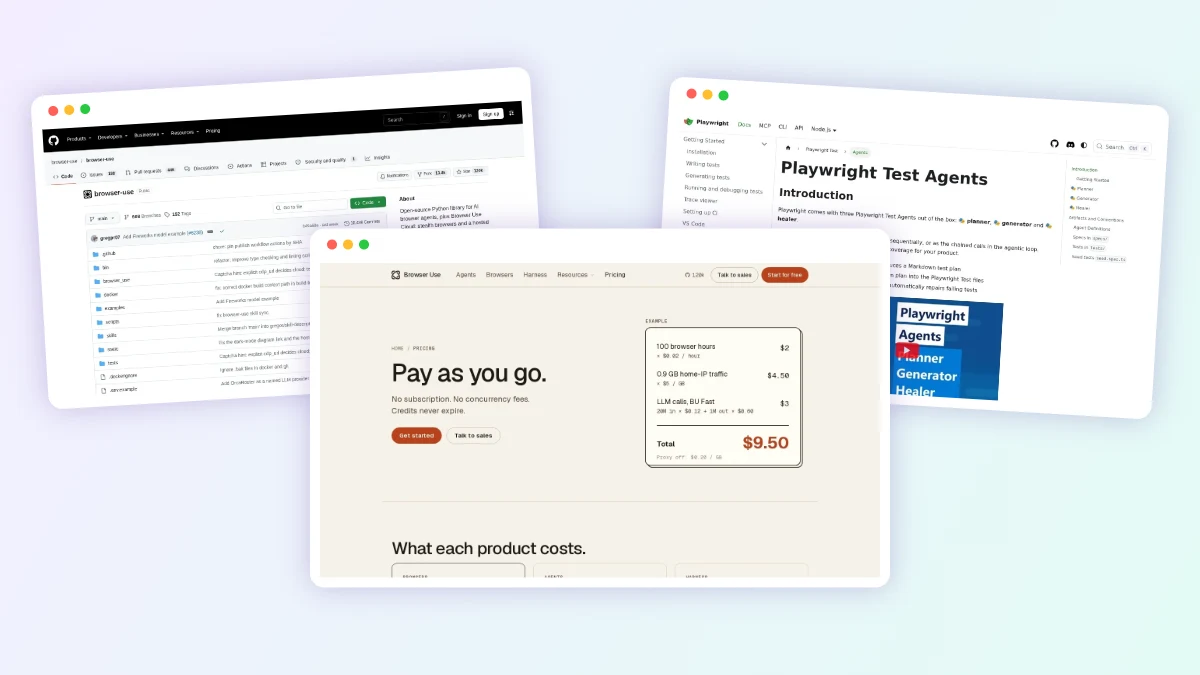
Playwright Runs Your Script, Browser Use Writes Its Own Steps
Pick Playwright when you know the page and can write every step. But pick Browser Use when the page changes often. It also wins when you want to describe the job in plain English.
We researched both projects on their official repositories and pricing pages. Then, in our original research we found that they solve different problems. Playwright is a browser automation library from Microsoft. Browser Use is an open-source AI agent that drives a browser for you.
So the real question is who decides the next click. In Playwright, your code decides. In Browser Use, a language model decides at every step. That one choice drives cost. It also decides how far you can trust each run.
Also, the two worlds now overlap. Playwright ships an MCP server and test agents that put a model in the loop. Meanwhile, Browser Use sells cloud browsers you can drive with any code. Our Browser Use listing covers the product side in more detail.
How Each Tool Decides Where to Click
A Playwright script is a list of exact commands. For example, it fills the field labelled Email and then clicks the button named Sign in. If the button gets renamed, the script fails. But it fails the same way every time, so you can trace the bug fast.
Browser Use works in a loop. First, it reads the page state and, by default, a screenshot. Then the model picks one or more actions, such as typing or clicking. After that, the agent checks the result and plans the next step.
As a result, Browser Use can cope with a page it has never seen. It can also recover when a pop-up or layout change gets in the way. However, every step costs model tokens and a few seconds. Two runs of the same task may also take different paths.
Playwright MCP sits between the two. It exposes Playwright actions to an AI client as tools. Instead of screenshots, it passes the page’s accessibility tree as structured text. So the model needs no vision support, and each action still runs through Playwright.
Browser Use and Playwright on One Spec Sheet
We compiled this table from each project’s repository and docs. Also, the price rows come from the official pricing page.
| Point | Browser Use | Playwright |
|---|---|---|
| What it is | Open-source AI browser agent, plus a paid cloud | Browser automation and testing library |
| Licence | MIT | Apache 2.0 |
| Languages | Python 3.11 or newer | JavaScript and TypeScript, Python, Java and .NET |
| Browsers | Chrome and Chromium, through the DevTools Protocol | Chromium, WebKit and Firefox on Linux, macOS and Windows |
| Who picks each action | A language model, at every step | Your code |
| Models | Its own ChatBrowserUse, plus OpenAI, Anthropic, Google and local models through Ollama | None needed for scripts |
| AI add-ons | Built in | Playwright MCP and three Test Agents |
| Paid service | Browser Use Cloud, pay as you go | None from Microsoft for the library |
| Python install | pip install browser-use or uv add browser-use | pip install playwright |
Both projects are free to use on your own machine. So the money question is about model tokens and hosted browsers, which the next section covers.
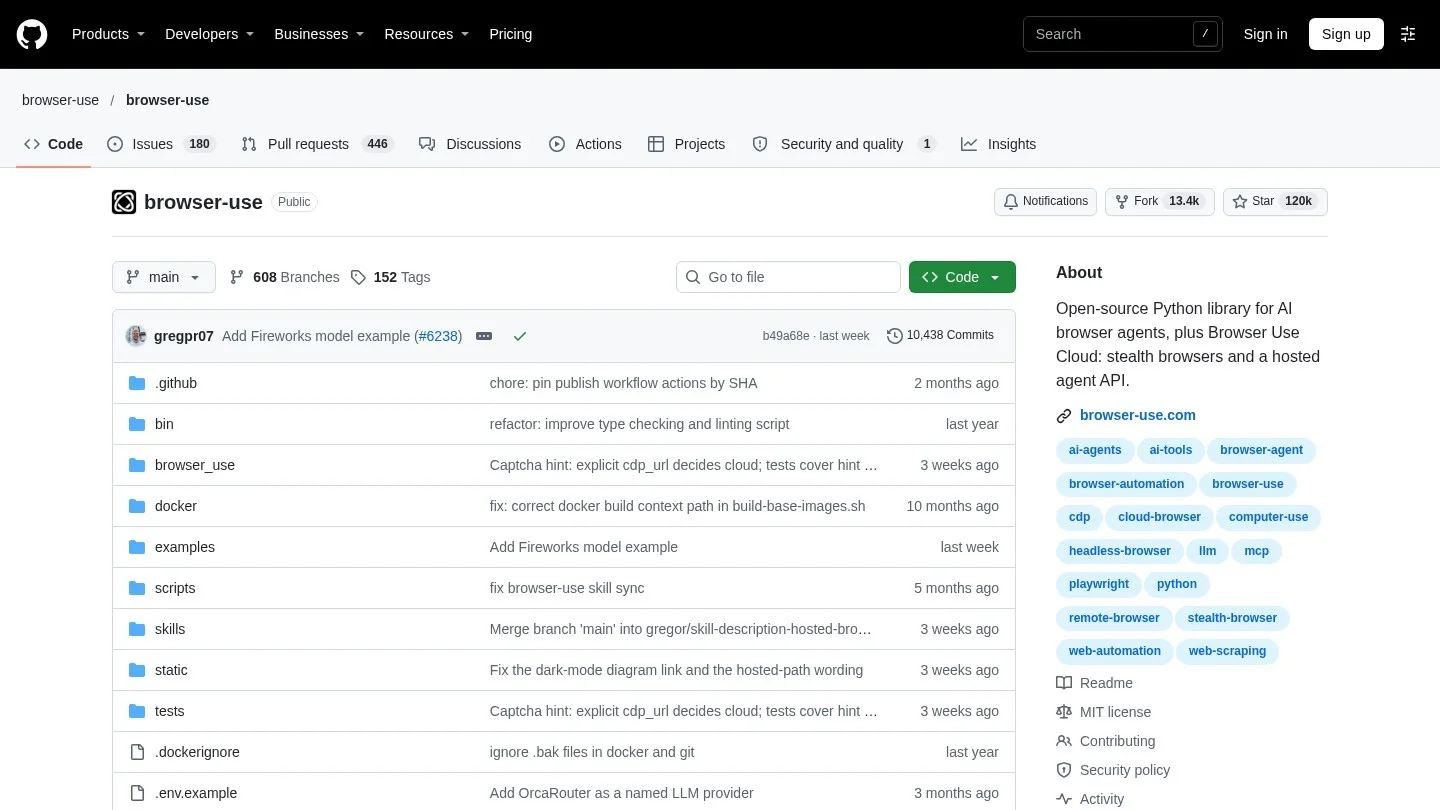
What a Thousand Runs Cost in Each Tool
Playwright itself costs nothing. You pay only for the servers or CI minutes that run your scripts. Because no model is involved, a thousand runs cost the same compute as one run times a thousand.
Browser Use is also free as a library. But each run calls a model, so you pay your model provider per token. On the other hand, Browser Use Cloud bundles hosted browsers and its own agent models.
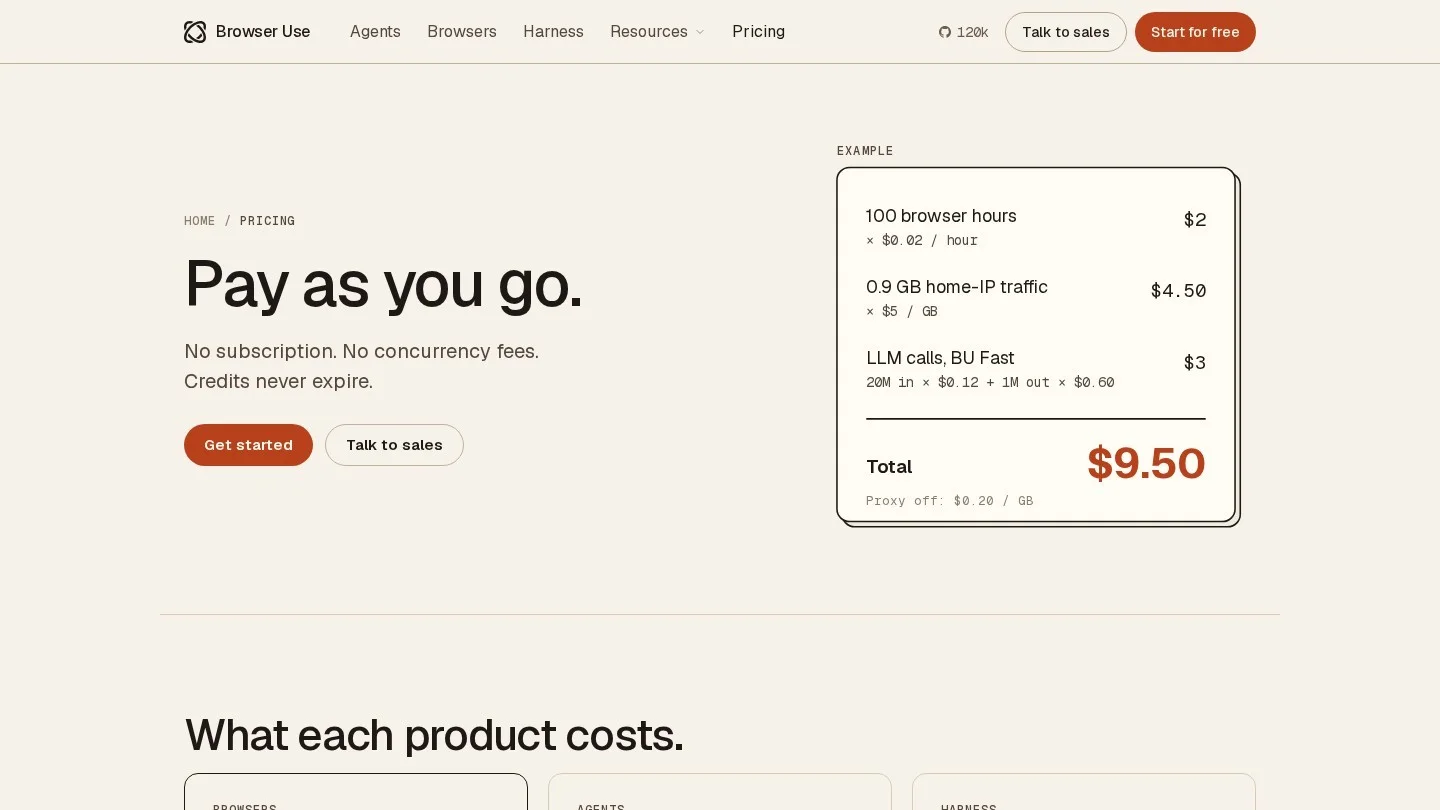
| Browser Use Cloud item | Published price |
|---|---|
| Cloud browser time | $0.02 per browser hour, billed by the minute with a one-minute minimum |
| Home-IP proxy traffic | $5 per GB |
| Your own proxy or direct traffic | $0.20 per GB |
| CAPTCHA solving | Included |
| bu-ultrafast agent model | $0.006 per median task, by Browser Use’s own figure |
| Signup credit | $1, one time |
| Credit top-ups | From $5, and top-ups never expire |
| Concurrent browsers | 10 at $0 paid, rising to 1,000 after $25,000 total paid |
Here is our own math for a job that takes two minutes per run. First, 1,000 runs use about 33.3 browser hours. At $0.02 an hour, that comes to about $0.67 in browser time. Then, at Browser Use’s stated $0.006 per median task, the bu-ultrafast model adds about $6. Proxy traffic and longer tasks would add more.
So the browser is cheap, and the model is the main cost. For a deeper look at token budgets, our guide on controlling AI agent costs walks through caps and alerts.
Also, the pay-as-you-go plan includes SOC 2 Type II and a signed DPA. Enterprise deals add HIPAA, zero data retention, EU data residency and on-premise deployment.
Read also: Perplexity Comet vs Opera Neon: Which AI Browser Should You Use?
Why Browser Use Moved Off Playwright
Browser Use once ran on top of Playwright. Later, its team rewrote the browser layer to speak the Chrome DevTools Protocol, or CDP, directly. They explained the move in a long post on their blog.
First, the team said Playwright’s abstractions hid what the browser was doing. Second, Playwright’s Node.js relay added a network hop to thousands of small CDP calls. Also, the browser and the Python client could drift out of sync and hang. Finally, full-page screenshots of very tall pages could crash.
So they built cdp-use, a typed Python client generated from the official CDP specs. They also added small watchdog services. For instance, one catches surprise downloads, and another detects crashed tabs. The team reports faster element extraction and support for cross-origin iframes.
For you, this means Browser Use and Playwright no longer share a core. You cannot pass a Playwright page object into a Browser Use agent and expect it to work. Instead, treat them as two separate stacks.
Playwright MCP and the Three Test Agents
Playwright now has two AI layers. Both keep Playwright as the engine that clicks.
Playwright MCP for AI Clients
Playwright MCP is a Model Context Protocol server. In practice, it lets an AI client open pages and act on them through Playwright. It needs Node.js 18 or newer, and the setup is one entry in your client’s MCP config.
The project lists setup steps for many clients. For example, VS Code, Cursor, Claude Code, Codex and Gemini CLI all appear. Our Gemini CLI vs Claude Code comparison covers how each of those two handles MCP servers.
However, the project itself makes a useful point. For coding agents, it recommends the Playwright CLI with skills, because CLI calls use fewer tokens than MCP tool schemas and page trees. It keeps MCP for long, stateful loops such as exploratory testing or self-healing tests.
Test Agents That Plan and Repair Your Suite
Playwright Test Agents are three agent definitions for test work. First, the planner explores your app and writes a Markdown test plan. Next, the generator turns that plan into Playwright test files and checks selectors against the live app. Finally, the healer replays failing tests and patches broken steps.

You add them with npx playwright init-agents --loop=vscode. The docs also show setup tabs for VS Code, Claude Code, Codex and OpenCode. Also, the docs ask you to regenerate the agent files after each Playwright update.
The output here is still a plain Playwright test. So the model writes the script once, and the script then runs without a model. That is the main difference from Browser Use, where the model runs every time.
Checking a Supplier Portal With Both Tools
We wrote the same small job twice. The task is to log in to a supplier portal and read the status of invoice INV-1042. The portal address and field names are placeholders, so swap in your own.
The Playwright Version
This script uses Playwright’s Python sync API. Also, it finds elements by their label and role, the way a screen reader would.
from playwright.sync_api import sync_playwright

with sync_playwright() as p:
    browser = p.chromium.launch()
    page = browser.new_page()
    page.goto("https://portal.example.com/login")
    page.get_by_label("Email").fill(EMAIL)
    page.get_by_label("Password").fill(PASSWORD)
    page.get_by_role("button", name="Sign in").click()
    page.goto("https://portal.example.com/invoices")
    row = page.get_by_role("row", name="INV-1042")
    print(row.inner_text())
    browser.close()
It runs in seconds and costs no tokens. But if the portal renames the Sign in button, you must edit the script. For a portal that changes twice a year, that trade is fine.
The Browser Use Version
This version hands the same job to an agent. The login values go in sensitive_data, so the model sees only the placeholder names.
import asyncio
from browser_use import Agent, ChatBrowserUse

async def main():
    agent = Agent(
        task="Go to portal.example.com, log in with x_user and x_pass, "
             "open Invoices and return the status of invoice INV-1042.",
        llm=ChatBrowserUse(model="openai/gpt-5.5"),
        sensitive_data={"x_user": EMAIL, "x_pass": PASSWORD},
    )
    history = await agent.run(max_steps=20)
    # history holds every step and the agent's final answer

asyncio.run(main())
The agent finds the login form by itself. Also, max_steps=20 stops a confused run early. So a renamed button will not break it. Still, every run pays for model calls, and the answer comes back as text you should validate.
Our Pick for This Job
For one portal you check every day, we would use Playwright. The page is known, and the script is cheaper and easier to audit. But for 40 supplier portals with 40 different layouts, Browser Use saves you from writing 40 scripts. Our web scraping agents list covers the same choice for data collection.
Guardrails for an Agent That Clicks on Its Own
An agent that picks its own clicks needs limits. Browser Use exposes several settings for this, and we would set them before the first live run.
max_actions_per_stepdefaults to 5, so the agent can chain up to five actions before it looks again.max_failuresdefaults to 5, andstep_timeoutdefaults to 180 seconds.use_visionset to False removes screenshots, which cuts image tokens on text-heavy pages.fallback_llmnames a backup model for rate limits and server errors.calculate_costis off by default, so turn it on to track spend per run.Browser(allowed_domains=[...])keeps the agent on the sites you list.max_stepsonagent.run()caps how long one task can go.
Also, never paste real passwords into the task text. Use sensitive_data instead. Then log every run, because you will need the trail when an agent clicks the wrong thing.
For Playwright, the guardrails are your own code. Still, the same habit applies. Keep secrets in environment variables, and run scripts under an account with the least access it needs.
Using Both in One Pipeline
You can also run both. For instance, a Browser Use agent can explore a new site and find the path to the data. Then a developer can turn that path into a Playwright script for daily runs.
Playwright’s own test agents follow the same idea. The model plans and writes the test, and the finished test runs without a model. So you pay for reasoning once and run the result many times.
Hosted browsers also blur the line. Services such as Browserbase and Steel host browsers for scripts and agents alike. Meanwhile, Skyvern and Airtop are other agent options. Our browser automation agents page lists the rest.
How We Compared the Two Projects
We read the Browser Use repository and its parameter docs. Then we opened its cloud pricing page. For Playwright, we read the Python repository and the MCP readme. We also read the Test Agents docs. We also read Browser Use’s post on leaving Playwright.
Next, we wrote the two scripts in the worked example from each project’s published API. Finally, we did the cost math ourselves from the published Browser Use Cloud rates. We left out speed and success-rate benchmarks, because each vendor’s numbers depend on its own test sites.
Questions Developers Ask Before Picking a Browser Tool
Is Browser Use Built on Playwright?
Not anymore. Browser Use now talks to Chrome through the DevTools Protocol with its own cdp-use client. Playwright still appears as a topic tag on its repository, but the core no longer depends on it.
Can Playwright Act as an AI Agent?
Yes, through Playwright MCP. An AI client such as Claude Code or Cursor calls Playwright actions as tools. Also, the planner, generator and healer agents use a model to write and fix tests.
Which One Is Cheaper to Run at Scale?
Playwright scripts are cheaper per run, because they call no model. Browser Use adds model tokens to every run. Still, it can save developer time when you have many sites to cover.
Does Browser Use Work With Local Models?
Yes. The repository lists local models through Ollama next to the hosted providers. But small local models may struggle with long, multi-step tasks, so test on your real pages first. For framework options around it, see our AI agent frameworks roundup.
Related AI Agents


Read also: AI Agents for Business Process Automation
Explore Agent Categories
Related Articles
 ComparisonsPerplexity Comet vs Opera Neon: Which AI Browser Should You Use?
 GuidesAutonomous AI Agents vs Workflow Automation: Cost, Risk and When to Use Each
 GuidesAI Agents vs Robotic Process Automation
 GuidesAI Agents for Business Process Automation
 GuidesAI Cardiology Practice Automation: Where Agents Help a Heart Clinic
 GuidesLindy AI Alternatives for Business Automation
