


An AI agent orchestrator is the part of an agent system that decides who does what, and in which order. It reads the goal and breaks it into steps. Then it hands each step to an agent or a tool and keeps track of the results. It also retries what fails and passes the job on when another agent or a person should take over.
Think of it as a shift supervisor for software. The workers can be language model agents, plain functions or API calls. The supervisor itself can be a model that reasons about the next step, or ordinary code that follows a fixed route. Most real systems mix the two.
We read the orchestration docs for six stacks and two engineering posts from Anthropic. The stacks are LangGraph, CrewAI, Microsoft Agent Framework, Google ADK, Amazon Bedrock and the OpenAI Agents SDK. So every feature named in this guide comes from the vendor that ships it. If you want the parts of a single agent first, our guide to AI agent architecture covers them.
The Five Jobs of an AI Agent Orchestrator
Strip away the branding and every orchestrator does the same five jobs. Some products do all five in one place. Others split them between a framework and a separate runtime.
| Job | What the orchestrator does | What goes wrong without it |
|---|---|---|
| Plan | Turns one request into an ordered set of subtasks | The agent wanders and repeats work |
| Assign | Sends each subtask to the agent or tool that owns it | One general agent handles everything poorly |
| Track state | Records inputs, outputs and progress for the whole run | A crash or pause loses all progress |
| Retry and stop | Repeats failed steps and ends runaway loops | A flaky API or a confused model burns budget |
| Hand off | Passes control to another agent or a human | Risky actions run with nobody checking them |
Planning and assigning get the most attention in demos. Yet state, retries and handoffs decide if the system survives real traffic. Anthropic makes the same point about its own research agent. Small failures compound in agent systems, so the team built a way to resume from the step where an error happened.
How an AI Agent Orchestrator Works Step by Step
Under the hood, most orchestrators run a loop. The OpenAI Agents SDK spells its loop out plainly, and other frameworks follow a similar shape. The runner calls the model for the current agent. If the reply is a final answer, the run ends. If it is a handoff, the runner switches agents and loops again. If it holds tool calls, the runner executes them, adds the results and loops again.
Seen from the orchestrator, one request moves through these stages in order.
- Receive the goal. A user message, an API call or an event from another system starts a run with a unique ID.
- Classify and plan. The orchestrator decides what kind of job this is and which steps it needs. A model can write the plan, or code can pick a fixed route.
- Dispatch work. Each step goes to a worker. Independent steps can run at the same time.
- Save state after each step. Results land in a store tied to the run ID, so a restart picks up where things stopped.
- Check the result. The orchestrator reads what came back and decides to continue, retry, replan or stop.
- Hand off when needed. A specialist agent or a human reviewer takes over for the parts they own.
- Finish. It merges the worker outputs into one answer and closes the run.
Every loop needs a brake. In the OpenAI Agents SDK, a run that passes its max_turns limit raises a MaxTurnsExceeded error. Anthropic gives similar advice in its agent guide. Agents should check real results from tools at each step, and stopping conditions such as a maximum number of iterations keep them under control.

Follow One Refund Request Through an Orchestrator
Abstract loops are hard to picture, so let us trace a single job. A shopper writes in about a broken blender on order 4471 and asks for a refund. The store runs three worker agents and one payments tool. The numbers in this walkthrough are our own example values.
Plan the Refund Run
First, the orchestrator tags the message as a refund request. It opens run R-88 and writes a short plan. Look up the order, check the refund policy, decide, pay out and reply. Because the order lookup and the policy check do not depend on each other, it sends both out at once.
Assign Each Step to a Specialist
The order agent calls the store API and returns the item, the price of 240 dollars and the delivery date. Meanwhile, the policy agent reads the returns policy and reports a 30 day window for damaged goods. Both results go into the state record for R-88.
Hand Off Above the Approval Limit
Next, a decision step compares the facts with the store rules. The item is damaged and inside the window, so a refund is due. However, under the store rule, refunds over 200 dollars need a human. So the orchestrator saves state, pauses run R-88 and posts the case to a support lead. Two hours later the lead approves, and the run resumes from the saved step.
Retry the Failed Payment Call
Then comes the payout. The payments API times out on the first try. So the orchestrator retries with the same request ID, which stops the payment provider from paying twice. The second call goes through, and a reply agent writes to the shopper with the refund details.
Nothing in that run was clever. Still, without the orchestrator, the timeout would have ended the job, or the retry would have paid twice. For the approval step itself, read how human-in-the-loop orchestration pauses a run and picks it back up.
Read also: How Much Does an AI Receptionist Cost for a Dental Practice?
Orchestrator vs Workflow Engine vs Agent Framework
These three terms get mixed up all the time. They overlap, but each one answers a different question. An orchestrator decides the next step. A workflow engine guarantees that the steps survive failures. A framework is the code library you build both with.
| Term | Main question it answers | Who decides the route | Example |
|---|---|---|---|
| AI agent orchestrator | Which agent or tool runs next? | A model, code or both | A supervisor agent that routes to specialists |
| Workflow engine | How do steps survive crashes and retries? | Code you wrote ahead of time | Temporal |
| Agent framework | How do I build agents and wire them up? | Whatever you configure | LangGraph, CrewAI, Google ADK |
Temporal shows the workflow engine side well. It runs your code as a durable execution. A workflow must be deterministic, because Temporal replays its event history to rebuild state after a crash. Anything that touches the outside world, such as an API call or an email, goes in an activity. Failed activities retry with backoff under a policy you set in config.
In practice, teams often stack them. A framework defines the agents. A model-driven orchestrator picks the route inside each request. Then a durable engine or runtime keeps the whole thing alive. If you are still choosing a library, we rank the options in best AI agent frameworks.
How Six Frameworks Handle Agent Orchestration
Every big framework now ships orchestration features. They differ in who controls the route and where state lives. We list only features that each vendor documents.
LangGraph Supervisors and Checkpoints
LangGraph treats agents as nodes in a graph. Its docs describe a supervisor pattern, where a central model picks which worker runs next and workers report back. There is also a tool-calling version, where sub-agents are exposed to the supervisor as tools. For larger systems, LangGraph supports hierarchical teams, with a supervisor of supervisors.
State is handled by checkpointers. Each call carries a thread ID, and LangGraph saves graph state under that ID. The interrupt function pauses a graph, saves state and waits for a resume command. The LangGraph listing has more detail on the product.
OpenAI Agents SDK Handoffs and Agents as Tools
The OpenAI Agents SDK separates orchestration via the model from orchestration via code. With a handoff, a triage agent passes the conversation to a specialist, which becomes the active agent. With agents as tools, a manager agent keeps control and calls specialists for bounded subtasks. The docs call code-driven flow more deterministic and predictable in speed, cost and performance. Tracing is on by default and records handoffs, tool calls and guardrail checks. See the OpenAI Agents SDK page for setup details.
Microsoft Agent Framework Orchestration Patterns
Microsoft Agent Framework ships five built-in orchestration patterns. Sequential runs agents in a set order, and concurrent runs them in parallel. Handoff lets agents pass control based on context, while group chat puts them in one shared conversation. Magentic uses a manager agent that coordinates specialists on the fly. Orchestrations can also pause for human review through tools that need approval.
The Microsoft Agent Framework listing covers the rest of the stack.
CrewAI Hierarchical Process
CrewAI runs tasks in sequence by default. Switch the crew to Process.hierarchical and a manager agent takes charge. It assigns tasks to crew members based on their roles and tools, then reviews the outcomes against the required standard. You set a manager_llm, or pass your own manager_agent with its own role and goal. More on the product sits on our CrewAI page.
Google ADK Workflow Agents
Google ADK splits model-driven agents from workflow agents. Its LoopAgent repeats a list of sub-agents, and no model controls that flow. A sub-agent ends the loop by escalating, for example with the built-in exit_loop tool. In Python, max_iterations defaults to None, so the loop only stops on escalation unless you set a cap. ADK now marks these template workflows as deprecated and points builders to graph-based and dynamic workflows. Our Google ADK listing tracks the framework.
Amazon Bedrock Supervisor Agents and AgentCore Runtime
Amazon Bedrock multi-agent collaboration gives you a supervisor agent with up to 10 collaborator agents. In supervisor mode, the supervisor gathers the collaborator answers and writes the reply. In supervisor with routing mode, it sends the request to one collaborator, which answers directly. Routing also reduces latency.

For hosting, AgentCore Runtime runs each session in its own microVM with separate CPU, memory and file system. A session can run for up to 8 hours and ends after 15 minutes idle. Session state is short-lived, so AWS points you to AgentCore Memory for anything that must last.
Want to see how these compare as products? Browse our multi-agent AI agents category. Agents in an orchestrated system also need a shared message format. We explain MCP, A2A and their rivals in multi-agent communication protocols.
When You Need an Agent Orchestrator and When You Do Not
Anthropic tells builders to find the simplest solution first. Agent systems often trade speed and cost for better task results, so add layers only when results improve. A single model call with good retrieval handles plenty of jobs.

You likely need an orchestrator in these cases.
- The steps change per request. If you cannot list the subtasks ahead of time, a model has to plan them. Anthropic calls this the orchestrator-workers pattern.
- Work can run in parallel. Anthropic’s research lead agent starts 3 to 5 subagents at once. That cut research time by up to 90 percent on complex queries.
- Jobs outlive one request. Anything that waits hours for a human or a slow API needs saved state and a resume path.
- Different teams own different agents. A billing agent and a shipping agent with separate tools and rules are easier to test apart.
On the other hand, skip it in these cases.
- The route never changes. A fixed chain of three prompts is plain code. A cron job or a queue can run it.
- All workers need the same context. Anthropic notes that multi-agent setups struggle when every agent needs the same context or the agents depend heavily on each other. Most coding tasks fall in that group.
- Budget is tight. Anthropic measured its multi-agent system at about 15 times the tokens of a chat. A single agent with tools costs far less.
There is a middle path too. Many teams run one agent with tools inside a durable runtime, then add a supervisor once a second specialist shows up. Our guide to AI agent architecture patterns for production compares that path with nine other designs. Our guides on managing many agent instances and the AI agent deployment checklist cover the next steps after that.
Orchestrator Questions From Teams Building Agents
Is an AI Agent Orchestrator Itself an Agent?
Sometimes. A supervisor that uses a model to pick the next worker is an agent. A router written in code that sends refunds one way and billing questions another is not. Both count as orchestrators.
What Is the Difference Between a Handoff and a Tool Call to Another Agent?
With a handoff, the second agent takes over the conversation. With an agent called as a tool, the first agent stays in charge and gets a result back. The OpenAI Agents SDK supports both and lets you combine them.
How Does an Orchestrator Stop an Agent From Looping Forever?
It sets a turn or iteration cap and treats a hit as a failure. The OpenAI Agents SDK uses max_turns, and Google ADK loops take max_iterations. Add a cost cap per run as well, so a loop that stays under the turn limit still cannot drain the budget.
Can I Use a No-Code Tool as My Orchestrator?
Yes, for fixed routes. Visual builders let you drop a model step into a flow you draw, and our agent frameworks category lists both visual and code options. Once the route itself must change per request, a code framework gives you more control over state and retries.
Related AI Agents




Read also: Best Rows AI Alternatives for AI Spreadsheet Work
Explore Agent Categories
Related Articles
 GuidesBest Rows AI Alternatives for AI Spreadsheet Work
 GuidesHow AI Agents Work: Architecture, Components and Execution Flow
 GuidesStrawberry AI Alternatives for Teams That Automate Web Work
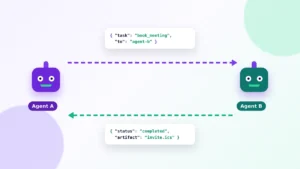 GuidesWhat Is Agent-to-Agent Communication? How A2A Lets AI Agents Work Together
 ComparisonsManus vs Genspark: Which General AI Agent Fits Your Work?
 GuidesSynthesia AI Video Usage Among Corporate Training Teams
