


Three of the strongest image models on the market shipped new versions in the six weeks before this guide went live. OpenAI released ChatGPT Images 2.5 on September 8, 2026, Google followed with Nano Banana 2.1 on October 6, and Black Forest Labs launched FLUX 3 Image on October 1.
For most people, ChatGPT and Google Gemini are the best starting points because both handle text in images and conversational editing well and both have free tiers. Midjourney still leads on pure visual style. Adobe Firefly is the safer pick for brand teams that worry about training data, Ideogram and Recraft suit typography and vector work, and FLUX, Seedream and Krea give developers cheap, flexible APIs. Lovart sits in a different slot: it is an agent that plans and produces whole sets of design assets from one brief.
TL;DR: Use ChatGPT (GPT Image 2.5) or Gemini (Nano Banana 2.1 and Nano Banana Pro) as your everyday generator and editor. Pick Midjourney V8.1 for art direction and mood, Adobe Firefly for brand work inside Creative Cloud, and Ideogram or Recraft when text, logos or vectors matter most. Developers watching cost per image should compare FLUX, Seedream, Krea and Google’s API rates, and marketing teams that want a full asset set from one prompt should look at Lovart.
Per-Image API Rates, Free Plans and Midjourney’s Revenue Rule
- Google lists Nano Banana 2.1 at $0.0336 per 1K image on the Gemini API, about $33.60 per thousand images, with Batch at half that.
- Recraft V4.1 Flash has the lowest flat per-image API rate any vendor here publishes, at $0.007, and Recraft includes vector generation on every plan.
- Midjourney has no free plan and no self-serve public API, and companies with more than $1 million in annual gross revenue must buy the Pro or Mega plan.
- Ideogram 4.0 (June 2026) and FLUX 3 Image Klein (October 2026) both ship open weights, but commercial self-hosting of Ideogram 4.0 requires a $300-a-month license.
- Recraft’s free-plan images belong to Recraft and are not licensed for commercial use; paid subscribers own what they create.
- Reve ended image generation on September 27, 2026, according to a Krea blog post, so it is not on this list.
Quick Comparison: Prices, Free Plans and Access
Prices come from vendor pricing pages and docs at the time of writing (October 2026), except where marked as reported.
| Tool | Best For | Type | Free Plan | Starting Paid Price |
|---|---|---|---|---|
| ChatGPT (GPT Image 2.5) | All-round generation and editing | App + API | Yes | API: $30 per 1M image output tokens |
| Google Gemini (Nano Banana 2.1 / Pro) | Text-heavy graphics, low API cost | App + API | Yes | Google AI Plus $4.99/mo; API from $0.0336/image |
| Midjourney V8.1 | Art direction and visual style | App | No | $10/mo ($8/mo billed yearly) |
| Adobe Firefly | Brand teams in Creative Cloud | App, multi-model | Yes (daily generations) | $9.99/mo (Standard) |
| Ideogram 4.0 / 4.5 | Typography and layout control | App + API + open model | Yes (weekly slow credits) | $15/mo (Plus) |
| FLUX 3 (Black Forest Labs) | Developers and self-hosting | Model + API | Open weights (Klein) | API from $0.014/image (FLUX.2 [klein] 4B) |
| Seedream 5.0 (ByteDance) | Low-cost API with precise edits | Model + API | No | $0.035/image (5.0 Lite) |
| Recraft V4.1 | Vectors, logos and brand assets | App + API | Yes (no commercial rights) | $12/mo ($10/mo billed yearly) |
| Krea 3 | Fast edits and many models in one place | App + API, multi-model | Yes (100 units/day) | $9/mo ($5/mo billed yearly) |
| Lovart | Agentic design sets for marketing | Agent app | Limited | Reported from about $19/mo |
The 10 AI Image Generators, Ranked by Use Case
We did not test these tools hands-on. The rankings weigh model recency, published features, pricing transparency and licensing terms, based on the vendors’ published pricing and documentation.
1. ChatGPT With GPT Image 2.5: Best All-Round Generator and Editor
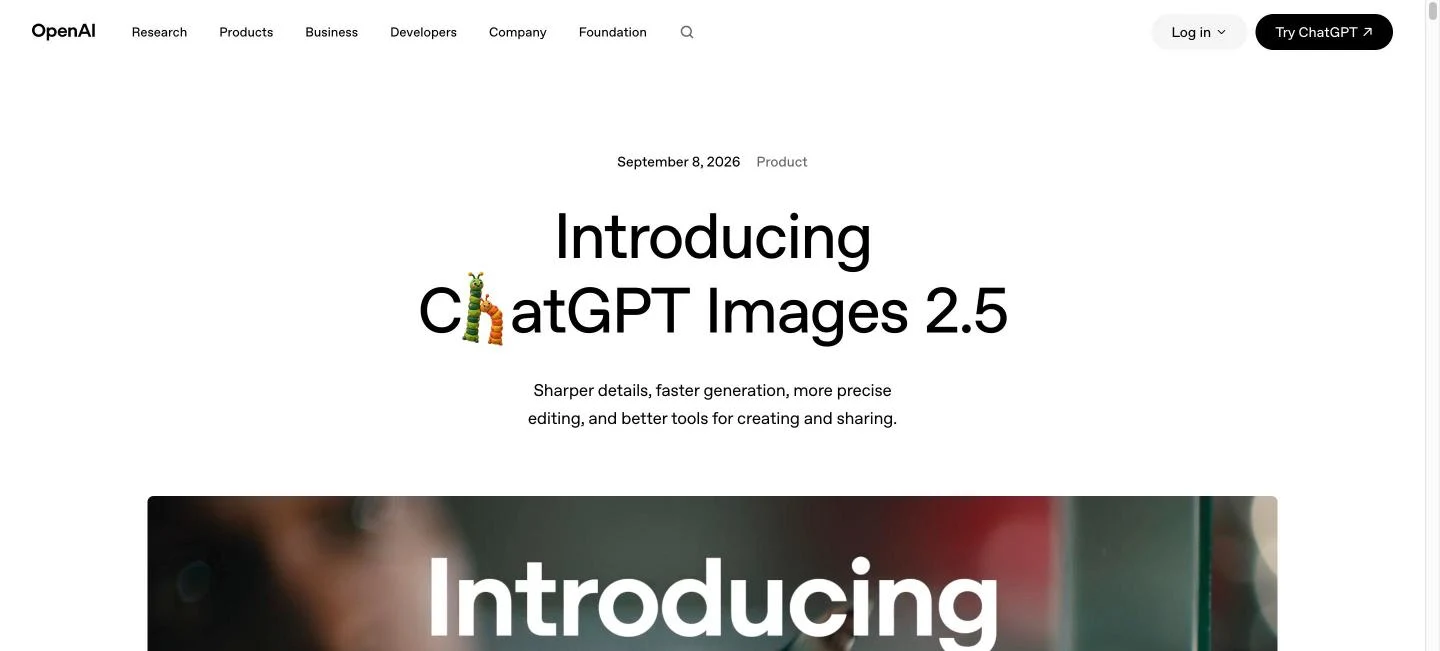
OpenAI’s image stack moved twice this year. GPT Image 2 arrived on April 21, 2026 with a reasoning step that plans layout and checks object counts before rendering, multilingual text that covers scripts such as Cyrillic, CJK and Indic, and up to 10 images per request, according to coverage of the launch. ChatGPT Images 2.5 followed on September 8, and OpenAI says it is available to every ChatGPT tier on web, desktop and mobile.
Version 2.5 is mainly an editing upgrade. OpenAI says it changes only what you ask for, holds up better across repeated edits and cuts generation latency by up to 50% compared with Images 2.0. It also adds Sketch for drawing references and comments pinned to spots on the image.
Developers get two API models. GPT-Image-2.5 Flare is the default for everyday generation, and Sunburst is aimed at precise editing with longer generation times. Both work through the Image API and the Responses API, which supports multi-turn edits.
Pricing: Image generation is included in ChatGPT’s free tier and paid plans. On the API, OpenAI’s model page lists Flare at $5 per million text input tokens, $8 per million image input tokens and $30 per million image output tokens on standard processing, or $15 with Batch. Per-image cost depends on quality and size.
Pros
- Strong conversational editing with targeted changes
- Multilingual text rendering, reported since GPT Image 2
- Available on every ChatGPT tier, including free
Cons
- Token-based API billing makes per-image cost harder to forecast
- No API access on OpenAI’s free API tier
- Some organizations must verify before API use
Best for: Anyone who wants one tool for drafting, editing and iterating on images through plain conversation.
2. Google Gemini With Nano Banana 2.1 and Nano Banana Pro: Best Value for Text and Infographics

Google now runs two image families side by side. Nano Banana 2.1, whose model card was published on October 6, 2026, is the fast, cheaper model. Google lists it in the Gemini app, AI Studio, the Gemini API, Search, Ads and Flow, and reports better benchmark results than Gemini 3 Pro Image in most categories. Reported changes include area-targeted edits, more consistent faces and outfits across edit rounds, and three thinking levels.
Nano Banana Pro (Gemini 3 Pro Image) remains the heavier option. Google called it its best model for legible, correctly rendered text, from short taglines to long paragraphs in several languages, with 2K and 4K output. All Google image output carries an invisible SynthID watermark, and at the Pro launch Google said free and Google AI Pro users keep a visible sparkle mark while Ultra and AI Studio users do not.
The API pricing is the reason this ranks so high. At 1K, Nano Banana 2.1 costs about the same per image as Krea 3 or Seedream 5.0 Lite, the Batch tier halves that, and even 4K output stays under 12 cents.
Pricing: The Gemini app includes image generation and editing for free, with limited quotas. Google AI Plus is $4.99 a month, Google AI Pro $19.99 and Google AI Ultra starts at $99.99. On the Gemini API, Nano Banana 2.1 is $0.0336 per 1K image, $0.0504 at 2K and $0.113 at 4K (half that on Batch). Nano Banana Pro is $0.134 per 1K or 2K image and $0.24 at 4K.
Pros
- Low 1K API rate, halved again on Batch
- Nano Banana Pro is built for dense, multilingual text
- Free use in the Gemini app
Cons
- Visible watermark on free and AI Pro images, per Google at the Pro launch
- Google does not publish numeric quotas for each consumer plan
- Two model families make it unclear which one the app uses at a given moment
Best for: Marketers and developers who need readable text in images, such as posters, diagrams and ads, at a low cost per image.
3. Midjourney V8.1: Best for Art Direction and Visual Style

Midjourney V8.1, released on April 30, 2026, is the newest version in its model docs, which describe it as its fastest model so far, better at reading prompts and keeping small details. It renders HD images at 2K without a separate upscaling step. Its docs still list V7 as the default.
Its strength remains look and feel. Style references, moodboards, personalization, remix and variations all work in V8.1, and
The terms matter more than with most tools. Companies with more than $1 million in gross annual revenue must buy the Pro or Mega plan, and Stealth Mode, which keeps your work out of public view, is only on those two tiers. There is no self-serve public API; in July 2025 Midjourney said it was only starting to investigate an Enterprise API.
Pricing: No free plan. Basic is $10 a month ($96 a year), Standard $30 ($288 a year), Pro $60 ($576 a year) and Mega $120 ($1,152 a year). Standard and above add unlimited Relax mode images.
Pros
- Distinctive, high-quality aesthetic output
- Native 2K HD images in V8.1
- Style references and moodboards for consistent looks
Cons
- No free plan and no public API
- Stealth Mode only on Pro and Mega
- Larger companies must pay at least $60 a month
Best for: Creative teams, illustrators and agencies who care most about mood, style and visual polish.
4. Adobe Firefly: Best for Brand Teams and Commercial Safety

Firefly is now two things at once: Adobe’s own model family, with Firefly Image 5 as the newest image model listed in its credits FAQ, and a hub for partner models. Adobe’s plans page names GPT Image, Nano Banana, FLUX, Runway, Kling and Luma among the partner options.
Adobe says its own models were trained on licensed content such as Adobe Stock plus public domain material, that it does not train on subscribers’ personal content, and that outputs from non-beta features can be used commercially. That claim covers Adobe’s models. For partner models, Adobe leaves it to the user to judge whether a model is safe for a given commercial project. Content Credentials are applied automatically to certain exports.
Editing covers prompt-based edits, drawing on the image with Markup, Generative Fill, Remove and Expand, and background removal.
Pricing: A free plan includes daily generations across image, video and audio. Firefly Standard is $9.99 a month with 2,000 generative credits, Pro $19.99 with 4,000, Pro Plus $49.99 with 10,000 and Premium $199.99 with 50,000. Paid plans include unlimited standard image generations; partner models draw on credits.
Pros
- Adobe’s own models trained on licensed and public domain content
- Partner models from OpenAI, Google and Black Forest Labs in one app
- Deep editing tools and Creative Cloud integration
Cons
- Commercial-safety claims do not extend to partner models
- Credit costs for partner models vary and are hard to predict
- Best value only if you already work in Adobe apps
Best for: Brand and in-house design teams that want lower training-data risk and already live in Creative Cloud.
5. Ideogram 4.0 and 4.5: Best for Typography and Layout Control

Ideogram has built its reputation on text inside images, and Ideogram 4.0, released on June 3, 2026, extends that with denser type at small sizes, text in several languages and bounding-box layout control so you can say where a headline, logo or subject should sit. Ideogram also released the 9.3 billion parameter model with open weights, and it runs locally on a GPU with 24GB of memory using the NF4 version, according to launch coverage.
The open weights come with conditions. The public quantized weights are under a non-commercial agreement for research, testing and personal projects. Commercial self-hosting needs the Self-Serve Commercial License at $300 a month for up to 10,000 images, and larger volumes go to Enterprise.
Ideogram 4.5 is a separate, closed model focused on precise editing, with masks and up to four reference images, as reported by model trackers.
Pricing: Free accounts get weekly slow credits. Plus is $15 a month with 1,000 priority credits, Pro is $42 a month billed yearly ($504) with 3,500 priority credits and private generation, and Team is $20 per user per month billed yearly with a two-user minimum. The API is billed per image separately from subscriptions.
Pros
- Among the strongest text rendering and layout control
- Open weights for self-hosting
- Bounding boxes place elements where you want them
Cons
- Commercial self-hosting costs $300 a month
- API prices are not bundled with subscriptions
- Free plan has no private generation
Best for: Designers making posters, social graphics, packaging mockups and anything where the words must be right.
6. FLUX 3 by Black Forest Labs: Best for Developers and Self-Hosting

Black Forest Labs announced FLUX 3 on July 23, 2026 as a single model trained across image, video and audio, and launched FLUX 3 Image on October 1. One endpoint handles both generation and editing, takes up to 10 reference images and outputs up to 4K, with bounding-box prompts for placing and moving elements.
On October 15 it released FLUX 3 Image Klein, a 5.6 billion parameter version with open weights that runs on consumer GPUs down to an RTX 3090, under the FLUX Kommunity License. The older FLUX.2 [klein] 4B model is Apache 2.0, which is the most permissive license in this list, while FLUX.2 [klein] 9B is non-commercial.
Pricing: Billed in credits worth $0.01 each, with the same rates in the Playground and the API. FLUX.2 [klein] 4B starts at $0.014 per image, FLUX.2 [pro] from $0.03 per megapixel, FLUX.2 [flex] at $0.05 per megapixel and FLUX.2 [max] from $0.07 per megapixel. FLUX 3 Image is priced per image by resolution tier through BFL’s live calculator.
Pros
- Open weights, including an Apache 2.0 model
- Up to 10 reference images and 4K output in FLUX 3 Image
- Low per-image API rates on the Klein models
Cons
- License terms differ by model, so check each one
- Thin consumer app; built mainly for developers
- FLUX 3 Image rates require the pricing calculator
Best for: Developers and product teams that want open weights, self-hosting or a low-cost API to build on.
7. Seedream 5.0 by ByteDance: Best Low-Cost API With Precise Edits

Seedream 5.0 Pro, which ByteDance released on July 8, 2026, is reported to add interactive editing: you mark an input image with boxes, arrows, scribbles or color swatches and the model edits those regions. Reports say Pro takes up to 10 reference images and tops out at 2K, while Seedream 5.0 Lite takes up to 14 and supports 4K. BytePlus also prices a layer decomposition mode for Pro.
Text rendering covers many languages, but one independent test reported weaker accuracy on English text than GPT Image 2, and ByteDance’s own docs are reported to acknowledge instability with small text. Businesses use it through the BytePlus ModelArk API.
Pricing: BytePlus ModelArk lists Seedream 5.0 Pro at $0.045 per image up to about 1.5K and $0.09 above that, Seedream 5.0 Lite at $0.035 and Seedream 4.5 at $0.04. Extra input images on Pro cost $0.003 each after the first, and images blocked by moderation are not billed.
Pros
- Clear, flat per-image API pricing
- Region-level editing with visual marks
- Many reference images for consistency
Cons
- Reported to be weaker on small English text
- Consumer apps vary by region
- Less documentation in English than US rivals
Best for: Developers and e-commerce teams generating product images at volume who want predictable per-image costs.
8. Recraft V4.1: Best for Vectors, Logos and Brand Assets

Recraft is the pick when the output has to be a real vector file rather than a picture of one. Its V4.1 family includes raster, vector, Pro and Utility variants plus a very fast Flash model, and vector generation is included on every plan, including free.
Licensing is unusually clear and unusually strict on the free tier. Recraft says free-plan images are owned by Recraft, appear in its public gallery and are not licensed for commercial use. Paid subscribers get full ownership and commercial rights to images made while subscribed, and those images stay private.
Pricing: Free plan with daily credits. Basic is $12 a month or $10 a month billed yearly for 1,000 credits; Pro starts at $20 a month ($16 yearly) for 2,000 credits, and Teams at $22 ($18 yearly). A V4.1 image costs 2 credits and a V4.1 vector 4. On the API, V4.1 Flash is $0.007 per image, V4.1 $0.035 raster or $0.08 vector, and V4.1 Pro $0.21 at 2K or $0.30 for vectors.
Pros
- True vector output on every plan
- Lowest flat per-image API rate published in this list
- Clear ownership terms on paid plans
Cons
- Free-plan images belong to Recraft and are public
- Pro vector images cost far more than standard ones
Best for: Brand designers and small businesses producing logos, icons, illustrations and other scalable assets.
9. Krea 3: Best for Fast Edits and Many Models in One Workspace

Krea started as a hub for other companies’ models and now trains its own. Krea 3, launched on October 15, 2026, is an editing-first model: change one object in a scene and leave the rest alone, turn sketches or moodboards into finished photos, and keep products, labels and characters consistent with up to six reference images. Krea says most edits finish in under 8 seconds.
The Krea app gives access to third-party image and video models including GPT Image 2, Nano Banana 2, FLUX 3, Veo 3.1, Kling and Seedance.
Pricing: Free plan with 100 compute units a day (about 5 Krea 3 images a day). Basic is $9 a month or about $5 billed yearly, Pro $35 or $21 yearly, Max $105 or $63 yearly, and Business $200 or $160 yearly. Krea lists a commercial license on every plan, including free. Krea 3 API calls are $0.03 per image at 1K and $0.06 at 2K.
Pros
- Commercial license even on the free plan
- Fast, consistent editing with its own model
- Many third-party image and video models in one subscription
Cons
- Compute-unit budgets vary by model, so costs are uneven
- Video access limited on lower plans
Best for: Creators and small studios who edit product or lifestyle images often and want several models under one bill.
10. Lovart: Best Agentic Tool for Full Design Sets
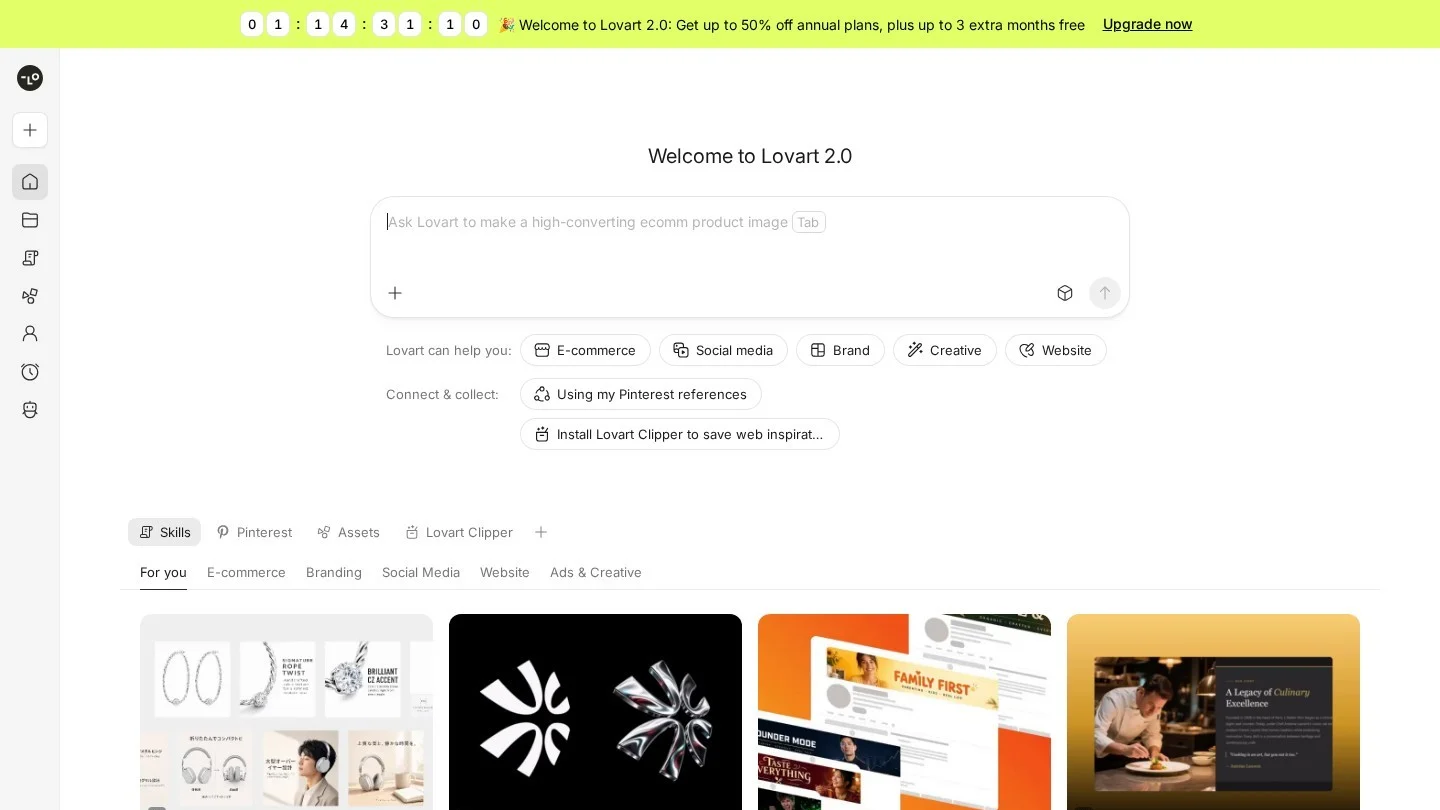
Lovart is a design agent rather than a model. You describe a project or upload a reference, and it plans the steps, gathers references and produces up to 40 assets from one prompt, such as a brand kit, social posts, packaging mockups and storyboards. The work appears on ChatCanvas, an infinite canvas where you keep chatting with the agent beside the designs, and Touch Edit adds elements to a chosen area.
It runs on third-party models, including Google’s Nano Banana and Veo 3, and reportedly GPT models. Google Cloud reports that Lovart has more than 5 million users.
Pricing: There is a free tier with limited credits. Paid tiers are Starter, Basic, Pro and Ultimate with 2,000, 3,500, 11,000 and 27,000 monthly credits, according to Lovart’s FAQ, plus a Team plan. Prices are reported from about $19 a month for Starter. Unused monthly credits do not roll over, and Lovart says members may use outputs commercially subject to the underlying model licenses.
Pros
- Produces whole asset sets instead of one image at a time
- Canvas plus chat for in-place revisions
- Uses current Google image and video models
Cons
- Published prices vary between sources
- Credit burn depends on which model runs
- No public API in the materials reviewed
Best for: Marketers and small brands that need a batch of on-brand visuals from one brief rather than single images.
Some familiar names are missing on purpose. Reve stopped generating images in September 2026, as reported by Krea. We also left out Canva, Microsoft Designer and Leonardo.ai, which package image generation inside broader suites.
Read also: 12 AI Tool Niches With High Demand in 2026
How to Choose an AI Image Generator
Check Commercial Rights Before Price
Terms vary more than features do. Recraft’s free images are not licensed for commercial use, Midjourney requires Pro or Mega for companies above $1 million in revenue, and Ideogram’s open weights are non-commercial unless you pay for a license.
Test Text Rendering With Your Real Copy
If your images carry headlines, prices or labels, run your actual wording through two or three tools. Small type and non-English scripts still separate the leaders. Teams producing social graphics at volume may also want a dedicated social media agent such as Predis.ai, which generates and publishes posts.
Decide Between an App, an API and an Agent
Apps suit individuals, APIs suit products and pipelines. Agents such as Lovart, or the Figma design agent for interface work, plan multi-step jobs for you. Browse more options on our AI agents for design page.
Price Out a Thousand Images
Subscriptions hide the real cost. At published rates, 1,000 images cost about $7 on Recraft V4.1 Flash, $14 on FLUX.2 [klein] 4B, $30 on Krea 3 at 1K, $33.60 on Nano Banana 2.1 at 1K, $35 on Seedream 5.0 Lite and $134 on Nano Banana Pro. Startups watching burn rate can find more budget picks on our AI agents for startups page.
Consider Open Weights for Privacy and Control
If images cannot leave your servers, look at FLUX 3 Image Klein, FLUX.2 [klein] 4B or Ideogram 4.0, and read each license closely. Our open-source AI agents page covers related tools you can self-host.
Plan for Video and Campaign Work
Midjourney, Firefly, Krea, FLUX 3 and Lovart all extend into video. If motion matters, compare them with dedicated tools on our AI video agents page, and see AI agents for marketing for campaign planning tools.
Free Options, Text Rendering and Commercial Use of AI Images
What Is the Best Free AI Image Generator?
Google Gemini and ChatGPT both include image generation and editing on their free tiers. Krea’s free plan gives 100 compute units a day with a commercial license, and Firefly offers free daily generations. Our free AI agents page lists more no-cost options.
Which AI Image Generator Is Best at Rendering Text?
Nano Banana Pro, GPT Image 2 and later, and Ideogram 4.0 make the strongest vendor claims for legible, multilingual text.
Can I Use AI-Generated Images Commercially?
Usually, on paid plans, but read each vendor’s terms. Recraft’s free images are not licensed for commercial use, Midjourney requires Pro or Mega for companies earning more than $1 million a year, and Lovart ties commercial use to the underlying model licenses.
Does Midjourney Have an API?
Not a self-serve public one. Midjourney said in July 2025 that it was starting to investigate an Enterprise API and invited companies to apply, but its plans page does not list API access.
What Is the Cheapest AI Image Generator API?
Among the published rates we found, Recraft V4.1 Flash is lowest at $0.007 per image, followed by FLUX.2 [klein] 4B from $0.014.
Related AI Agents




Explore Agent Categories
Read also: AI Agent Token Consumption
Related Articles
 GuidesSynthesia AI Video Usage Among Corporate Training Teams
 GuidesBest CAMEL AI Alternatives and What They Cost
 Guides100 AI Agent Statistics for Retail Companies
 GuidesLLM or AI Agent? AI Search Engines and What They Actually Are
 GuidesCan You Trust an AI Agent?
 GuidesAre AI Agents the Future of IT Jobs?
