

UiPath IXP Leads for Enterprises, Reducto for Developers
The best AI agent for document processing in a large company is UiPath IXP. It reads forms, invoices, emails and long contracts, and it hands the data straight to UiPath agents and robots. But if you are a developer building your own agent, Reducto gives you per-page APIs with prices you can model today.
We researched document AI tools on their own product pages, pricing pages and launch notes. Then we kept the ones that do more than OCR. Most of them can also route a document onward without a person. In our original research we found five tools worth a shortlist.
So we used a working test for agentic. The tool must decide what a document is and then check the fields it pulls. After that, it passes the data on or asks a human. Plain OCR stops at the text.
Five Document AI Tools Worth a Trial
We compiled this table from each vendor’s official pages. But where a vendor publishes no price, we say it sells on quote.
| Tool | Main job | Agentic or AI step | Published entry price |
|---|---|---|---|
| UiPath IXP | Forms, invoices, emails and long contracts | Generative extraction feeding UiPath agents | Quote, with a free trial |
| Hyperscience Hypercell | High-volume back-office documents, including handwriting | ORCA agents that validate, route or escalate | Quote |
| Google Document AI | OCR, forms, invoices and custom fields on Google Cloud | Gemini-powered Custom Extractor | OCR $1.50 per 1,000 pages after 1,000 free |
| Reducto | Parsing and extraction APIs for developers | Deep Extract and Deep Split | Parse from $1 per 1,000 pages |
| LlamaParse and LlamaExtract | Parsing and extraction for LLM apps | Agentic parse and extract tiers | $1.50 per 1,000 credits on pay as you go |
Also, Microsoft’s Azure AI Document Intelligence has a free tier of 500 pages a month. Its paid rates sit in the Azure pricing calculator.
Enterprise Platforms With People in the Loop
Large firms need more than an API. So these two platforms add review screens, routing rules and audit trails around the model.
UiPath IXP for Companies Already on UiPath
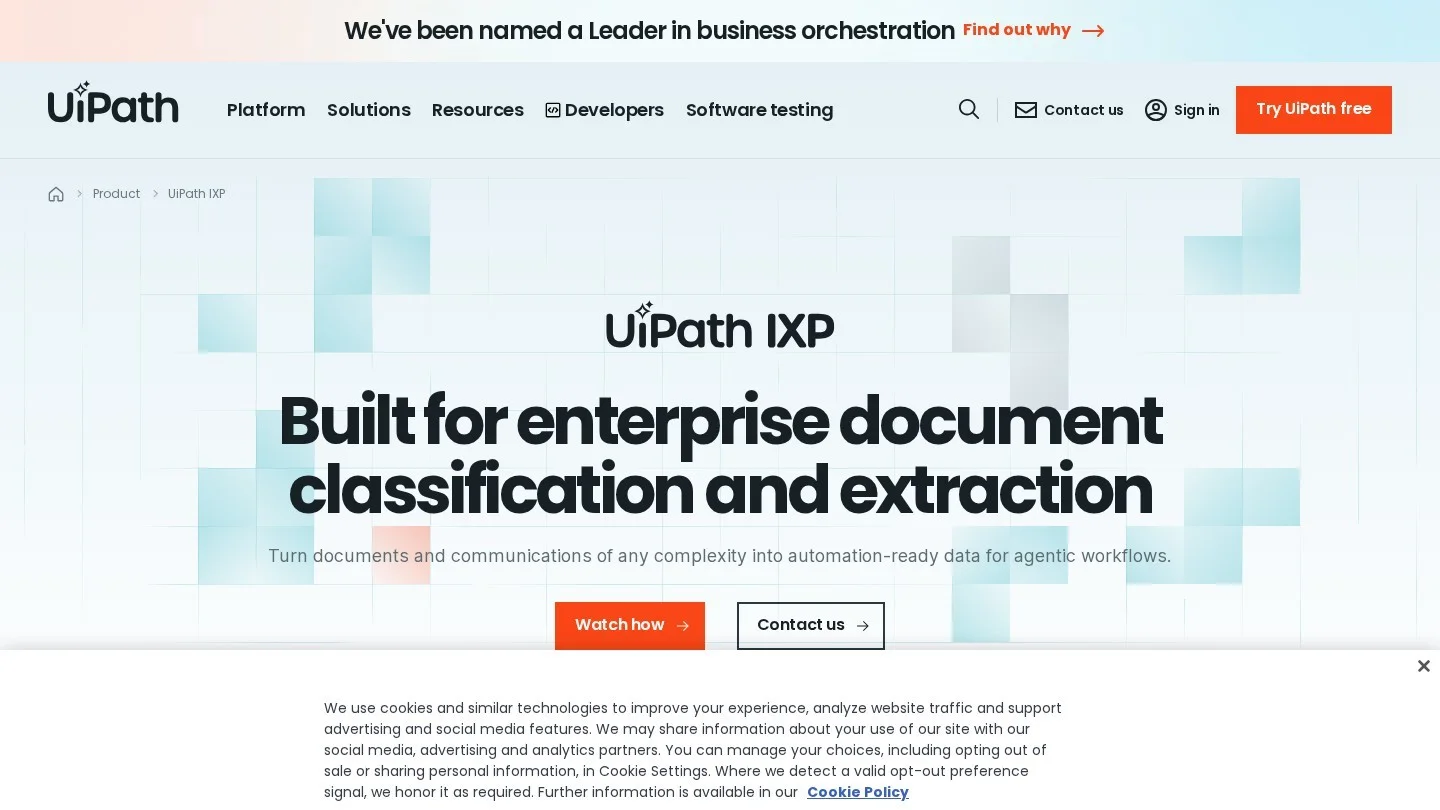
UiPath IXP stands for Intelligent Xtraction and Processing. It handles fixed forms such as passports and time sheets. It also handles semi-structured invoices and purchase orders, plus emails, contracts and reports over 100 pages.
For the hard documents, IXP uses generative extraction. Each field links back to its place in the source, and each value carries a confidence score. Then the data flows straight to UiPath agents and robots, with no extra integration layer. When the model is unsure, a person reviews the exception.
In April 2026, UiPath put IXP on Google Cloud Marketplace and made Gemini the default model for new projects. In UiPath’s own tests, average processing time per document fell from 40 to 25 seconds. Also, Thermo Fisher Scientific processes 53% of its invoices with no human touch, by UiPath’s account.
We would pick IXP for a company that already runs UiPath robots. However, pricing sits behind a demo, so ask for a per-page quote early.
Hyperscience Hypercell for Regulated, High-Volume Work

Hyperscience trains models on your own documents, including handwriting and messy tables. Then staff review only the items the system flags as low confidence. Their corrections also feed back into the model.
Its Spring 2026 release added agents powered by its ORCA vision language model. They reason through a document’s structure and then validate, route or escalate the data. Also, the release lists FedRAMP High authorization and deployment in air-gapped sites.
Hyperscience names the US Department of Veterans Affairs and the Social Security Administration as public sector users. We would pick it for government, insurance or healthcare teams with strict hosting rules. Still, expect a long sales cycle and custom pricing.
Read also: AI Agents for Insurance Claims Processing
Developer APIs Priced per Page
These three tools publish their rates. So you can price a pilot before you talk to sales.
Reducto for Agents That Need Clean Inputs

Reducto sells parsing, extraction, splitting and editing as APIs. Parse costs $10 per 1,000 pages with its r-1 model, or $1 with r-1 mini. Next, Extract costs $20 per 1,000 pages and includes the parse step. Deep Extract costs $40.
There is also a batch mode. It takes 20% off Parse and Extract for jobs that can wait, with a 12-hour completion promise. The Standard plan is pay as you go with up to 5 Studio seats.
For regulated data, the Growth plan adds Business Associate Agreements, zero data retention and EU or Australian data residency. Then Enterprise adds VPC and on-premise deployment. We would pick Reducto when your own agent needs clean, structured input from PDFs.
LlamaParse and LlamaExtract for LLM Apps
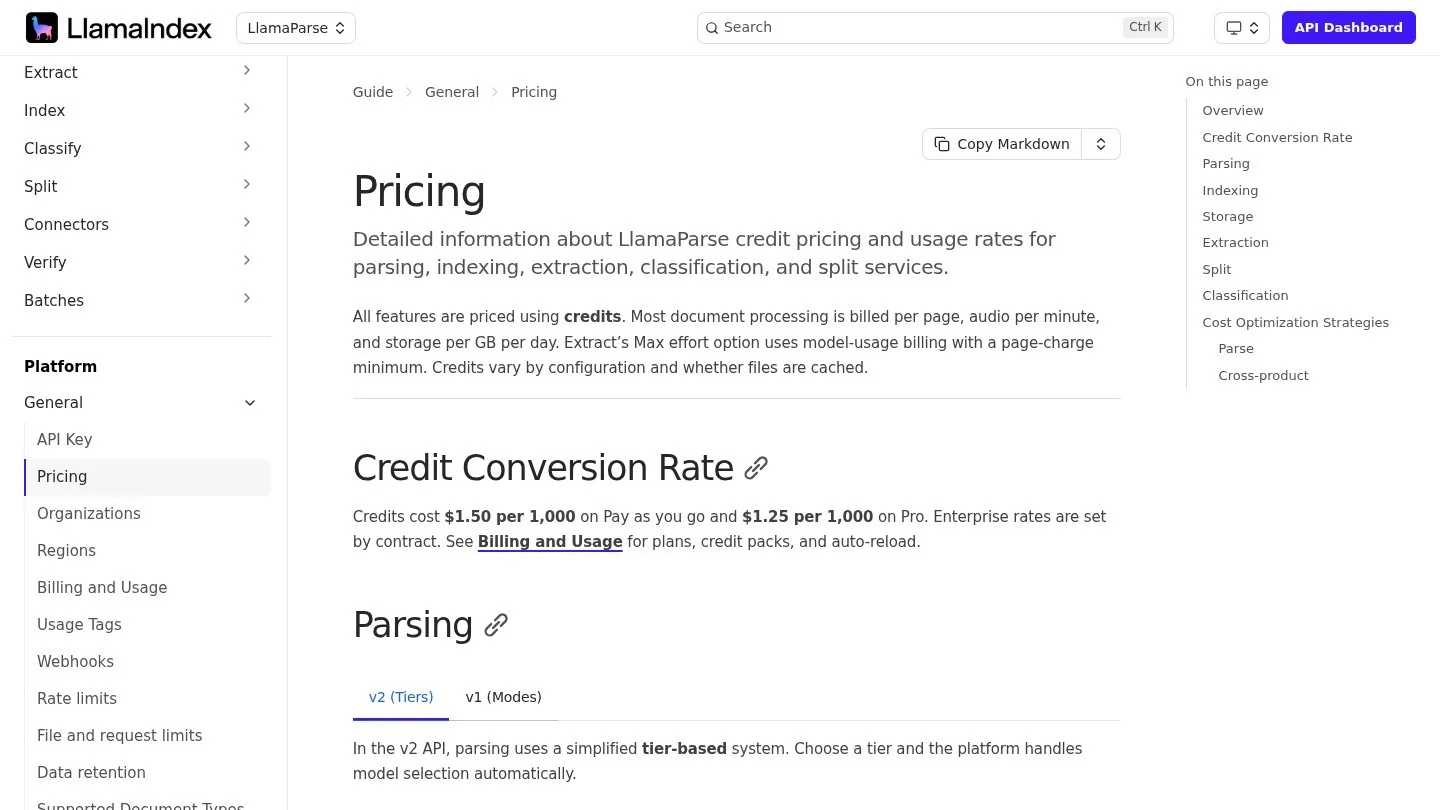
LlamaIndex prices its cloud tools in credits. First, pay as you go costs $1.50 per 1,000 credits, and the Pro plan drops that to $1.25.
Parsing comes in tiers. For example, Fast costs 1 credit per page, Cost-effective 3, Agentic 10 and Agentic Plus 25. Extraction with LlamaExtract adds its own tiers, from 8 credits a page all in up to 60 for Agentic Plus.
So you pay more only for the hard pages. We would pick LlamaParse for teams already building retrieval apps with LlamaIndex. Our AI agent frameworks roundup covers LlamaIndex as a framework.
Google Document AI for Teams on Google Cloud
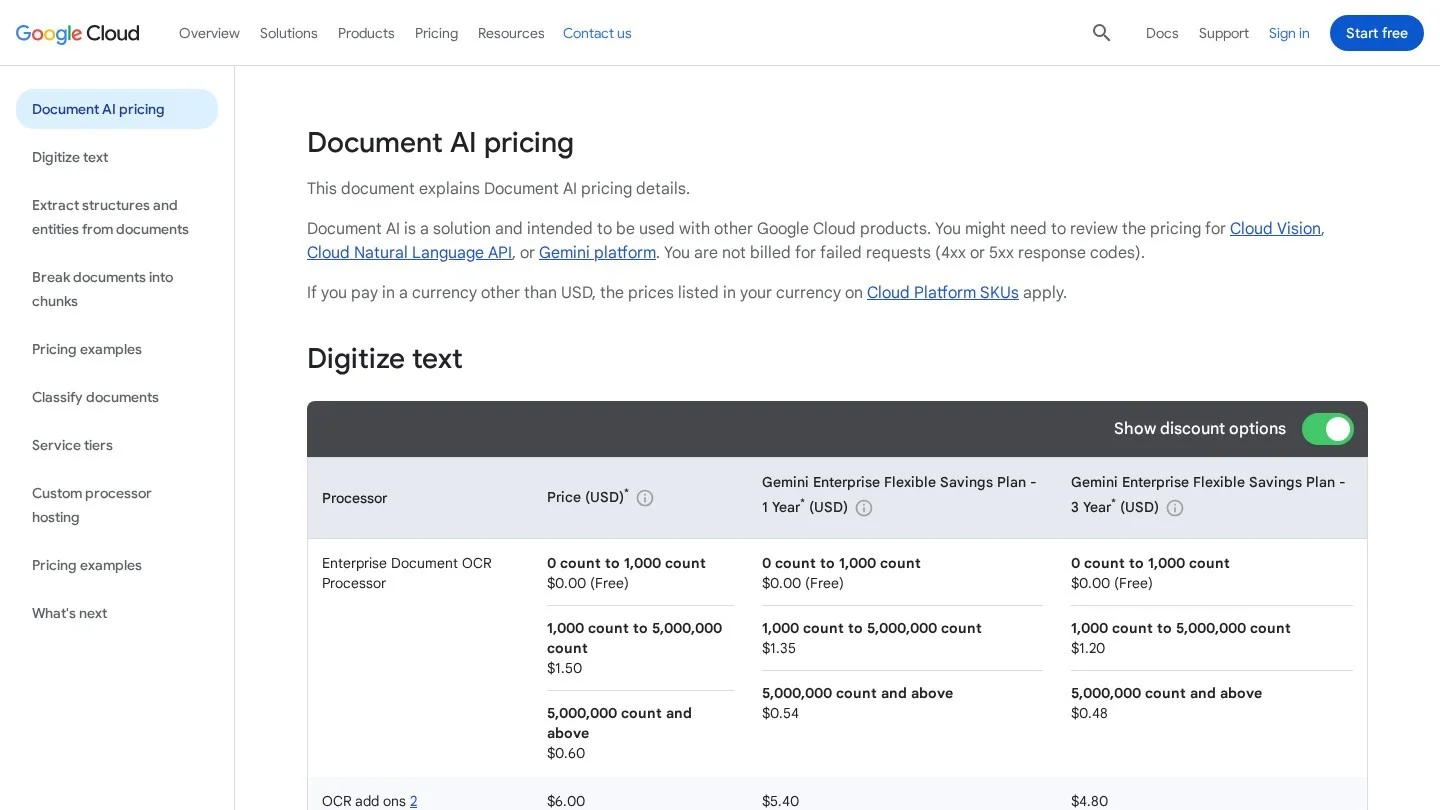
Google Document AI offers ready-made processors and a Custom Extractor. Enterprise Document OCR is free for the first 1,000 pages. After that, it costs $1.50 per 1,000 pages up to 5 million.
Next, the Custom Extractor and Form Parser each cost $30 per 1,000 pages for the first million. The Custom Extractor costs the same whether you use the generative version or a trained model. Also, the Layout Parser costs $10 per 1,000 pages, including chunking for retrieval.
In addition, the invoice, expense and ID parsers cost $0.10 per document of up to 10 pages. So we would pick Document AI for a team already billing through Google Cloud.
Industry-Specific Document Agents on Our Site
Some document agents are built for one industry’s paperwork. So if your documents come from a single field, compare the picks here with these directory listings.
- Insurance teams can look at Indico Data.
- Accounts payable teams can look at Vic.ai.
- Audit teams can look at DataSnipper.
- Construction teams can look at Document Crunch.
Also, our accounting AI agents category lists more finance tools.
Pricing 10,000 Invoices on Three Developer Tools
We ran our own math on a month of 10,000 two-page invoices. That is 20,000 pages. Also, we used only the published list rates.
| Tool and setting | How we priced it | Monthly cost |
|---|---|---|
| Google invoice parser | $0.10 per invoice of up to 10 pages | $1,000 |
| Google Custom Extractor | $30 per 1,000 pages | $600 |
| Reducto Extract | $20 per 1,000 pages, parse included | $400 |
| Reducto Extract in batch mode | 20% off, results within 12 hours | $320 |
| LlamaExtract, Cost-effective tier | 8 credits a page at $1.50 per 1,000 credits | $240 |
| LlamaExtract, Agentic tier | 25 credits a page at $1.50 per 1,000 credits | $750 |
So the gap between tiers is larger than the gap between vendors. For instance, LlamaExtract’s Agentic tier costs about three times its Cost-effective tier. That is why we would test each tier on 200 of your own invoices first. Then you pay for the higher tier only if accuracy demands it.
Also, these figures leave out review time. A cheaper tier that sends more pages to a person may cost more overall. Our guide to controlling AI agent costs covers how to track that.
Run a Two-Week Pilot on Your Own Paperwork
Pick one document type first, such as vendor invoices or claim forms. Then pull 200 real samples, including the ugly scans and the odd layouts.
Next, write down the 10 to 20 fields you need and the right answer for each sample. After that, run the samples through two or three tools from this list. Count how many fields each one got right without help.
Finally, check the confidence scores. A good tool is unsure about the pages it gets wrong. If it is confident and wrong, a person will not catch the error. For real deployments in other fields, see our roundup of AI agent examples.
How We Chose These Five
We read product pages, pricing pages and launch releases for each vendor. Then we kept tools that classify, extract or validate data, and we dropped plain OCR engines.
Next, we checked that each pick shows an agentic or AI step on its own pages. Finally, we did the cost math ourselves from published rates. For data-heavy tools beyond documents, browse our data analysis AI agents category.
Operations Teams Ask Us About Document AI
What Is Agentic Document Processing?
It means the tool does more than read text. It also decides the document type, pulls the fields and checks them. Then it routes the data or asks a person. Hyperscience’s ORCA agents, for example, validate, route or escalate on their own.
Is Google Document AI Free?
Partly. Enterprise Document OCR is free for the first 1,000 pages. After that, every processor bills by page or by document.
Which Document AI Tool Signs a BAA?
Reducto lists Business Associate Agreements on its Growth plan. For other vendors, ask sales before you send patient records. For healthcare front-office agents, see our list of AI agents for healthcare call centers.
Can an AI Agent Process Invoices Without a Person?
Yes, for the clear cases. For example, UiPath says Thermo Fisher processes 53% of its invoices with no human touch. Still, a person should review the low-confidence ones.
Related AI Agents



Read also: 12 AI Tool Niches With High Demand in 2026
Explore Agent Categories
Related Articles
 GuidesAI Agents for Insurance Claims Processing
 GuidesTypes of AI Agents: 7 Kinds Explained With Real Examples
 GuidesAI ISA vs Human ISA: What Each Really Costs a Real Estate Team
 Guides20 Real-World AI Agent Examples and What Each One Teaches
 GuidesCreatify AI Alternatives for Video Ads: 8 Tools Compared
 Guides10 Best Tools for Building AI Agents Without Coding
