

Context Engineering Defined in Plain Terms
Context engineering is the work of choosing what goes into an AI agent’s context window at each step. That covers the system prompt, tool definitions, tool results, memory, retrieved files and past messages. The goal is to give the model only the tokens it needs for the next decision. So it is less about wording one prompt and more about managing a stream of inputs over a long run.
We researched the term’s origin and read the vendor docs that put it into practice. Then we compiled the six techniques teams use most, with real examples from Anthropic, LangChain, OpenAI, Letta and Zep. We also ran our own token math to show how much each technique saves.
Agents need this more than chatbots do. A chatbot answers once. An agent loops through dozens of tool calls, and every result lands back in the window. As a result, the window fills with old output unless something removes it. Our guide to AI agents vs AI chatbots explains that loop in more detail.

What Fills an Agent’s Context Window at Each Step
Every model call in an agent loop sends one bundle of tokens. Also, that bundle has the same layers each time, though their sizes change as the run goes on. We listed them in the order most agents send them.
- System prompt: The agent’s role, rules and output format. It rarely changes during a run.
- Tool definitions: The name, description and input schema of every tool the agent can call. So a large tool set costs tokens on every single step.
- Memory: Facts saved from earlier sessions, such as a user’s preferences or a project rules file.
- Retrieved data: Documents or search results pulled in for the current step.
- Message history: Past user turns, model replies and tool calls in this session.
- Latest tool results: The output of the last tool call, which often is the largest single layer.
Context engineering asks one question of each layer. Does the model need this to choose its next action? If not, the layer gets trimmed, summarized, moved to a file or loaded later. Then the next call carries fewer tokens and less noise.
Who Coined Context Engineering and When
The phrase spread in June of last year. First, Shopify CEO Tobi Lütke said he liked the term “context engineering” better. He called it a core skill for working with large language models. Then Andrej Karpathy, a former OpenAI researcher, backed the term. He described it as the careful art and science of filling the window with just the right information for the next step.
Karpathy also gave the two failure modes. Too little context, or context in the wrong format, hurts results. However, too much or irrelevant context raises cost and can also lower quality. Simon Willison wrote about the shift the same week. In his view, the term would stick because people would guess its meaning correctly. “Prompt engineering,” he argued, had come to sound like typing into a chatbot.
After that, vendors adopted the term in their docs. In late September of last year, Anthropic’s engineering team published a long guide on effective context engineering for agents. It defined the job as curating the best set of tokens the model sees during a run. Memory vendors followed. For example, Zep’s memory product now returns a “context block” built to drop straight into a prompt.

How It Differs From Prompt Engineering
Prompt engineering focuses on the words in one request. Context engineering covers everything the model sees across many requests. In fact, Anthropic presents it as the next step after prompt engineering. We compared the two on five points.
| Point | Prompt engineering | Context engineering |
|---|---|---|
| Unit of work | One prompt | Every model call in an agent run |
| Main inputs | Instructions and examples | Instructions, tools, tool results, memory, files and history |
| When it happens | Before the call | Before, during and between calls |
| Typical failure | Vague or confusing wording | A full window, stale results or missing facts |
| Main tools | Templates and examples | Compaction, clearing, retrieval, memory and sub-agents |
Prompt work still matters inside context work. For example, Anthropic advises writing system prompts at the “right altitude.” That means clear guidance that sits between hard-coded if-else rules and vague advice. It also suggests a small set of varied examples over a long list of edge-case rules.
Read also: How AI Agents Maintain Context Across Multiple Tasks
Why Agents Lose the Thread on Long Tasks
Models do not use every token equally well. Anthropic calls the effect “context rot.” As the window grows, the model recalls facts from it less accurately. So the company treats the window as an “attention budget.” Every extra token spends some of it.
Agents also burn through tokens fast. In its write-up of a multi-agent research system, Anthropic said agents use about 4 times as many tokens as chat. Multi-agent systems use about 15 times as many. On the BrowseComp test, token usage alone explained about 80% of the score differences. That is why careful token use matters so much for agents.
Limits bite too. The same research system saved its plan to memory, because context past 200,000 tokens would be cut. So a long task can lose its own goal unless something keeps it safe. For the money side of this, see our guide to controlling AI agent costs.
Six Techniques That Shape an Agent’s Context
We grouped the methods in vendor docs into six techniques. In fact, most real agents use three or four of them at once.
Compaction Turns Old Turns Into a Summary
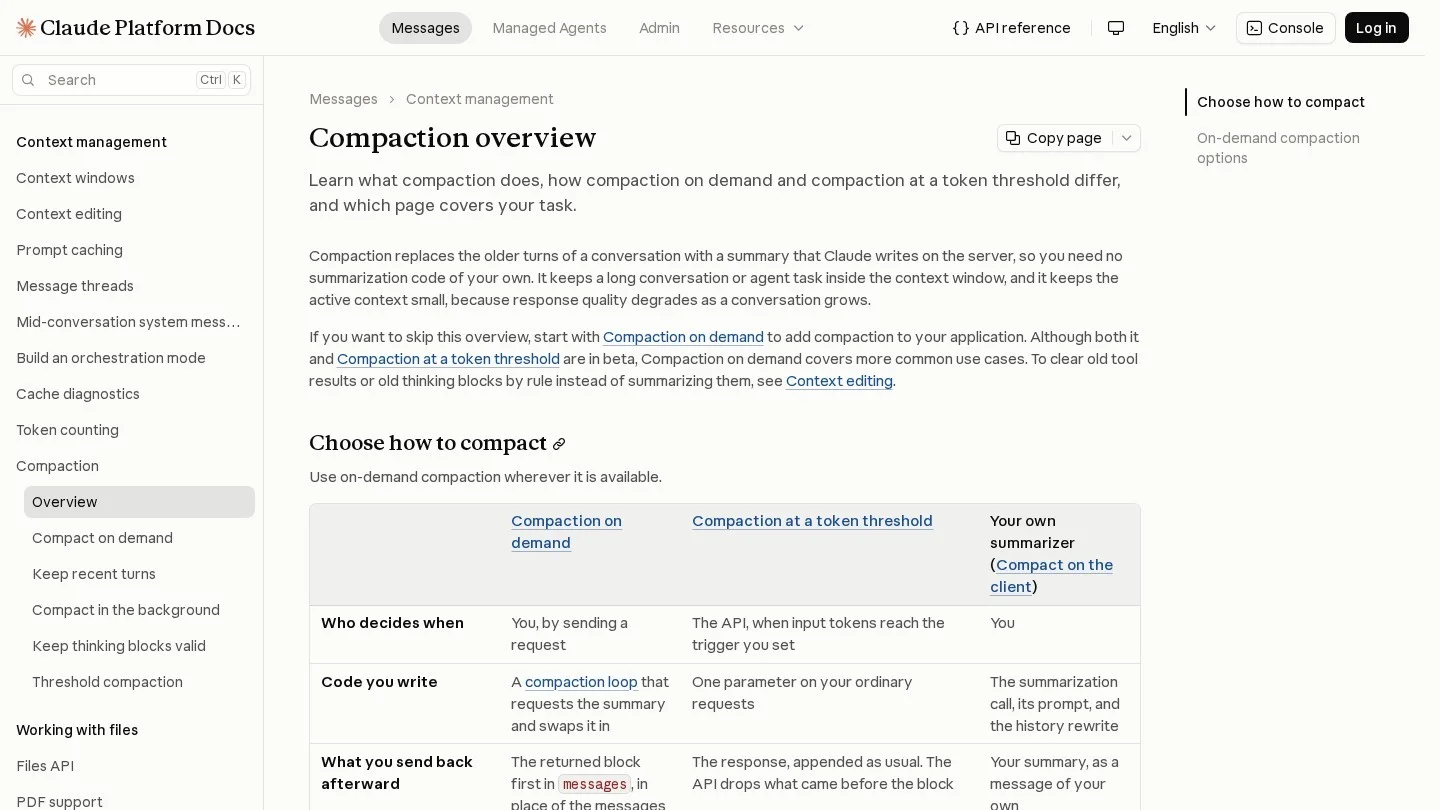
Compaction summarizes a conversation as it nears the limit. Then the agent continues in a fresh window with that summary. In Claude Code, Anthropic says the summary keeps architectural decisions and unresolved bugs. It also keeps the five files the agent opened most recently.
The Claude API now offers compaction on the server, in beta. It runs in two modes. You can ask for it on demand, or set a token threshold that triggers it. Anthropic’s advice is to tune the summary for recall first. Then cut it down for precision.
Tool Result Clearing Removes Stale Output
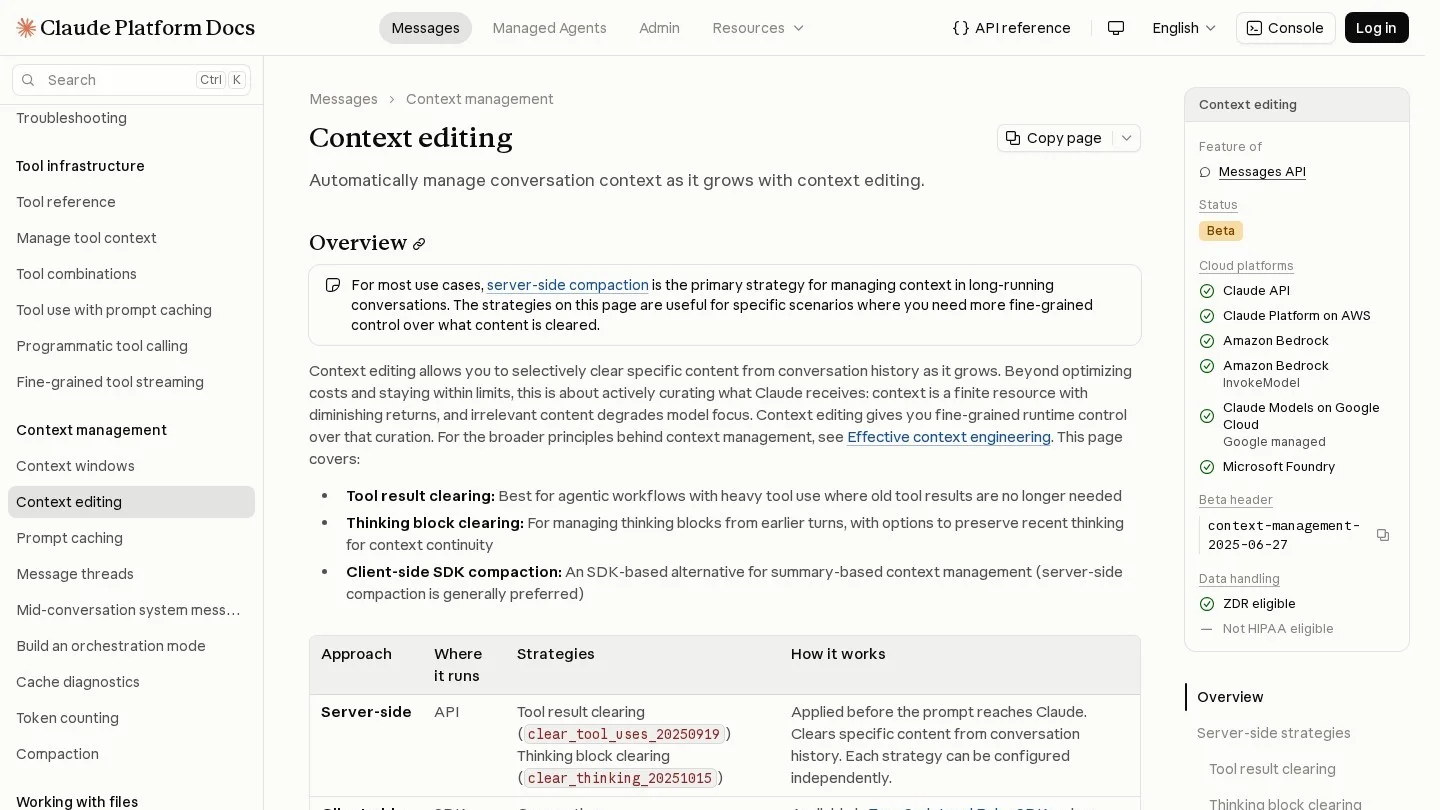
Old tool results are the easiest tokens to drop. For instance, a file the agent read 30 steps ago rarely matters now. Anthropic calls clearing these results one of the lightest forms of compaction. Its API offers it as a context editing strategy, also in beta. These are the settings, with defaults from the official docs.
| Setting | Default | What it controls |
|---|---|---|
| trigger | 100,000 input tokens | When clearing begins |
| keep | 3 tool uses | How many recent tool calls stay intact |
| clear_at_least | None | The minimum tokens to clear, so a cache break pays off |
| exclude_tools | None | Tools whose results are never cleared |
| clear_tool_inputs | false | Whether the call inputs are cleared too |
The clear_at_least setting deserves attention. Clearing old content breaks the prompt cache. So clearing only a few tokens can cost more than it saves. Also, use exclude_tools for results the agent must keep, such as a web search it cites later.
Lean Tool Responses Keep Results Short
The cheapest token is the one a tool never returns. So design tools that return less. Anthropic’s guide to writing tools for agents gives four methods. Use pagination, range selection, filtering and truncation, each with sensible defaults. Claude Code caps tool responses at 25,000 tokens by default.
Response format matters as well. In Anthropic’s example, a detailed tool reply used 206 tokens and a concise one used 72. Also, return names a person would read over long IDs. Anthropic found that swapping cryptic IDs for plain language reduced hallucinated lookups.

Just-in-Time Retrieval Pulls Data on Demand
Many agents preload every document they might need. Context engineering flips that. The agent keeps light pointers, such as file paths or saved queries. Then it loads the data with a tool only when a step needs it.
Claude Code works this way. It finds code with commands like grep, glob, head and tail. However, it also loads CLAUDE.md files up front, so it mixes both styles. Memory services follow the same idea. A LangGraph store can run a semantic search with a result limit. Zep returns one context block of the most relevant facts for a user.
Memory Files and Structured Notes
Some facts must outlive any summary. So the agent writes them to a file outside the window and reads them back later. Anthropic gives the example of Claude playing Pokémon. It kept notes on training progress and explored maps across thousands of steps.
Products ship this as a feature now. Claude’s memory tool lets the model create and edit files in a /memories folder that your app stores. Claude Code’s auto memory keeps an index file and loads the first 200 lines or 25KB of it each session. Letta pins memory blocks to the prompt and gives each one a character limit. We cover these stores in depth in our guide to how AI agents maintain state across sessions.

Sub-Agents With Clean Windows
A sub-agent does a focused job in its own fresh window. Then it hands back a short summary. Anthropic says these summaries often run 1,000 to 2,000 tokens. Meanwhile, the sub-agent may have read far more than that.
The trade-off is cost. Anthropic’s research system shows both sides. A lead agent on Claude Opus 4 used Claude Sonnet 4 sub-agents. That team beat a single Opus 4 agent by 90.2% on an internal test. But multi-agent runs used about 15 times the tokens of chat. So save sub-agents for broad tasks that split cleanly. Our explainer on agent-to-agent communication covers how agents pass that work around.

Our Token Math for a Long Agent Run
We built a small model to show what these techniques save. The ratios come from the published figures above. The agent profile is our own example, so treat the inputs as assumptions.
# Published figures
detailed, concise = 206, 72        # tokens per tool reply (Anthropic example)
agent_x, multi_x = 4, 15           # tokens vs chat (Anthropic research system)

# Our example agent: 40 tool calls at 2,500 tokens each
calls, avg = 40, 2500
results = calls * avg               # 100,000 tokens of tool output
kept = 3 * avg                      # clearing keeps the last 3 results

print(round((detailed - concise) / detailed * 100, 1))  # 65.0 % saved per reply
print(results - kept, round((results - kept) / results * 100, 1))  # 92500, 92.5 %
print(multi_x / agent_x) # 3.75x tokens for multi-agent vs one agent| Technique | Input | Our result |
|---|---|---|
| Concise tool replies | 206 vs 72 tokens per reply | 65% fewer tokens per reply |
| Tool result clearing | 40 results of 2,500 tokens, keep 3 | 92,500 tokens removed, or 92.5% |
| Switching to sub-agents | 4x vs 15x chat tokens | About 3.75 times the tokens of a single agent |
Two lessons came out of the math. First, clearing old tool output gives the largest cut for a tool-heavy agent. Second, sub-agents raise token use a lot, so they need a clear quality gain to pay off. Also, these savings stack. Concise replies shrink each result, and clearing then removes most of what remains.
Which Vendor Products Use Which Technique
We compiled the techniques each product documents. So this matrix covers the public docs we read for this article.
| Product | Compaction | Clearing | Retrieval | Memory or notes | Multi-agent support |
|---|---|---|---|---|---|
| Claude Code | Yes | As part of compaction | grep, glob and file reads | CLAUDE.md and auto memory | Sub-agents |
| Claude API | Yes, beta | Yes, beta | Through your tools | Memory tool | Through your code |
| LangGraph | Through your code | Through your code | Store search | Store and checkpointer | Through graph design |
| OpenAI Agents SDK | Through your code | Through your code | Through your tools | Sessions | Through your code |
| Letta | Yes | Through your code | Message search | Memory blocks | Blocks shared across agents |
| Zep | Not its focus | Not its focus | Context block | User context graph | Not its focus |
Two patterns stand out from the matrix. First, frameworks such as LangGraph and the OpenAI Agents SDK give you the hooks, but you write most of the policy. Second, hosted products such as Claude Code ship the policy as a default. So a team using a framework owns more of the context work. Our list of AI agent frameworks compares those options.
Audit Your Own Agent’s Context in One Afternoon
You can measure your context before you change it. First, log the full request the agent sends at each step, including tool results. Second, count the tokens in each layer from the six layers we listed earlier. Most model providers return input token counts with every response, so this takes little work.
Next, sort the layers by size at step 5, step 20 and the last step. In tool-heavy agents, tool results tend to grow fastest, since every call adds output. So that is usually the first place to cut. Then check how many tools the agent actually called. If it used 6 of 30 tools, the other 24 definitions are dead weight on every call.
Finally, re-run the same tasks after each change. Compare token counts and task success side by side. Keep a change only when success holds steady or improves. For a full build walk-through, see our guide to building an AI agent from scratch.
Context Mistakes That Waste an Agent’s Window
These are the errors the vendor guides warn against most. Also, each one has a direct fix.
- Too many tools: Anthropic names bloated tool sets with overlapping jobs as a common failure. So cut tools until each one has a clear purpose.
- Raw tool dumps: A tool that returns a full table or file floods the window. Instead, add filters and paging to the tool itself.
- No cache plan: Clearing breaks the prompt cache. Then you pay full price for content you just cached. Set a minimum clear size.
- Goals only in chat history: A long task can lose its plan when old turns drop. So write the plan to a file or memory block.
- Sub-agents for small jobs: Each sub-agent adds tokens. Therefore use them only when the task splits into separate parts.
Coding agents hit these limits first, because they read so many files. Our list of agentic AI coding tools shows how current products handle long sessions.
Context Engineering Questions From Agent Teams
Is Context Engineering Just RAG Under a New Name?
No. Retrieval is one part of it. But context engineering also covers what to remove, what to summarize and what to save for later. A RAG pipeline answers “what should I add,” while context engineering also asks what to take out.
Who Coined the Term Context Engineering?
Shopify CEO Tobi Lütke popularized it in June of last year. Andrej Karpathy then backed the term. After that, Anthropic used it in its engineering writing and API docs.
Which Technique Should a New Agent Try First?
Make your tool replies shorter. It costs nothing and helps every later step. Then add tool result clearing once runs pass the trigger size. Finally, add memory files for facts that must survive.
How Does Context Engineering Change What an Agent Costs?
It changes cost directly, because providers bill by token. Anthropic found agents use about 4 times the tokens of chat, and multi-agent setups about 15 times. So every layer you trim comes off the bill on every later step. However, clearing can break the prompt cache, so measure both sides.
Does Context Engineering Matter for No-Code Agents?
Yes, though the platform makes most choices for you. You still control the tools you connect and the knowledge you attach. So connect fewer tools and attach smaller files. See our guide to no-code AI agent builders for platforms that let you set these limits.
Related AI Agents


Read also: Are AI Agents the Future of IT Jobs?
Explore Agent Categories
Related Articles
 GuidesHow AI Agents Maintain Context Across Multiple Tasks
 GuidesAI Agent Token Consumption
 GuidesSynthesia AI Video Usage Among Corporate Training Teams
 GuidesBest CAMEL AI Alternatives and What They Cost
 Guides100 AI Agent Statistics for Retail Companies
 GuidesLLM or AI Agent? AI Search Engines and What They Actually Are
