


Our Top MCP Server Picks by Agent Job
The best MCP server for most autonomous AI workflows is GitHub’s official MCP server. It lets an agent read code, open issues and pull requests, and check Actions runs. Also, it can switch to read-only mode with one setting. For agents that work in a web browser, the best pick is Microsoft’s Playwright MCP server.
Other jobs call for other servers. For live data, we pick Google’s MCP Toolbox for Databases or the Supabase MCP server. For team tools, the hosted servers from Slack, Notion, Linear and Atlassian are the ones to connect. Then Stripe, Cloudflare and Zapier cover payments, cloud setup and thousands of other apps.
We researched each server in the official repos and vendor docs. Next, we compiled what each one does, where it runs and how you limit its access. We also ran our own math on token load and task cost. As a result, every pick on this list comes with the setting we would turn on before an agent runs it alone.
MCP, or Model Context Protocol, is the open standard that lets an AI agent call outside tools. One agent talks to many servers, and each server wraps one product. If you are new to how agents talk to tools and to each other, read our explainer on agent-to-agent communication first.

Thirteen Servers Compared on Hosting and Access Limits
First, we sorted the servers by the job they do for an agent. Then we noted where each one runs and which switch narrows its access. A hosted server lives at a vendor URL, so you sign in and skip the install. A local server runs on your own machine or in your own container.
| Server | Agent job | Where it runs | Switch that narrows access |
|---|---|---|---|
| GitHub MCP Server | Code, issues, pull requests, Actions | Hosted at api.githubcopilot.com/mcp/ or local Docker image | Toolsets and a read-only mode |
| Sentry MCP Server | Errors, traces, Seer root cause analysis | Hosted at mcp.sentry.dev/mcp or local stdio package | OAuth sign-in on the hosted server |
| Linear MCP Server | Issues, projects, comments | Hosted at mcp.linear.app | Authenticated remote sign-in |
| Playwright MCP | Browse, click, type, fill forms | Local, through npx | Isolated profile and origin lists |
| Filesystem (reference) | Read, write and move local files | Local | Allowed directories or MCP Roots |
| MCP Toolbox for Databases | SQL on Postgres, MySQL, BigQuery and more | Local or your own server | Custom tools in tools.yaml and toolsets |
| Supabase MCP Server | Postgres projects on Supabase | Hosted at mcp.supabase.com/mcp | read_only, project_ref and features flags |
| Slack MCP Server | Search, read and send messages, canvases | Hosted at mcp.slack.com/mcp | Workspace admin approval |
| Notion MCP | Pages and databases in Notion | Hosted at mcp.notion.com/mcp | Your Notion workspace access |
| Atlassian Rovo MCP Server | Jira, Confluence, Bitbucket, Loom | Hosted at mcp.atlassian.com/v2/mcp | OAuth 2.1 with your existing permissions |
| Stripe MCP Server | Customers, invoices, refunds, payment links | Hosted at mcp.stripe.com or local npx | The –tools flag on the local server |
| Cloudflare API MCP Server | Over 2,500 Cloudflare API endpoints | Hosted at mcp.cloudflare.com/mcp | Permissions you pick during OAuth |
| Zapier MCP | Actions across apps connected to Zapier | Hosted by Zapier | Task allowance on your Zapier plan |
Most of these servers now run as hosted endpoints. Even so, the access switch matters more than the hosting choice. An agent that runs without a person watching should get the narrowest switch on day one.
Servers for Code, Bugs and Tickets
Coding agents were the first big users of MCP, so these servers are the most mature. Also, they pair well in one loop. A bug lands in Sentry, a ticket opens in Linear, and the fix ships through GitHub. Our list of AI agents for coding covers the agents that call them.
1. GitHub MCP Server: Best for Code and Pull Request Work

GitHub’s own server gives an agent tools to read repos and files, search code, and manage issues and pull requests. It can also read Actions runs and security alerts. The hosted version lives at api.githubcopilot.com/mcp/ and has been generally available since September of last year. For a local setup, GitHub ships a Docker image.
Two controls make it safer for unattended runs. First, toolsets let you load only the groups of tools a job needs. Second, read-only mode removes every write tool. On the hosted server you set these with the X-MCP-Toolsets and X-MCP-Readonly headers. Locally, the same switches are the GITHUB_TOOLSETS and GITHUB_READ_ONLY variables.
Sign-in works through OAuth in clients that support it, such as VS Code. Other clients use a personal access token. For an example of an agent built on this stack, see the GitHub Copilot cloud agent.
Room to grow: Some hosted toolsets need a paid GitHub license. A short guide that maps each toolset to a common agent job would help new teams pick faster.
Best for: Coding agents that triage issues, review pull requests or watch CI runs.
2. Sentry MCP Server: Best for Agents That Fix Production Errors

Sentry’s server lets an agent search errors, issues, traces and logs. Then it can update an issue or run Seer, Sentry’s AI root cause analysis. The hosted server sits at mcp.sentry.dev/mcp and uses OAuth. Teams on self-hosted Sentry can run the @sentry/mcp-server package over stdio instead.
In practice, this is the server that closes the loop for a bug-fixing agent. For example, the agent pulls the stack trace, asks Seer for a likely cause, and hands both to a coding agent. Its license is the Functional Source License, which converts to Apache 2.0 later.
Room to grow: Sentry labels the server beta, so tool names can still change. A stable tool list would make long-running agents easier to maintain.
Best for: Engineering teams that want an agent to read errors and draft fixes.
3. Linear MCP Server: Best for Ticket Updates From Agents
Linear launched its hosted MCP server in May of last year with help from Cloudflare and Anthropic. It gives an agent tools to find, create and update issues, projects and comments. Because Linear hosts and manages it, there is nothing to install. You add the server URL and finish the sign-in in your client.
So an agent can file a bug from a Sentry error or move a ticket when a pull request merges. Claude supports it as a built-in connector. Cursor, Windsurf, VS Code and Zed can also connect.
Room to grow: A read-only scope for teams that only want agents to read tickets would be a welcome addition.
Best for: Product and engineering teams that track work in Linear.
Servers That Give Agents a Browser and Local Files
Some agents need to act like a person at a computer. They open web pages, fill forms and save files. These two servers cover that work, and both run on your own machine. Our browser automation agents page lists finished agents for the same job.
4. Playwright MCP: Best for Browser Tasks Without Screenshots

Microsoft’s Playwright server drives a real browser. It reads each page as a structured accessibility snapshot instead of a screenshot. As a result, a text-only model can still click the right button. You install it with npx and the @playwright/mcp package.
We counted 25 tools in its tool list. For instance, browser_navigate opens a page, browser_snapshot reads it, and browser_fill_form completes a form. For unattended runs, the –isolated flag keeps the browser profile in memory. Then no cookies or logins stay on disk after the run.
You can also set allowed and blocked origin lists. However, those lists do not cover redirects, so treat them as a filter for noise. A sandbox or a separate machine is the real guard. Open-source agents such as Browser Use work on the same idea.
Room to grow: One tool, browser_run_code_unsafe, runs code in the page. A clear way to turn off single risky tools by name would help teams lock down unattended agents.
Best for: Agents that test web apps, fill forms or collect data from sites without an API.
5. Filesystem Reference Server: Best for File Work on One Machine

The Filesystem server comes from the MCP project’s own repo. It has 13 tools, such as read_text_file, edit_file and directory_tree. Every action stays inside the folders you allow. You list those folders when you start the server, or the client sends them as MCP Roots.
Also, edit_file can show a dry-run diff before it writes. That gives a supervising agent or a person a chance to check the change. In Docker, you can mount any folder the agent only needs to read with the ro flag.
The same repo holds six other reference servers. They are Everything, Fetch, Git, Memory, Sequential Thinking and Time. Fetch turns web pages into text for a model, and Git reads and changes local repos. The repo calls all of them reference designs, so test them well before a live rollout.
Room to grow: The reference servers are teaching code. Teams that need support and a release schedule may want a vendor-backed server for the same job.
Best for: Local agents, such as goose or OpenHands, that edit files in one project folder.
Read also: Autonomous AI Agents vs Workflow Automation: Cost, Risk and When to Use Each
Database Servers for Agents That Query Live Data
The original Postgres and SQLite reference servers now sit in the archive repo. So for database work, we picked two servers with active vendors behind them. Both let you block writes. Our guide on how to connect AI agents to databases walks through the full setup.
6. MCP Toolbox for Databases: Best for Postgres and Many Other Databases

Google’s open-source Toolbox connects agents to PostgreSQL, MySQL, SQL Server, Oracle, MongoDB, Snowflake and more. It also covers Google Cloud databases, such as AlloyDB, BigQuery and Cloud SQL. The license is Apache 2.0, and the repo has about 16,700 GitHub stars.
There are two ways to use it. First, the –prebuilt flag gives generic tools such as list_tables and execute_sql. Second, a tools.yaml file lets you write each query as its own named tool. For an agent that runs alone, the second way is safer. The agent can only run the queries you wrote.
It also handles connection pooling, IAM sign-in and OpenTelemetry traces. So your ops team can see every query an agent made.
Room to grow: Writing tools.yaml takes some SQL skill. More ready-made toolsets for common read-only jobs would help smaller teams.
Best for: Data and ops teams that want agents to query production data through fixed, reviewed queries.
7. Supabase MCP Server: Best for Teams Building on Supabase

Supabase hosts its server at mcp.supabase.com/mcp. When you connect, your client asks you to log in to Supabase. Then the agent can work with your database, docs and other project features.
Three URL flags control access. read_only=true removes every tool that changes data. project_ref limits the agent to one project. features picks which tool groups load, such as database and docs. We would set all three before any unattended run.
Room to grow: Supabase keeps its security advice in a separate guide. A short safety checklist in the setup flow itself would reach more first-time users.
Best for: App teams on Supabase that want an agent to read schemas, check data or draft migrations.
Team Workspace Servers for Chat, Docs and Projects
These servers let an agent read what your team wrote and post back. That makes them useful for reports and handoffs. However, they also expose an agent to text written by many people. So we pay extra attention to sign-in and admin controls here.
8. Slack MCP Server: Best for Agents That Report in Chat
Slack released its hosted MCP server in February of this year at mcp.slack.com/mcp. Its tools search messages, files, users and channels. Also, an agent can read threads, send or schedule messages, and create canvases.
Access runs through OAuth with a registered Slack app. Then a workspace admin must approve the MCP connection. For an autonomous workflow, that admin step is a real plus. Your IT team sees every client before it can post.
Room to grow: Connections need a registered Slack app. A lighter path for small teams that only want read access would help them try it.
Best for: Agents that post daily summaries, answer questions from channel history or alert a team.
9. Notion MCP: Best for Agents That Read and Update Team Docs

Notion recommends its hosted server at mcp.notion.com/mcp for most clients. It needs no setup on your side and gets new tools as Notion adds them. In fact, the older open-source local server is no longer actively maintained.
So an agent can pull a project brief, update a status page or add rows to a Notion database. Notion also builds its own Notion Agent on top of the same workspace data.
Room to grow: Teams that need a self-hosted option have only the older local server. A maintained local build would help companies with strict data rules.
Best for: Teams that keep plans, specs and trackers in Notion.
10. Atlassian Rovo MCP Server: Best for Jira and Confluence Teams

Atlassian’s hosted server covers Jira, Jira Service Management, Confluence, Bitbucket, Goals and Loom. It lives at mcp.atlassian.com/v2/mcp, and it signs users in with OAuth 2.1. Every action respects the permissions that user already has.
Also, the client list is long. It includes ChatGPT, Claude, Gemini, GitHub Copilot CLI, VS Code, Cursor, Codex and Windsurf. Note one date if you set it up early. Users of the first version move to version 2 tools on March 1, 2027.
Calls use Rovo credits based on context size and reasoning depth. So a busy agent can draw down credits. Atlassian’s own Rovo agents run inside the same system.
Room to grow: The agent acts with the full rights of the signed-in user. A per-agent scope, narrower than the user’s own rights, would make unattended runs safer.
Best for: Companies that run projects, service desks and wikis on Atlassian.
Payment, Cloud and App-Bridge Servers
The last three servers reach systems where a mistake costs money or takes a site down. That is why we list the narrowest setting for each. Then you can widen access once the agent has a track record.
11. Stripe MCP Server: Best for Billing and Support Agents
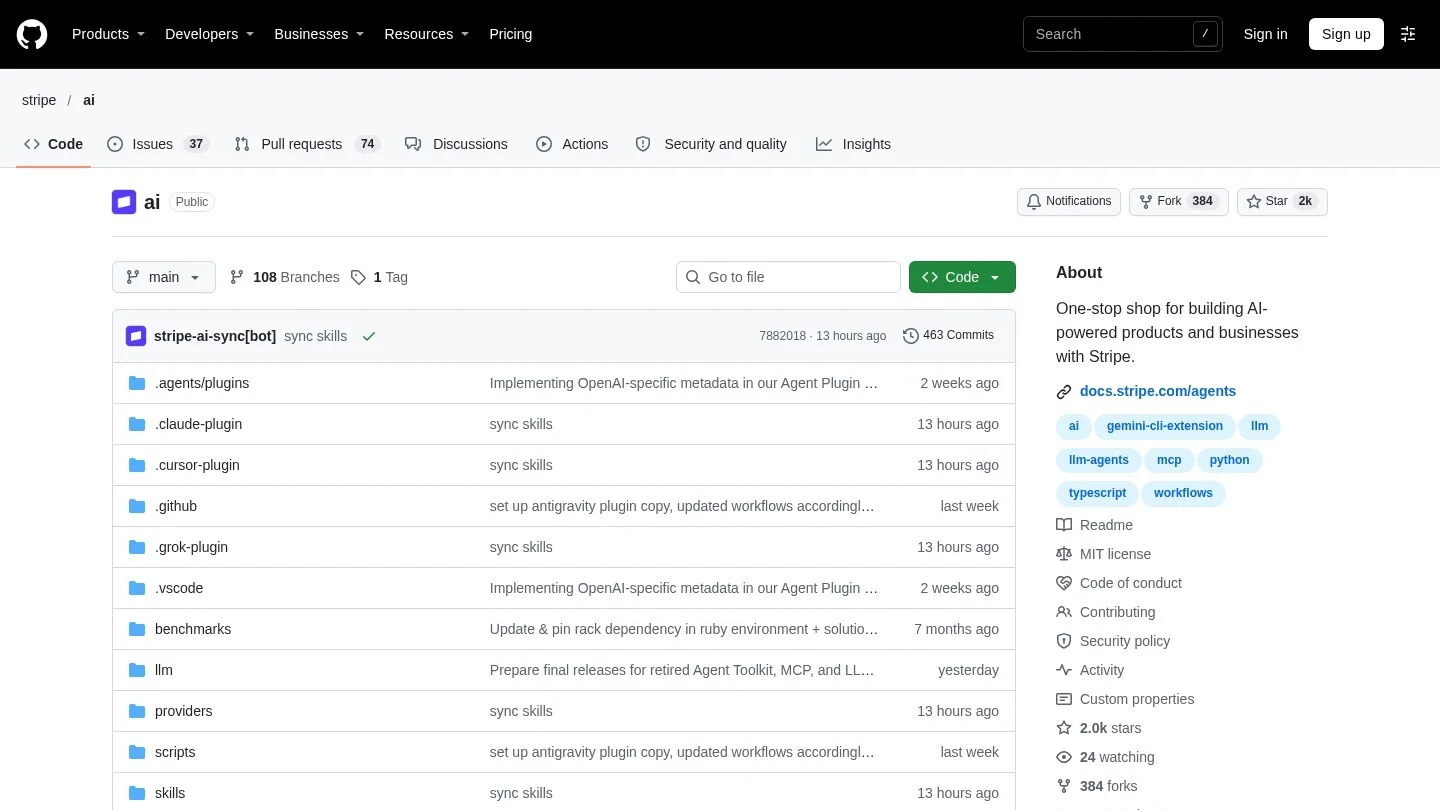
Stripe hosts a server at mcp.stripe.com and also ships a local one through npx and @stripe/mcp. The local server lists 20 tools. For example, they read balances, create customers and invoices, update subscriptions and create refunds.
The –tools flag decides which of those tools load. So a support agent can get customers.read and invoices.read and nothing else. We would also use a Stripe restricted API key in place of a full secret key. Then the key itself blocks any call outside its scope.
Room to grow: The setup examples place a full secret key on the command line. Examples that use restricted keys by default would teach safer habits.
Best for: Support and finance agents that look up payments, draft invoices or prepare refunds for a person to approve.
12. Cloudflare API MCP Server: Best for Cloud and Edge Setup
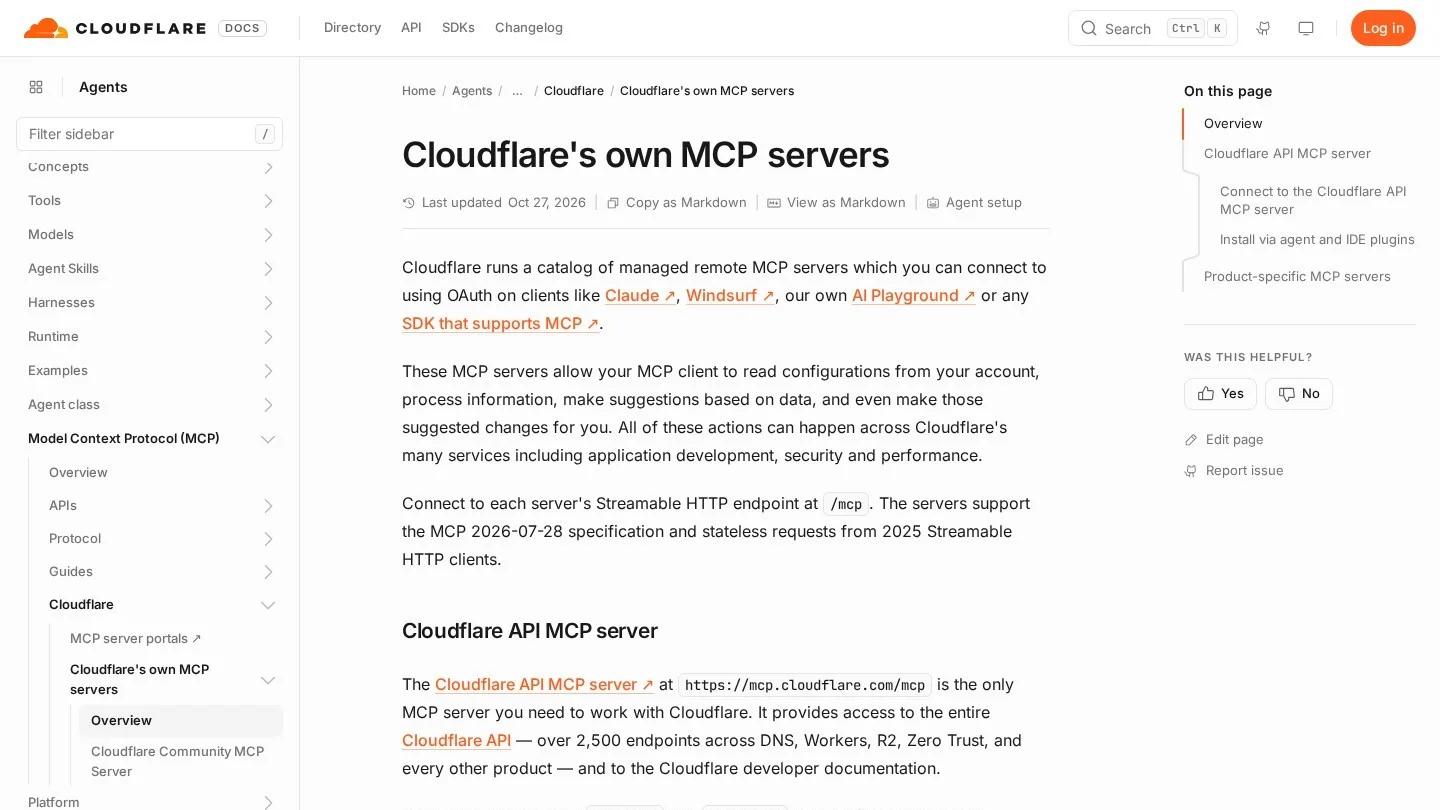
Cloudflare’s main server at mcp.cloudflare.com/mcp covers over 2,500 API endpoints with just three tools. They are search(), execute() and docs(). The model writes short JavaScript against a typed API, and that code runs in an isolated sandbox.
This design saves a huge amount of context. Cloudflare puts the cost at about 1,000 tokens. In contrast, a server that listed every endpoint as its own tool would need about 1,170,000. Sign-in uses OAuth, and you choose the permissions the agent gets. For CI jobs, an API token works as a bearer token.
Cloudflare also runs smaller hosted servers for docs, containers, browser tasks and SaaS security checks. Each one lives on its own mcp.cloudflare.com subdomain.
Room to grow: The execute() tool can reach the whole API, so scope rests on the token. A preset for common read-only jobs would help new users.
Best for: DevOps agents that manage DNS, Workers or security settings on Cloudflare.
13. Zapier MCP: Best for Reaching Apps With No MCP Server of Their Own
Zapier MCP turns actions in apps connected to Zapier into tools for your agent. So an agent can reach a CRM or a form tool that has no MCP server yet. It also makes sense for teams that already run AI by Zapier.
Billing is plain. Each successful tool call uses two tasks from your plan, and failed calls use none. Listing tools and setting up auth are free. Batch steps count one by one, so five spreadsheet rows count as five calls.
Room to grow: MCP tasks share one allowance with your Zaps. A separate cap just for MCP would stop a busy agent from pausing other automations.
Best for: Teams that want one MCP link to many business apps.
What We Counted Across the Thirteen Servers
We tallied two traits for each server in our table. Also, we ran two cost models with Python. Each input is a figure from the vendor docs we opened.
Hosting and Access Switches by the Numbers
Ten of the 13 servers, or 77%, offer a hosted endpoint. Only Playwright, the Filesystem server and the Toolbox need you to run them. However, only six of 13, or 46%, have a server-side switch that removes write tools or narrows scope. Those six are GitHub, Supabase, Stripe, Cloudflare, the Toolbox and the Filesystem server.
For the other seven, the limit is the account behind the sign-in. So we would give an agent its own bot account with fewer rights than a person. Then even a bad tool call can only touch what that account can.
Token Load From Tool Definitions
Every tool a server exposes sends its name and schema to the model. Cloudflare’s figures give us a rough rate. We divided 1,170,000 tokens by 2,500 endpoints and got about 468 tokens per tool. That is an upper bound, because API endpoints carry larger schemas than most MCP tools.
per_tool = 1_170_000 / 2_500      # about 468 tokens per tool definition
tools = {"Playwright": 25, "Stripe (all tools)": 20, "Sentry": 15, "Filesystem": 13}
total_tools = sum(tools.values())  # 73
load = total_tools * per_tool      # about 34,164 tokens
share = load / 200_000             # about 17% of a 200,000-token window
So four servers with every tool loaded could fill about 34,000 tokens before the agent reads its task. That is roughly 17% of a 200,000-token window. Anthropic’s engineering team made the same point in November of last year. In its example, presenting MCP tools as code cut usage from 150,000 tokens to 2,000, a 98.7% drop. Cloudflare’s Code Mode cuts its own load by 99.9% on the same logic. Our guide to context engineering for AI agents covers other ways to trim this load.
Task Cost of an Agent on Zapier MCP
Next, we priced a modest Zapier MCP agent. We assumed 40 successful tool calls each workday and 22 workdays a month. That gives 880 calls, and at two tasks each, 1,760 tasks a month. Then you can compare that figure with your plan’s task allowance. Our post on how to control AI agent costs has more ways to cap this spend.
Security Rules for Servers an Agent Calls Without You
MCP servers run with real access to real systems. So the main risk comes from the mix of tools you give one agent. In May of last year, Invariant Labs showed how that mix can go wrong with the GitHub server.
In their demo, an attacker filed an issue with hidden instructions in a public repo. Later, the owner asked an agent to review open issues. Then the agent read the issue, pulled data from a private repo and posted it in a public pull request. The server code had no bug. Instead, the agent held private data, read outside text and could publish, all in one session.
The MCP spec’s security guide adds more risks. For example, it forbids servers from passing through tokens that were not issued to them. It also warns that a local server runs with the same rights as your client. So it asks clients to show the full start command and get consent before they run a new local server.
With that in mind, we drew up a plan for the first unattended run of each server type. Each row uses a setting named in that vendor’s docs, except where we say “our advice”.
| Server type | First setting to use | Why it matters |
|---|---|---|
| GitHub | Read-only mode plus one toolset | Stops an agent from pushing or merging while you test it |
| Playwright | –isolated, inside a container or spare machine | Keeps logins off disk and the host away from the web |
| Filesystem | One allowed folder, read-only mounts where possible | Limits damage to a single project |
| Databases | Toolbox custom tools or Supabase read_only=true | The agent runs only reviewed queries or reads only |
| Slack, Notion, Atlassian, Linear | A bot account with narrow rights (our advice) | The agent acts with the rights of whoever signs in |
| Stripe | –tools with read tools, plus a restricted key (our advice) | Refunds and subscription changes stay with a person |
| Cloudflare | OAuth with the fewest permissions | execute() reaches the whole API, so the token sets the limit |
| Zapier | Only the actions the job needs (our advice) | Each extra action is one more way to act and spend tasks |
Also, keep a person in the loop for any tool that sends money, merges code or posts in public. Claude Desktop, for one, asks before each tool call by default. However, many users switch on “always allow” to save time. For an unattended agent, we would keep approval on for those few tools and allow the rest.
Finally, run a separate agent for each trust level. One agent reads public issues and web pages. Another touches private data. That split breaks the chain the Invariant demo used. Our comparison of autonomous agents and workflow automation explains when a fixed workflow is the safer choice.
How We Picked and Checked Each Server
First, we pulled candidates from vendor repos and the official MCP Registry. The registry launched in preview in September of last year. Maintainers from Anthropic, GitHub, Block and PulseMCP run it. It lists self-reported server data, and community members can flag spam or fake servers.
Then we kept only servers that a vendor or the MCP project itself maintains. Next, we read each repo or docs page for the hosted URL, sign-in method and access switches. We left out any feature we could not trace to the vendor. After that, we grouped the 13 servers by agent job and named the best one for each job.
The wider ecosystem is large. Last December, Anthropic gave MCP to the new Agentic AI Foundation under the Linux Foundation. Block and OpenAI co-founded it. At that time, Anthropic counted over 10,000 active public MCP servers and over 97 million monthly SDK downloads. ChatGPT, Cursor, Gemini, Microsoft Copilot and VS Code all support the protocol.
Questions Teams Ask Before Wiring Up MCP Servers
What Is the Best MCP Server to Install First?
For a coding team, install the GitHub MCP server in read-only mode. For other teams, pick the hosted server of the tool you use most, such as Notion, Slack or Atlassian. One server with tight access teaches you more than five loose ones.
Are MCP Servers Safe for Autonomous Agents?
They can be, if you limit what each agent can reach. The risk grows when one agent reads outside text, holds private data and can publish. So use read-only modes, narrow tokens and approval steps for tools that move money or code.
Do I Need to Host MCP Servers Myself?
Usually not. Ten of the 13 servers on our list run as hosted endpoints with OAuth or token sign-in. You host only local servers, such as Playwright, Filesystem or the database Toolbox.
How Many MCP Servers Should One Agent Use?
Use as few as the job needs. Every tool adds its schema to the model’s context. In our math, four servers with all tools loaded used about 17% of a 200,000-token window.
Where Can I Find More MCP Servers?
The official MCP Registry is the main public catalog. Also check the vendor’s own docs, because many companies now host an official server. For tools with no server yet, Zapier MCP can bridge the gap.
Related AI Agents


Read also: Multi-Agent Communication Protocols: MCP, A2A, AG-UI, ANP and FIPA-ACL
Explore Agent Categories
Related Articles
 GuidesAutonomous AI Agents vs Workflow Automation: Cost, Risk and When to Use Each
 GuidesKlarent AI Alternatives for Autonomous Web and Mobile Testing
 GuidesMulti-Agent Communication Protocols: MCP, A2A, AG-UI, ANP and FIPA-ACL
 GuidesJSON-RPC in AI Agent Communication: How MCP and A2A Use It
 GuidesGemini CLI vs Claude Code: Access, Pricing and MCP Compared
 GuidesWebhooks vs Polling for AI Agent Workflows
